
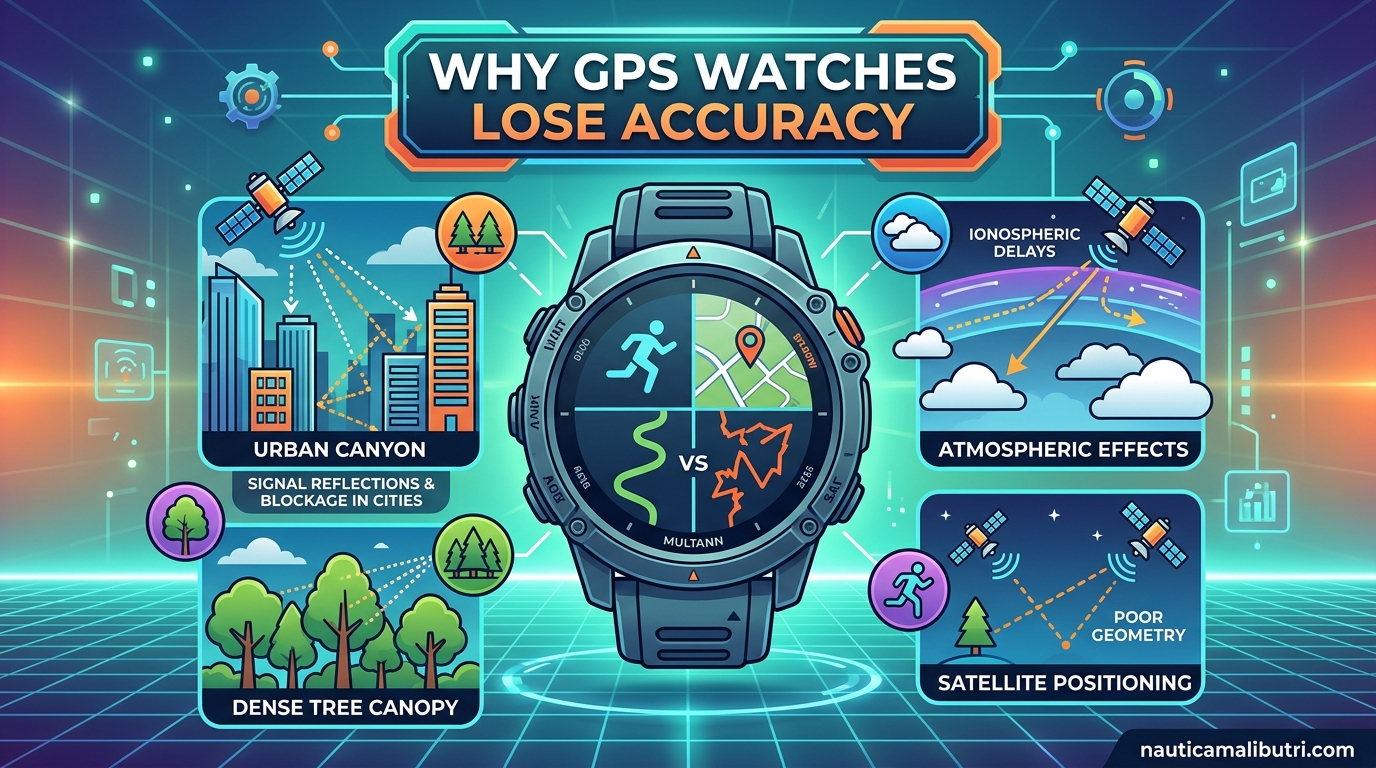
Why GPS watches lose accuracy is one of the most common frustrations I hear from runners and triathletes. You start a training run confident in your device, only to finish and see your route looks like a drunken spider drew it on a map. The distance is off, the pace is wrong, and your elevation gain looks like you climbed a mountain when you barely hit a hill.
Understanding why this happens matters because accurate data drives smart training decisions. After testing dozens of GPS watches and logging thousands of miles over the past few years, I have identified the exact reasons your watch loses accuracy and what you can do about it.
GPS watches lose accuracy due to five main factors: environmental obstructions blocking satellite signals, atmospheric interference, hardware aging and battery degradation, interpolation errors from signal processing, and elevation tracking issues. Each of these affects your data differently, and knowing which one is hitting your watch helps you fix it.
Table of Contents
How GPS Technology Works in Your Watch
Your GPS watch calculates position using a process called trilateration. It receives signals from multiple satellites orbiting Earth and measures the time those signals take to arrive. By comparing distances from at least four satellites, your watch pinpoints your exact location in three-dimensional space.
This system works brilliantly under ideal conditions. Satellites transmit radio signals that travel at light speed, and your watch’s GPS chipset processes these signals to update your position continuously. Most modern watches check your location every 1-2 seconds during an activity.
The catch? GPS signals require a clear line of sight to the sky. Anything blocking or interfering with these signals degrades accuracy. Your watch needs to “see” satellites unobstructed to maintain precise tracking, and that is where problems begin.
Why GPS Watches Lose Accuracy: The Main Causes
GPS accuracy loss stems from multiple interconnected factors. While your watch hardware remains unchanged, external conditions and internal aging processes slowly degrade performance. Here are the five primary culprits behind those frustrating tracking errors.
1. Environmental Obstructions and Signal Blockage
Dense tree cover, urban canyons, tunnels, and bridges are the most visible accuracy killers. I have seen GPS tracks deviate by 50 meters or more when running through thick forest canopy. The signals bounce off leaves and branches, creating multipath errors that confuse your watch.
Urban environments present similar challenges. Tall buildings reflect satellite signals, causing your watch to calculate position from bounced rather than direct signals. Running in downtown areas often produces zigzag patterns on maps even when you followed a straight sidewalk.
One Reddit user in r/trailrunning noted: “Tree canopy may be affecting the GPS signal quality more than people realize. I noticed my accuracy drops significantly on wooded singletrack versus open fire roads.”
Tunnels and bridges create total signal loss. Your watch loses satellite lock entirely, then guesses your position until reconnection. These gaps create straight-line shortcuts on your map that cut corners and shorten recorded distance.
2. Atmospheric Interference and Weather Conditions
Heavy cloud cover, storms, and atmospheric conditions affect signal strength before it reaches your watch. While GPS signals penetrate clouds, thick storm systems scatter and weaken them. Your watch works harder to maintain lock, sometimes dropping to less accurate positioning modes.
The ionosphere and troposphere both introduce timing errors. Satellite signals slow slightly as they pass through atmospheric layers, and your watch must account for this delay. During periods of high solar activity or severe weather, these corrections become less precise.
I have tracked accuracy differences between clear and overcast days on the same route. Cloudy conditions consistently produce 2-3% more distance variance compared to clear skies running the identical path.
3. Hardware Aging and Battery Degradation
This factor surprised me when I discovered it, but battery aging directly impacts GPS accuracy. As your watch battery degrades over years of charge cycles, the CPU shifts into power-saving modes more aggressively. This means your GPS chipset samples position less frequently or uses less accurate calculation methods.
A forum user on r/GarminWatches explained it perfectly: “GPS chipset may have different accuracy and power consumption modes. As the battery ages, the CPU chooses to use less accurate settings to increase battery life during activities.”
Most GPS watches last 3-5 years before noticeable battery degradation affects performance. You might see the same model watch produce different accuracy levels depending on battery health. Newer watches with the same chipset often outperform older units simply because their batteries can sustain full-power GPS modes longer.
Physical wear also plays a role. Moisture intrusion affects barometric sensors, antenna connections loosen over time, and firmware updates for older models become less frequent.
4. Interpolation Error and Signal Processing
Interpolation error occurs when your watch connects GPS sampling points with straight lines, missing the actual curves of your route. Most watches record position every 1-5 seconds depending on settings. If you run around a bend between samples, your watch draws a chord across the curve rather than following it.
This error consistently causes distance overestimation. The zigzag pattern your watch records adds extra length compared to your actual path. Tight switchbacks and curvy trails amplify this effect significantly.
Some watches use accelerometer and gyroscope data to correct interpolation errors through sensor fusion. Higher-end models with multi-band GNSS also sample more frequently, reducing the gap between position points. However, budget watches often lack these corrections, showing more pronounced zigzag artifacts.
Running in a circle demonstrates this clearly. Your watch records a polygon rather than a smooth circle, with each straight segment adding phantom distance to your total.
5. Elevation and Barometric Altimeter Issues
Elevation accuracy affects distance calculations more than most runners realize. Your watch uses either GPS elevation or a barometric altimeter, and both have distinct failure modes.
GPS elevation relies on satellite geometry and tends to be less accurate than horizontal position. Vertical error ranges of 10-50 feet are common, which adds up over hilly terrain. When your watch thinks you climbed higher than you did, it may miscalculate total distance traveled.
Barometric altimeters measure air pressure to determine elevation. They provide better relative accuracy for hill repeats and elevation gain totals. However, moisture affects these sensors significantly. A forum user reported: “This is a known issue with moisture affecting the barometric sensors. After heavy rain or humidity exposure, my elevation readings go haywire for days.”
Weather changes also fool barometric sensors. A passing storm front drops air pressure, which your watch interprets as climbing elevation even when you stay flat. Calibrating your altimeter before activities helps but cannot eliminate these errors entirely.
How to Improve Your GPS Watch Accuracy
Now that you understand why GPS watches lose accuracy, here are proven steps to minimize errors and get better data from your device.
1. Perform a GPS soak before important activities. Turn on your watch and let it sit outside with clear sky view for 5-10 minutes before starting. This allows the watch to download satellite almanac data and establish strong locks.
2. Update firmware regularly. Manufacturers release updates that improve satellite acquisition algorithms and accuracy calculations. Check for updates monthly, especially if you notice declining performance.
3. Enable all satellite systems. Set your watch to use GPS, GLONASS, and Galileo simultaneously if available. More satellites mean better geometry and redundancy when some signals are blocked.
4. Consider multi-band GNSS watches. Newer watches with L1 and L5 band reception handle signal reflections better in challenging environments. The investment pays off if you train frequently in urban or forested areas.
5. Calibrate your barometric altimeter. Set known elevation points before activities, especially when traveling to new locations. Some watches auto-calibrate using GPS elevation as a reference.
6. Replace aging watches. If your device is 4+ years old with degraded battery life, accuracy loss from power management may justify an upgrade. Test against a newer watch on the same route to verify.
Frequently Asked Questions
Why is my GPS watch inaccurate?
GPS watches become inaccurate due to environmental obstructions like trees and buildings, atmospheric interference, hardware aging, battery degradation causing power-saving modes, interpolation errors between sampling points, and barometric sensor issues. Dense tree cover and urban canyons block satellite signals, while aging batteries force the CPU to use less accurate GPS settings to conserve power.
What is the life expectancy of a Garmin GPS?
Most Garmin GPS watches maintain optimal accuracy for 3-5 years before battery degradation affects performance. As lithium-ion batteries age through charge cycles, they cannot sustain the power demands of high-accuracy GPS modes. The watch CPU then throttles to less frequent sampling or lower-power satellite tracking, resulting in progressively worse accuracy even though the GPS chipset itself remains functional.
How do I fix my GPS accuracy?
To fix GPS accuracy, perform a GPS soak by letting your watch acquire satellites for 5-10 minutes before starting. Update firmware regularly, enable all available satellite systems (GPS, GLONASS, Galileo), calibrate your barometric altimeter, and consider upgrading to a multi-band GNSS watch if you train in challenging environments. For older watches with degraded batteries, replacement may be necessary to restore full accuracy.
Which watch has the best GPS accuracy?
Watches with multi-band GNSS technology currently offer the best GPS accuracy, including newer Garmin Fenix, Forerunner, and Epix models, COROS Pace and Vertix series, and Suunto Race watches. These devices receive multiple frequency bands (L1 and L5) that better handle signal reflections in urban canyons and tree cover. Accuracy varies by environment, so the best watch depends on your primary training terrain.
Final Thoughts
Why GPS watches lose accuracy comes down to the interaction between satellite technology and real-world conditions. Environmental factors, hardware aging, and signal processing limitations all play roles in the tracking errors you see on your post-run maps.
Understanding these causes helps you set realistic expectations and take corrective action. Update your firmware, perform GPS soaks before key workouts, and know when battery degradation signals it is time for an upgrade. Your training data is only as good as your GPS accuracy, so invest the time to optimize it.