
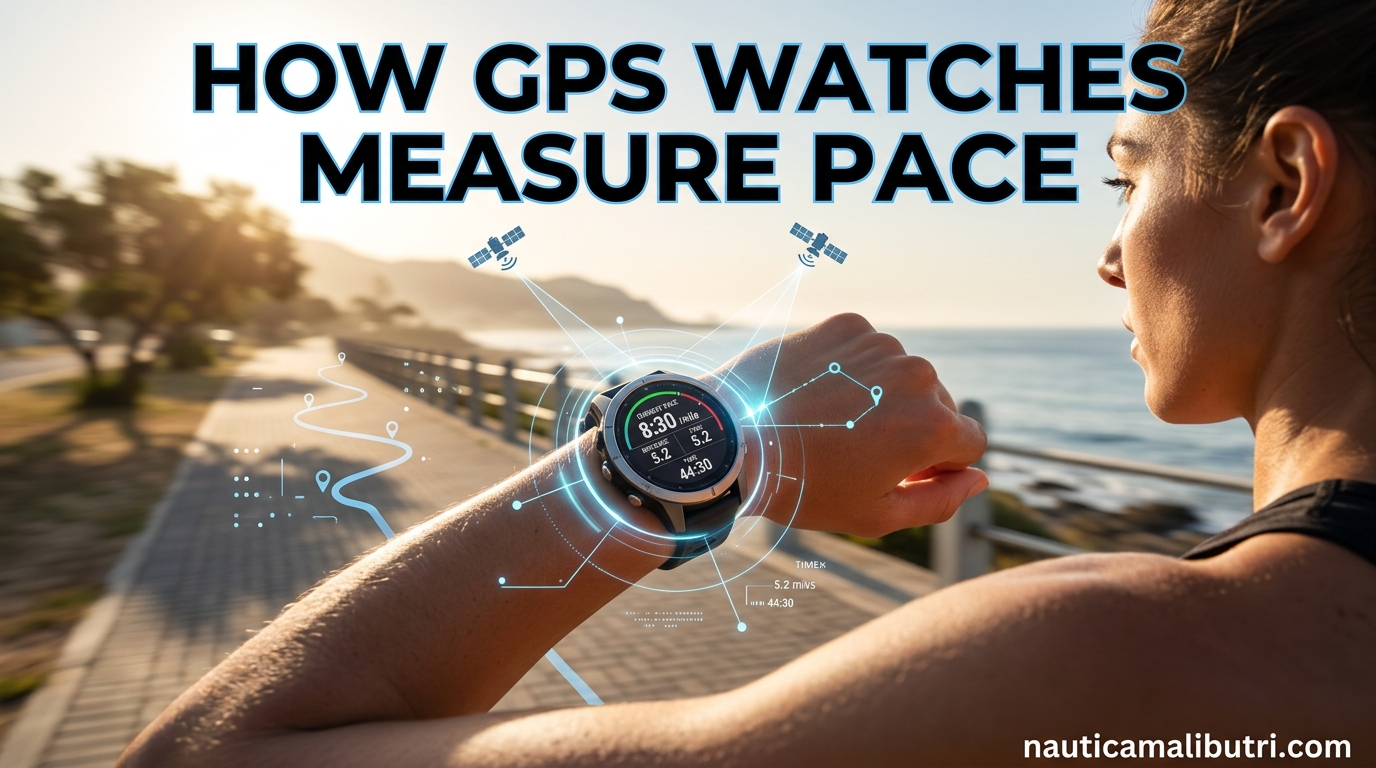
Understanding how GPS watches measure pace can transform your training. I have spent years running with various GPS watches, and knowing the technology behind the numbers has helped me interpret my data more accurately and set realistic expectations for race day.
GPS watches measure pace by receiving signals from orbiting satellites and calculating your position through a process called trilateration. Your watch tracks how far you have traveled over time and converts that into your minutes-per-mile or minutes-per-kilometer pace. The entire process happens in milliseconds, giving you real-time feedback as you run.
In this guide, I will walk you through exactly how GPS watches measure pace. You will learn the science behind satellite positioning, why accuracy varies between runs, and practical tips for getting the most reliable data from your device.
Table of Contents
What Is GPS and How Does It Work in Watches
The Global Positioning System consists of a constellation of 24 or more satellites orbiting approximately 20,000 kilometers above Earth. These satellites constantly broadcast signals that include their precise position and the exact time the signal was transmitted.
Your GPS watch contains a receiver that listens for these satellite signals. When the signal arrives, the watch calculates how long it took to travel from the satellite based on the timestamp in the signal. Since signals travel at the speed of light, the watch can determine its distance from each satellite.
Most GPS watches need signals from at least three satellites to calculate a two-dimensional position (latitude and longitude). For accurate elevation data and the most precise positioning, watches connect to four or more satellites simultaneously. Modern watches often connect to 8-12 satellites at once when conditions are favorable.
The Trilateration Process Explained
Trilateration is the mathematical process GPS watches use to determine your exact location. Imagine you are standing somewhere on a map, and you know you are exactly 5 miles from Satellite A. That puts you somewhere on a circle with a 5-mile radius around that satellite.
Now imagine you also know you are exactly 8 miles from Satellite B. The point where those two circles overlap gives you two possible positions. Add a third satellite distance, and those three circles intersect at exactly one point: your precise location.
Your GPS watch performs this calculation constantly as you move. Every few seconds, it receives updated timestamps from multiple satellites, recalculates the distances, and plots your new position. The watch then measures the straight-line distance between consecutive position points to determine how far you have traveled.
How GPS Watches Calculate Pace from Position Data
Once your watch knows your position, calculating pace becomes a matter of simple math. The device measures the distance between your current GPS point and your previous GPS point, then divides that distance by the time elapsed between measurements.
Most GPS watches sample your position every 1 to 5 seconds depending on settings and battery mode. High-precision modes might update every second, while battery-saving modes might wait 5 seconds between readings. More frequent sampling generally produces smoother pace data but drains battery faster.
The watch displays your current pace as an average over the last several seconds to smooth out GPS jitter. Instant pace readings would bounce around too wildly to be useful, so manufacturers apply algorithms that average recent data points. This is why your displayed pace sometimes lags slightly behind your actual effort when you speed up or slow down.
GPS Error Margins and Accuracy Limits
Real-world GPS accuracy for running typically falls within a 1-3% error margin on open roads and can reach 3-6% on technical trails. This means a 10-mile run might register anywhere from 9.7 to 10.3 miles depending on conditions.
A study by Rawstorn and colleagues examined GPS accuracy during running with tight turns. They found that GPS watches struggle with corners because the devices essentially connect position dots with straight lines, cutting off the curves. This phenomenon, sometimes called the “tight corner error,” causes watches to underestimate distance on winding paths.
Nielsen’s research on environmental factors demonstrated that forest canopy can increase error rates significantly. In dense tree cover, signal reflections and obstructions create positioning uncertainty. Urban environments with tall buildings produce similar issues through what engineers call “multipath error,” where signals bounce off structures before reaching your watch.
Understanding these limitations helps explain why your GPS watch might show 3.2 miles for an official 5K cross country course. The watch is not wrong per se; it is measuring the path it perceives based on available satellite data, which differs from the actual course route.
Factors That Affect GPS Pace Accuracy
Several environmental and technical factors influence how accurately your GPS watch measures pace. Urban canyons created by tall buildings block or reflect satellite signals, causing temporary position jumps that translate to pace spikes.
Tree cover creates a similar challenge. Dense forest canopy absorbs GPS signals, forcing your watch to work with weaker data. Modern watches with multi-band GPS handle this better than older models, but accuracy still degrades in heavy cover compared to open sky.
Atmospheric conditions matter more than most runners realize. The ionosphere, a layer of charged particles high in the atmosphere, slows GPS signals slightly. Solar activity and weather patterns affect ionospheric delay, introducing small errors that change throughout the day.
How you wear your watch also impacts accuracy. Wrist-mounted GPS antennas have limited sky visibility compared to bike-mounted units or phones held upward. Some runners report better accuracy when wearing the watch on the outside of their wrist rather than the inside.
The quality of your watch’s GPS chipset and which satellite systems it supports affects performance too. Basic GPS-only watches use the American satellite constellation. More advanced models add GLONASS (Russian), Galileo (European), and BeiDou (Chinese) satellites, increasing the number of visible satellites and improving accuracy.
Accelerometer Fallback When GPS Is Unavailable
When GPS signals are unavailable or unreliable, many watches switch to accelerometer-based tracking. The watch uses its internal motion sensors to estimate distance based on your stride patterns.
Treadmill mode relies entirely on this accelerometer data. The watch detects your arm swing and estimates distance traveled based on calibrated stride length. Accuracy varies significantly between individuals since stride patterns differ.
Some runners use external footpods that provide more accurate accelerometer data than wrist-based sensors. Footpods measure actual foot strike and ground contact time, producing distance measurements that many athletes find more reliable than GPS for indoor training or consistent-pace workouts.
However, accelerometer tracking has limitations. It requires calibration to your specific running form, works best at steady paces, and struggles with interval training where stride length changes frequently. For outdoor running with clear sky visibility, GPS remains the preferred tracking method.
Multi-Band GPS Technology Explained
Multi-band GPS represents the latest advancement in watch positioning technology. Traditional GPS watches receive only the L1 frequency band, which is susceptible to signal interference and multipath errors in challenging environments.
Newer multi-band watches also receive the L5 frequency, which was originally designed for aviation safety. The L5 signal travels differently through the atmosphere and reflects off obstacles in distinct ways compared to L1. By comparing both signals, watches can filter out errors and produce more accurate positions.
The practical benefit appears most clearly in dense tree cover and urban environments. Multi-band watches maintain satellite lock where single-band watches lose signal, and they produce smoother track logs with fewer erratic position jumps. For trail runners and triathletes training in varied terrain, this technology offers meaningful improvement.
As of 2026, watches from Garmin, Coros, and Apple offer multi-band GPS capability. The feature typically costs more and drains battery faster, but many serious athletes find the accuracy improvement worth the tradeoff.
GPS in Triathlon: Special Considerations
Triathletes face unique GPS challenges that pure runners avoid. Open water swimming presents the most difficult conditions, with your wrist submerged and wave action creating constant movement. GPS watches often lose signal entirely during the swim leg, producing straight-line estimates between the few position fixes they manage to capture.
Transition areas create another challenge. Moving quickly through buildings, tents, and crowds with wet equipment can delay satellite reacquisition after the swim. Smart triathletes start their bike leg GPS manually or ensure auto-multisport mode activates properly to avoid losing the first mile of cycling data.
Bike position matters for GPS accuracy too. Wrist-mounted watches face backward when you are in aero position, reducing sky visibility. Some triathletes mount watches on handlebars or use dedicated bike computers for the cycling leg, then switch back to wrist for the run.
Understanding these limitations helps triathletes interpret their race data realistically. GPS pace and distance during triathlons serve as useful approximations rather than exact measurements. Official race timing remains the gold standard for performance verification.
Tips for Improving GPS Accuracy
Getting the most accurate pace data from your GPS watch requires some simple habits. Before starting your run, step outside and wait for your watch to confirm GPS lock. Most watches display a GPS indicator when ready. Starting before full acquisition produces inaccurate data for the first several minutes.
Choose routes with clear sky visibility when possible. While you cannot avoid trees and buildings entirely, planning routes through parks rather than dense forest, or along streets with moderate building height rather than downtown canyons, improves accuracy noticeably.
Be mindful of tight turns and switchbacks. GPS watches connect position points with straight lines, so paths with many direction changes accumulate distance error. When running intervals on a track, the outer lanes provide slightly better GPS accuracy than lane one because the curves are gentler.
Keep your watch firmware updated. Manufacturers regularly release updates that improve GPS algorithms and add support for new satellite systems. These updates often address known accuracy issues discovered after product release.
Wear your watch consistently on the same wrist and position. Some runners find that wearing the watch on the outside of the wrist, facing away from the body, improves satellite reception. Experiment to find what works best for your specific watch and typical running environments.
Frequently Asked Questions
How accurate is GPS for speed?
GPS speed accuracy for running typically falls within 1-3% on open roads with clear sky visibility. In challenging environments like dense forest or urban canyons, error rates can increase to 3-6%. The accuracy depends on satellite signal strength, the number of satellites connected, and environmental factors like tree cover and buildings. Multi-band GPS watches provide better accuracy than single-band models, especially in difficult conditions.
Is Garmin accurate for pace?
Garmin watches are generally accurate for pace tracking when used properly. Their accuracy falls within the industry standard of 1-3% error on open courses. Newer Garmin models with multi-band GPS technology show improved accuracy in challenging environments compared to older single-band models. For best results, ensure GPS lock before starting your run and keep firmware updated. Like all GPS watches, Garmin devices may show reduced accuracy on tight trail courses with many direction changes.
Why does my GPS watch show different pace on the same route?
GPS watches show pace variations on the same route due to changing satellite positions, atmospheric conditions, and signal interference. The GPS satellite constellation constantly moves, so the specific satellites your watch connects to differ between runs. Weather affects signal propagation through the atmosphere. Additionally, your watch’s position on your wrist, battery mode settings, and nearby interference sources like buildings or electronic devices can vary day to day, all affecting accuracy.
How often does a GPS watch update location?
Most GPS watches update location every 1 to 5 seconds depending on settings. High-precision or best-GPS modes typically sample position every 1-2 seconds. Battery-saving modes may extend this to every 5 seconds or longer. More frequent updates provide smoother pace data and better accuracy on tight turns but consume more battery. Some watches offer ultra-trac or expedition modes that update every minute for extended battery life during long activities.
Is a higher or lower pace better?
Lower pace numbers represent faster running. A 7-minute mile is faster than an 8-minute mile, so lower is better when comparing the same distance. However, the best pace for you depends on your training goals, fitness level, and workout type. Easy runs should be run at a conversational pace, while intervals require faster paces. Rather than obsessing over absolute numbers, focus on running the appropriate pace for your specific workout and fitness development.
Conclusion
Understanding how GPS watches measure pace helps you use these powerful training tools more effectively. The technology relies on trilateration using signals from orbiting satellites, calculating your position frequently and deriving pace from distance over time.
Accuracy varies based on environmental conditions, satellite geometry, and watch technology. Error margins of 1-3% are normal on open roads, while challenging terrain can increase this to 3-6%. Multi-band GPS watches offer improved performance in difficult conditions but cannot overcome fundamental limitations of the technology.
Now that you understand how GPS watches measure pace, you can interpret your training data with appropriate skepticism and adjust your expectations for race day. Focus on consistent effort and perceived exertion alongside the numbers on your wrist for the most effective training approach.