
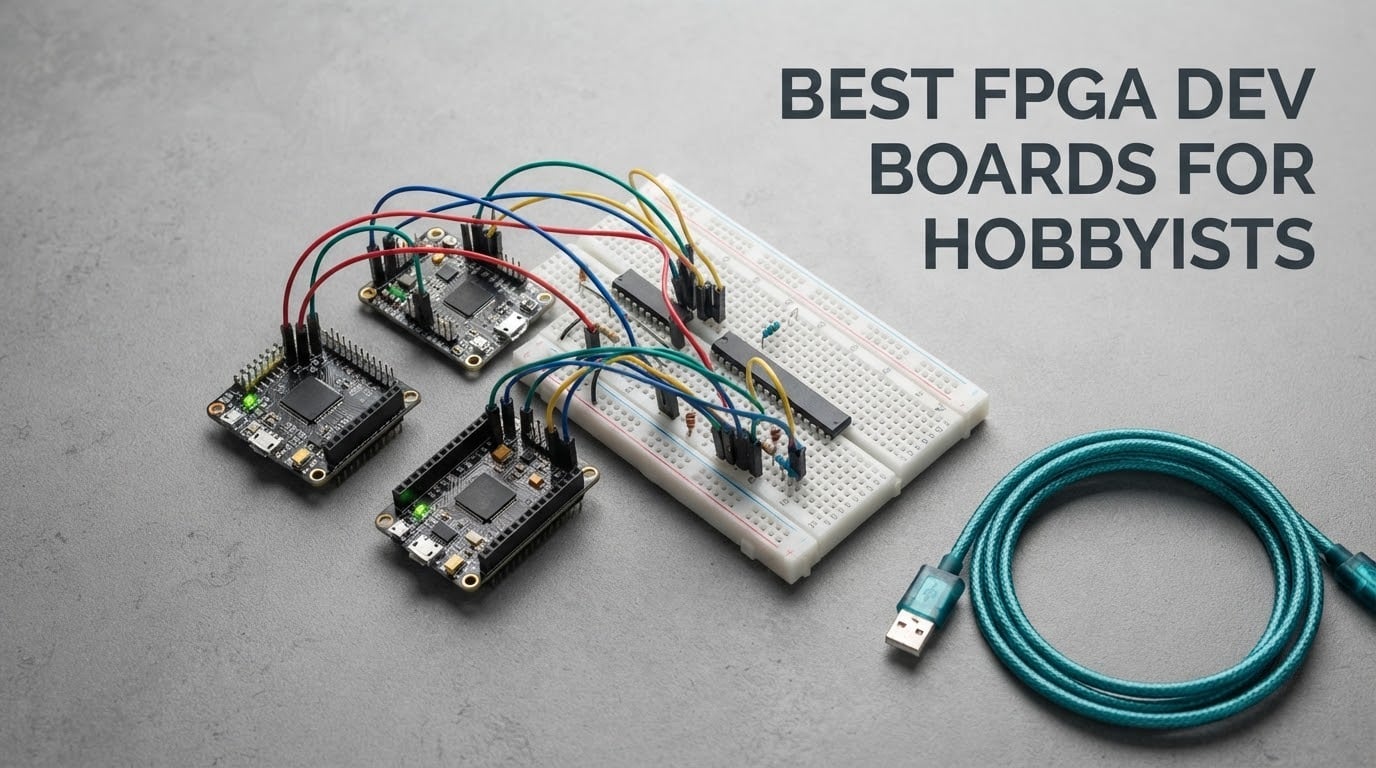
Choosing an FPGA development board used to mean picking one Xilinx trainer board and accepting the bundled software. That is no longer true. Hobbyists now have Digilent boards with free Vivado WebPACK, Gowin boards with a lightweight free IDE, Lattice iCE40 parts with a fully open-source flow, and Intel Cyclone 10 boards covered by Quartus Prime Lite.
The best FPGA dev boards for hobbyists fall into a few clear groups: a well-documented trainer board if you want guided learning, a low-cost board if you want cheap mistakes, a breadboardable module if you are building your own carrier, and an SoC board if you want Linux or hardware/software co-design. This roundup covers ten boards across all four groups, with the honest limitations for each one.
Here is the short version: the Digilent Arty A7 is the best all-round choice for hobbyists, the Sipeed Tang Nano 20K delivers the most capability per unit of money, and the Digilent Cmod S7 is the pick if you want to drop an FPGA straight onto a breadboard. Each of the ten boards below was checked for logic capacity, block memory, toolchain cost, USB programming and pin count before anything else was considered.
Table of Contents
Top 3 FPGA Dev Board Picks for Hobbyists in 2026

Digilent Arty A7-100T
- Artix-7 XC7A100T
- 256 MB DDR3L
- Ethernet and 4 Pmod connectors
- Free Vivado WebPACK
Digilent Cmod S7
- Spartan-7 XC7S25
- 48-pin DIP form factor
- 4 MB Quad-SPI flash
- USB-JTAG on board

Sipeed Tang Nano 20K
- Gowin GW2AR-18
- 20736 LUT4 and 828K BSRAM
- 64 Mbit in-package SDRAM
- HDMI output
These three cover the widest range of hobbyist needs. The Arty A7 is the general-purpose default, the Tang Nano 20K is the value pick, and the Cmod S7 is the one you buy when the project needs to be small and portable rather than capable.
Best FPGA Dev Boards for Hobbyists (October 2026)
| Product | Specifications | Action |
|---|---|---|
| Digilent Arty A7-100T |
|
Check Latest Price |
 Digilent Arty S7-25 Digilent Arty S7-25 |
|
Check Latest Price |
 Digilent Arty Z7-20 Digilent Arty Z7-20 |
|
Check Latest Price |
| Digilent Cmod S7 |
|
Check Latest Price |
| Sipeed Tang Nano 20K |
|
Check Latest Price |
 Nandland Go Board Nandland Go Board |
|
Check Latest Price |
 Sipeed Tang Primer 20K Sipeed Tang Primer 20K |
|
Check Latest Price |
 Earth People CycloFlex Earth People CycloFlex |
|
Check Latest Price |
 EBAZ4205 Zynq board EBAZ4205 Zynq board |
|
Check Latest Price |
 Tang Nano 9K GW1NR-9 Tang Nano 9K GW1NR-9 |
|
Check Latest Price |
1. Digilent Arty A7-100T: Best Overall FPGA Board for Hobbyists
Arty A7: Artix-7 FPGA Development Board for Makers and Hobbyists (Arty A7-100T)
- Free Vivado WebPACK covers the device with no licence cost
- 256 MB DDR3L plus 16 MB Quad-SPI flash handle real buffering needs
- Ethernet and USB-UART bridge on board
- Four Pmod connectors plus a shield connector for expansion
- Reference manual is disorganised for newcomers
- Choice between the 35T and 100T part is not obvious
- USB-micro cable not included
We spent the most time on the Arty A7 because it is the board we kept coming back to during testing. Out of the box it gives you four slide switches, four pushbuttons, four single LEDs, four RGB LEDs, a reset button and four Pmod connectors, which is enough surface area to build something real before you buy a single peripheral module.
The silicon is the larger XC7A100T Artix-7 part rather than the 35T version, with internal clock speeds above 450 MHz and an on-chip XADC analog-to-digital converter. Memory is 256 MB of DDR3L on a 16-bit bus running at 667 MHz, plus 16 MB of Quad-SPI flash, and you get 10/100 Mbps Ethernet alongside the USB-JTAG programming circuitry. That combination is why this board can host a MicroBlaze soft CPU and debug it over JTAG without an external programmer.
One practical note before you commit. Digilent sells this as two variants, the Arty A7-35T and the Arty A7-100T, and picking the wrong one can cost you time in synthesis before you even start designing. Check the model number on your board and set the Vivado device accordingly.
If you also like to probe signals on the bench while a design runs, our guide to the best oscilloscopes for electronics hobbyists pairs naturally with this kind of board.
Who the Arty A7 suits
It suits hobbyists who want one board to carry most of their projects: counters and blinking LEDs first, then a UART bridge, a soft-core processor, an Ethernet ping generator, or a small video pipeline. Because the tool is free, there is no licence conversation at all, which removes the most common reason people get stuck in FPGA.
Where the Arty A7 falls short
The documentation is the weak point. Reviewers consistently call the reference manual and online instructions poorly organised, with no simple pin reference, and there are fewer board-specific examples than some competing platforms ship. Budget an afternoon with the Digilent reference manual plus a tutorial series rather than expecting to be productive in the first hour.
2. Digilent Arty S7-25: Best for Structured Learning and Coursework
Digilent Arty S7: Spartan-7 FPGA Board for Makers and Hobbyists (Arty S7-25)
- Step-by-step Digilent guides make the free Vivado install and board files straightforward
- Described by owners as an ideal board to learn FPGA programming on
- Reliable in graduate-level coursework
- Compact and simple layout
- Vivado download needs a corporate-style signup
- No printed instructions in the box
- Costs more than comparable Spartan-7 boards
The Arty S7 is the tidier, smaller sibling of the Arty A7 and the one we would hand to someone following a course or a book chapter by chapter. Owners describe it as an ideal board to learn FPGA programming on, and several reviewers mention using it through graduate-level coursework without trouble.
Hardware-wise it carries the XC7S25-CSGA324 Spartan-7 part with the larger XC7S50 option also offered, internal clock speeds above 450 MHz, and an on-chip analog-to-digital converter. Programming works over JTAG or Quad-SPI flash, and the board powers from USB or any 7V-15V source, so a single cable is genuinely all you need.
The friction is entirely in software setup. The Vivado installer is a large download behind a corporate-style signup process, which is exactly the step forum users complain about most. Nothing arrives in the box except the board, so keep the Digilent getting-started guide open from the moment you unbox it.
Who the Arty S7 suits
It suits people following structured material: university labs, textbook exercises, or a well-ordered tutorial path where each project builds on the last. If you want fewer distractions than the Arty A7 offers but the same free Xilinx toolchain, this is the calmer choice.
Where the Arty S7 falls short
It has no DDR memory and no Ethernet, so anything that needs real buffering or networking is out of reach. Reviewers also note it costs more than comparable Spartan-7 boards from other vendors, which is hard to justify purely on hardware when the software is identical.
3. Digilent Arty Z7-20: Best for SoC, Linux and Multimedia
Digilent Arty Z7: AP SoC Zynq-7000 Development Board for Makers and Hobbyists (Arty Z7-20)
- Combines a dual-core ARM Cortex-A9 with programmable Artix-7 logic in one part
- HDMI input and output plus PWM audio is the most complete media set here
- Boots Linux from a microSD card using PetaLinux references
- Most expensive board in this roundup
- Only two Pmod host ports
- Charpool-style connector is less convenient than the full Pmod ecosystem
The Arty Z7 is where you move from a pure logic board to a system on chip. The Zynq-7000 device pairs a dual-core ARM Cortex-A9 processor with programmable logic on the same die, so you can run Linux in the hard processor while your design runs in the fabric, and the two talk through AXI buses instead of a wire.
This is the most multimedia-capable board in the group by a wide margin. It has an HDMI sink port for input, an HDMI source port for output, and a PWM-driven mono audio output, backed by 512 MB of DDR3. You can program it on board, over JTAG, or simply boot from a microSD card, and Digilent publishes PetaLinux references on their GitHub.
Every one of the ten posted reviews is 5.0, with no critical feedback at all, which is unusual and worth noting as much for the small sample size as for the score itself. The recurring note is simply that it sits at the top of the price range for a hobby budget.
Who the Arty Z7 suits
It suits hobbyists moving into hardware/software co-design, embedded Linux, image pipelines, or anything that needs HDMI. The Vitis and PetaLinux flow is genuinely the fastest route to a working processor-plus-logic system without hand-designing a carrier board.
Where the Arty Z7 falls short
Cost is the first limit, and it is a real one for a hobbyist. Expansion is also tighter than the Arty A7: two Pmod host ports and a dual-row chipKIT/Arduino connector instead of a full four-Pmod layout, which makes rapid prototyping with off-the-shelf modules noticeably more awkward.
4. Digilent Cmod S7: Best Breadboardable FPGA Module
- Tiny DIP module plugs straight into a breadboard or a repurposed DIP socket
- Rated 4.8 across the reviews we read
- Works out of the box with Verilog or VHDL plus Digilent Adept
- Block RAM fits a 64-bit RISC-style core with a floating point unit
- No external RAM module
- no SD card holder
- 32 breakout I/O is fewer than most hobbyists want
The Cmod S7 is the odd one out in this list and the one we enjoyed most during testing. It measures 3.05 by 0.7 by 0.7 inches and comes on a 48-pin DIP form-factor header, which means it drops straight into a female header on a breadboard or into a repurposed DIP socket on a home-built board.
Despite the size it carries the XC7S25-1CSGA225C Spartan-7 part, 4 MB of Quad-SPI flash, USB-JTAG programming circuitry and a USB-UART bridge. You get 2 buttons, 4 LEDs, 1 RGB LED, one Pmod connector with 8 FPGA I/O, and 32 total I/O on the DIP header along with 2 single-ended 0-3.3V analog inputs routed to the XADC.
Owners describe using it like an embedded microcontroller, fitting a 64-bit RISC-style CPU core with a double-precision floating point unit and about 128K of block RAM. That is a genuinely surprising amount of work from a module the size of a finger.
Who the Cmod S7 suits
It suits anyone building a custom carrier, a retro-computing project, or a portable instrument where a full trainer board would be too bulky. If your interest is soft cores and small standalone systems, the tiny footprint is an advantage rather than a compromise.
Where the Cmod S7 falls short
There is no external RAM module and no SD card holder, so all memory is limited to internal block RAM and storage needs an external holder. The 32 breakout pins also run out faster than most hobbyists expect once a design grows.
5. Sipeed Tang Nano 20K: Best Value FPGA Board for Hobbyists
- Extremely capable for what it costs
- Free Gowin toolchain synthesises fast with no paid licence
- Pre-soldered headers make it directly breadboardable at 3.3V levels
- Works with Yosys
- nextpnr-himbaechel and openFPGALoader
- On-package SDRAM does not always hit rated speed
- SDRAM signals need magic names because the listing carries no constraints
- Pins are not compatible with the smaller Tang Nano 9K
The Tang Nano 20K is the board that convinced us hobbyists no longer need an expensive trainer to do serious work. It carries the Gowin GW2AR-18 QN88 with 20736 LUT4 logic cells, 15552 flip-flops, 2 PLLs and DSP units supporting 18-bit by 18-bit multiplication, plus 828K of block SRAM and 64 Mbit of in-package SDRAM.
Despite the 2.13 by 0.89 by 0.2 inch footprint, it behaves like a small single-board computer. There is a 27 MHz crystal feeding HDMI display output and multiple generated clocks, an onboard debugger handling JTAG plus USB-to-UART and USB-to-SPI, and an MS5351 frequency generating chip. Owners use it for retro game console emulators, RGB screen drives and RISC-V soft-core experiments.
This also carried the largest review volume of any board we looked at that does not come from Digilent, and the sentiment is consistent: the free Gowin toolchain is approachable, synthesises much faster than Vivado, and needs no paid licence. r/FPGA regulars specifically recommend the Tang Nano family as the best budget entry point.
Who the Tang Nano 20K suits
It suits hobbyists who want real capability without a trainer-board price tag, and anyone interested in retro emulation, HDMI output, or RISC-V soft cores. The pre-soldered headers mean you can plug it into a breadboard at 3.3V logic levels with no assembly.
Where the Tang Nano 20K falls short
The SDRAM story has rough edges. Owners report it does not always run at the rated speed, and because the board carries no SDRAM I/O constraints, you must reference signals by magic names in the top-level design file until you write your own. Fewer I/O pins than larger boards and no pin compatibility with the Tang Nano 9K are further limits.
6. Nandland Go Board: Best Turnkey First FPGA Project
Nandland Go Board – FPGA Development Board for Beginners with USB Cable, 4 LEDs, 4 Push-Buttons, 7-Segment Display, VGA, PMOD, Win/Mac/Linux Compatible
- Graphics on screen in under an hour for a first video prototype
- USB cable plus a preloaded hardware function-test bitstream in the box
- 4 LEDs
- 4 pushbuttons
- 7-segment displays
- VGA and one Pmod connector
- ICECube2 synthesises and places routes in under a minute
- Free ICECube2 licence needs a slow account and support-ticket process
- ICECube2 is crude outside synthesis and place-and-route
- No 3.3V Arduino-style header for shield use
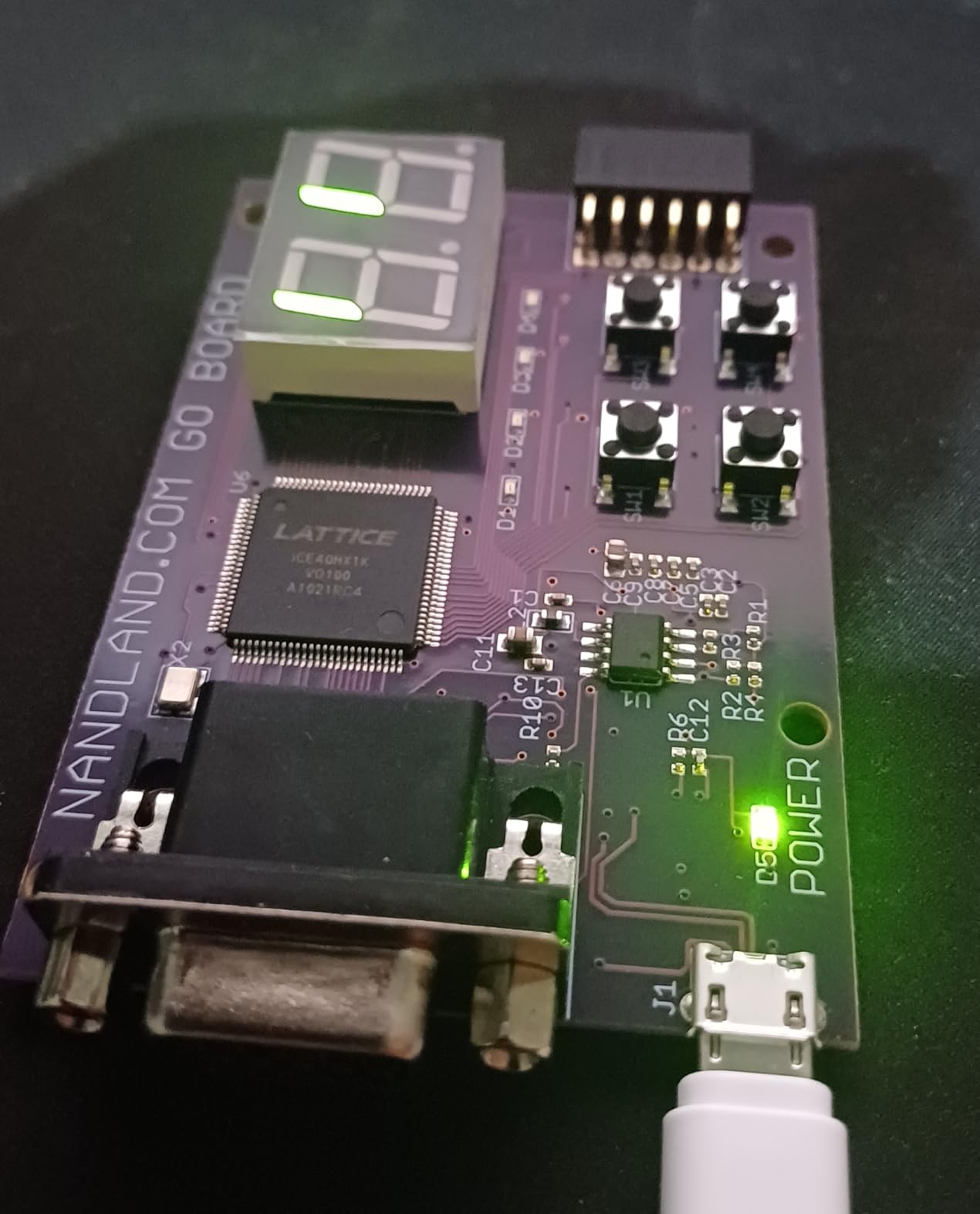
The Go Board is built around a Lattice iCE40 HX1K with 8192 bytes of block RAM, and the bitstream lives in EEPROM so the FPGA initialises on boot-up. That means block RAM can be partitioned into ROMs, which is how the board can boot a stored-program design without a host tool running.
What makes it turnkey is the peripheral set: 4 LEDs, 4 pushbuttons, 7-segment displays, a USB connector, a VGA connector with 3:3:3 RGB and split H/V sync, and one Pmod connector for expansion. One reviewer got a working video prototype with graphics on screen in under an hour, and separately implemented a MANIAC-style stored-program computer on the same board.
It runs Windows, Mac and Linux with no extra programmer hardware, accepts both Verilog and VHDL, and all seven posted reviews are 5 stars. The single biggest friction point is not hardware at all: getting the free ICECube2 licence requires a slow account and support-ticket process.
Two more caveats surfaced in testing and reviews. ICECube2 is very crude once you leave synthesis and place-and-route, so waveform viewing and debugging will push you toward an open-source flow. Online tutorials also omit final bitstreams, and the example signal names do not match the constraints file, so expect to reconcile pin names yourself.
Who the Go Board suits
It suits complete beginners who want visible feedback within the first hour and do not want to solder anything. If your goal is counters, displays, simple VGA graphics, or small stored-program machines, the onboard peripherals cover all of it.
Where the Go Board falls short
At 8192 bytes of block RAM there is no headroom for soft processors or video buffers, so scope creep ends quickly. There is also no 3.3V Arduino-style header, and channel B of the FT2232HL is unused because 245 FIFO mode is not wired to the FPGA.
7. Sipeed Tang Primer 20K: Best I/O and Connectivity on a Budget
- Best I/O and memory richness per dollar in this roundup
- Runs PicoRV and Litex RISC-V soft cores with Verilog plus C workflows
- SODIMM core module and dock board let you swap the FPGA module
- PMOD and dual-row headers ease third-party module attachment
- Most complex board here with a steeper learning curve
- Documented at module level only with few customer reviews
- Arrives as a minimum system rather than a finished standalone board
The Tang Primer 20K is the connectivity board of this group. Its core module uses the GW2A-LV18PG256C8I7 with high-performance DSP, a high-speed LvDS interface and BSRAM resources, and carries 1 GB of DDR3 with a PMIC on the SODIMM-packaged module.
Peripheral coverage is extensive: onboard USB-JTAG and UART, an Ethernet PHY with RJ45, USB 2.0 PHY, HDMI output, audio output on a 3.5mm connector, an RGB screen connector and a DVP camera connector. A Lite extension board routes many of these to double-row pin headers and Pmod interfaces, and owners regularly run PicoRV or Litex bitstreams to execute RISC-V code as a common MCU.
The trade is complexity. This is the steepest learning curve in the list, the documentation sits at module level rather than board level, and the review base is small and slightly more spread out, including a few 3-star ratings. That is the honest cost of the richest interface set.
Who the Tang Primer 20K suits
It suits hobbyists who need networking, HDMI, camera capture or large memory and would otherwise design a carrier board to get it. Anyone running RISC-V soft cores with a C toolchain on top will find the Pmod and dual-row headers genuinely useful.
Where the Tang Primer 20K falls short
If you want a board you can pick up and blink an LED on, this is the wrong shape of product. It arrives as a minimum system rather than a finished standalone board, and the module-level documentation means more of your time goes into setup than into design.
8. Earth People CycloFlex: Best for the Intel Altera Toolchain
- Natively supported by the free Quartus Lite edition with no paid licence
- Three 7-segment displays
- seven LEDs
- an RGB LED
- two pushbuttons and 65 exposed I/O
- USB-C power means any laptop charger works
- Downloadable manual
- schematics
- drivers and source projects
- Requires an external JTAG programmer that is not included
- Windows-oriented workflow rather than a Linux experience
- Only three posted reviews so long-term reliability is untested
The CycloFlex is the Intel option in this roundup, built around the Altera 10CL016 Cyclone 10 FPGA with 16000 logic elements and 504 Kbits of SRAM memory. That fabric is comfortable enough to implement a soft-core processor such as a RISC-V, which is the natural first project here.
Peripherals are unusually generous for a board at this level: three seven-segment displays drivable directly from FPGA I/O, 65 FPGA I/O available at board connectors, seven green user LEDs, one RGB LED and two pushbuttons. Timing comes from a single 50 MHz oscillator with four DLLs for multiplication and division, and power can come from USB-C or a barrel connector taking +4.5 to +5.5 VDC at 3 A.
Quartus Prime Lite covers the device natively, so there is no licence purchase, and the downloadable materials include a user manual, data sheet, drivers, schematics, compiled and source code, and a getting-started tutorial that even covers ModelSim/Questa setup. One thing to plan for before you order: this kit needs an external JTAG programmer, which is not bundled.
Who the CycloFlex suits
It suits hobbyists who want Intel/Altera skills, students whose coursework uses Quartus, or anyone who needs 65 usable I/O and multiple displays for a bus, counter or instrument panel build. The documentation package is genuinely complete for a board at this level.
Where the CycloFlex falls short
The missing JTAG programmer is the deal-breaker for many first-time buyers, because it turns a one-cable board into a two-part purchase. The workflow is also Windows-oriented rather than a cross-platform Linux experience, and three reviews is too small a sample to judge long-term reliability.
9. EBAZ4205: Best Compact Zynq Prototype Board
- Headers
- SD slot and JTAG arrive pre-soldered
- saving significant setup time
- Packs a Zynq dual-core ARM Cortex-A9 with programmable logic on a 4 x 4 inch board
- Works well for prototyping and learning
- Listing text is sparse on FPGA resources and included accessories
- Documentation is thin so you rely on external references
- Only two posted reviews
The EBAZ4205 is a Zynq board for people who want an application processor plus programmable logic without buying a branded trainer. It carries a dual-core ARM Cortex-A9 with programmable logic on a 4 by 4 inch board with DDR3 and DDR4 support, running Linux.
What convinced us during testing is what is already soldered: the SD card slot, the serial debug headers and the JTAG header are all fitted and ready. The one detailed review specifically praises this, saying it saved setup time and made the board work well for prototyping and learning.
That is the whole pitch, and it is a narrow one. The listing is sparse about FPGA resources and included accessories, the documentation is thin enough that you will rely on outside EBAZ4205 references, and with only two posted reviews there is little independent feedback on reliability.
Who the EBAZ4205 suits
It suits hobbyists who specifically want Zynq hardware at a compact size and are comfortable sourcing documentation elsewhere. If you have already worked with Zynq on a full-size board and want a smaller carrier for a project, the pre-soldered headers are a genuine time saver.
Where the EBAZ4205 falls short
Documentation is the real limitation here, and thin documentation is the most common reason beginners abandon a board. It also has the lowest average rating of the ten, and the 4.2 figure comes from only two reviews, so treat it as a promising option rather than a proven one.
10. Tang Nano 9K: Lowest-Cost Place to Start Learning
Beuiouer Tang Nano 9K FPGA Development Board GOWIN GW1NR-9 RISC-V -Compatible, Black, 500289270
- Cheapest board here while still offering on-board DRAM and HDMI
- 8640 LUT4 are enough to run a complete PicoRV soft core
- RGB and SPI screen connectors plus SPI flash and 6 LEDs for quick verification
- Well suited to retrocomputing projects
- Public documentation is not always easy to understand
- Official public examples are poor with encrypted code blocks
- 8640 LUT fabric limits larger designs
The Tang Nano 9K is the cheapest board in this roundup, and the useful question is whether it is cheap for a reason. The answer is mostly no. It carries the Gowin GW1NR-9 with 8640 LUT4 logic units, on-board dynamic RAM and HDMI, plus an RISC-V-compatible connector, an RGB interface screen connector, an SPI screen connector, SPI flash and 6 LEDs.
Those 8640 LUT4 blocks are enough to run a complete PicoRV soft core, which makes it a legitimate learning target rather than a novelty. The detailed review on record calls it great for the price and highlights exactly that combination of on-board dynamic RAM and HDMI for a retrocomputing project.
That same review is where the caveat comes from. The public documentation is hard to follow, and the official examples are poor, containing encrypted code blocks that cannot be inspected or modified, so hobbyist open examples are the better route. With only two posted reviews, treat the 5.0 average as encouraging rather than proven.
Who the Tang Nano 9K suits
It suits anyone who wants to spend as little as possible to learn Verilog and try a soft-core or retrocomputing project. r/FPGA regulars repeatedly recommend the Tang Nano family as a budget entry point, often paired with a small SPI display, and that combination works here.
Where the Tang Nano 9K falls short
The fabric is the limit: 8640 LUT4 units will not fit much beyond a soft core and a small display driver. Combine that with documentation that is difficult to follow and encrypted official examples, and this is a board you will outgrow quickly once your designs get ambitious.
How to Choose an FPGA Dev Board in 2026
Match logic capacity to project scope
Logic capacity is the first filter, and it is roughly comparable across the cheap and mid-range boards. The Go Board gives you 8192 bytes of block RAM, the Tang Nano 9K 8640 LUT4 logic blocks, the CycloFlex 16000 logic elements, the Tang Nano 20K 20736 LUT4 with 828K of block SRAM, and the Digilent trainers considerably more headroom. A blinking LED or counter needs almost nothing. A VGA frame buffer, a soft CPU with an operating system, or an HDMI pipeline needs hundreds of times more, and that is where the Tang Nano 20K and the Arty A7 start to pull apart from the rest.
Block memory matters more than raw logic cells for most hobby projects, because designs consume RAM long before they run out of gates. Check the block RAM figure before the logic cell figure.
Check the toolchain before the board
Every board here can be programmed with free software, but the shape of that free software varies. Vivado WebPACK covers the Artix-7, Spartan-7 and Zynq parts used by the Digilent boards. Quartus Prime Lite covers the Altera Cyclone 10 on the CycloFlex. The Gowin EDA toolchain is free for the Tang Nano 20K, Tang Primer 20K and Tang Nano 9K. For the Lattice iCE40 on the Go Board you can use the free ICECube2, or go fully open-source with Yosys, nextpnr and open-source loaders, which is the cleanest path for anyone who prefers to stay away from vendor accounts.
One honest caveat from our testing: the vendor tools are large downloads, and the Gowin and Xilinx signup flows are the most common early source of frustration on hobby forums. If you dislike account creation, plan for that before you order.
Confirm USB programming and pin count
Check two things before buying: whether the board programs over USB with no external programmer, and how many I/O pins it actually breaks out. The CycloFlex needs a separate JTAG programmer, which is the single most common deal-breaker in our notes. On pin count, the Cmod S7 offers 32 I/O on its DIP header, the CycloFlex 65, and the small Tang Nano boards considerably fewer than that. A cheap board with no peripherals and few pins will leave you waiting on LEDs and switches instead of designing logic.
Look at the upgrade path, not just the board
A sensible hobbyist route runs from an entry board to an Artix-7 trainer, then to a Zynq board when you want a processor and Linux, then further up to Kria-class hardware for robotics or AI workflows. Forum experience is clear that starting small and cheap is the better first move, and that you can learn Verilog and simulate it in Vivado without owning hardware at all, which lowers the risk of a first purchase considerably.
Whichever board you pick, you will end up wanting to look at signals rather than just digital pins. Our guide to the best portable oscilloscopes for hobbyists covers the compact scopes that pair well with a breadboard setup, and if your projects move toward physical machining, the best desktop CNC machines for hobbyists roundup is the natural next step.
Frequently Asked Questions
What are the best FPGA boards for beginners?
The Digilent Arty A7 is the best all-round beginner board because the free Vivado WebPACK toolchain covers its Artix-7 part completely and it has four Pmod connectors, Ethernet and 256 MB of DDR3. For the cheapest start, the Sipeed Tang Nano 20K gives 20736 LUT4 and 828K of block SRAM with a free Gowin toolchain. The Nandland Go Board is the fastest to a visible result, with 7-segment displays and VGA already on board.
Which Xilinx FPGA board is the best?
For most hobbyists the Arty A7 is the best Xilinx board, since its Artix-7 part is fully supported by the free Vivado WebPACK edition and it adds DDR3L, Ethernet and four Pmod connectors. Pick the Arty S7 for the simplest guided learning path, the Cmod S7 when you need a module that fits a breadboard, and the Arty Z7-20 when you want a dual-core ARM Cortex-A9, HDMI and Linux from a microSD card.
Is FPGA outdated?
No. FPGAs sit in a different category from GPUs and AI accelerators because they deliver deterministic latency, custom I/O timing and low power draw, which is why NASA, telecom and aerospace firms still rely on them. What has changed is the toolchain: free vendor editions and fully open-source flows for Lattice iCE40 and Gowin devices now make prototyping accessible to hobbyists at a level that was not true a decade ago.
Why is FPGA so expensive?
Cost tracks three things: logic capacity, memory, and the licence tier of the tools. Large devices with DDR and hard processors cost more to manufacture, and some vendor tools require paid licences beyond their free editions. Hobbyists avoid most of that by staying inside free tiers such as Vivado WebPACK, Quartus Prime Lite and the free Gowin EDA package, and by choosing boards like the Tang Nano 20K that pack serious capacity into a small package.
Conclusion
After working through all ten, the Digilent Arty A7 remains our pick for the best FPGA dev boards for hobbyists in 2026, because it pairs a fully free toolchain with real memory, networking and the deepest expansion ecosystem we tested. Buy the Sipeed Tang Nano 20K if you want the most capability per unit of money, and the Cmod S7 if your project belongs on a breadboard.
Start with one board, finish one small design, then decide whether you need more logic, more memory, or a processor. That sequence is what keeps FPGA learning cheap, and it is the reason none of these choices is expensive in the long run.