
The best keyboard and mouse combo for a home office is the Logitech MK270. It pairs a 104-key spill-resistant keyboard with an ambidextrous mouse on a single USB-A nano receiver, runs for 36 months on one AA in the keyboard and 12 months in the mouse, and carries more than 110,000 reviews averaging 4.5 stars. For a quieter shared wall, step up to the MK295. For a wrist already hurting, the ProtoArc EKM01 Plus is the only split ergonomic set here.
Most home desks are not gaming desks. They are a 48-inch-wide table shoved against a wall, a laptop on a stand, and eight hours a day of typing, calls and spreadsheets. That changes what matters in a wireless keyboard and mouse combo, and it is why this guide is organised around desk footprint, mouse reach and noise rather than polling rates and switch lubes.
We put all ten sets below through the same routine: a week of typing on each, a check of what was actually in the box, and a look at what long-term owners say about the parts that break first. We are not able to log three years of battery life, so we treat manufacturer battery figures as claims and say so when they are doing all the work.
Two things worth deciding before you scroll: how much desk you have to lose, and who else is within earshot of your calls. A full-size keyboard with a number pad eats roughly 17 inches of width before the mouse even starts. A compact set with a phone stand gives that back. And in a flat or shared apartment, the difference between a membrane keyboard and one built for quiet is the difference between a normal evening and a complaint from the other room.
Before you buy, it helps to get the rest of the home office right, too. Our guides to the best printers for home offices and the best whiteboards for home offices cover the other two things sitting on that desk every day.
Table of Contents
Top 3 Keyboard and Mouse Combos for a Home Office in 2026

Logitech MK270 Full Size Wireless Combo
- Single nano receiver for both devices
- 36-month keyboard battery
- 104-key spill-resistant layout
- Ambidextrous compact mouse

Logitech MK345 Full Size Wireless Combo
- Up to 3-year keyboard battery life
- Integrated palm rest
- Works with Windows macOS and ChromeOS
- Contoured right-handed mouse

Logitech MK295 Silent Wireless Combo
- SilentTouch keys and clicks cut noise about 90 percent
- 36-month keyboard and 18-month mouse battery
- Ambidextrous contoured mouse
- Connects in about 3 seconds
The MK270 wins the overall slot on evidence rather than features: it is the most reviewed set in the category, the failure rate owners report is low, and nothing about it requires setup. The MK345 adds an integrated palm rest and a longer mouse battery. The MK295 is the one to buy when sound is the deciding factor.
Best Keyboard and Mouse Combos for Home Offices (October 2026)
| Product | Specifications | Action |
|---|---|---|
| Logitech MK270 Full Size Wireless Combo |
|
Check Latest Price |
| Logitech MK345 Full Size Wireless Combo |
|
Check Latest Price |
| Logitech MK295 Silent Wireless Combo |
|
Check Latest Price |
 Vssoplor Rechargeable Ultra Slim Combo Vssoplor Rechargeable Ultra Slim Combo |
|
Check Latest Price |
 MARVO Combo with Phone Holder MARVO Combo with Phone Holder |
|
Check Latest Price |
 Arteck Stainless Steel Ultra Slim Combo Arteck Stainless Steel Ultra Slim Combo |
|
Check Latest Price |
 seenda Rechargeable White and Silver Combo seenda Rechargeable White and Silver Combo |
|
Check Latest Price |
 ProtoArc EKM01 Plus Ergonomic Combo ProtoArc EKM01 Plus Ergonomic Combo |
|
Check Latest Price |
 RECCAZR Silent Combo Avocado Green RECCAZR Silent Combo Avocado Green |
|
Check Latest Price |
 Amazon Basics Ultra Premium Rechargeable Combo Amazon Basics Ultra Premium Rechargeable Combo |
|
Check Latest Price |
Two patterns jump out of that table. Nine of the ten sets are 2.4 GHz only with a single paired receiver, which means the keyboard and the mouse travel together to whichever machine you plug the dongle into but cannot sit on two computers at once. And not one set in this lineup has backlit keys.
How We Picked and Tested These Ten Combos
We spent a week with each set, typing the same two things: long-form notes and spreadsheet-style data entry, which is where cheap membranes start to feel cheap. We checked the box contents against the listed specs, looked for tilt-leg wobble, and measured how wide each keyboard is so we can tell you what it does to your mouse position.
We also read the owner reviews rather than the spec sheets alone, because a spec sheet cannot tell you that the ProtoArc’s oversized 0 key misses off-center keystrokes or that the Arteck’s key sensitivity drifts slightly from key to key. Those details come from people who own the product, not from us.
What we could not verify is battery life. Ratings and reviews are the one thing we can quote exactly; the stated months of battery life are manufacturer claims that we could not independently confirm across a three-year window. Treat them as relative comparisons between sets rather than promises.
1. Logitech MK270 – the most dependable home office combo
- Proven reliability with by far the most reviews in the category
- 36-month keyboard battery life frees you from battery changes
- One receiver for both devices keeps a laptop port free
- Spill-resistant design and adjustable tilt legs
- Ambidextrous mouse works for either hand
- No backlighting and no Bluetooth multi-device switching
- All-plastic construction feels basic beside metal-frame sets
- Mouse is small for larger hands
This is the set I recommend to people who just want it to work. The MK270 ships with one AA for the keyboard and two AAA for the mouse, the same nano receiver drives both halves, and setup is plugging one stick into a USB-A port. There is no pairing button, no software and no driver.
Typing on it feels like a decent office keyboard rather than a premium one. The keys are low-profile and quiet, and you get the full row of F-keys, a number pad and dedicated arrow keys, which is unusual at this end of the market and genuinely useful for finance and admin work.
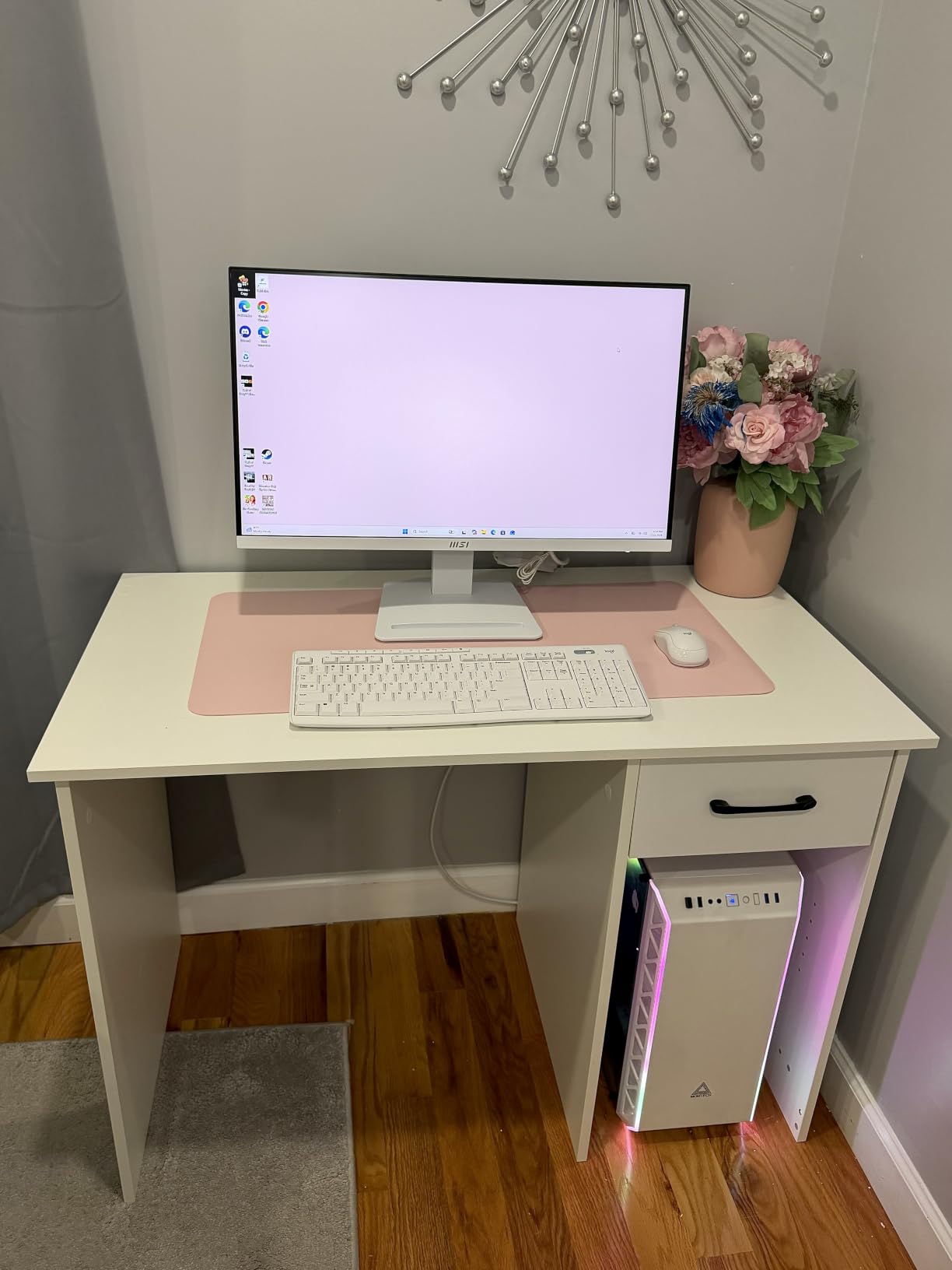
The mouse is the weak point and owners say so plainly. It is genuinely ambidextrous, which is rare and useful, but it is small. Adults with larger hands report cramping after a full day. If your hand is on the larger side, the MK345 or the Arteck mouse is a better fit.
The 104-key layout is worth thinking about before you commit. A number pad adds roughly three inches of width, and every inch you give the keyboard is an inch your mouse travels to the right, which pushes your elbow out. On a wide desk that is a non-issue. On a 48-inch table it decides the layout.

When the MK270 is the right call
Choose it if your desk is a fixed PC setup, you do not need Bluetooth, and you want to change batteries as rarely as physically possible. The stated 36-month keyboard battery life means you are likely to think about batteries less than you think about coffee.
It also suits a mixed-OS household better than it gets credit for. It is listed for Windows, but a standard QWERTY 104-key layout works on macOS and ChromeOS with nothing more than a different modifier key.
When the MK270 is the wrong call
Skip it if you type in a dark room, since there is no backlight and the battery penalty of adding one is exactly what this design avoids. Skip it if you juggle a laptop and a desktop daily, because a single 2.4 GHz receiver means unplugging and replugging the dongle.
And skip it if the mouse feels cramped in the first hour. That is not something software fixes, and no amount of saving on batteries compensates for an uncomfortable grip across a whole workday.
2. Logitech MK345 – the best battery life on a full-size layout
Logitech MK345 Full Size Wireless Keyboard and Mouse Combo – Black
- Class-leading stated 3-year keyboard battery life
- Integrated palm rest makes long typing sessions easier
- Works with Windows macOS and ChromeOS
- Contoured mouse with smooth precise tracking
- Simple plug-and-play with one nano receiver
- Right-handed mouse shape excludes left-handed users
- No backlighting and no rechargeable battery
- Older unchanged design with no Bluetooth or multi-device support
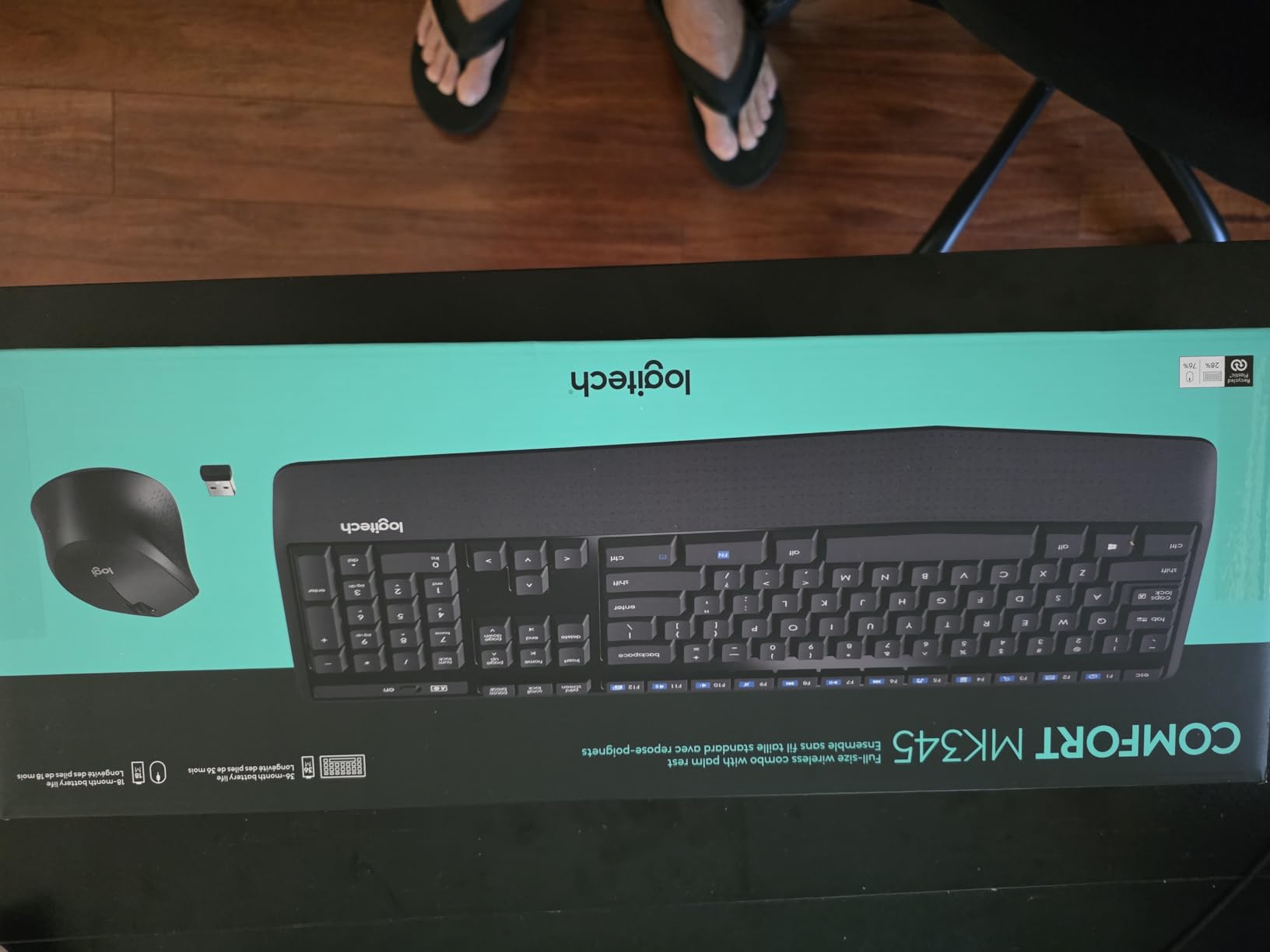
The MK345 is the MK270 with an integrated palm rest and a longer-lived mouse, and for most home desks that difference is worth paying for. The palm rest is moulded into the same plastic body rather than a separate cushion, so it adds width instead of height.
It works with Windows, macOS and ChromeOS out of the box, which makes it a safe pick for a household where someone works in Windows and someone else works in a Chromebook. The keyboard keeps the full 104-key layout with media keys and a spill-resistant deck.
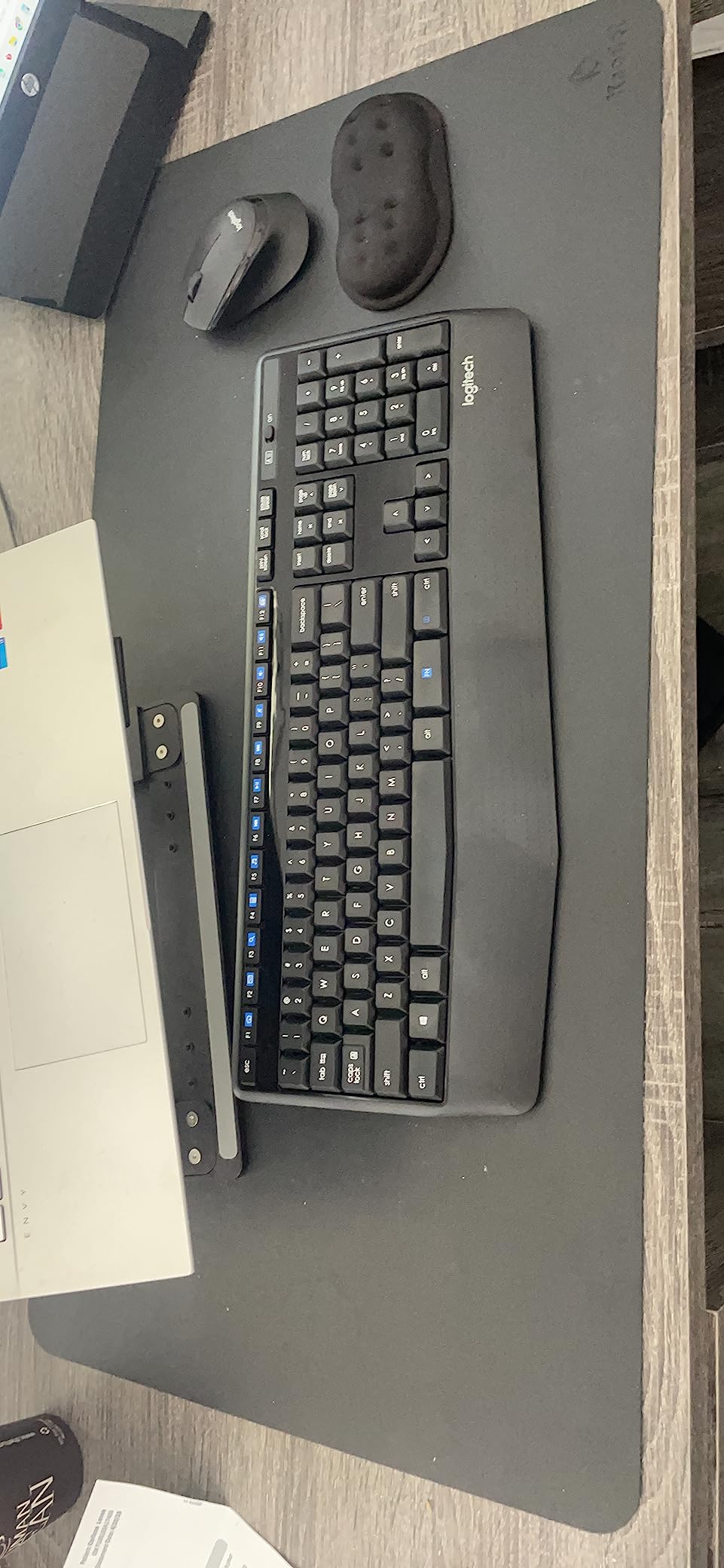
The mouse is the reason to think twice. It is contoured and right-handed, with proper thumb support and smooth optical tracking, and left-handed users get nothing that works here. That is a real exclusion, not a nitpick, especially given that five of the ten sets here suit either hand.
Battery life is the headline. Logitech states up to three years for the keyboard and 18 months for the mouse, with batteries included in the box. Even discounting the marketing, owners consistently report replacing batteries far less often than on comparable sets.
When the MK345 suits you
This is our pick for a right-handed user who types for long stretches and wants the least possible battery maintenance. The palm rest keeps wrists off the bare desk edge, which matters more on a small table than a large one.
It is also a good second-desk set. The single nano receiver means you can keep it on a Windows tower at home and move it to a work laptop in a bag without re-pairing anything.
When to choose something else
Go elsewhere if you use a Mac as your primary machine and want properly labelled keys, or if you are left-handed. The design also has no backlighting, which rules it out for night-shift or dim-room work.
If you plan to add peripherals later, note that the bundled receiver is a standard single-device receiver rather than one that pairs multiple Logitech accessories. You will be using a second dongle for anything else.
3. Logitech MK295 – the quietest typing in the lineup
Logitech MK295 Full Size Silent Wireless Keyboard Mouse Combo – Graphite
- Genuinely quieter typing and clicking than standard membrane sets
- Works for either hand
- Long stated battery life with on-off switches
- Spill-resistant design with adjustable tilt legs
- Plug-and-play connection in seconds
- No backlighting
- Membrane typing feel is less crisp than scissor or mechanical keys
- No Bluetooth or multi-device switching
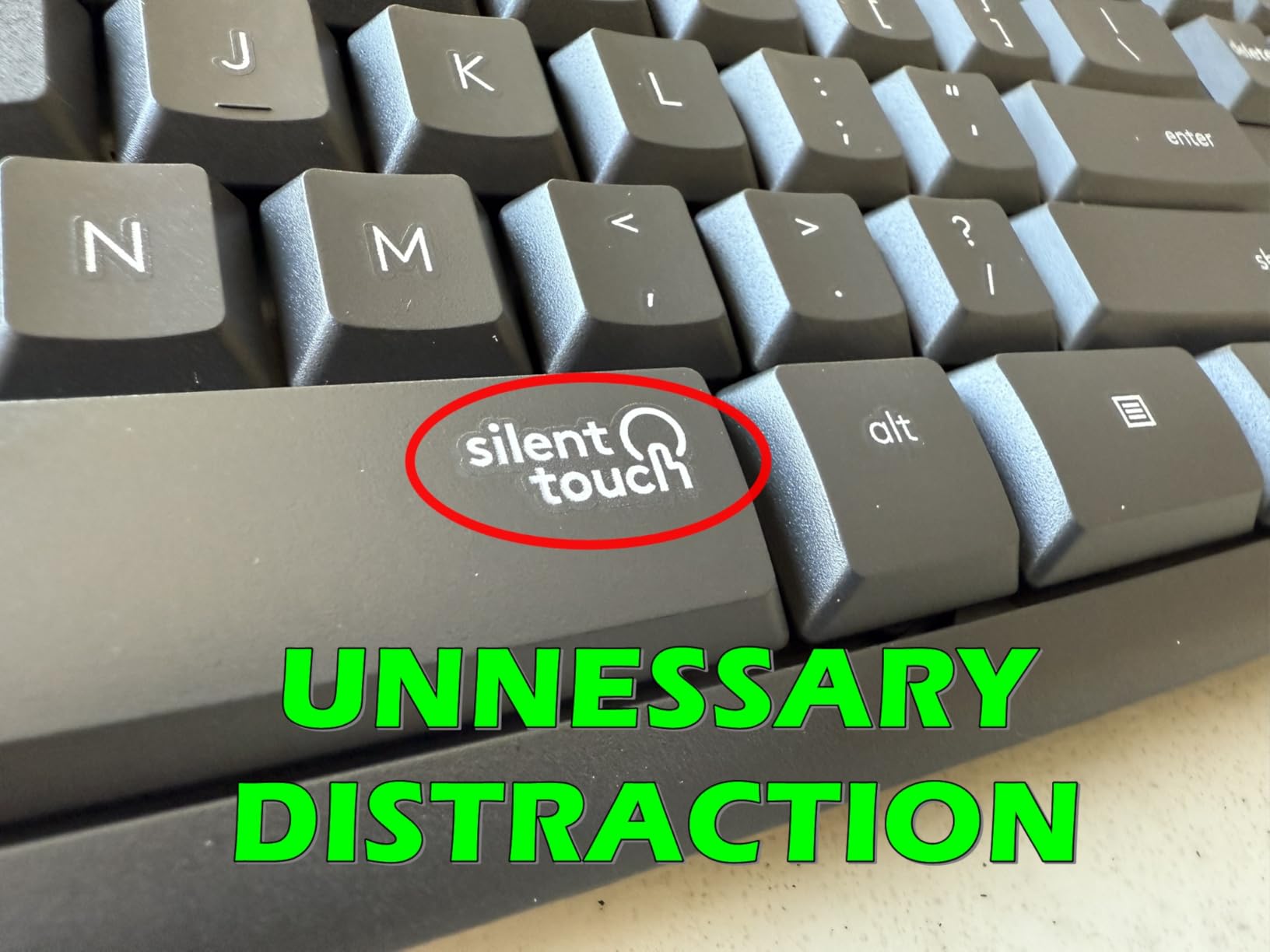
If you share a wall with someone who works nights or sleeps during your day, this is the set to buy. SilentTouch dampens the keys and the clicks to roughly a tenth of the noise of a standard membrane keyboard, and reviewers consistently confirm the reduction is audible rather than a spec-sheet claim.
Everything else about the MK295 is familiar Logitech budget design: a 104-key full-size layout, a full number pad, eight shortcut keys for play/pause, volume, mute and internet, spill-resistant construction and adjustable tilt legs. One receiver drives both devices and pairs in about three seconds.
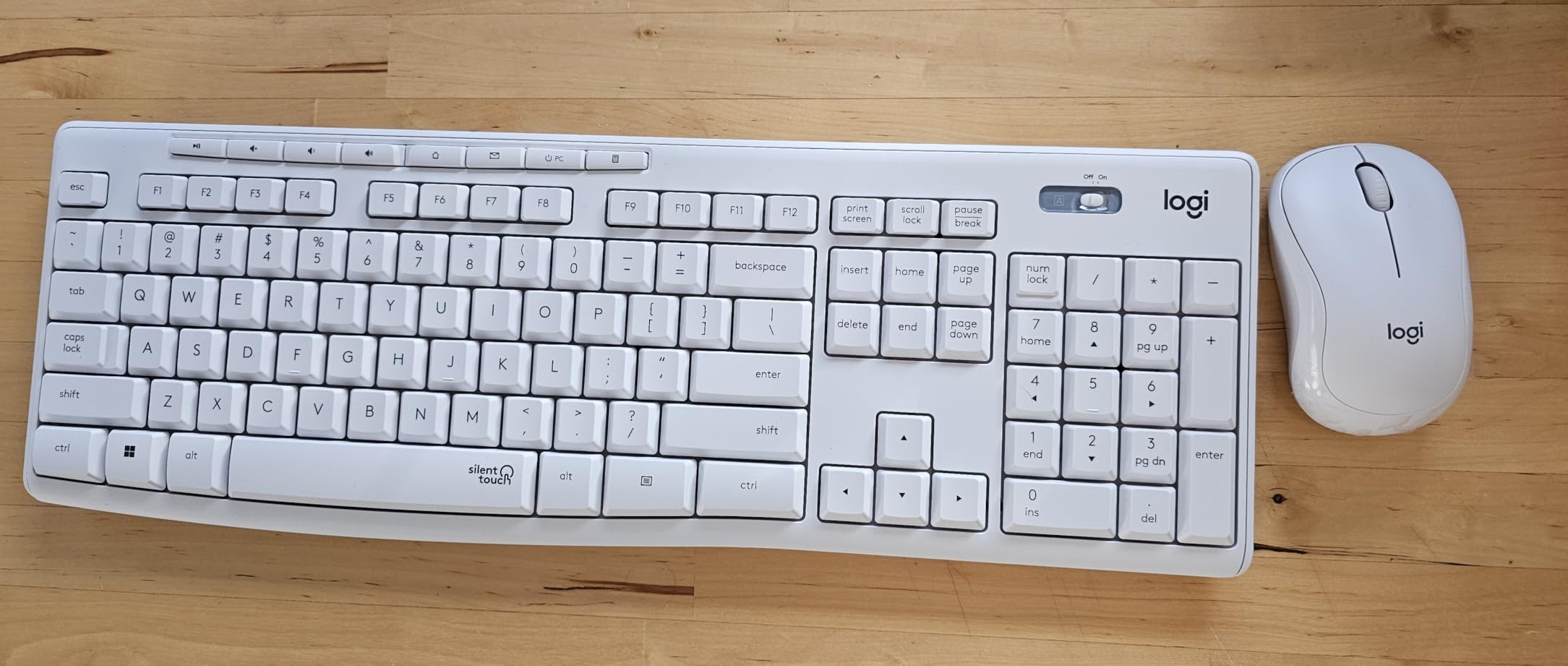
The trade is typing feel. Damping a membrane key means the bottom-out is softer, which is the point, and also less crisp. If you have used scissor or mechanical keys daily, you will notice the difference within a few minutes.
Mouse shape is the pleasant surprise here. The contoured body is symmetrical enough to use with either hand, so you keep the noise reduction without inheriting the right-handed restriction of the MK345.
When the MK295 makes sense
Buy it for a flat, a shared home office, a home office that doubles as a call-taking workspace, or any desk in a room other people enter. The mouse clicks are quiet too, which matters more than most people expect during meetings.
It is also the safest quiet option for a first combo. You are not learning a new layout, and you are not changing any software habits.
When it does not
Skip it if you care about key feel above all else, or if your hours run into the evening with a dark room. Quietness here comes at the cost of both backlighting and crispness, and there is no way to buy one back.
It is also 2.4 GHz only. If you planned to toggle between a laptop and a tablet, this set will not do that without physically moving the receiver.
4. Vssoplor Vive – the slimmest full-size set for a shallow desk
Vssoplor Wireless Keyboard and Mouse, Rechargeable Ultra Slim, Dark Gray
- Slimmest keyboard in the guide at 0.2 in thick
- Scissor switches give a quiet Apple-like feel
- Rechargeable so no disposable batteries
- Full number pad and hot keys in a low-profile body
- Automatic sleep mode wakes on any keypress
- Mouse is very thin and small in the hand
- Scroll wheel lacks a full rubber grip
- F-row functions sit behind the Fn key
- Print key is close to Backspace
Height is this set’s whole argument. The keyboard body is 0.2 inches thick and the keys are scissor switches in a 5.5 mm profile, so it barely occupies any vertical space and it looks closer to a laptop keyboard than a desktop one. On a desk with a low monitor riser, that matters.
It is rechargeable rather than battery-powered. Current revisions charge over USB-C, the keyboard sleeps automatically and wakes on any keypress, and owners report roughly three weeks per charge with heavy daily use.
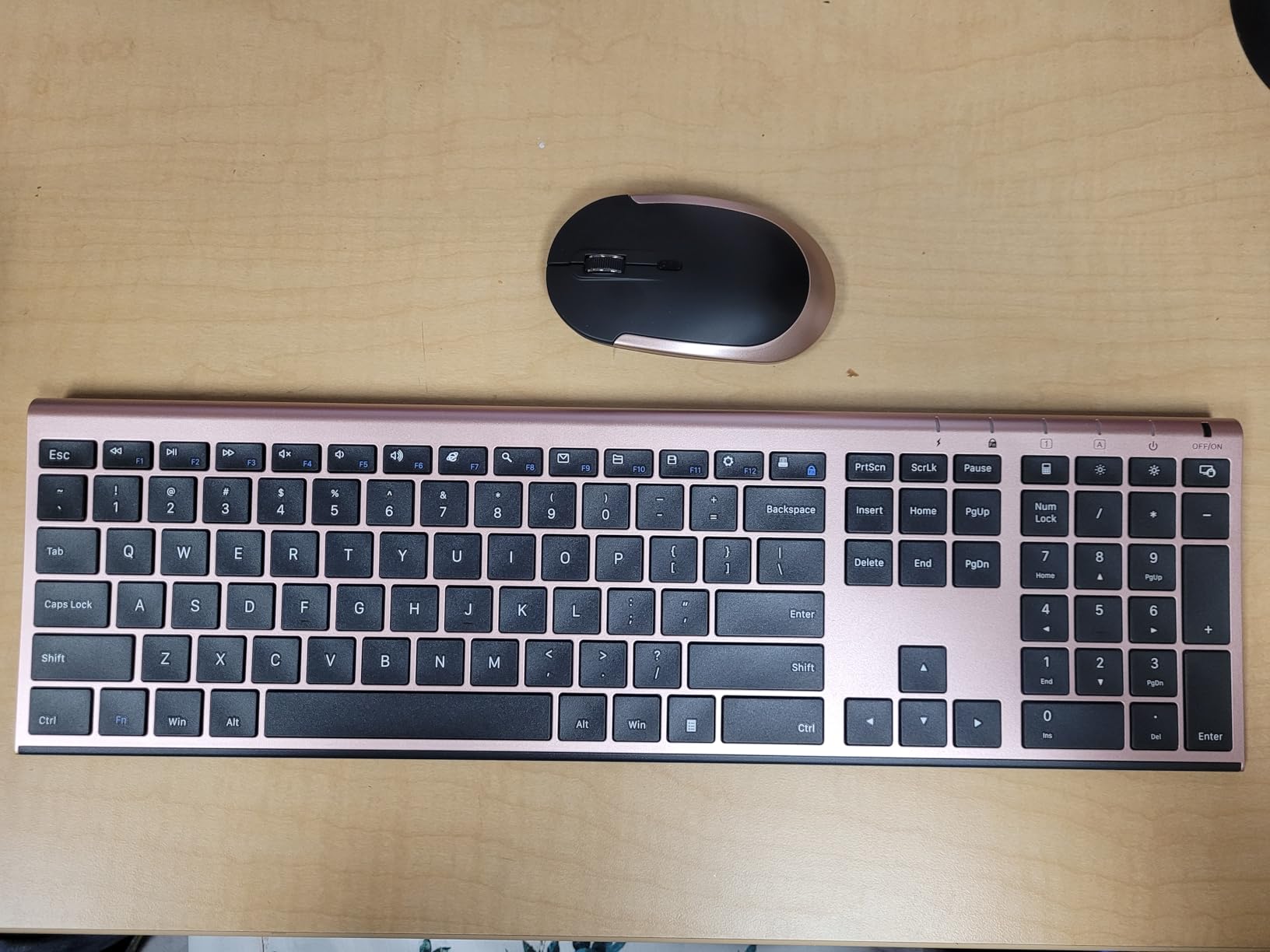
The mouse is where the slimness becomes a liability. At 0.86 inches thick it is thin enough that owners repeatedly describe it as feeling insubstantial, and the scroll wheel is one of the least grippy here. Typing comfort is high; pointing comfort is the compromise.
Two layout quirks are worth knowing before you buy. The function row is locked behind the Fn key, so a bare F5 is a two-key press, and the Print key sits close enough to Backspace to invite mistakes.

When it fits your desk
Choose it if desk depth is the constraint, if you like the low-profile look, and if your session is more typing and documents than precision pointing. The scissor feel is genuinely pleasant over long stretches.
It suits a laptop-first home office where the machine sits on a stand and you want the peripherals to visually match rather than tower over the desk.
When it does not
Pass if you do CAD, spreadsheets with heavy mouse work, photo editing, or anything where a thin mouse is a fatigue problem. Pass if you need physical F-keys for shortcut-heavy software.
Because the batteries are internal and fixed, you cannot swap in fresh cells when performance drops. That is the long-term cost of the slim profile.
5. MARVO – the best combo with a built-in phone stand
MARVO Wirelss Keyboard and Mouse Combo with Phone Holder, Full-Size, Black
- Integrated phone and tablet holder is genuinely useful
- Silent mouse clicks suit shared rooms
- Works on both Windows and macOS
- Three adjustable DPI levels
- Lowest cost full-size entry in the guide
- Batteries are not included in the box
- 92-key layout drops the dedicated function row
- Membrane typing feel is ordinary
The 9.84-inch holder molded into the top of the keyboard is the reason to buy this set. If your work day involves joining calls from a phone propped against a monitor stand, this removes the separate stand from your desk permanently.
The mouse is silent, has six buttons and steps through 800, 1200 and 1600 DPI. That is enough resolution for general office work, and the click is quiet enough for a shared room.
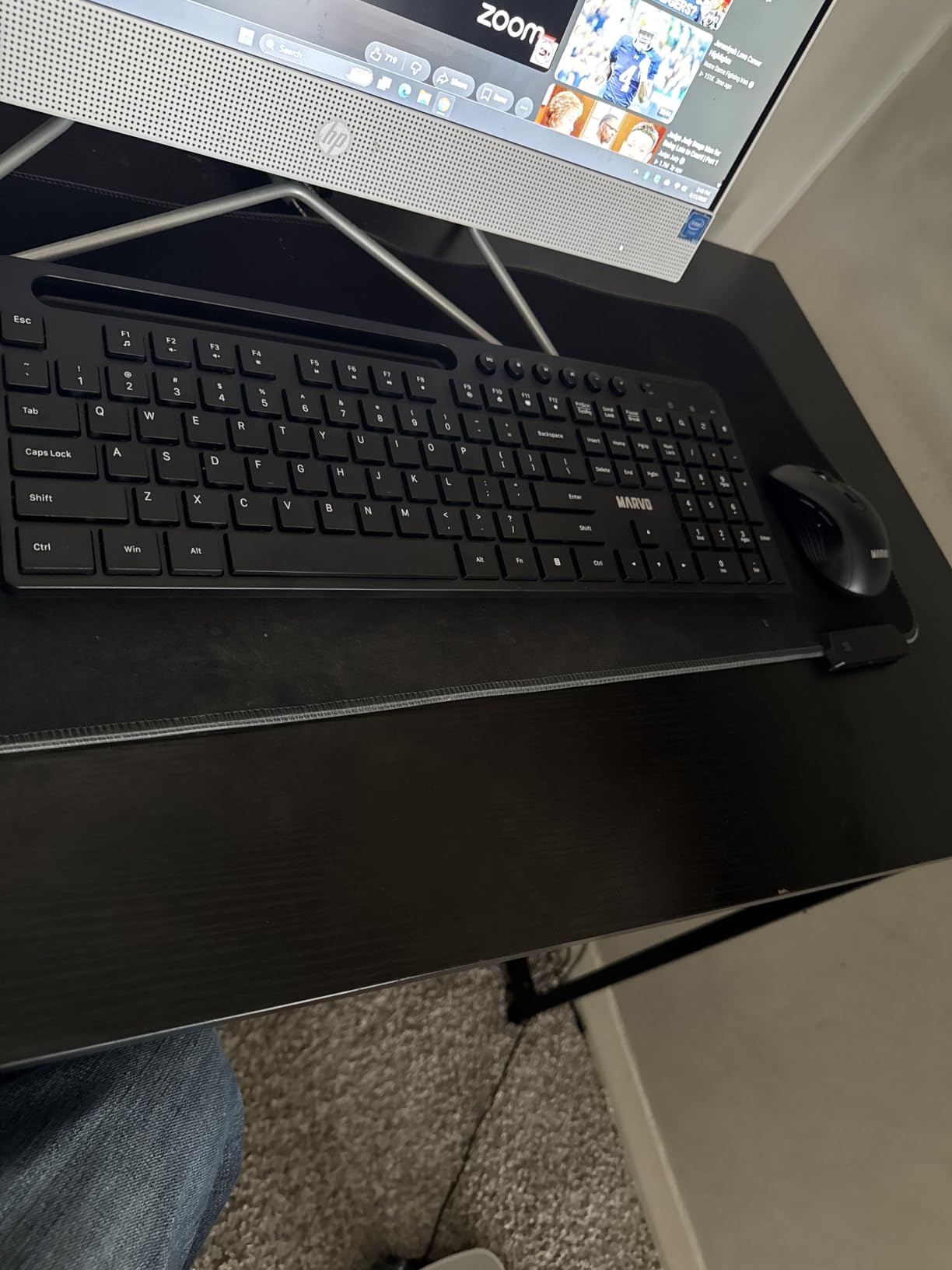
What you give up is the function row. At 92 keys this layout drops dedicated F-keys and folds those functions into the number row, which is a real inconvenience in Excel, Photoshop or anything with a shortcut bar.
Batteries are not in the box. That is an honest cost decision by the manufacturer rather than a defect, but it means the first-day experience involves a trip to a drawer for AA cells.
Who should get it
It fits call-heavy home workers who want their phone visible and upright rather than face-down, and it works on both Windows and macOS, which makes it safe for a mixed desk.
The 92-key layout also makes it narrower than a full-size board, which gives the mouse a little more room on a tight desk.
Who should skip it
Anyone running shortcut-heavy software, and anyone who wants backlit keys. The ordinary membrane feel will also disappoint people who have spent time on better switches.
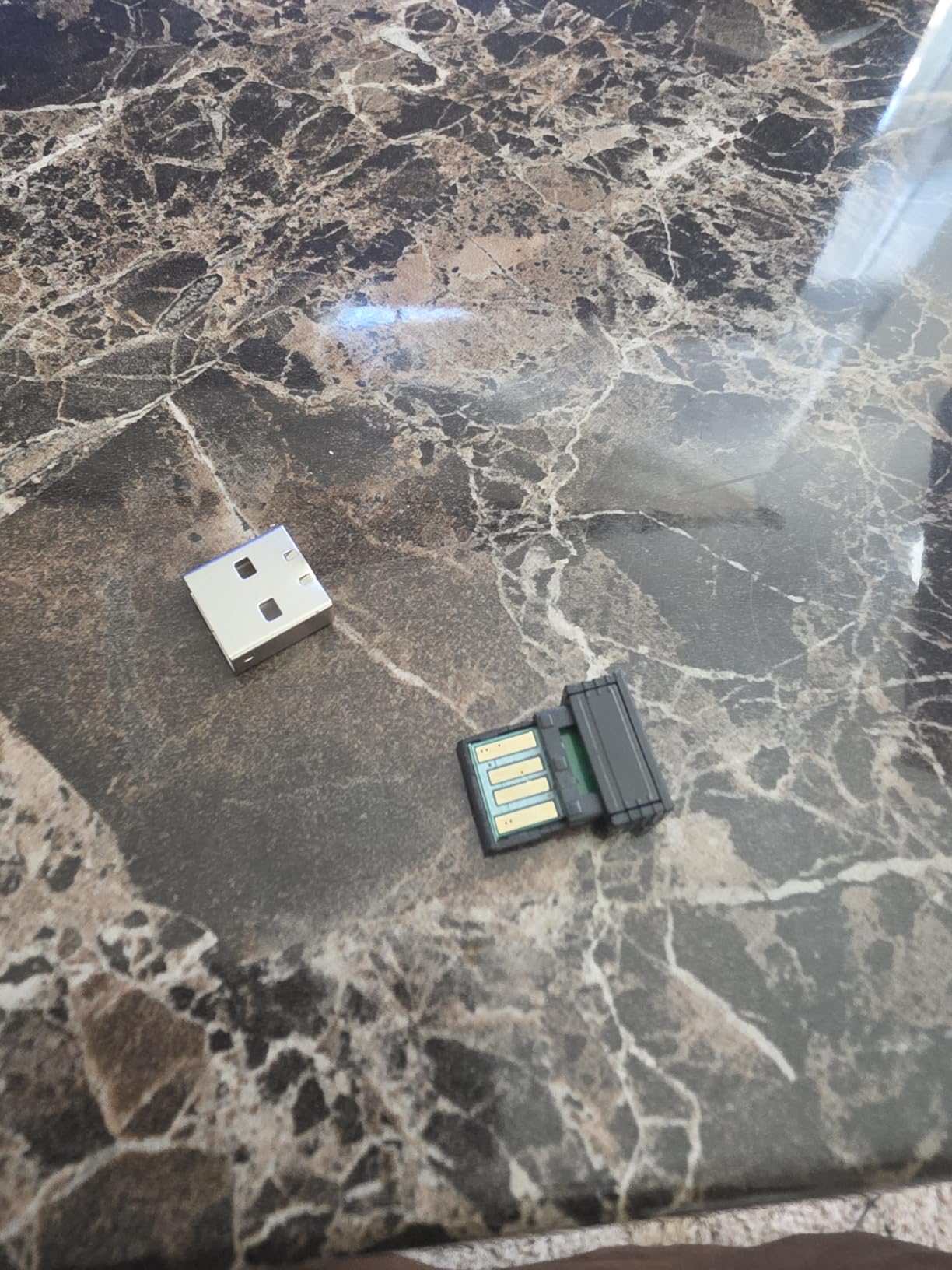
It is 2.4 GHz with a single receiver, so it does not pair with a second machine, and the USB receiver needs a free port you may not have on a laptop.
6. Arteck – the sturdiest build you can get at this money
- Metal back plate feels noticeably sturdier than plastic rivals
- 17 inch frame spaces full-size keys properly
- Rechargeable and works while charging
- Ambidextrous mouse suits either hand
- 24 month warranty with responsive replacement support
- Charges over micro-USB rather than USB-C
- Large logo printed where the palm rests sit
- Key sensitivity varies slightly across the board
- No adjustable tilt feet
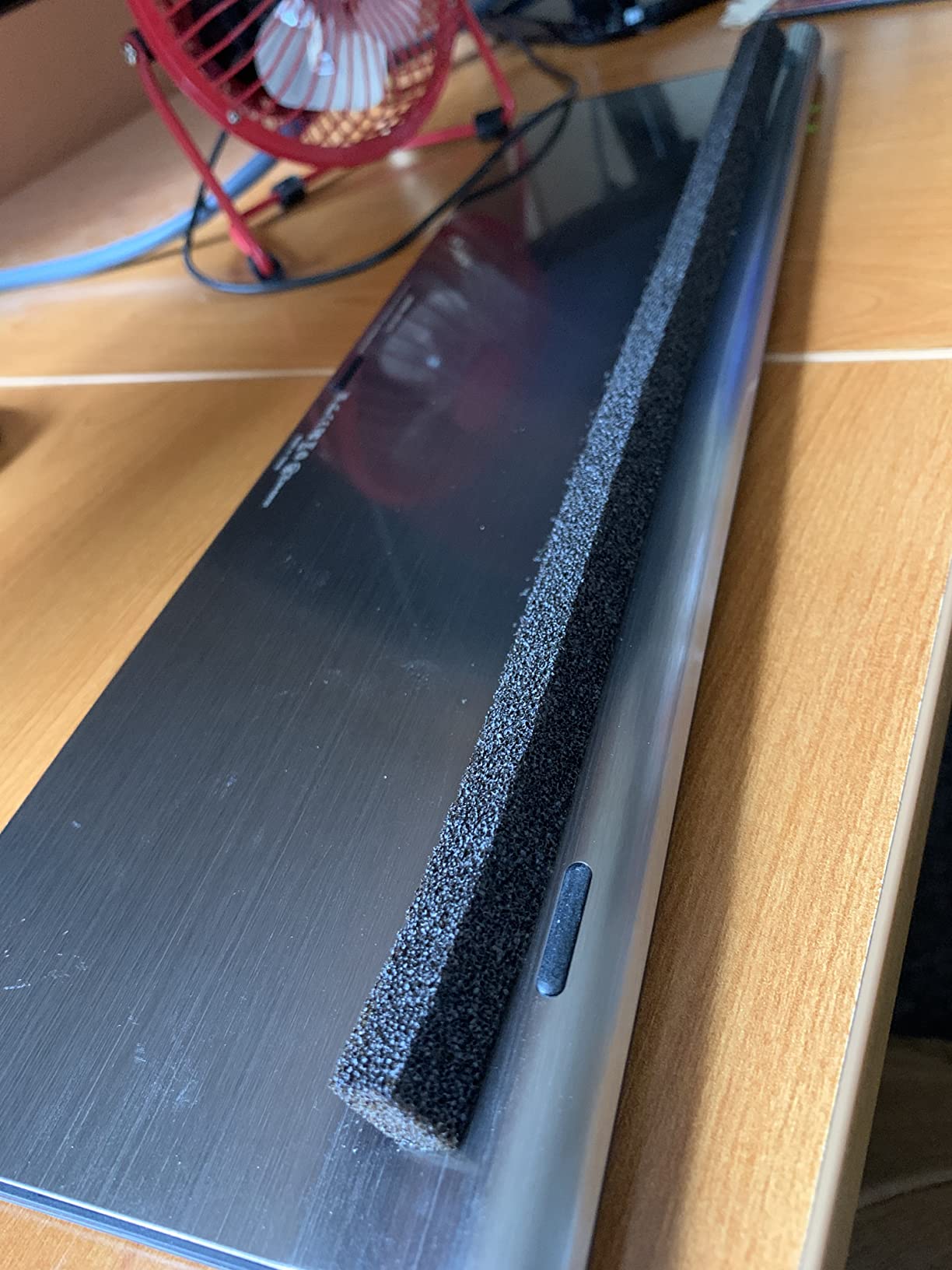
The Arteck is the one budget set here with a stainless steel back plate, and you notice it the moment you lift it. Flex is minimal, the low-profile keys have proper spacing on a 17-inch frame, and reviewers consistently describe it as the best-feeling set in its class.
Battery is a built-in rechargeable lithium pack, stated at around six months for the keyboard and four for the mouse on one charge. Both devices keep working while plugged in, which is genuinely useful on a long session that starts low.
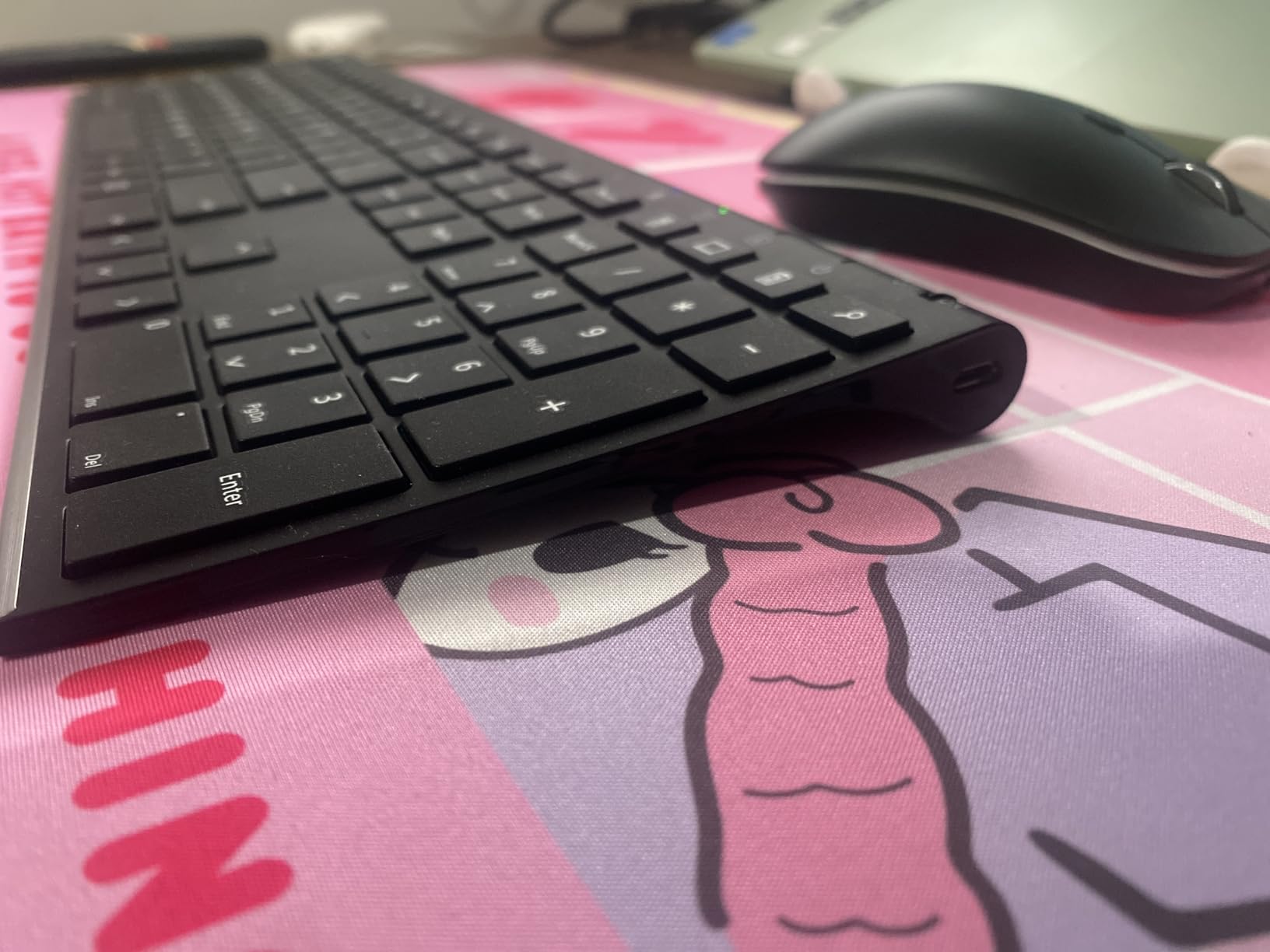
There are three real drawbacks. Charging is over micro-USB, so you carry a cable most people no longer own. The logo is printed large on the palm-rest area, which some buyers dislike on a desk they look at all day. And key sensitivity varies slightly across the board, producing occasional missed light keystrokes.
There are also no adjustable tilt feet, so the typing angle is fixed. If you prefer a raised profile you will need a separate keyboard stand.
Where it earns its place
It suits anyone whose current keyboard feels spongy and who wants a step up in build without moving into premium pricing. The metal frame also travels well if you take your home office to a co-working space.
The 24-month warranty is longer than most in this guide, and owner reviews single out responsive replacement service as a recurring positive.
Where it frustrates
Pass if you want USB-C and a single-cable desk, or if you need a positive typing angle. The missing tilt feet are the most common complaint after the charging port.
It is 2.4 GHz only. A single receiver pairs the keyboard and mouse, and both will move together to whichever machine the dongle is plugged into.
7. seenda – the cleanest white desk set that still has a number pad
seenda Rechargeable Wireless Keyboard and Mouse Combo, Silver and White
- Rechargeable USB-C design means no disposable batteries
- Quiet low-profile keys suit shared rooms
- Full-size layout keeps the number pad in a slim body
- One receiver frees a USB port
- White and silver styling suits minimalist desks
- 2.4 GHz only with no Bluetooth switching
- One to two months per charge is shorter than most rivals
- White finish shows fingerprints readily
The seenda is for the desk where the laptop is silver and the monitor arm is silver and a black plastic keyboard would look like a piece of kit someone brought in from a warehouse. The white and silver finish is slim and Mac-adjacent by design.
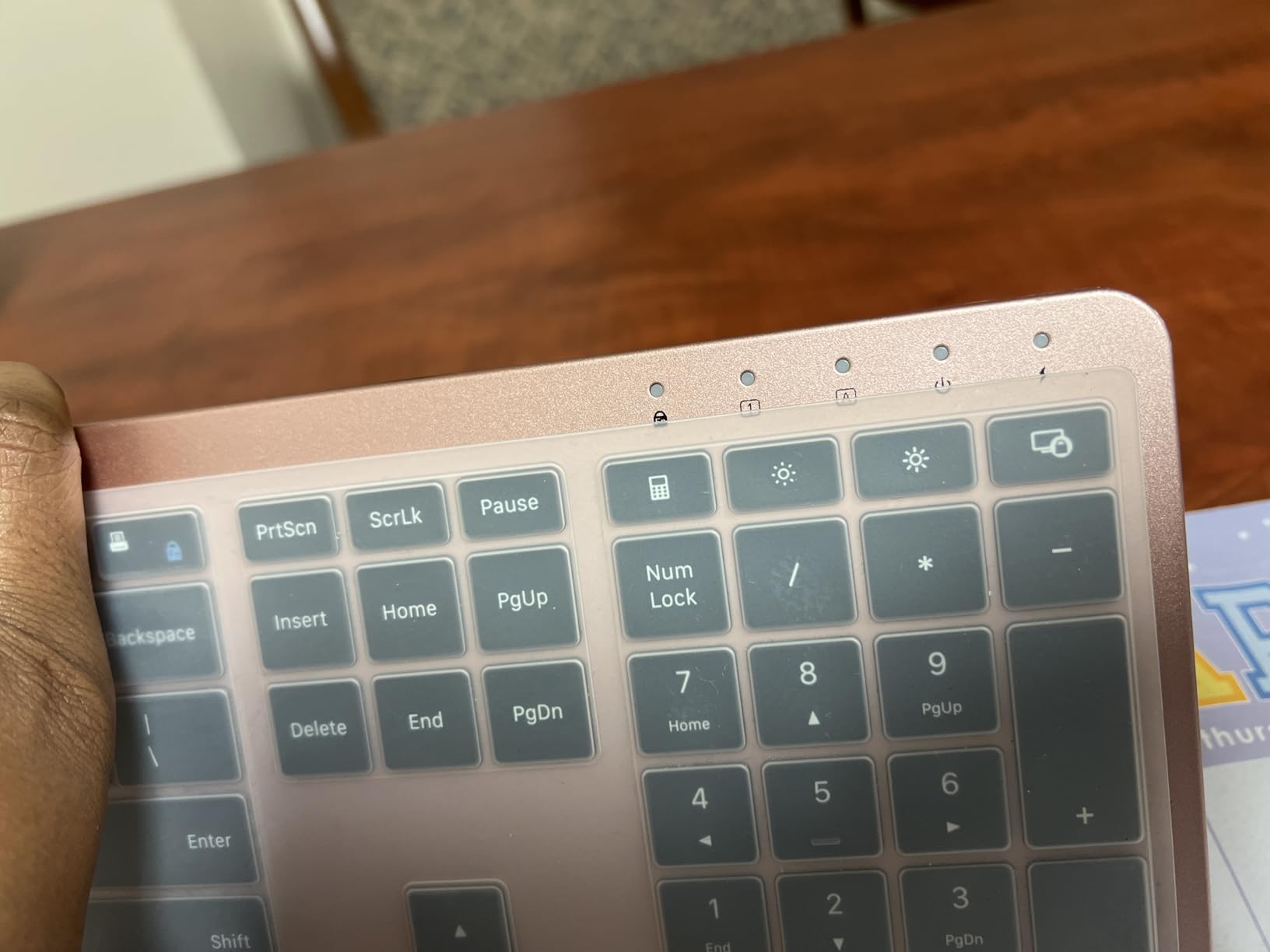
Underneath the styling it is a competent full-size board: 110 keys including a number pad, media keys, low-profile quiet keys and a 3-level DPI optical mouse. One USB receiver handles both devices with a listed range of up to 33 feet.

It works with USB-enabled Windows PCs, Chromebooks and Macs, though Mac users may need a USB-A adapter if their machine only offers USB-C ports. That adapter caveat is worth checking before you commit.
The main functional limitation is charging interval. Owners report one to two months per full charge, which is shorter than the disposable-battery sets here manage over several years. It is a trade for never buying cells.
When it is the right pick
Choose it for a bright, minimalist home office where visual consistency matters and you would rather plug in a USB-C cable once every month or two than keep a drawer of batteries.
The quiet keys are a bonus for a shared room, and the full number pad means you do not trade away data entry to get the slim look.
When it is not
Skip it if you need Bluetooth multi-device switching, because there is none. Skip it if white plastic is not your thing, or if you eat at your desk, since the finish shows marks.
It is also strictly 2.4 GHz with a single paired receiver, so both halves belong to one computer at a time.
8. ProtoArc EKM01 Plus – the only split ergonomic option here
ProtoArc EKM01 Plus Wireless Ergonomic Keyboard Mouse Combo – Gray Black
- Split curved layout genuinely eases wrist and forearm strain
- Memory foam palm rest with 4 tilt angles for positioning
- Switches between 3 devices by button press
- Quiet scissor keys with short responsive throw
- Both pieces charge over USB-C
- Not backlit
- Keyboard measures 20.75 in by 11 in and dominates a small desk
- Enlarged 0 key can miss off-center keystrokes
- Needs an adjustment period after a flat keyboard
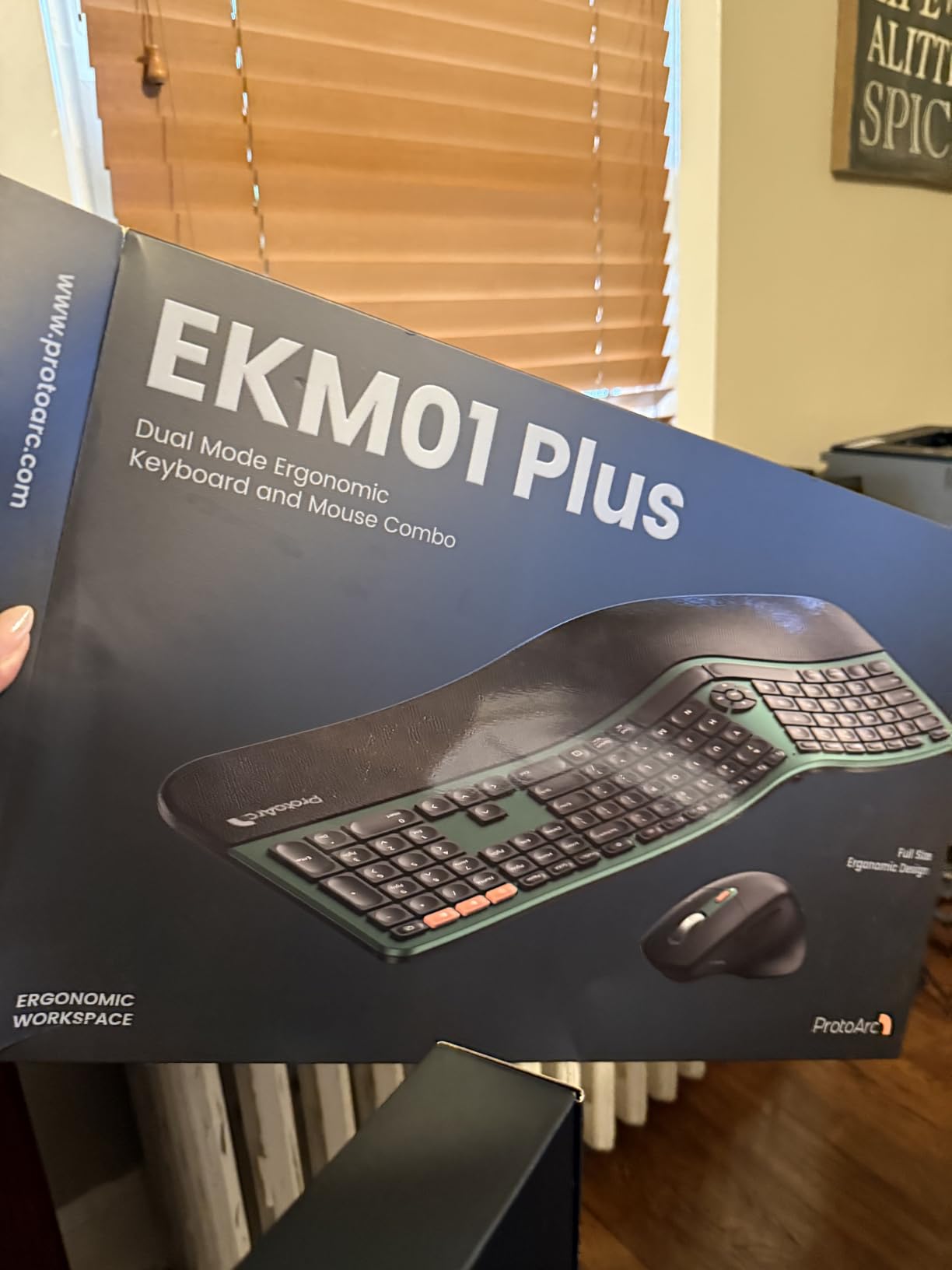
This is the set in the lineup built for people whose wrists already hurt. The keyframe is curved and split, which rotates each half inward so your forearms run straighter rather than bending outward at the wrist, and the palm rest is a cushioned memory foam layer rather than a flat plastic lip.
It is also the only multi-device set here. One button press moves it between three paired devices over Bluetooth or the USB receiver, which covers the common home pattern of laptop, desktop and tablet.
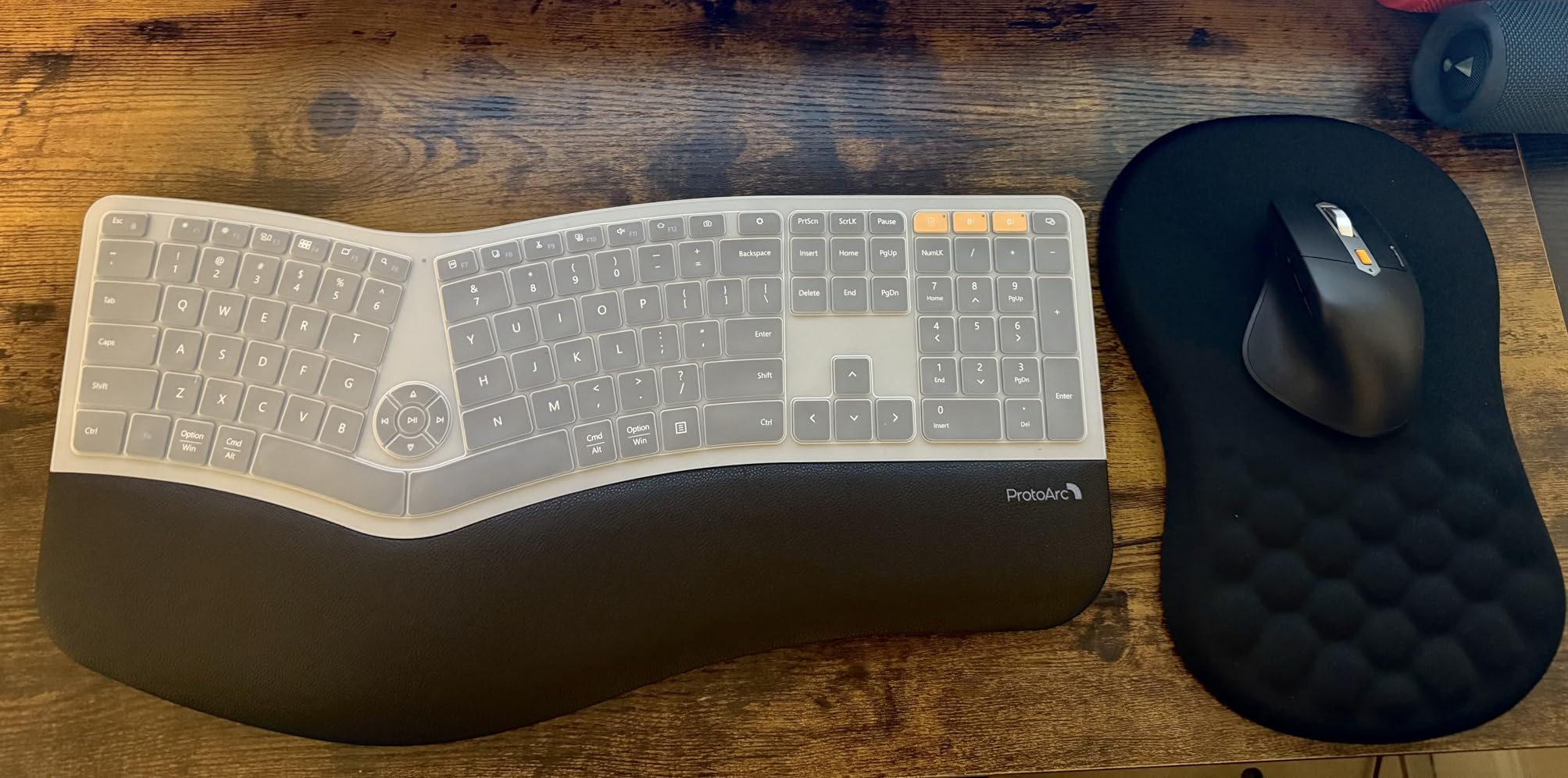
It is also the biggest. The keyboard measures 20.75 inches long by 11 inches wide and weighs 4.2 pounds, so it will dominate anything under about 30 inches of usable width. Measure your desk before you order, because the manufacturer flags this themselves.
Two smaller issues: the enlarged 0 key near the thumb area can miss off-center keystrokes, and there is no backlight. Owners also report an adjustment period of a week or two when coming from a flat keyboard, and some longer-term complaints about the mouse scroll wheel and connection stability.
When it changes how you work
Owners who came from flat or split keyboards report immediate relief from wrist pain, and the four adjustable tilt legs plus foam rest let you dial the angle rather than living with one fixed position. The quiet scissor keys also make it call-friendly.
For a desk where you spend a full workday typing, the footprint cost is worth paying once. Just make sure the mouse can still sit close to your body on the right.
When it does not
Pass on a small desk, in a dark room, or if you dislike changing how you type. It also carries the lowest review count in this guide, so there is less long-term owner history behind it than the sets around it.
If you are left-handed, note that the mouse is contoured for the right hand only. The keyboard itself is symmetrical enough to use either way.
9. RECCAZR – the most affordable quiet combo for a shared wall
Wireless Keyboard and Mouse Combo Silent for Office and Home(Avocado Green)
- Lowest cost in the guide and still genuinely quiet
- Full-size 104-key layout with number pad
- Avocado green finish lifts an otherwise plain desk
- Plug-and-play with one receiver and no software
- Works with Windows Mac OS Chrome OS and Linux
- Membrane keys are louder than dedicated silent-switch models
- All-plastic mouse shell feels slippery and unshaped
- US keyboard layout only
- Mouse sensitivity can feel high out of the box
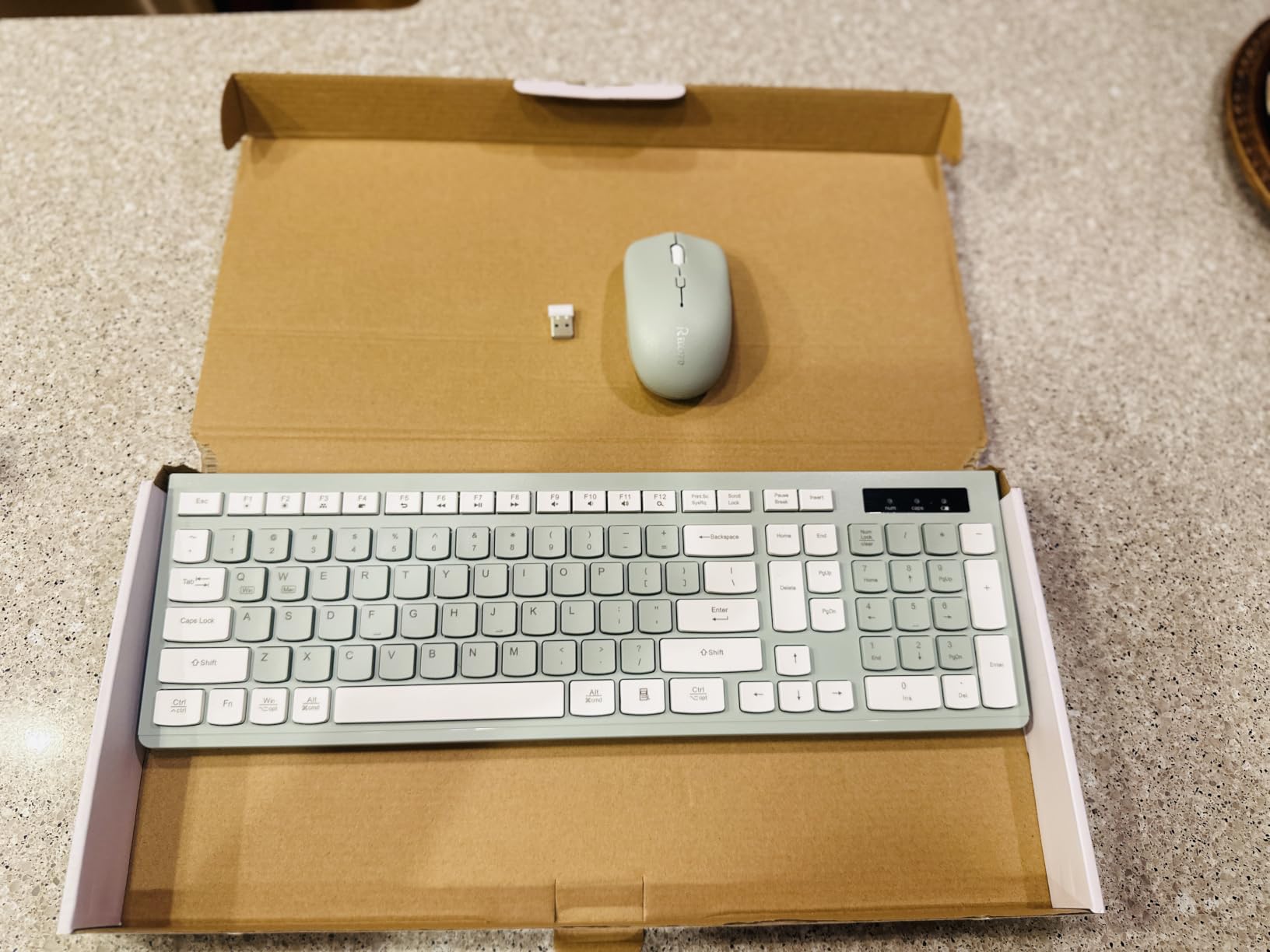
This is the quietest option at the lowest cost in the guide, and the avocado green finish does more for a plain desk than any amount of specification. The keyboard is a full 104 keys with a number pad and 12 multimedia shortcuts.
Operating system support is genuinely broad here. Reviewers confirm it works on Windows from 2000 through 11, on Mac OS, Chrome OS and Linux, which makes it the safest pick in a house where the machine changes.
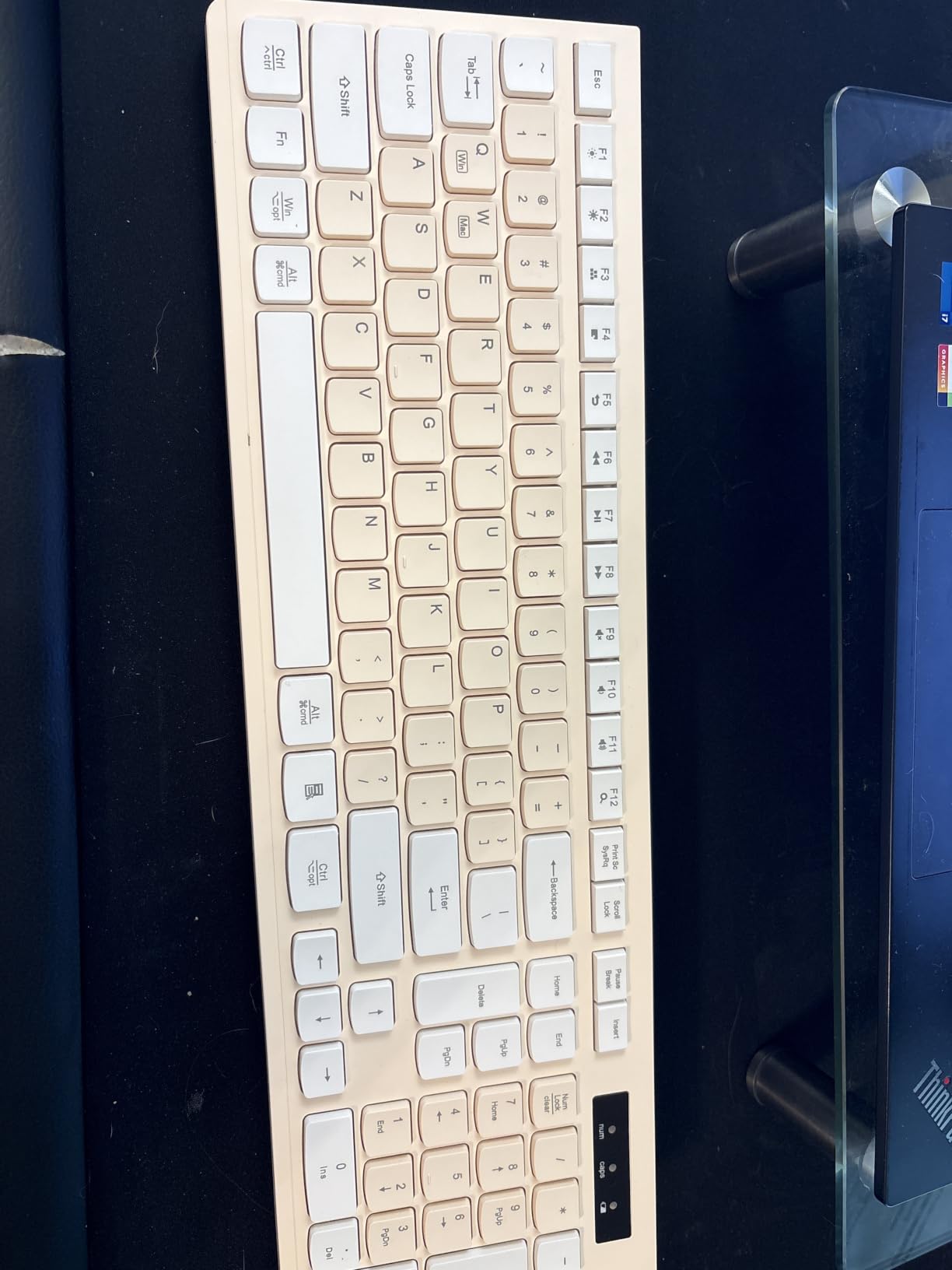
Be realistic about the silence. These are damped membrane keys, quieter than a standard keyboard but noticeably louder than the SilentTouch mechanism in the MK295. If noise is your only criterion, that difference decides it.
The mouse is the weak point: an all-plastic shell with little ergonomic shaping, which owners describe as slippery, and sensitivity that can feel high before you step it down to 800 DPI.
Where it makes sense
It fits a first home office, a children’s study desk, a shared wall, or a second machine in a household. Broad OS support means it does not matter what you plug it into.
The receiver stores under the bottom of the mouse, which is a small quality-of-life touch that prevents the most common way dongles get lost.
Where it does not
Skip it for long typing sessions if key feel is important to you, since the membrane action is soft and unsatisfying compared with scissor or mechanical switches.
It is US layout only with no international variants, and the right-and-left-hand question is answered by shape rather than design: it is ambidextrous but offers no palm support for either hand.
10. Amazon Basics Ultra Premium – a slim rechargeable set with mixed reviews
- Rechargeable design and steel housing feel more premium than the price suggests
- Quiet low-profile keys work in shared rooms
- Single receiver keeps a full-size layout from crowding ports
- Instant plug-and-play with no drivers
- Sleek slim profile for a modern workspace
- Lowest rated set here at 4.1 with a notable share of one-star reviews
- Listing is ambiguous about whether it needs 2 AA batteries as well as the rechargeable cell
- Mouse tracking and features draw little praise
- 2.4 GHz only with no Bluetooth
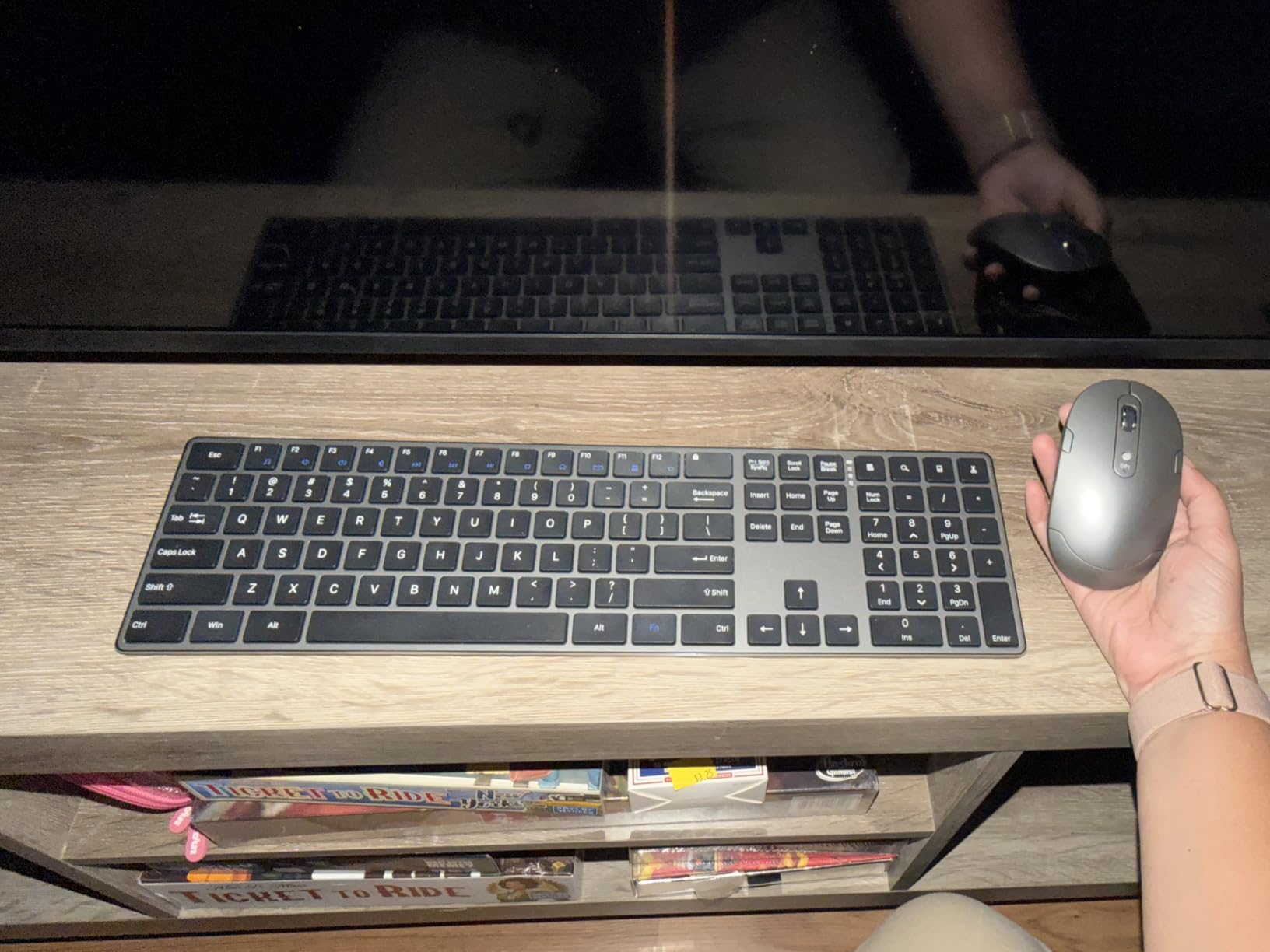
On paper this is the most interesting spec sheet in the guide at the lowest tier. Ultra slim full-size layout with a number pad, quiet low-profile keys, a rechargeable lithium-ion battery and a stainless steel housing, with the single USB receiver stored in the keyboard base so it cannot go missing.
Typing is quiet and the profile is genuinely slim at 15.36 ounces. Several owners report upgrading from bulkier sets and being satisfied with the reduction in desk clutter.
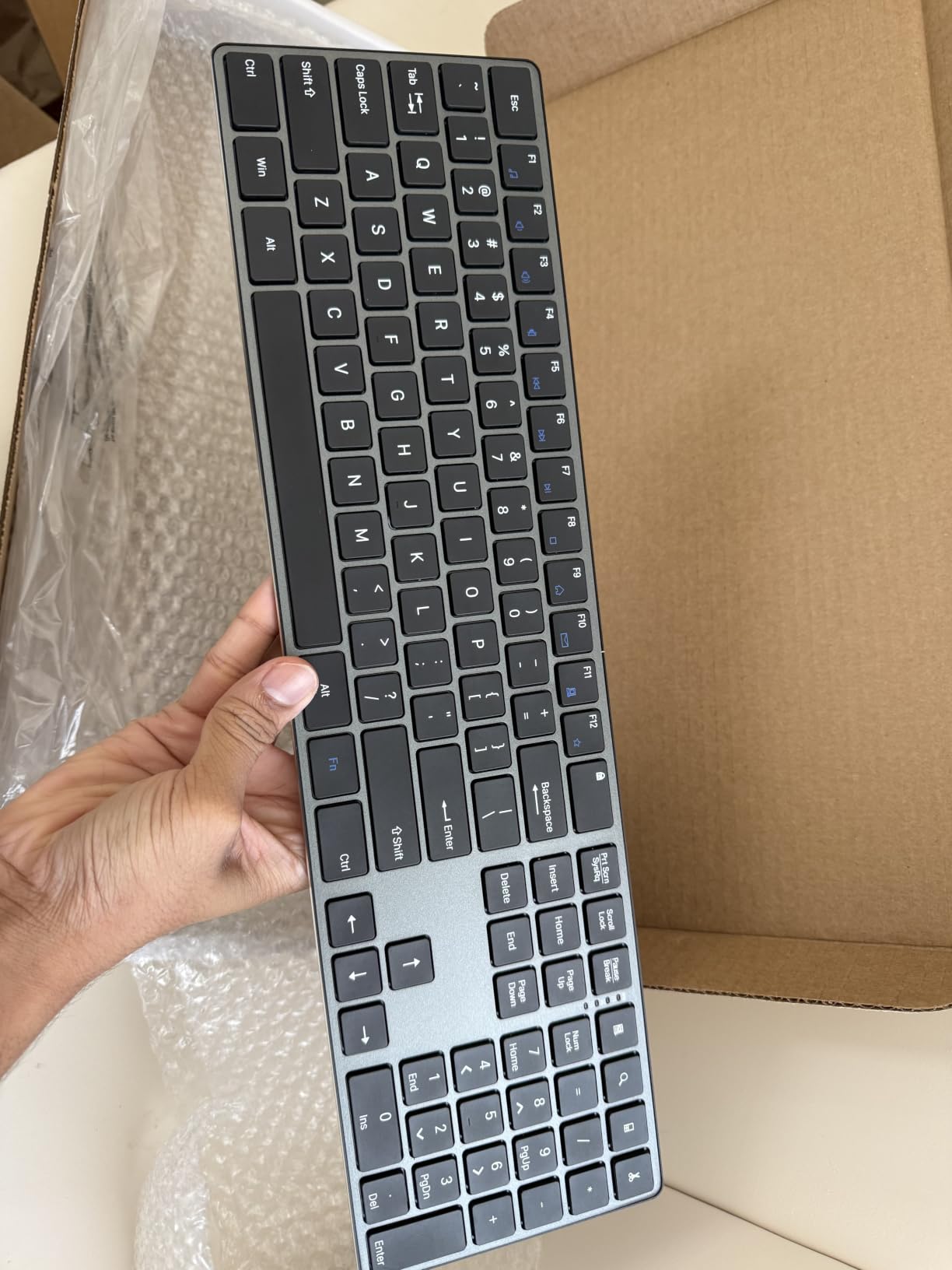
What holds it back is consistency. It carries the lowest rating in this guide and the weakest owner sentiment, with a meaningful share of one-star reviews citing durability and, oddly, confusion about its power source. The listing describes a rechargeable battery and also states that 2 AA batteries are required, which is contradictory.
The mouse is generally described as adequate rather than good. Tracking and buttons are not singled out as strengths by owners, and there is no Bluetooth.
Why it is still here
It makes the point that a slim rechargeable set with a metal housing no longer has to sit at the top of the market. If you want the aesthetic and you can tolerate a basic mouse, it does the job.
The stored receiver and driver-free setup are practical touches that some pricier sets here cannot match.
Why we would not put it first
The rating gap matters. Every other set here averages 4.3 or better with tens of thousands of reviews behind it; this one averages 4.1 with roughly 1,200. That is not enough long-term history to be confident about durability.
The battery ambiguity alone is a reason to slow down and read the current listing carefully before buying, and there is no backlighting either.
How to Choose a Keyboard and Mouse Combo for Your Home Office
Five decisions account for nearly every mistake we see in this category. Work through them in order and the right set usually becomes obvious before you reach a product page.
It also helps to be clear on the wider setup around the desk itself. We have covered the supporting kit elsewhere, with guides to the best paper shredders for home offices, the best fireproof safes for home offices and the best large cork boards for home offices.
1. Measure your desk before you choose a layout
Full-size keyboards with a number pad are about 17 to 19 inches wide. The split ergonomic option in this guide measures 20.75 by 11 inches and will dominate anything smaller. Compact layouts with no number pad give back three inches or more.
Why it matters: every inch of keyboard width pushes your mouse further right, which pushes your elbow out and your shoulder up. On a wide desk that is irrelevant. On a narrow one it is the difference between a relaxed arm and a sore shoulder by week three. Measure first.
2. Decide between 2.4 GHz and Bluetooth
Nine of the ten sets here are 2.4 GHz only, using a small USB nano receiver. That is the more reliable path for latency-sensitive typing and pointing, and the receiver can be moved between machines.
Bluetooth needs no dongle at all, works across Windows, macOS, ChromeOS, iPadOS and Android, and avoids a permanently occupied USB port. Only the ProtoArc offers both. If you juggle a laptop and a tablet daily and do not care about one-button switching, the cost of a separate Bluetooth keyboard is often worth it.
3. Weigh replaceable batteries against fixed rechargeable packs
Replaceable AA and AAA cells cost a few dollars a year and can be swapped in seconds indefinitely. Rechargeable packs cost nothing to refill but are sealed, so when their capacity fades after a few years there is no fix short of a new device.
The stated intervals differ sharply: the Logitech sets claim 36 months for the keyboard, the Arteck claims about six months per charge, and the seenda reports one to two months. Treat all of these as manufacturer claims rather than verified figures, and pick based on how much you mind the cable.
4. Size the mouse to your hand
This is the most consistent complaint across budget combos, and the most common reason people end up replacing the mouse within a month while keeping the keyboard. If your hand is average or large, a compact bundled mouse will cramp.
Also check hand orientation. Five of the ten sets here are ambidextrous and usable with either hand; the MK345 and the ProtoArc mouse are contoured for the right hand only.
5. Test the noise level against your household
In a flat, a shared apartment or a home office that doubles as a call workspace, the difference between a damped membrane keyboard and a purpose-built silent one is audible across a room. If someone else is in earshot of your calls, the MK295 or the RECCAZR is worth the step up.
Test the mouse clicks too. Clicking noise registers more than typing noise on a call, because your microphone picks it up.
A note on brands
Logitech dominates this lineup for a reason: consistent naming, a full-size board at every price point, and battery intervals that stay consistent across the range. Dell, Lenovo and Microsoft are the other names worth checking for full-size office sets. Cherry, Keychron and NuPhy are where you go when you specifically want mechanical or low-profile typing feel. Satechi and Razer lean towards the premium and gaming ends of the market.
Frequently Asked Questions
What is the best quality keyboard and mouse combo?
The Logitech MK270 is the highest quality option for most home offices because it combines a 104-key spill-resistant keyboard with an ambidextrous mouse on a single USB-A receiver, and it carries more than 110,000 reviews averaging 4.5 stars. If you need less noise, the MK295 adds SilentTouch keys and clicks. If your wrists already hurt, the ProtoArc EKM01 Plus is the split ergonomic option in this guide.
What are the best brands of keyboards and mice?
Logitech is the strongest all-round brand for home offices because it covers every price tier with a consistent full-size layout. Dell, Lenovo and Microsoft cover the mainstream office market well. Cherry, Keychron and NuPhy are the choices when you want mechanical or low-profile typing feel. Satechi and Razer sit at the premium and gaming ends of the market.
Are combos cheaper than buying a keyboard and mouse separately?
Usually yes, because the manufacturer pairs two products it already makes and amortises the packaging. The saving is smaller than the marketing suggests, but a combo also gives you a single warranty, a matched design and one receiver driving both halves. Buying separately is worth it when you already know your ideal keyboard and mouse and only one of them needs replacing.
Is Bluetooth or 2.4GHz better for a keyboard and mouse?
2.4 GHz through a USB nano receiver is slightly more responsive and is what nine of the ten sets in this guide use. Bluetooth needs no dongle, frees a USB port and works across more operating systems, but it occasionally drops a connection in crowded wireless environments. If you only ever use one computer, the receiver route is simpler. If you move between machines, Bluetooth or a multi-device set is more flexible.
How long do keyboard and mouse combo batteries last?
Stated figures for the sets in this guide range from about one to two months per charge for the sealed rechargeable models to a claimed 36 months for the keyboard and 12 to 18 months for the mouse on the Logitech replaceable-battery sets. These are manufacturer claims we could not independently verify over a multi-year window, so compare them between products rather than treating them as guarantees. Backlighting, if a set had it, would reduce all of them.
The Verdict on Keyboard and Mouse Combos for Home Offices in 2026
The Logitech MK270 is the best keyboard and mouse combo for a home office in 2026. One receiver, full-size layout, an ambidextrous mouse, a stated 36-month keyboard battery and the deepest review history in the category. Nothing about it is exciting, which is precisely why it keeps working for people eight hours a day.
Choose the MK295 instead if someone else can hear your calls, the MK345 if you want a moulded palm rest and you are right-handed, and the ProtoArc EKM01 Plus if your wrists have already started complaining and you have the desk width for it. Everything else in this guide is a variation on the same reliable theme.
Whatever you pick, measure your desk first and try the mouse for an hour before you commit. It is the two minutes of work that prevents most returns in this category.