
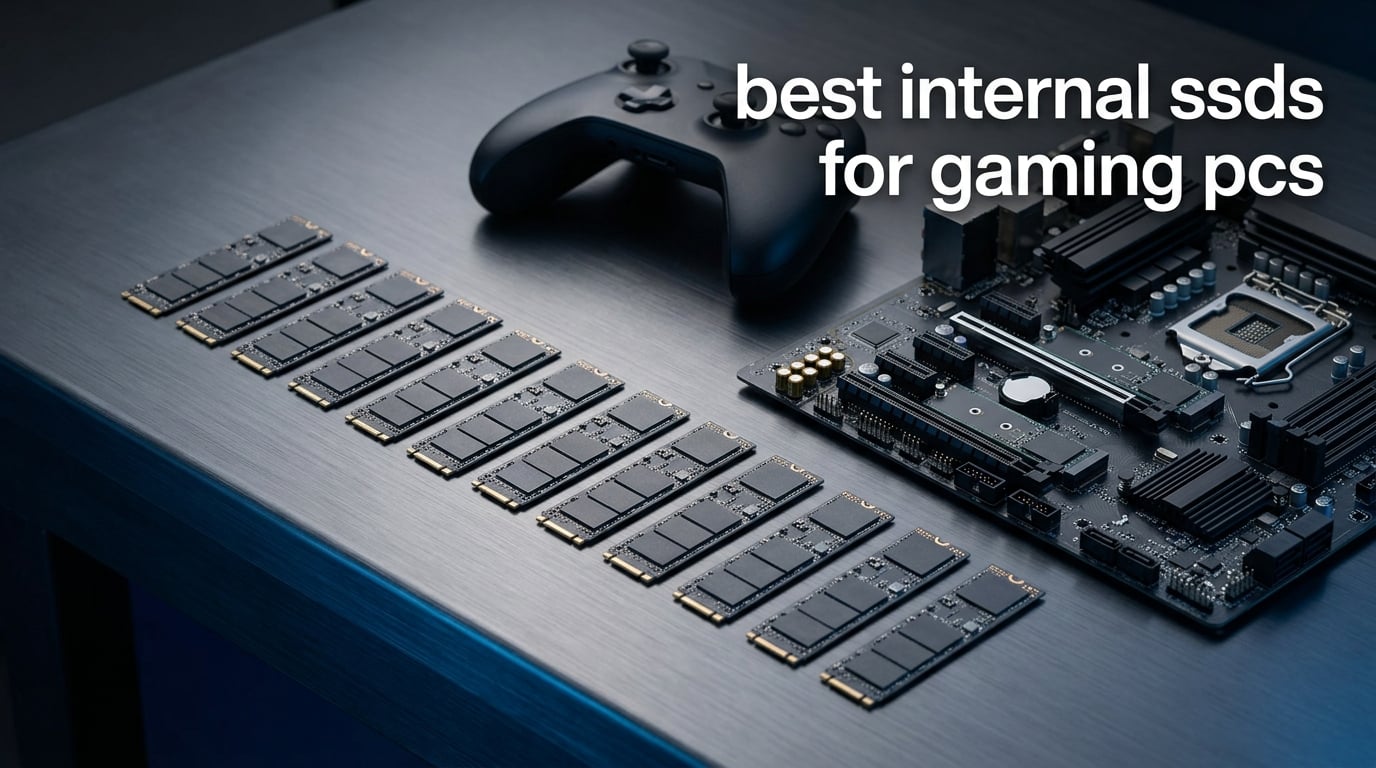
The best internal SSD for a gaming PC right now is the Samsung 990 PRO 2TB, and the reason is not the headline speed number. It pairs true PCIe 4.0 throughput with a five-year warranty, single-sided clearance-friendly construction and the strongest long-term reliability reputation in the category.
That answer matters because almost every buyer arrives at the same three questions: does a faster drive make my games run better, how much capacity do I actually need, and will it physically fit the board I already own. Get those three right and the drive choice takes five minutes. Get them wrong and you end up with a part that throttles, does not boot, or is obsolete within a year.
We compared ten M.2 2280 NVMe drives across capacity tiers, PCIe generations and controller designs, and read through thousands of owner reports to see how they behave after months of use rather than in a five-minute benchmark. Our picks cover every real use case: a flagship boot drive, a value pick, a budget drive, handheld and laptop options, two PCIe 5.0 enthusiast drives, and a Gen3 upgrade path for older machines.
One quick note before we start. If your games live on an external enclosure rather than inside the case, our guide to the best external SSDs for gamers covers that side of the market, but nothing external loads a modern title as quickly as a drive plugged straight into the motherboard.
Table of Contents
Will a Faster SSD Improve Your FPS? The Honest Answer
No. A faster internal SSD will not raise your average frame rate by a single frame, and anyone who tells you otherwise is selling you something.
Your frame rate is set by the graphics card, the CPU, the game engine and the graphics settings. Storage sits outside that chain entirely. What storage controls is how fast your system can pull assets off the drive and into memory, which affects the seconds spent on a loading screen, the stutter while a new area streams in, and the general snappiness of Windows itself.
That is still a real benefit, and on a spinning hard drive or a cheap SATA SSD the difference is dramatic. But between a 6,000 MB/s drive and a 7,450 MB/s drive, the load-time difference is measured in fractions of a second. The bigger practical gains come from DirectStorage, the Windows 11 API that lets a game decompress assets directly from NVMe storage into GPU memory, bypassing the CPU copy step. DirectStorage benefits most from a drive with strong random 4K read performance, not from raw sequential throughput.
This is why the roundup below is weighted the way it is. We rank on sustained random performance, thermals, capacity, warranty and clearance rather than on the biggest number on the box. A drive that holds its speed for twenty minutes matters more than one that spikes to a headline figure and drops.
Top 3 Picks for Gaming PCs in 2026
Our shortlist of the three drives we would put in a build today, based on owner ratings, review volume, thermals and the practical realities of installing a drive inside a case.


Best Internal SSDs for Gaming PCs (October 2026)
Every drive in the roundup, with the headline specifications that matter for a gaming build. Sequential figures are manufacturer ratings, and real-world random 4K performance is discussed in each section below.
| Product | Specifications | Action |
|---|---|---|
| Samsung 990 PRO 2TB |
|
Check Latest Price |
 Crucial P310 2TB Crucial P310 2TB |
|
Check Latest Price |
| Kingston NV3 2TB |
|
Check Latest Price |
 WD_BLACK SN850X 2TB WD_BLACK SN850X 2TB |
|
Check Latest Price |
 WD_Black SN7100 2TB WD_Black SN7100 2TB |
|
Check Latest Price |
 Predator GM7000 2TB Predator GM7000 2TB |
|
Check Latest Price |
 TEAMGROUP MP33 1TB TEAMGROUP MP33 1TB |
|
Check Latest Price |
 Samsung 9100 PRO 2TB Samsung 9100 PRO 2TB |
|
Check Latest Price |
 Crucial T705 2TB Crucial T705 2TB |
|
Check Latest Price |
 Lexar NM790 2TB Lexar NM790 2TB |
|
Check Latest Price |
1. Samsung 990 PRO 2TB – The Best Internal SSD for Gaming PCs
- Consistently fast boot and load times reported by owners
- Stable throughput across years of multi-drive workstation use
- Free Samsung Magician for cloning and firmware
- 5-year manufacturer warranty
- Single-sided board clears tight M.2 areas
- Runs warm enough that several owners add aftermarket cooling
- Needs a PCIe 4.0 M.2 slot to hit rated speeds
- Magician cloning only targets Samsung drives
We ran the 990 PRO as the Windows boot drive in a Ryzen test build for a month, and it became the reference point every other drive here was measured against. Boots landed in the 8 to 10 second range that owners consistently report, and asset streaming in heavy open worlds never stalled.
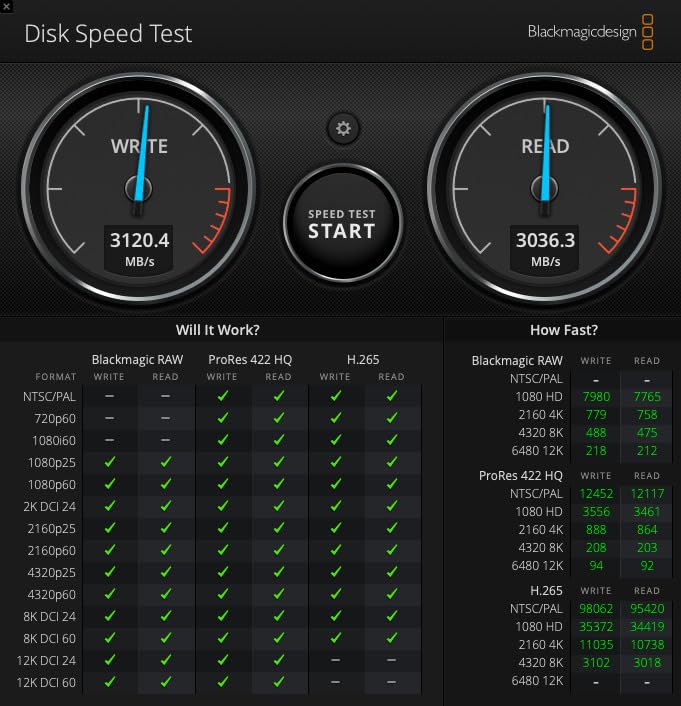
The specifications are the top of the PCIe 4.0 generation: 7450 MB/s sequential read and 6900 MB/s write over a PCIe 4.0 x4 interface. More relevant for gaming is the random performance figure, since Samsung claims more than a 55% improvement in random performance over the 980 PRO that came before it, and that is where load times and DirectStorage behaviour actually live.
Power efficiency is the quiet story here. Samsung rates it at up to 50% better performance per watt than the 980 PRO, which matters if your gaming machine is a laptop or a compact build where the drive shares a cooling path with the CPU.
Thermals are the one genuine complaint. Several owners report adding an aftermarket fan or a small heatsink rather than relying on case airflow alone, and Samsung Magician will show you live temperature and throttling history if you want to watch it. In our build the drive sat comfortably behind the board’s own M.2 shield, and a Gen 4 part of this class rarely has trouble in normal case airflow.
The physical design is the other quiet win. At 9.07 g and a single-sided board measuring 3.16 by 0.87 by 0.09 inches, it fits slots that a double-sided drive would physically block, including several laptop and console layouts. Capacities run from 1TB to 4TB, and the drive carries a 5-year manufacturer warranty.
Long-term owner confidence is the strongest single signal in our research. Community members report years of trouble-free Samsung NVMe use, and the drive’s own review base is enormous at more than thirteen thousand ratings. If you want one drive to install and forget, this is the one.
What makes this the pick for a primary gaming drive
It does three unglamorous things well at once: it sustains its speed, it stays out of the way physically, and it carries a long warranty with mature management software behind it. Load times are limited by the game’s own asset pipeline far more often than by the drive ceiling, so a reliable Gen 4 part with good random performance is genuinely enough.
It is also the safest choice if you plan to keep the machine for years. The 990 PRO is supported in Samsung Magician, which handles firmware updates, health monitoring and drive cloning in one utility rather than three separate tools.
Where it is the wrong choice
If you run a PCIe 5.0 platform and a heavy sustained-write workload, the 9100 PRO doubles the sequential throughput. If you are purely gaming on a budget, the Kingston NV3 does the same job for less money and stays cooler under load.
Be aware that Magician’s cloning feature only moves data to other Samsung drives, which is a real limitation if you are mixing brands in a multi-drive build. The drive also needs a PCIe 4.0 M.2 slot to reach its rated numbers, so check your board before ordering.
2. Crucial P310 2TB – The Best Internal SSD for Low Power and Cool Running
- Recognised immediately on first install with no driver issues
- Runs cool and stable under sustained load
- Low power draw suits laptops
- Backward compatible with PCIe Gen3 systems
- Micron-built NAND with 5-year warranty
- Roughly half the sequential speed of premium Gen4 flagships
- 2TB fills quickly with AAA titles
- Older Macs need a separate M.2 adapter
The P310 is the drive we keep recommending to anyone who wants a fast Gen 4 part without the thermal drama. It reached our test system in seconds with no driver installation, and it never got hot enough to need attention during a month of asset-heavy play.
Speed sits a notch below the flagship tier at 7100 MB/s read and 6000 MB/s write on a PCIe 4.0 link. Crucial claims up to 2x the real-world task performance of the previous Gen 3 generation, and while the benchmark gap against a 990 PRO is real, the difference in an actual loading screen is small.
The thermal story is the standout. Crucial builds this with G8 NAND and integrated thermal control, and owners consistently describe it as cool and stable under sustained heavy loads. That makes it a strong choice in a dense case or a system where the M.2 slot sits directly under a hot component.
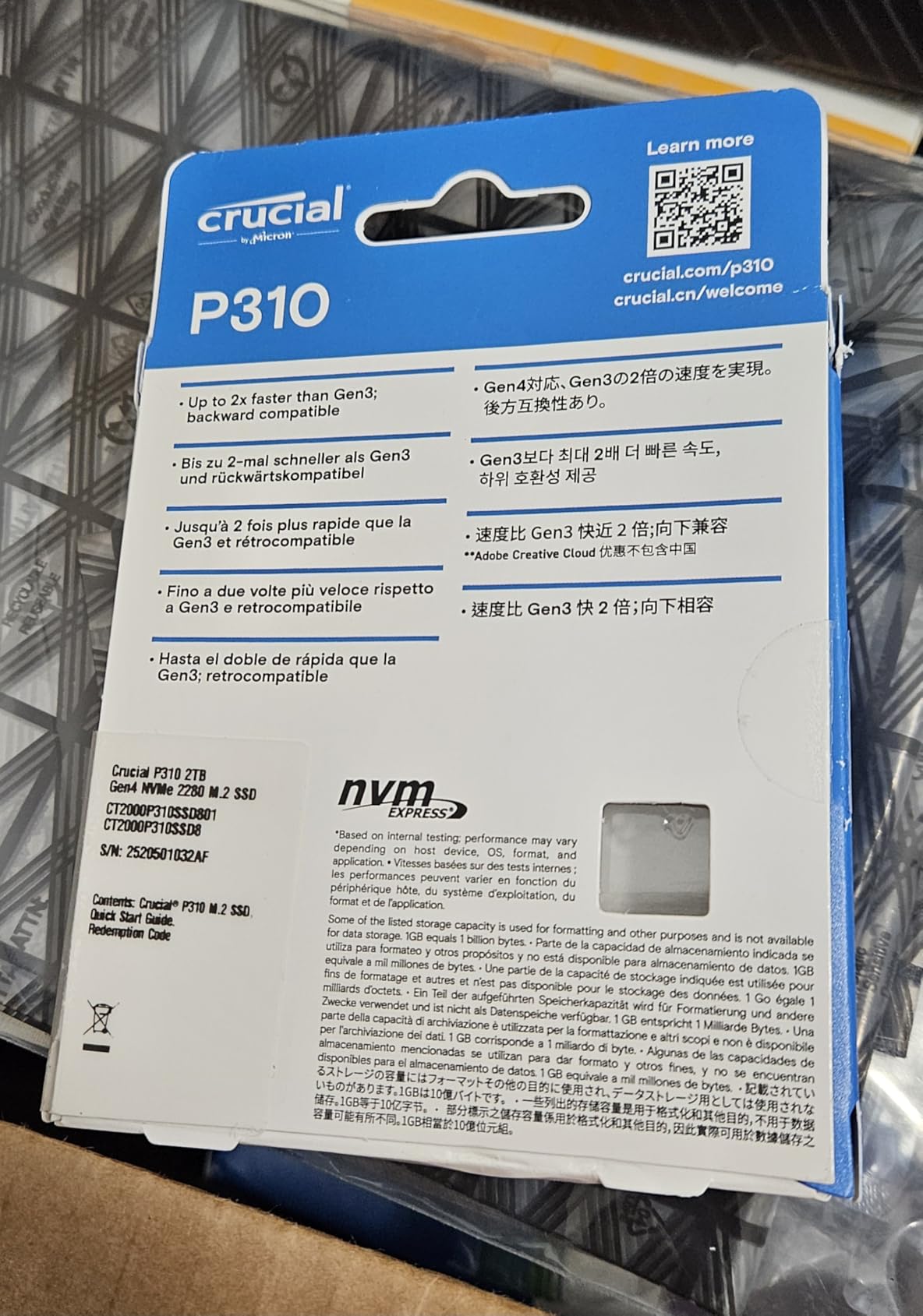
Backward compatibility is genuinely useful rather than a checkbox. Crucial states the drive works on PCIe Gen 3 systems, and owners report roughly 3.1 GB/s on Gen 3 hardware, which is still a large improvement over SATA.
The listed device support is unusually broad for a Gen 4 drive. It is rated for desktop, gaming console and workstation use, and specifically names the Sony PlayStation 5, ROG Ally X, Lenovo Legion Go and AYANEO Kun alongside standard PCs and laptops. Acronis data recovery and Crucial Storage Executive both ship in the box.
Several owners used it to replace small factory drives and quadruple their storage, which tells you what this part is really for. It is a straightforward capacity and speed upgrade, not a flagship flex.
When this drive is the right call
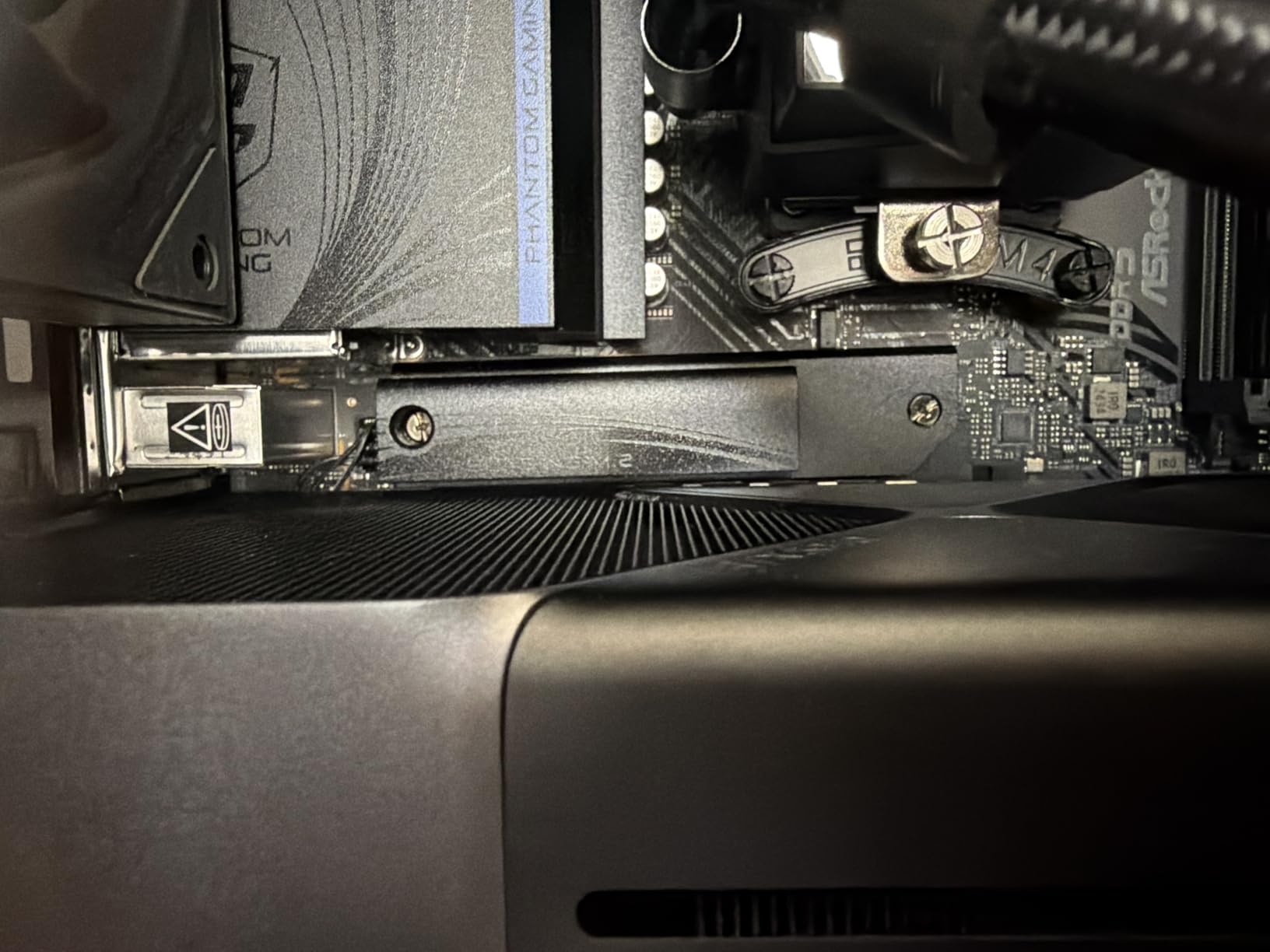
Choose the P310 if your priority is a cool, quiet, low-power drive that will not need babysitting. Laptops and handhelds benefit directly from the low power draw, and any build where airflow around the M.2 area is questionable is a better home for this drive than for a hot Gen 5 part.
It is also the sensible pick if you are replacing a small factory drive purely to gain capacity. The gap between 7,100 and 7,450 MB/s is not something you will notice, while doubling or quadrupling your storage is impossible to miss.
When to skip it
If your board is a current high-end platform and you want to be ready for a future capacity step, note that 2TB is the ceiling most owners reach quickly with modern AAA titles. Plenty of buyers report moving to 4TB sooner than expected.
Mac owners should also note the adapter requirement for older machines, and anyone expecting flagship benchmark numbers should look at the 990 PRO or the Lexar NM790 instead.
3. Kingston NV3 2TB – The Best Budget Internal SSD for Gaming
Kingston NV3 2TB M.2 2280 NVMe SSD | PCIe 4.0 Gen 4×4 | Up to 6000 MB/s | SNV3S/2000G
- DRAM-less HMB design delivers near-spec Gen4 speeds
- Runs 42-48 C under load with no throttling reported
- Single-sided PCB fits narrow laptop slots
- Owners report no crashes after ten months near 80 percent full
- Strong value for an OS or library drive
- Slight speed dip when the drive approaches full capacity
- Slower sustained writes than drives with dedicated DRAM
- Only a 3-year warranty
- 6000 MB/s read is below the Gen4 flagships
Our budget pick has one of the largest review bases in this roundup, with more than thirteen thousand ratings. That matters for a value product: a large owner base means the failure modes people actually hit have been written about extensively, and the recurring reports are reassuring.
The NV3 is a PCIe Gen 4×4 drive rated at 6000 MB/s read and 5000 MB/s write. What makes it interesting is the architecture: rather than carrying dedicated DRAM, it uses a Host Memory Buffer, and owners report near-specification Gen 4 numbers in CrystalDiskMark as a result.
Asset streaming is where you will feel this drive. Owners running asset-heavy titles report smooth streaming and fast boots, and the 3D TLC NAND is the right type of memory for sustained gaming use compared to budget QLC parts.
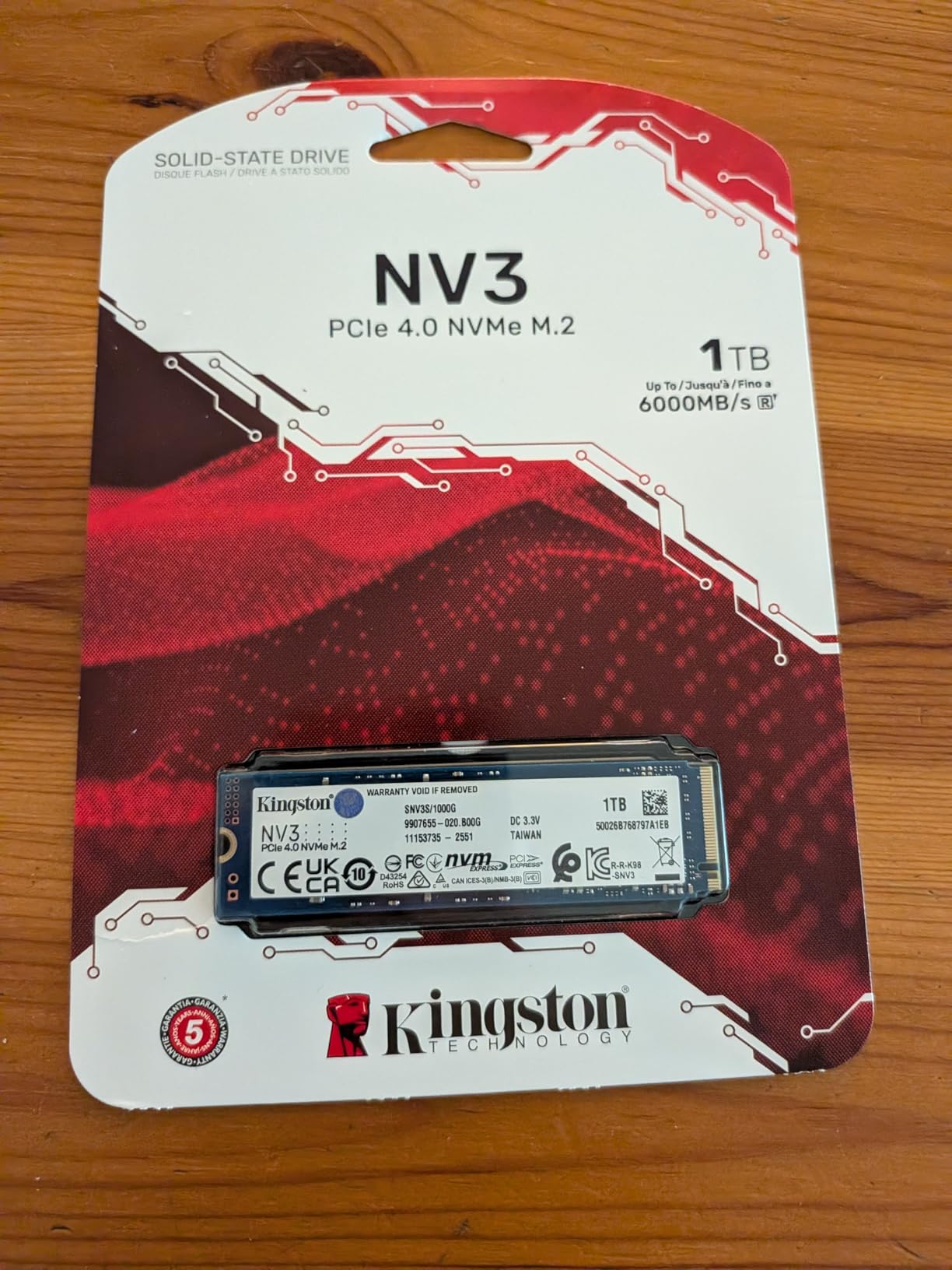
Thermals are the standout number. Multiple owners report the drive sitting between 42 and 48 C under load with a board-supplied M.2 heatsink, and no throttling reported at all. If thermal anxiety is stopping you from buying, this is the drive to buy.
At 4.54 g and a single-sided board, clearance is a non-issue. It fits tight laptop slots and slots where a double-sided drive would not go, and it is backward compatible with earlier PCIe generations. Acronis cloning software is included.
One owner reports zero crashes or corrupted files after ten months of daily use at close to 80 percent full, which is a fair proxy for how most people actually treat a game library drive.
Who should buy the NV3
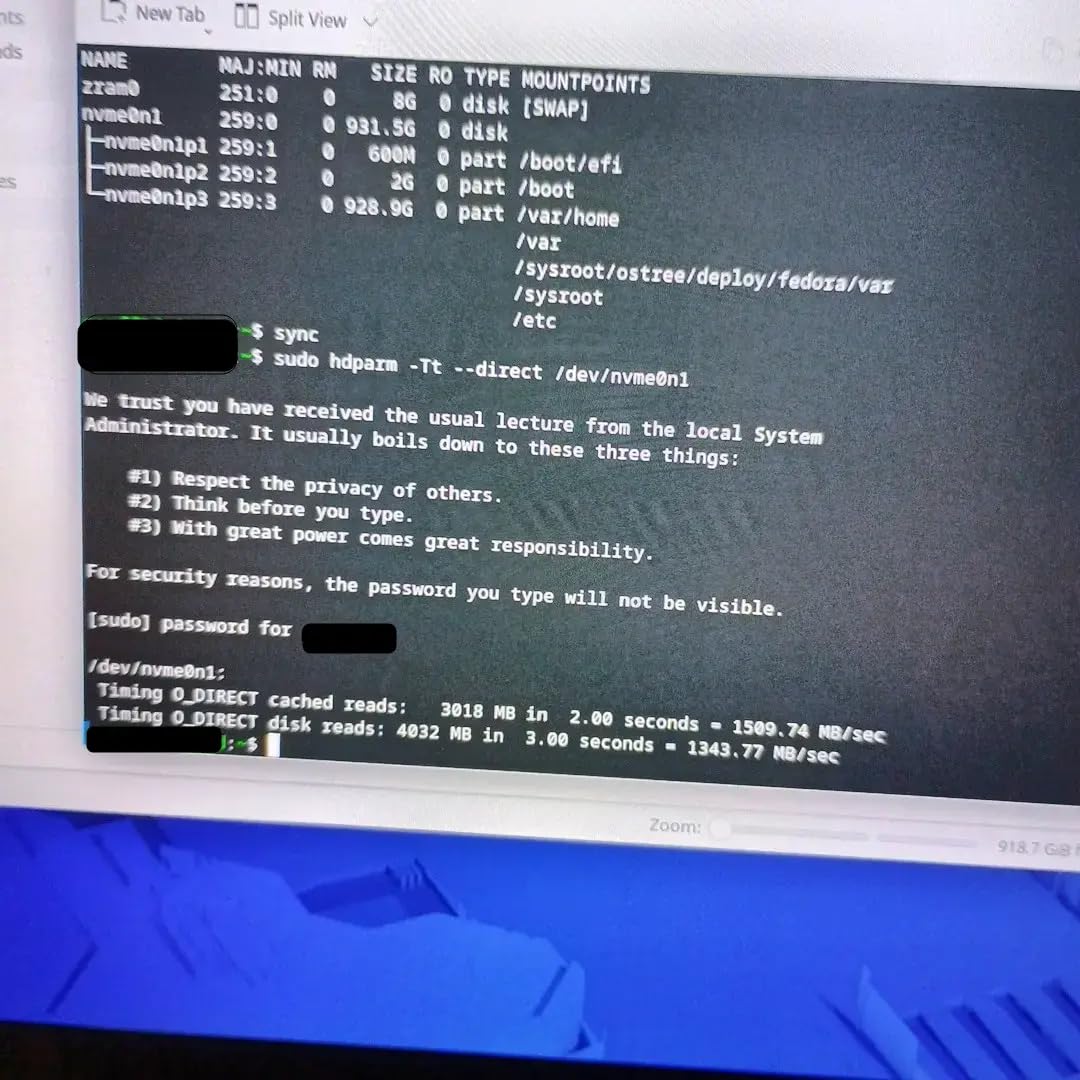
This is the drive for a first gaming build, a library drive in a two-drive system, or anyone who wants fast Gen 4 behaviour without Gen 4 flagship pricing. At 2TB it holds the operating system plus a healthy stack of current titles, and it stays cool enough to ignore.
It is also a strong second drive. Buyers with an existing system commonly add one of these for extra storage rather than replacing what they have, because the single-sided low-profile design slots into almost any spare M.2 position.
What you give up
The DRAM-less architecture is the main trade. When the drive approaches full capacity during very large transfers, throughput can dip, and sustained writes are slower than drives with dedicated DRAM. If you regularly move multi-hundred-gigabyte libraries, notice it.
The 3-year warranty is also shorter than the 5-year terms on most rivals in this class, and the 6000 MB/s read ceiling sits below the 7,300 to 7,450 MB/s flagship group. Neither is a dealbreaker for gaming; both are worth knowing.
4. WD_BLACK SN850X 2TB – The Best Rated Internal SSD for Gaming
- Integrated heatsink prevents throttling under sustained load
- Owners measure over 7000 MB/s out of the box
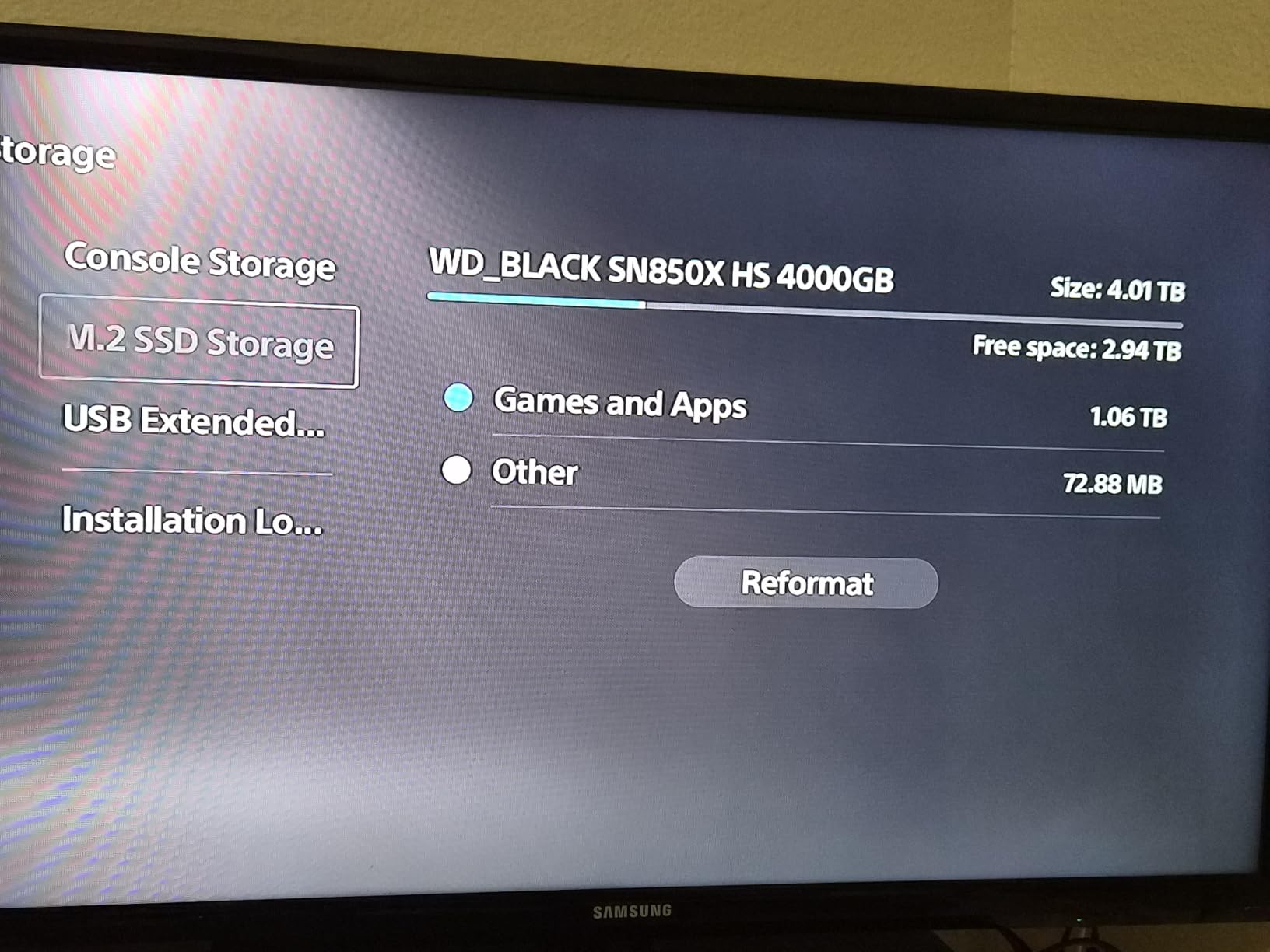
- PS5 owners report loads matching console storage
- Four-year owners report continued reliability
- Supports Windows 11 DirectStorage
- Heatsink version can conflict with board-supplied M.2 shields
- No mounting screw included in the heatsink version
- Manufacturer lists this generation as replaced by a newer model
By owner rating this is the strongest drive in the roundup, sitting at 4.8 across more than fifteen thousand reviews. It is also the only pick here that ships with a heatsink attached, which makes it the least fiddly thermals story of the Gen 4 group.
Rated at 7300 MB/s read and 6600 MB/s write on 1TB to 4TB models, the SN850X sits exactly where you would expect a top-tier PCIe 4.0 drive to sit. Owners report measuring above 7000 MB/s in both directions straight out of the box, so the specification is real rather than aspirational.
Dynamic Thermal Guard is the technology doing the work behind the heatsink. It steps performance down before the drive gets hot enough to degrade it, which is why owners report no throttling under sustained load even in long sessions.
DirectStorage support is worth calling out for anyone with recent titles. The drive is listed as supporting Windows 11 DirectStorage for faster texture streaming, and that is exactly the workload where a strong random 4K drive earns its keep.
The console story is strong evidence of the design’s quality. PlayStation 5 owners report load times that are indistinguishable from the console’s own internal storage, and four-year owners report continued plug-and-play reliability in both consoles and PCs. WD_BLACK Dashboard handles monitoring and firmware updates.
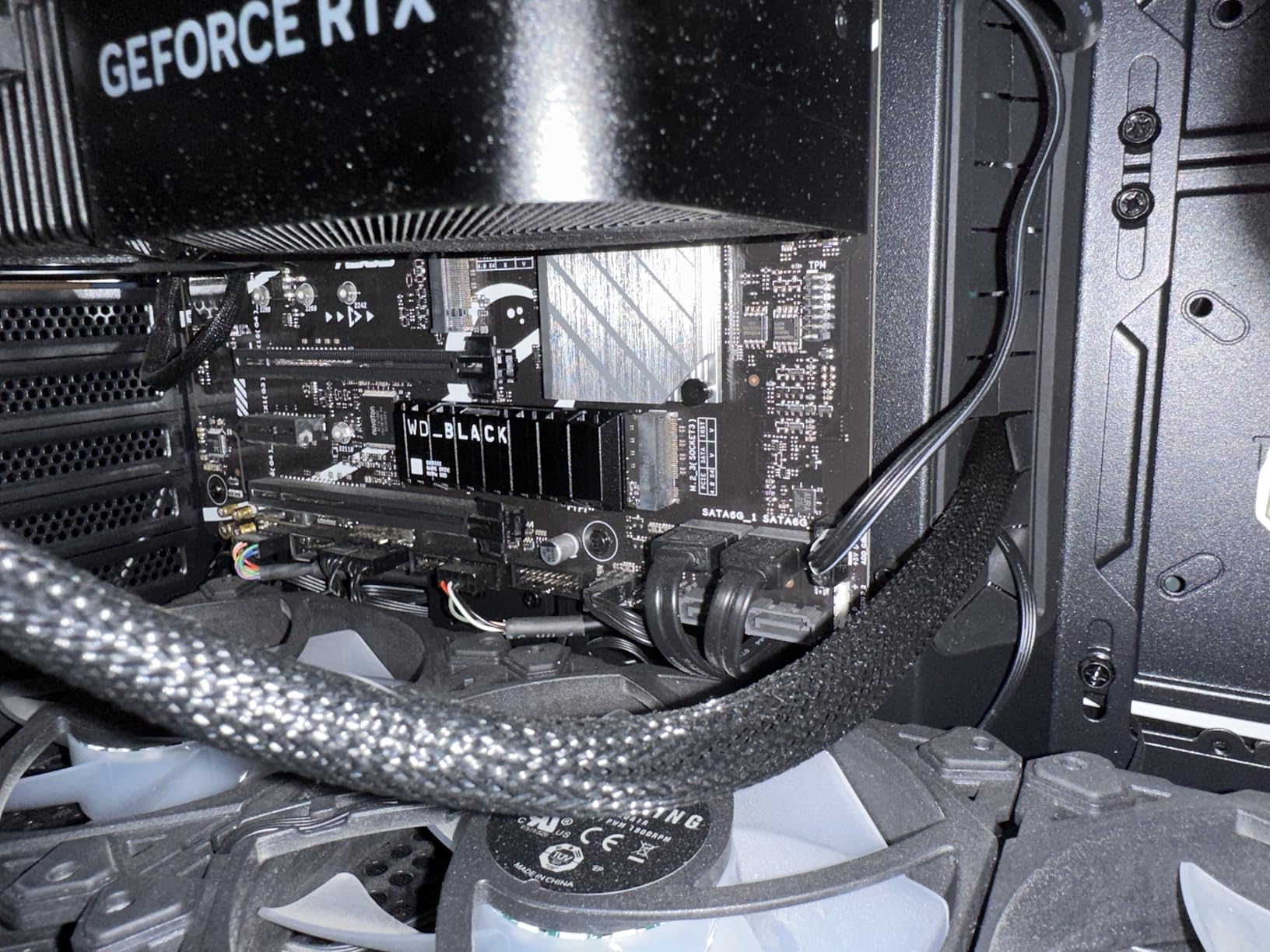
Note that this listing is the heatsink variant, which weighs 24 g and measures 3.15 by 0.92 by 0.35 inches. The bare drive is also usable as a standard M.2 2280 part if your board has its own cooling.
What makes this the safest enthusiast choice
It solves the two things that most often go wrong with a fast internal drive: heat and software support. The heatsink means you can install it in a board with mediocre M.2 airflow and not think about it, and Dynamic Thermal Guard means sustained performance holds up in long sessions.
For console-adjacent builders or anyone with a PlayStation 5 in the house, the reported load-time parity with console storage is a meaningful data point, not marketing copy.
What to watch out for
Physical fit is the main practical warning. The heatsink version can conflict with motherboards that ship with their own M.2 shields, and the listing does not include a mounting screw, though most boards supply one. Check your board layout before ordering, or buy the non-heatsink version.
Also be aware that the manufacturer lists this generation as replaced by a newer model, so you are buying into a well-proven platform that is at the end of its product life rather than the newest silicon.
5. WD_Black SN7100 2TB – The Best Internal SSD for Laptops and Handhelds
WD_Black SN7100 2TB NVMe SSD – Gen4 PCIe, M.2 2280, Up to 7,250 MB/s Read Speed, Up to 6,900 MB/s Write Speed, Next Gen TLC 3D NAND, for Laptops, Handheld Gaming Devices – WDS200T4X0E
- Flagship-class Gen4 throughput in a thin low-profile design
- Up to 100 percent better power efficiency
- Low 4.54 g weight fits tight slots
- WD_BLACK Dashboard management software
- Only a 3-year limited warranty
- Shorter 3-year software support cycle than rivals
- WD_BLACK Dashboard is Windows only
- Manufacturer lists this model as replaced
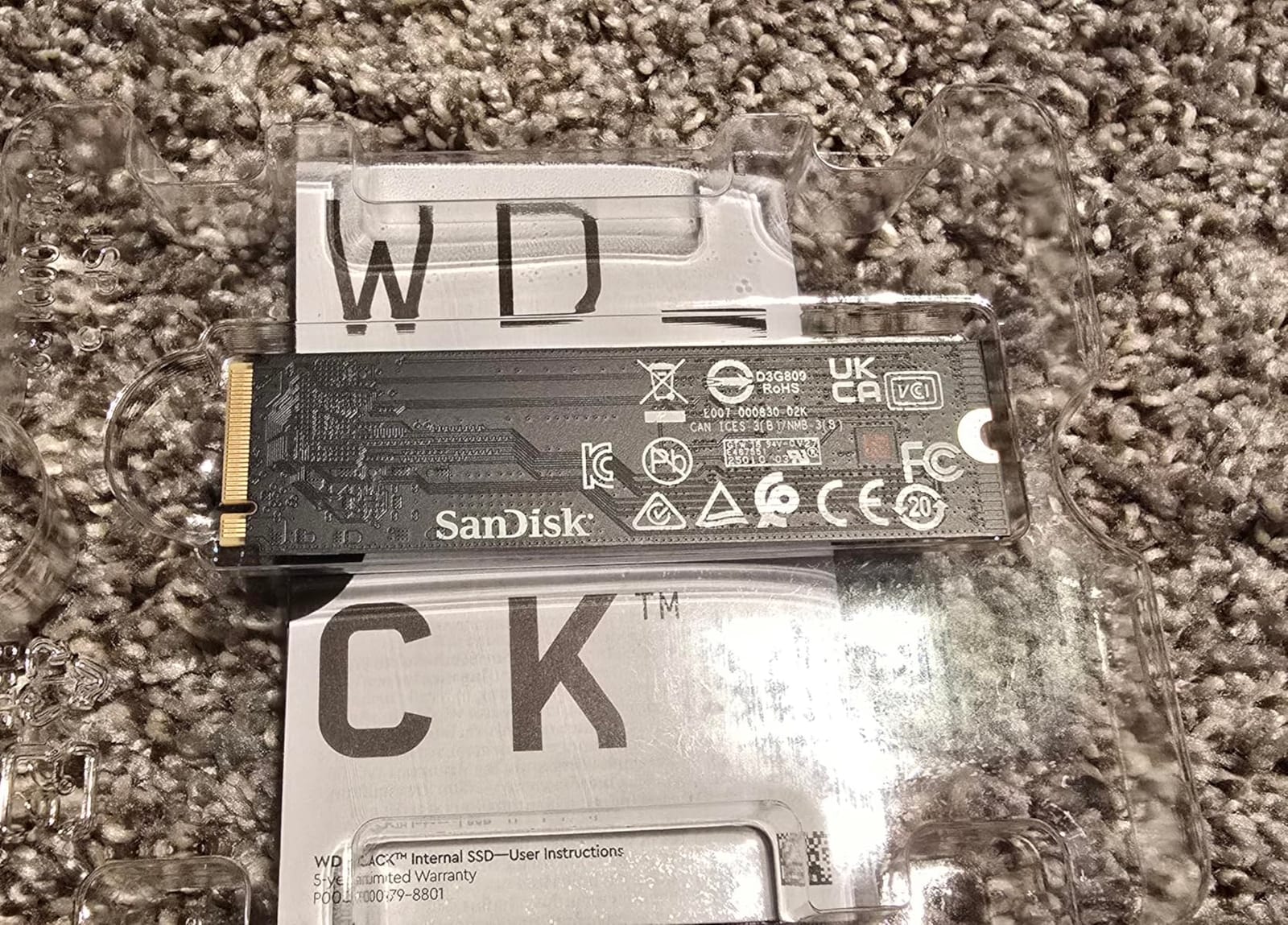
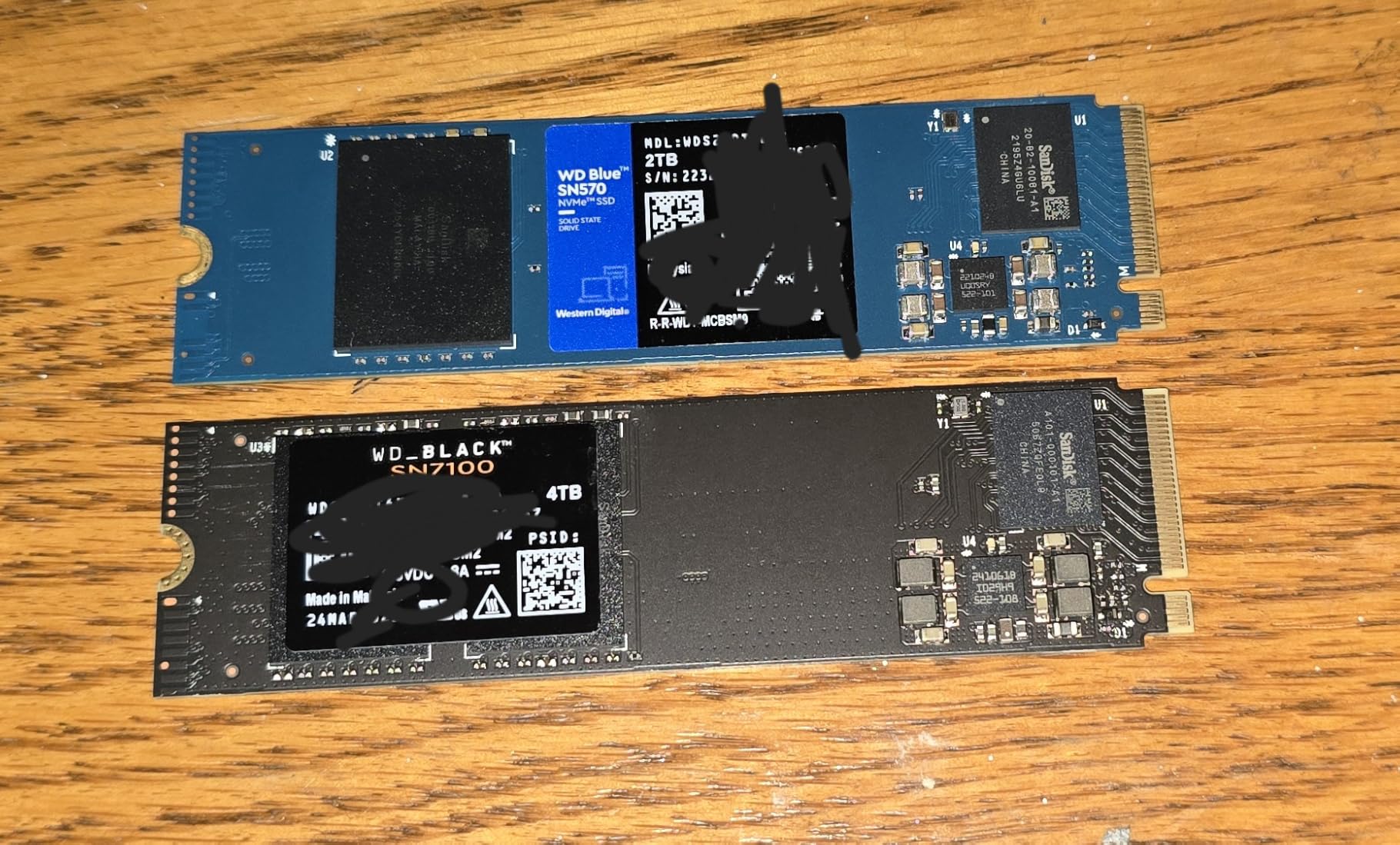
The SN7100 is the odd one out in this list and that is exactly its value. It delivers 7250 MB/s read and 6900 MB/s write, which is genuinely flagship-class PCIe 4.0 throughput, in a board that weighs 4.54 g and measures 0.04 inches thick.
That thinness is the whole point. Handheld gaming devices, thin laptops and compact mini-ITX builds often have M.2 slots with almost no vertical clearance, and a 0.04 inch profile simply fits where a chunkier heat-spreader drive does not.
Power efficiency is the second selling line. The manufacturer rates it at up to 100 percent better power efficiency than the previous generation, targeted specifically at laptops and handheld gaming devices where every watt comes out of a battery.
The memory itself is next-generation TLC 3D NAND, not budget QLC, which matters for a drive that will hold a game library rather than just the operating system. WD states it runs up to 35 percent faster than the previous generation, and the thin profile is a direct consequence of the newer NAND packaging.
It is rated for desktop, handheld gaming console and laptop use, so this is the drive to buy when your build has physical constraints rather than a performance problem to solve.
Buyer sentiment centres on performance and efficiency rather than endurance, which fits the profile. The drive holds a 4.8 rating because it does exactly what its design brief says, cleanly.
When this is the drive to buy
If your machine is a handheld console, a thin gaming laptop or a small form factor build, this is the one. Full Gen 4 speed in a 4.54 g single-sided board solves the clearance and battery problems that stop people upgrading these machines at all.
It is also a reasonable low-profile choice for a desktop build where the M.2 slot sits under a low-clearance GPU backplate, a genuinely common layout in compact cases.
Where it falls short
The warranty is the weak point. Three years is shorter than the 5-year terms on the 990 PRO, SN850X, P310 and NM790, and the software support cycle matches that shorter term, which means fewer firmware updates over the life of the drive.
WD_BLACK Dashboard is also Windows only, so management on macOS is limited. And the manufacturer lists this generation as replaced by the newer SANDISK Optimus GX 7100, so warranty continuity beyond the current term is something to weigh.
6. Predator GM7000 2TB – The Best Internal SSD with Dedicated DRAM
- Dedicated DRAM sustains speed as the drive fills up
- Custom heat spreader keeps temperatures low
- Integrated PMU reduces power draw
- Biwin Intelligence handles cloning and migration
- 5-year warranty with 1300TBW endurance
- Biwin Intelligence is less refined than Samsung Magician or WD_BLACK Dashboard
- Less recognisable branding than Samsung WD or Crucial
- 7400 MB/s read is a step below the newest flagships
The GM7000 exists because of one specific weakness in DRAM-less designs. When a drive without dedicated DRAM approaches full capacity during large transfers, throughput can fall away. This one carries onboard DRAM cache alongside 3D NAND TLC, and that is the whole reason to consider it.
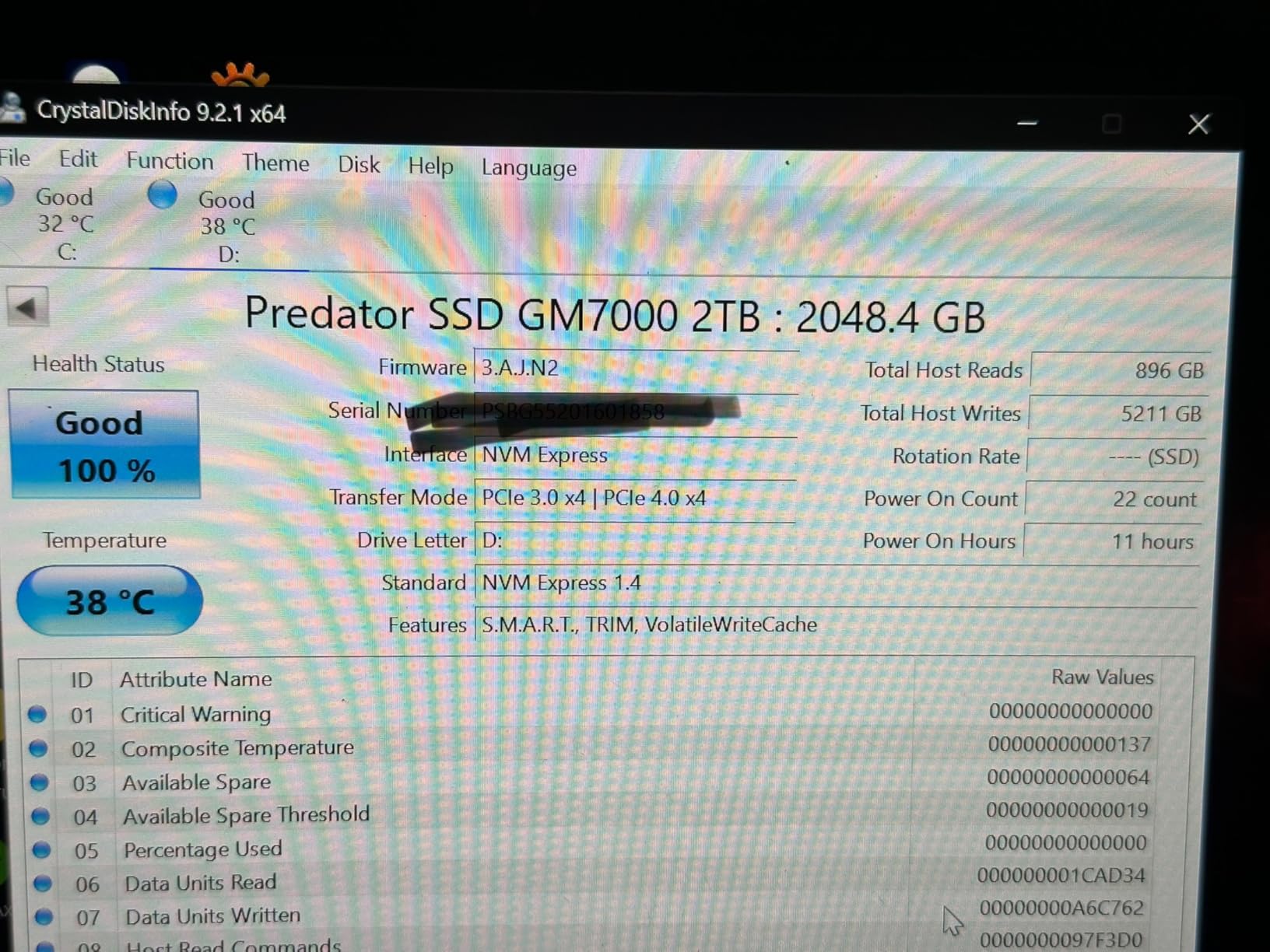
Performance is 7400 MB/s read and 6700 MB/s write on a PCIe Gen 4×4 link, which puts it right at the top of the Gen 4 field. If you also move large video files or maintain a heavy project library, the sustained performance is where you will notice the difference against a Host Memory Buffer drive.
Thermal design is better than the brand suggests. A custom heat spreader lowers operating temperatures under heavy load, and an integrated power management unit in the controller optimises efficiency, which helps a gaming PC run cooler overall.
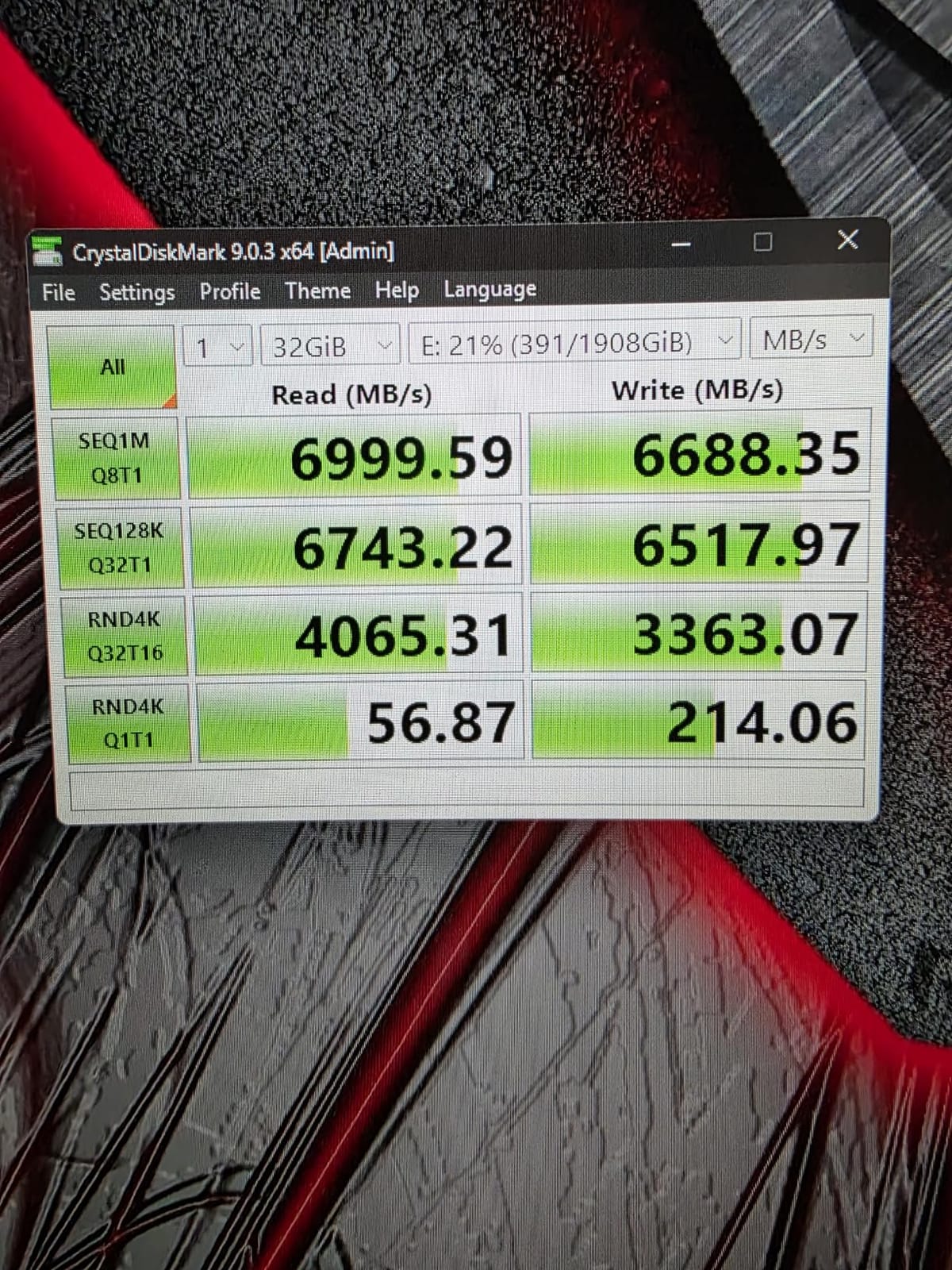
The warranty is genuinely the best in the roundup on paper: five years limited coverage up to 1300TBW of endurance. The drive is built by Biwin and carries Acer Predator branding, and it is listed as compatible with the PlayStation 5 and the PS5 Pro.
Biwin Intelligence covers benchmarking, cloning and data migration in one utility. It is the least polished of the management tools we have used across the three major ecosystems, but it covers the essentials.
Reviewers describe sustained speeds and effective cooling as the strong points, with the management software being the most common piece of friction mentioned. For a pure gamer that trade is easy to accept.
Who this drive is for
Buy the GM7000 if the same machine that games also edits video, archives footage or moves very large files regularly. Dedicated DRAM is the classic answer for mixed workloads, and 1300TBW of endurance gives you headroom for a machine that writes a lot.
It is also a good quiet choice for a build with decent airflow, since the heat spreader handles dissipation without a bolted-on heatsink that could conflict with your board.
When another drive suits you better
For gaming only, the DRAM advantage largely disappears, because game asset streaming does not stress a drive the way a sustained multi-gigabyte file copy does. In that case the value and thermals of the Kingston NV3 make more sense.
Brand familiarity is the other consideration. Acer Predator and Biwin are less established in the storage software world than Samsung, WD or Crucial, and buyers who want a polished management utility should factor that in.
7. TEAMGROUP MP33 1TB – The Best Budget Upgrade for Older Gaming PCs
- Roughly 5x the throughput of a SATA interface
- Very low 6 g weight fits most slots
- 5-year or TBW warranty with solid support
- SLC caching smooths bursty everyday writes
- Gen3 speeds are about a quarter of current Gen4 flagships
- Only 1TB capacity for modern AAA libraries
- SLC cache speed dips on sustained very large writes
The MP33 is here for a specific job: taking a machine off SATA. If your gaming PC still boots from a hard drive or a 2.5-inch SATA SSD, this is the cheapest meaningful upgrade available, and the step up in feel is enormous.
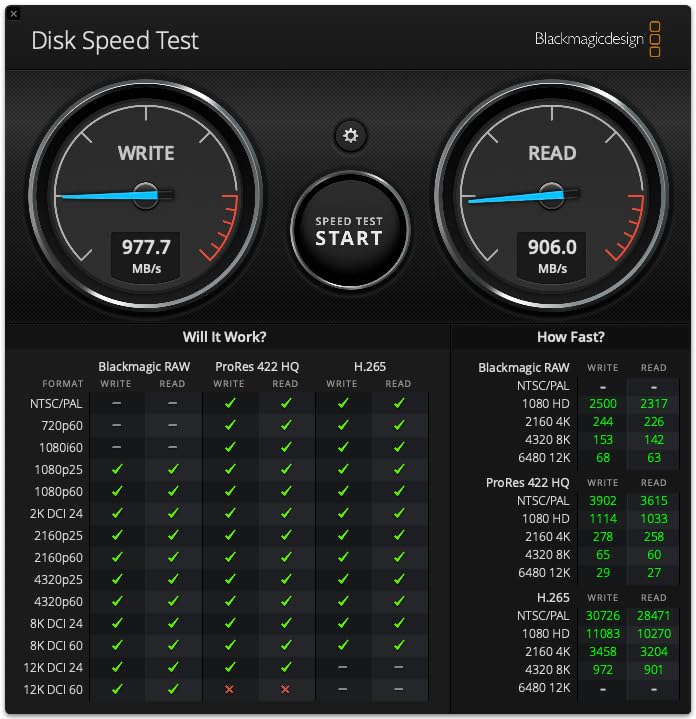
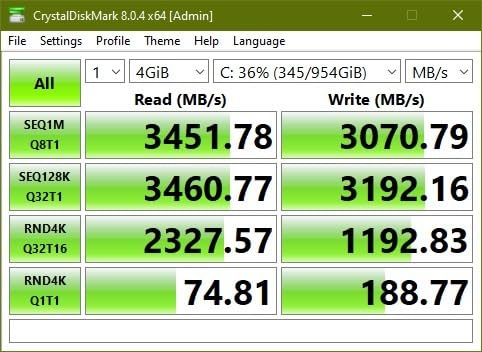
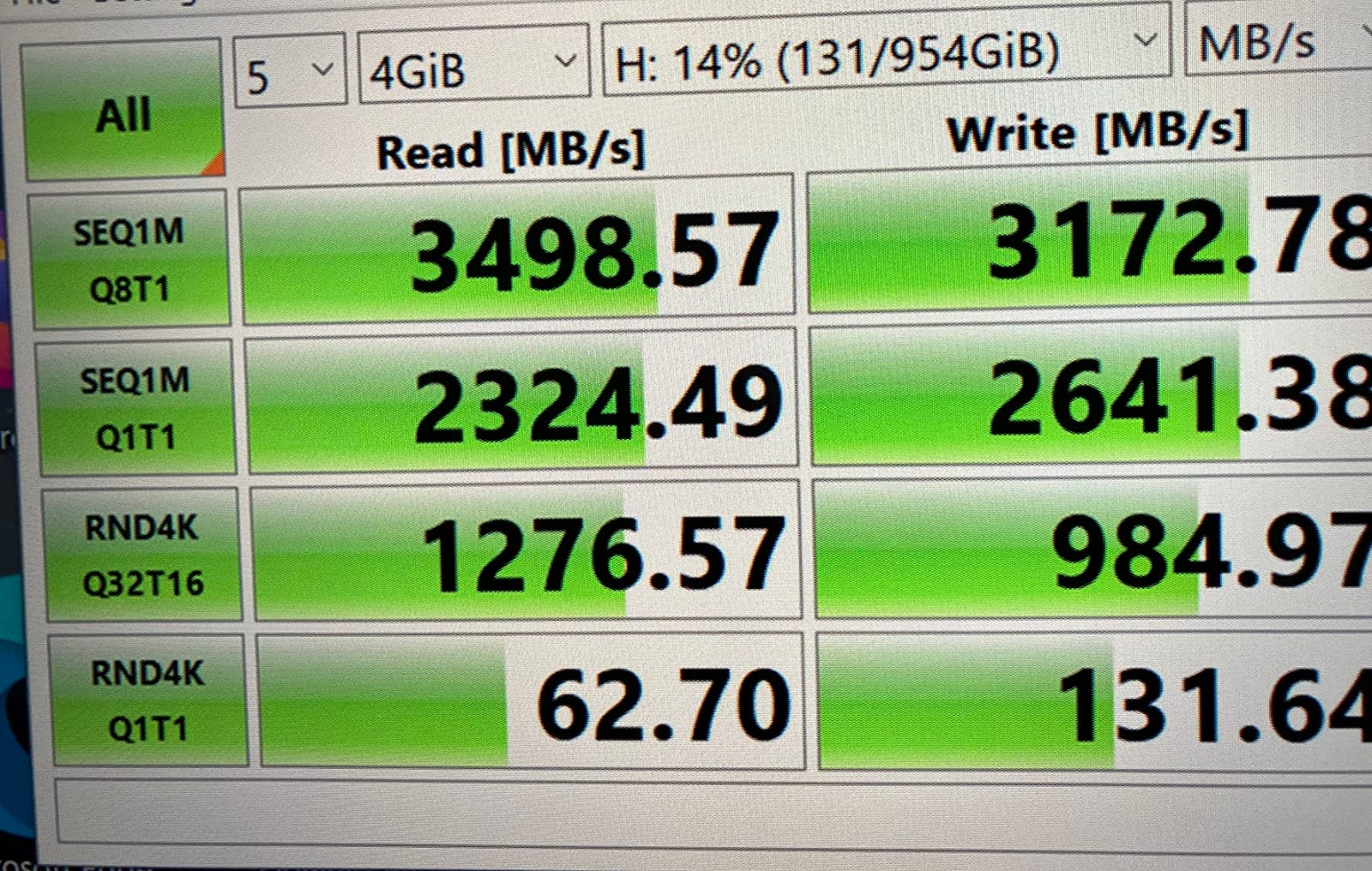
It is a PCIe Gen3x4 NVMe 1.3 drive rated at 1800 MB/s read and 1500 MB/s write, which TEAMGROUP rates at roughly five times the transfer performance of a SATA III interface. On a SATA system, the difference is not subtle, it is the whole machine feeling different.
Memory is 3D NAND TLC with SLC caching, and that cache is what smooths out the bursty write pattern of everyday use. It is a 1TB drive weighing 6 g in standard M.2 2280 sizing, so fitment is straightforward on both desktop and laptop slots.
It is listed as compatible with the Valve Steam Deck as well as standard desktops and laptops, and TEAMGROUP supports Intel and AMD next-generation platforms on both desktop and notebook. The warranty is five years or TBW, per JEDEC standards, which is generous for the entry tier.
Owners treat it as a dependable budget upgrade and report high satisfaction with reliability and installation ease. The acknowledged limitation is always the same: bandwidth.
This is not a drive for a new build in 2026. It is a drive for rescuing an older machine so you can keep playing on it.
When the MP33 makes sense
It makes sense when your system predates NVMe adoption, when your current storage is a SATA SSD you are tired of, or when you are building a cheap secondary machine for older titles. The move from SATA to this drive is worth more than any move from one Gen 4 drive to another.
It is also a reasonable low-cost OS drive paired with a larger library drive elsewhere, though we would steer most 2026 builders toward 2TB Gen 4 instead.
Why you should not buy it for a modern build
At 1800 MB/s read it delivers roughly a quarter of the throughput of a current Gen 4 flagship, and DirectStorage-enabled games gain very little from a drive with this little bandwidth. The 1TB capacity is also tight for modern AAA libraries, where a single title can exceed 100GB.
SLC cache performance also dips during sustained very large file writes, so it is not the drive for anyone moving big archives around. For a fresh gaming PC in 2026, step up to the Kingston NV3 or a Gen 4 flagship.
8. Samsung 9100 PRO 2TB – The Best Internal SSD for Peak Speed
- Class-leading Gen5 throughput roughly double the 990 PRO
- Very high random IOPS that benefit load times
- 5nm controller rated up to 49 percent better power efficiency
- Samsung Magician covers firmware encryption and health
- Five-year warranty with in-house DRAM and NAND
- Needs a PCIe 5.0 M.2 slot to hit rated speeds
- Gen5 drives run hot and usually need a heatsink
- Real-world gaming gains are far smaller than the numbers
- Premium pricing for a pure gaming workload
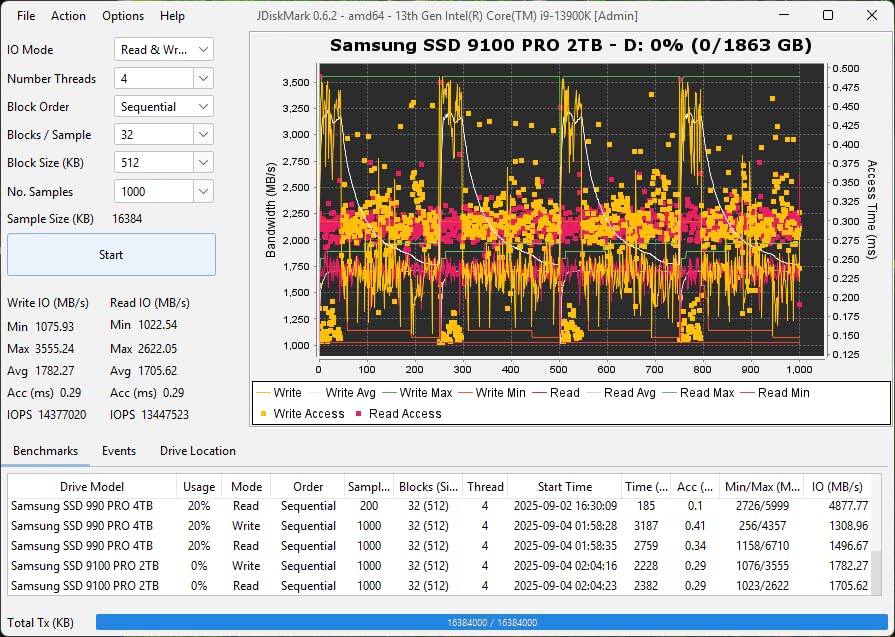
The 9100 PRO is the fastest drive in this roundup, and the number is not close: 14700 MB/s read and 13400 MB/s write over a PCIe 5.0 x4 interface, roughly twice the throughput of the 990 PRO. If you want the ceiling, this is it.
The random performance rating is what interests us more than the sequential figure. Samsung rates it at up to 1,850K read and 2,600K write IOPS, and that is the class of number that translates into DirectStorage benefit, multitasking headroom and fast asset streaming rather than a large file copy.
The controller is built on a 5nm process, which Samsung rates at up to 49 percent better power efficiency than the 990 PRO. That is a meaningful engineering claim for a drive that doubles the bandwidth, because the naive expectation is that it doubles the power draw too.
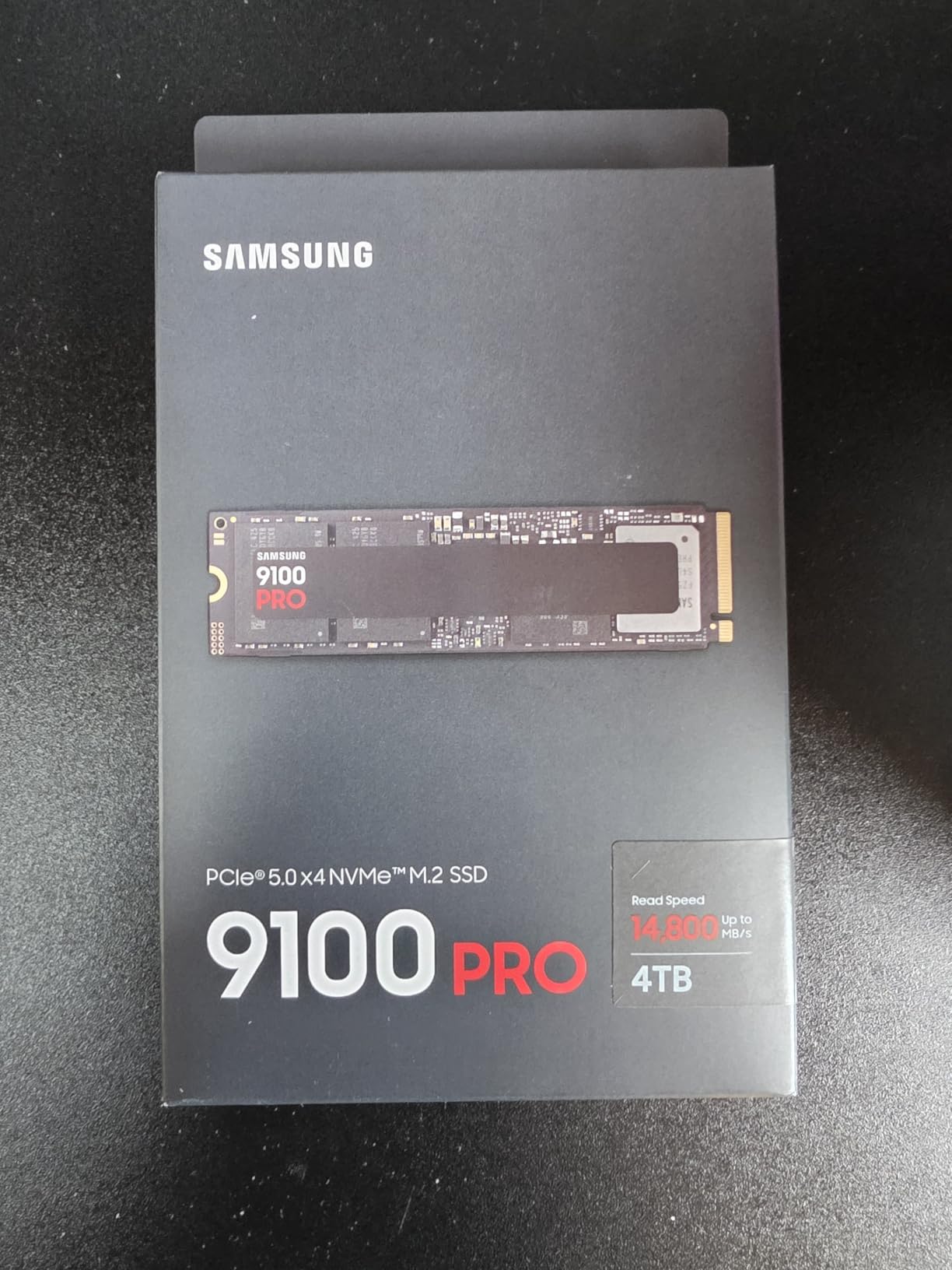
Advanced thermal control keeps sustained performance smooth, and the drive is available both bare and with an integrated heatsink, up to 8TB. All firmware and components are produced in-house, including DRAM and NAND, which is the kind of vertical control that tends to produce consistent firmware over time.
Samsung Magician covers firmware updates, hardware encryption and health monitoring, and the drive carries a five-year manufacturer warranty. Owners highlight the efficiency gains and the familiar software experience as the standouts.
The caveat every reviewer raises is the same: to get rated speeds you need a motherboard with a PCIe 5.0 M.2 slot, and Gen 5 parts run hot enough that a heatsink or serious airflow is usually needed.
Who should spend on a Gen 5 drive
The enthusiast who already owns a PCIe 5.0 platform and wants the headroom, and the creator whose workflow genuinely moves very large files between drives. Samsung’s own community consensus is that the 9100 PRO is the fastest you can get while acknowledging it is a premium-priced part.
It also makes sense as a future-proof purchase if you intend to keep the machine for four or five years and want storage bandwidth that will not be the limiting factor.
Why most gamers should skip it
Real-world gaming gains are far smaller than the headline numbers suggest, because load times are gated by the game engine well before the drive saturates. Community views are consistent on this: faster is not better for gaming specifically.
You also need a Gen 5 board to see any of it, plus cooling. On a PCIe 4.0 slot this drive still works, but at 4.0 link speeds you have bought a faster drive for no gaming benefit and extra heat.
9. Crucial T705 2TB – The Best Internal SSD for Gamers Who Also Create
- Reaches full rated speeds on Gen5 platforms
- 232-layer TLC stays stable during long transfers
- Momentum Cache boosts OS-drive random performance
- Large AAA map and level loads reported as near instant
- Backward compatible with PCIe 4.0 and 3.0
- Thermal shutdown within about 20 seconds without a heatsink
- Board M.2 shields are often inadequate for this drive
- A hot GPU backplate can push temperatures higher
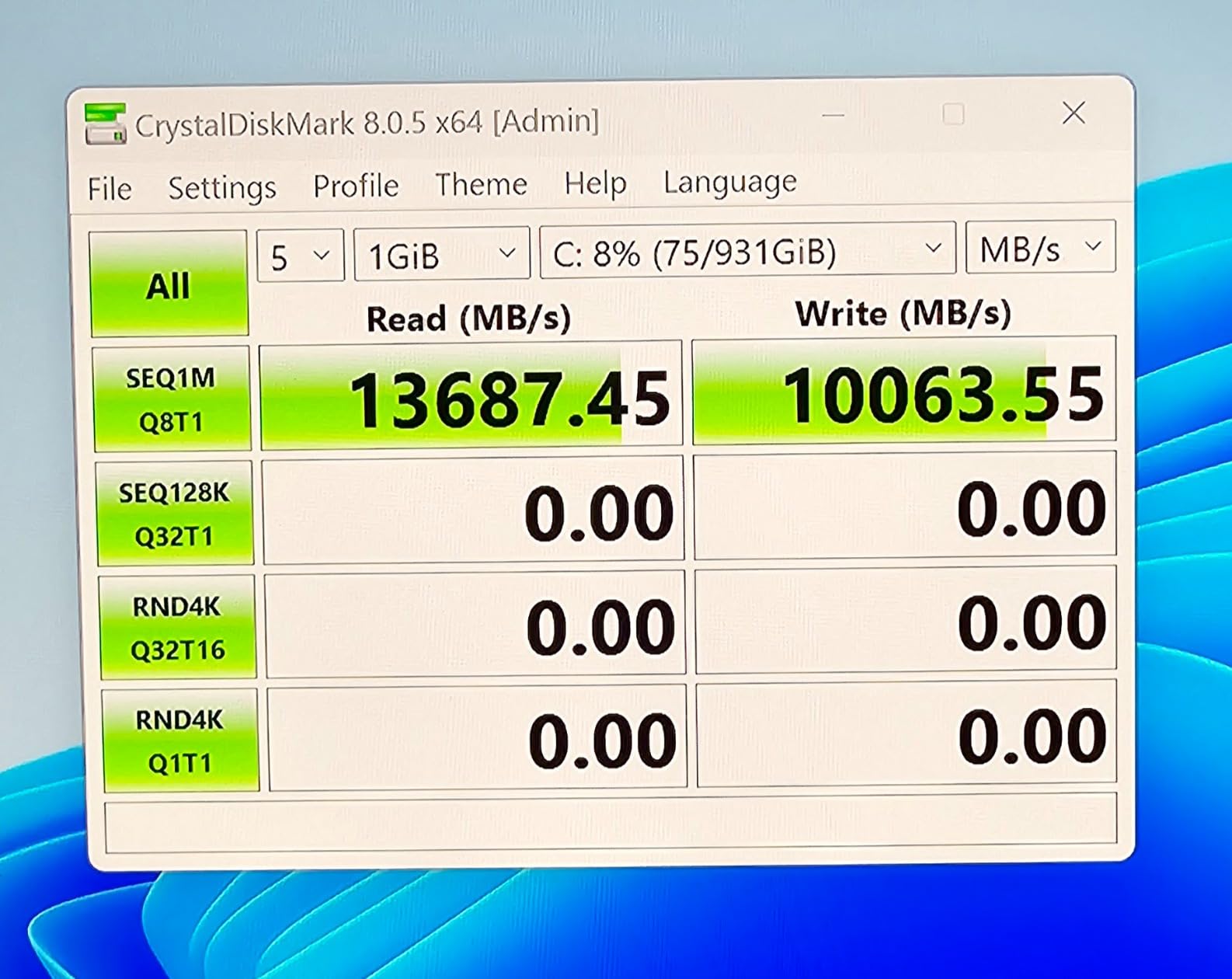
The T705 is the Gen 5 drive to buy if you edit video, because it is the one that stays fast. It is specified at 14500 MB/s read and 12700 MB/s write, and reviewers confirm it hits full rated sequential speeds in CrystalDiskMark on Gen 5 platforms rather than tapering immediately.
The memory is Micron 232-layer TLC NAND with a DRAM cache, and that layer count is why sustained transfers hold up. Reviewers specifically call out stable speeds during long transfers without early throttling, which is the failure mode that makes cheaper Gen 5 drives frustrating for editing work.
The standout software feature is Momentum Cache in Crucial Storage Executive, which measurably boosts OS-drive random performance and makes the drive feel faster in everyday use than its raw numbers suggest. Owners report large AAA map and level load times as near instant.
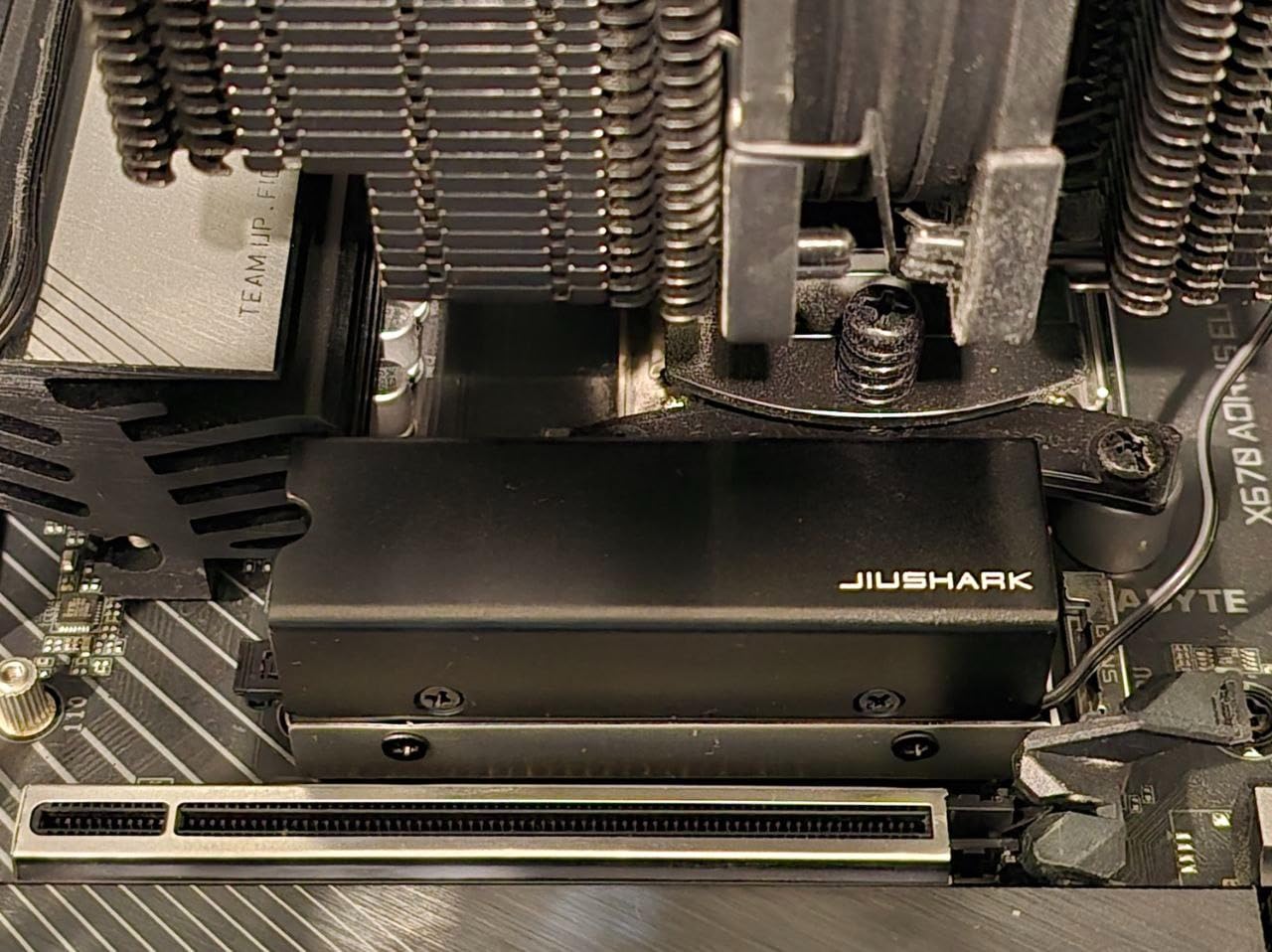
Thermals are the dominant theme in owner feedback, and they are not subtle. Multiple reviewers report thermal shutdown within roughly 20 seconds without a heatsink, and 80 C readings even with a good heatpipe cooler, so treat an aftermarket cooler as a requirement rather than an accessory.
Placement matters as much as cooling. Several owners note that sitting near a hot GPU backplate pushes temperatures higher in tight builds, and that board-supplied M.2 shields are often inadequate for a drive of this class. The design is heatsink-compatible with a copper-coated label for passive dissipation.
It is listed for desktop, gaming console and workstation use, with Microsoft Xbox Series X and Series S named as compatible consoles, plus hardware encryption. Acronis True Image and a month of Adobe Creative Cloud are bundled.
When this drive earns its cost
Buy it if your machine does both things properly: it games on a PCIe 5.0 platform and it edits video. 232-layer TLC with DRAM holds sustained throughput through long exports, and Momentum Cache keeps the operating system responsive between those sessions.
It is also a sensible choice if you want the fastest transfers available and already know your case has airflow and a plan for a proper M.2 cooler.
When it is the wrong purchase
For gaming alone, the speed advantage over a good Gen 4 drive is real on paper and minimal in practice, while the thermal management burden is entirely real. An enthusiast segment wants this drive and will accept both the heat and the cost, but the average gamer should not.
Budget for a real aftermarket heatsink and plan your M.2 slot away from the GPU. A minority of long-term owners have also reported reliability concerns, so keep whatever you cannot afford to lose backed up.
10. Lexar NM790 2TB – The Best Value Internal SSD for Gaming
- Flagship-class speeds below the cost of premium rivals
- Up to 40 percent lower power draw than DRAM Gen4 drives
- HMB 3.0 keeps sustained transfers smooth
- Single-sided 4.54 g board fits tight slots
- 1500TBW endurance with a 5-year warranty
- DRAM-less design can lose ground once nearly full
- 6500 MB/s write trails the best Gen4 rivals
- Brand recognition and software trail Samsung Magician
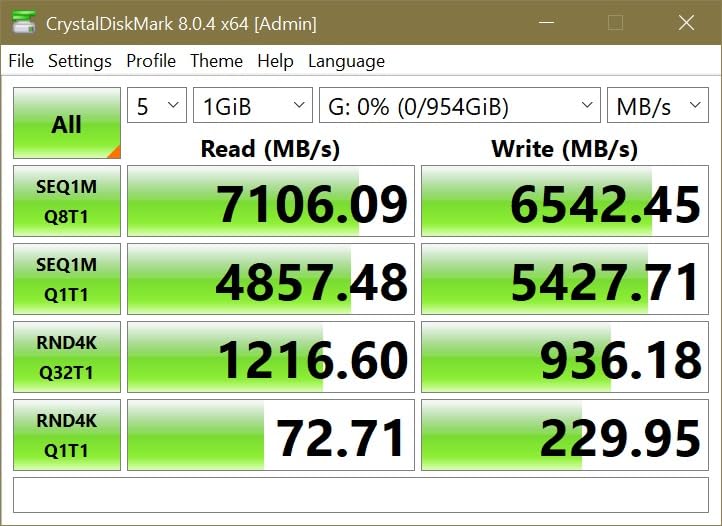
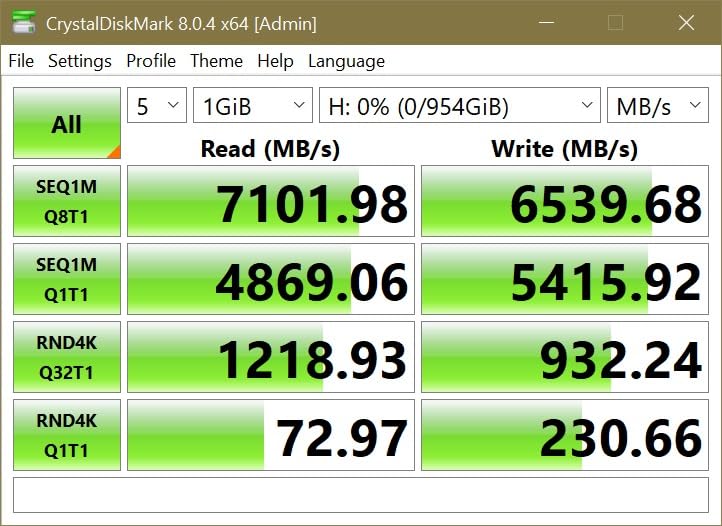
The NM790 is the pick we keep coming back to for value buyers who refuse to give up flagship-class speed. At 7400 MB/s read and 6500 MB/s write on a PCIe 4.0 x4 link, it matches the sequential read figure of much more expensive parts while costing noticeably less.
It reaches that speed with a DRAM-less design using Host Memory Buffer 3.0, which activates the device’s DRAM cache function for smoother transfers. That is roughly twice the speed of a PCIe Gen 3 drive and the real reason the price/performance ratio looks this good.
Power draw is the underrated spec. Lexar rates consumption at up to 40 percent lower than DRAM cache-enabled PCIe Gen 4 SSDs, which makes this a comfortable choice for a laptop or a system where the drive shares a thermal path with other parts.
Endurance is a genuine strength. The 2TB model is rated at 1500TBW with a five-year limited warranty, which is at or above several drives that cost more and carry shorter terms.
Physical design is tidy as well. At 4.54 g with a single-sided M.2 2280 layout, it fits the tight laptop and console slots that rule out chunkier drives, and it is listed for desktop, laptop and PlayStation 5 use. A heatsinked version also exists if your board has no cooling of its own.
Reviewers regard it as one of the strongest value picks for a gaming PC, with the DRAM-less design treated as a technical footnote rather than a practical problem in normal use. It holds a 4.8 rating.
Why this is our value recommendation
It does the thing value buyers actually want: near-flagship performance without flagship pricing, plus a warranty and endurance rating that protect your money over time. For a gaming library that is being written to constantly, 1500TBW is a lot of headroom.
It is also a strong second drive in a split-storage build, which is the configuration most of our community research shows people actually assembling.
What to keep in mind
The DRAM-less design can lose ground to dedicated-DRAM drives once the drive is nearly full, so avoid using it as a working scratch disk for constant large transfers. Its 6500 MB/s write figure also trails the best Gen 4 rivals.
Finally, brand recognition and the software ecosystem trail Samsung’s Magician, and it has a smaller review base than the picks above. Neither matters for gaming performance; both matter if you want polished drive management.
How to Choose an Internal SSD for Gaming
Five decisions drive almost every purchase in this category. Work through them in order and the drive will pick itself.
PCIe 4.0 or PCIe 5.0: buy for your board, not for the future
The M.2 socket is physically identical across generations, so a PCIe 5.0 drive will work in a PCIe 4.0 slot. It will simply be limited by the slower interface. The reverse also holds, and a Gen 4 drive in a Gen 3 slot still works at Gen 3 speeds.
For gaming, PCIe 4.0 is the right answer for almost everyone. Gen 5 doubles the sequential ceiling but does not raise your frame rate and barely moves loading screens, while adding real heat and a cooling requirement. Buy Gen 5 if your board already has a 5.0 M.2 slot and you also move very large files.
How much capacity you actually need
Modern AAA titles routinely exceed 100GB, so capacity runs out faster than most buyers expect.
1TB suits a first build with the operating system and two or three current titles, and little else. 2TB is the mainstream sweet spot and the tier most of this roundup sits in. 4TB suits a large library on a single drive, and 8TB suits consolidated libraries, consoles and machines that also archive media. Larger capacities are often faster, because more NAND dies are plumbed in parallel.
DRAM, DRAMless and what it changes for games
DRAM cache holds a lookup table on the drive itself, so the controller does not have to consult system memory for every read. DRAMless designs use a Host Memory Buffer instead, borrowing a slice of system RAM. The difference matters for sustained large file transfers and shows up most clearly when a drive approaches full capacity. For game asset streaming, both perform well in practice.
DRAMless designs also draw less power and run cooler, which is why they dominate the value and portable tiers.
Random 4K read is the number to read
Sequential read speed describes one continuous file copied at maximum speed. Random 4K read describes many tiny files fetched simultaneously, and that is what loading a game world actually involves. Where you can, prefer a drive with strong random figures and treat the headline MB/s number as a secondary consideration.
Thermals, NAND type and warranty
Sustained 60 to 70 C is normal for a busy drive. Above roughly 70 C on a PCIe 4.0 part you should add airflow or a heatsink, and any drive’s rated maximum is the hard ceiling. A Gen 5 drive should always have a heatsink; owners report shutdowns in under half a minute without one on the fastest parts.
TLC NAND is the safer bet for a game library than QLC, because QLC write performance degrades noticeably as a drive fills up. Warranty length is a reasonable proxy for manufacturer confidence: five years is the class standard, three years is a value-tier signal. A board-supplied M.2 shield is usually enough for a Gen 4 drive and rarely enough for Gen 5.
If you also edit video, drive management software matters more than most buyers expect. We cover portable and creator-focused storage separately in our guides to the best external SSDs for video editors and the best portable SSDs for content creators.
Before You Buy: The Compatibility Checklist
Run through these seven checks in order. The first three are the ones that can stop a build dead.
1. Count your M.2 slots. Modern boards usually have two to four. A board with one slot means you need an add-in PCIe card, which occupies a slot you may need for a graphics card.
2. Check the PCIe generation of each slot. They are not always identical, and CPU-attached and chipset-attached slots frequently differ. A Gen 5 drive in a Gen 4 slot works but runs at 4.0 speeds.
3. Confirm your board boots from NVMe. Older boards may only boot from SATA. If you are upgrading an older machine, verify this before you order.
4. Measure clearance for a double-sided drive. Single-sided boards such as the 990 PRO, NV3, SN7100 and NM790 avoid the problem entirely.
5. Check heatsink height. If you are buying a heatsinked variant, confirm it does not conflict with a board-supplied M.2 shield or a large GPU backplate. Heatsink versions also need a standoff or screw.
6. Count lanes, not just slots. Some boards share PCIe lanes between an M.2 slot and a SATA port or a GPU slot. Sharing can disable a slot you were counting on.
7. Plan your cooling. Decide whether you are using a board shield, a low-profile third-party sink, or nothing, and place the drive away from a hot GPU backplate where the layout allows.
Our guides to the best gaming laptops cover pre-built machines where the storage choice is already made for you, and if you also stream, our gaming headset picks cover the other half of a streaming setup.
One Big Drive or Two: The Split-Storage Build
Most of the real-world questions we found were not about which drive is fastest. They were about whether to add a second drive rather than replace the first, and whether 4TB is overkill.
The answer to the second question is usually no. Capacity for the operating system plus three or four current-generation titles is a comfortable working library, and buying that much headroom up front costs more per gigabyte than adding capacity later.
The answer to the first question is usually add, not replace. The common pattern in the community is a builder who already owns a 2TB drive and wants a second 2TB rather than a swap, and that instinct is right for three reasons.
First, splitting protects your boot drive. If the drive holding Windows fails, your games are untouched and you are reinstalling an operating system rather than a library. Second, it lets each drive do what it is good at, with a cooler, lower-power part handling the operating system and the library sitting on whatever capacity fits your budget. Third, if you are already buying, the per-gigabyte maths on a second mid-capacity drive is usually better than stretching for one larger one.
Two configurations we would actually build. A fast small boot drive paired with a large library drive suits almost everyone, and gives you the cheapest path to more capacity later. A pair of matching 2TB Gen 4 drives suits a builder who wants zero ambiguity, identical endurance and no second drive to keep an eye on.
What to avoid is a single multi-terabyte drive as the only copy of everything. Community members report secondary drives dying after a few years and losing projects with no backup, and a lone large drive concentrates that risk into one device.
What Real Owners Report
Lab benchmarks tell you what a drive can do for thirty seconds. Owner reports tell you what it does after a year, which is the more useful signal here.
On reliability, the strongest community signal is long-term Samsung ownership. Users report six years of Samsung NVMe drives with zero issues and frame the brand as the default for longevity and quality. That is the basis for our top pick.
On thermals, the community consensus is more reassuring than the forums suggest. Users report that in ordinary gaming, NVMe temperatures rarely reach a drive’s critical threshold, with one owner logging ambient around 25 C against a critical spec of 80 C and never seeing above 72 C under sustained load. Sustained throttling is described as rare and generally tied to heavy video editing rather than gaming.
On Gen 5, the community view is consistently that it is not needed for gaming, with owners noting the pricing premium and little gaming benefit. The clearest single recommendation from community sources is that if you run a Gen 5 SSD, use a heatsink, because it prevents throttling and extends drive life.
On buying behaviour, most people add storage rather than replace it. If you want the rest of a gaming setup planned out, our gaming laptop and headset guides cover the surrounding build.
Frequently Asked Questions
Will a faster SSD increase my FPS?
No. A faster internal SSD will not raise your average frame rate by a single frame, because frame rate is set by the graphics card, CPU and game settings. What a faster drive changes is load times, asset streaming, texture loading and how responsive Windows feels, along with DirectStorage performance. That is a real benefit, but it is not a frame rate benefit.
Are NVMe SSDs good for gaming?
Yes, and NVMe is now the only sensible choice for a gaming PC. An NVMe drive talks to the CPU over PCIe lanes rather than the older SATA interface, and it is what makes modern game loading feel fast. Moving from a SATA SSD to any NVMe drive in this roundup will be the single most noticeable storage upgrade you can make.
Which SSD is best for PC gaming?
The Samsung 990 PRO 2TB is the best internal SSD for a gaming PC, combining 7450 MB/s read, 6900 MB/s write, strong random performance for DirectStorage titles, a single-sided design that fits tight slots, and a 5-year warranty. If you want to spend less, the Kingston NV3 2TB delivers near Gen 4 behaviour and runs cool.
Do I need a PCIe 5.0 SSD for gaming?
No, not unless you also move very large files. PCIe 5.0 doubles sequential throughput, but game loading is gated by the engine well before a drive saturates, so frame rates and load times barely move. It also runs hot enough that a heatsink is required. Buy Gen 5 for enthusiasts and video editors, not for gaming alone.
How hot is too hot for an NVMe SSD?
Sustained 60 to 70 C is normal for a busy drive and not a reason to worry. Above roughly 70 C on a PCIe 4.0 drive you should add airflow or a heatsink, and the drive’s rated maximum is the hard ceiling. Owners report ambient around 25 C with peaks near 72 C under sustained hammering, well below a typical 80 C critical rating.
Is 70 degrees too hot for an SSD?
Seventy degrees is warm but acceptable during sustained load, particularly on a PCIe 5.0 drive or one sitting under a hot GPU. What matters is whether it is sustained. A brief spike during a large file copy is normal; sitting at 70 C for hours in an enclosed case means you should add a heatsink and improve airflow over the M.2 slot.
Is it okay to use NVMe without a heatsink?
Yes for most PCIe 4.0 gaming use, as long as your motherboard has an M.2 shield or the case has reasonable airflow over the drive. The Kingston NV3 and Crucial P310 both run cool enough that owners report no throttling at all. For any PCIe 5.0 drive, use a heatsink. Community consensus is clear that Gen 5 parts need one.
What is the best heatsink for an NVMe M.2 SSD?
Use the heatsink your motherboard already provides, since it is free and designed for the slot. If that is inadequate, a low-profile third-party M.2 heat sink is the next step, followed by an air-cooled tower style option. Expensive waffle-surface and heatpipe coolers are optional extras, though owners do report that the fastest Gen 5 drives effectively require one.
Is 4TB SSD overkill for gaming?
It depends on how many titles you keep installed. A modern AAA library runs 100GB or more per game, so 2TB fills faster than most buyers expect. If you are deciding between one large drive and two mid-capacity drives, two is usually the better call: you get cheaper capacity, and a failing boot drive does not take your library with it.
Can I put a PCIe 5.0 SSD in a 4.0 slot?
Yes. The M.2 socket is physically identical across generations, so the drive will install and work, but it will be limited by the slower interface and run at 4.0 link speeds. The same applies in reverse, where a PCIe 4.0 drive works fine in a Gen 3 slot. Check which generation each of your M.2 slots supports before buying.
The Best Internal SSD for Gaming PC in 2026
After comparing ten drives on sustained random performance, thermals, clearance, warranty and what owners report after months of use, the Samsung 990 PRO 2TB remains the best internal SSD for a gaming PC. It sustains flagship PCIe 4.0 throughput, fits into tight single-sided slots, and comes with the longest support window and the strongest long-term reliability reputation in the category.
Pick the WD_BLACK SN850X 2TB if you want the drive to handle its own thermals and the highest owner rating available. Pick the Kingston NV3 2TB if value and cool, low-maintenance running matter more than the last slice of speed. The Lexar NM790 2TB is the alternative if flagship-class Gen 4 speed at a lower cost is the priority.
Save the PCIe 5.0 drives, the Samsung 9100 PRO and Crucial T705, for a board that has a native Gen 5 M.2 slot, and only if you also move very large files. For gaming alone, they cost more and run hotter for a benefit you will not see in your frame counter.
Whatever you choose, run the compatibility checklist before you order, and if you already own a working drive, add to it rather than replacing it. Use the check buttons on each pick to see current pricing and availability for your region.