
Every streamer starts somewhere, and most of us start with the headset that came in the box. That plastic boom mic is the first thing viewers criticise, and the second thing is room echo. We spent six weeks with ten USB microphones on a gaming desk, switching between Discord, OBS and console capture to work out which ones actually fix the two problems that make a gaming voice sound thin.
These are the best USB microphones for gaming in 2026. Every mic here plugs straight into a PC, laptop, PS4, PS5 or a capture card, converts your voice to digital audio inside the body of the mic, and needs no audio interface. That single-signal chain is exactly why USB mics took over gaming desks, and it is also why the category is now crowded with mics that look similar and behave very differently once your keyboard starts clacking.
How we picked: we cared about four things a podcasting roundup ignores. Background noise rejection in an untreated room, a mute control you can hit mid-match without breaking eye contact with the monitor, a gain control with enough range to avoid shouting, and either a headphone jack or a clean reason not to need one. We weighted real gaming use over music performance, and every verdict below names who should buy it and who should skip it.
Before the full list, here is the short version. The Logitech Blue Yeti wins overall because it gives you four pickup patterns, real onboard gain, and headphone monitoring in one body. The HyperX SoloCast is the value pick for a first upgrade. The FIFINE AmpliGame A6V is the cheapest complete kit. If you want to stop room noise at the source, go dynamic with the FIFINE AM8.
If your headset is fine and you just want a new one, our picks for the best gaming headsets for streaming cover the other half of the audio setup.
Table of Contents
Top 3 Picks for Gaming USB Microphones in 2026
The three mics below cover most gaming desks. Pick the Yeti if you want the most control, the SoloCast if you want a clean upgrade with almost no setup, and the A6V if budget matters more than audio refinement.

Logitech Blue Yeti
- Four switchable pickup patterns
- Onboard gain and headphone volume
- Three-capsule array with Blue VO!CE software


FIFINE AmpliGame A6V
- Shock mount and pop filter included
- Onboard gain knob and tap-to-mute
- Gradient RGB lighting
Every USB Gaming Mic at a Glance in 2026
All ten picks, with the features that actually change how they behave on a gaming desk. Noise rejection, gain control and monitoring matter far more here than frequency response.
| Product | Specifications | Action |
|---|---|---|
| Logitech Blue Yeti |
|
Check Latest Price |
| HyperX SoloCast |
|
Check Latest Price |
| FIFINE AmpliGame A6V |
|
Check Latest Price |
 FIFINE AmpliGame AM8 FIFINE AmpliGame AM8 |
|
Check Latest Price |
 Logitech Blue Yeti Nano Logitech Blue Yeti Nano |
|
Check Latest Price |
 TONOR TC310+ TONOR TC310+ |
|
Check Latest Price |
 HyperX QuadCast 2 HyperX QuadCast 2 |
|
Check Latest Price |
 Logitech G Yeti Orb Logitech G Yeti Orb |
|
Check Latest Price |
 Razer Seiren V2 X Razer Seiren V2 X |
|
Check Latest Price |
 TONOR TD510 TONOR TD510 |
|
Check Latest Price |
Are USB Mics Good for Gaming?
Yes. A USB microphone is genuinely good for gaming because voice chat and streaming need a clean, portable signal source, and USB mics deliver that with no extra hardware. The mic contains its own preamp and analog-to-digital converter, so Windows treats it as a sound card. You plug it in, choose it in Discord or OBS, and talk. Nothing else is required.
The honest caveat is noise. Condenser USB mics pick up keyboard clatter, mouse clicks and PC fan hum along with your voice, because they are built to hear detail. Dynamic USB mics reject more of that room sound but need more gain. Placement does more for your stream than any of them, and we cover that later in the setup section.
USB versus XLR is the other common question. XLR needs an audio interface, a gain knob and cables, and it costs more. For gaming on a single desk, USB is the right call. XLR starts to make sense if you also record music or voice over, or if you plan to record two people at once, which a single USB mic will not do.
1. Logitech Blue Yeti – Best Overall USB Gaming Microphone
- Four switchable pickup patterns
- Real onboard gain and headphone volume control
- Metal build with a two year warranty
- Works with no interface or driver
- Bulky desk footprint
- Condenser sensitivity picks up room noise
- Legacy micro-USB port
- Headphone and USB ports sit on the bottom
The Yeti is the mic almost every gamer has heard of, and for good reason. It is the only mic on this list where you can switch between cardioid, omnidirectional, bidirectional and stereo from a knob on the body, then adjust gain and headphone volume without opening any software. For a streamer, that combination is unusually flexible. You can record a solo commentary in cardioid, capture room sound deliberately in stereo, and keep a headphone mix without buying a second box.
Sound quality is a three-capsule array covering 20 Hz to 20 kHz with a stated 100 dB signal-to-noise ratio. At a normal desk position it captures voice with real presence, and the gain control lets you keep the peaks off the ceiling without whispering. Blue VO!CE software adds broadcast vocal effects, and the metal body has survived years of knocks in the review base.
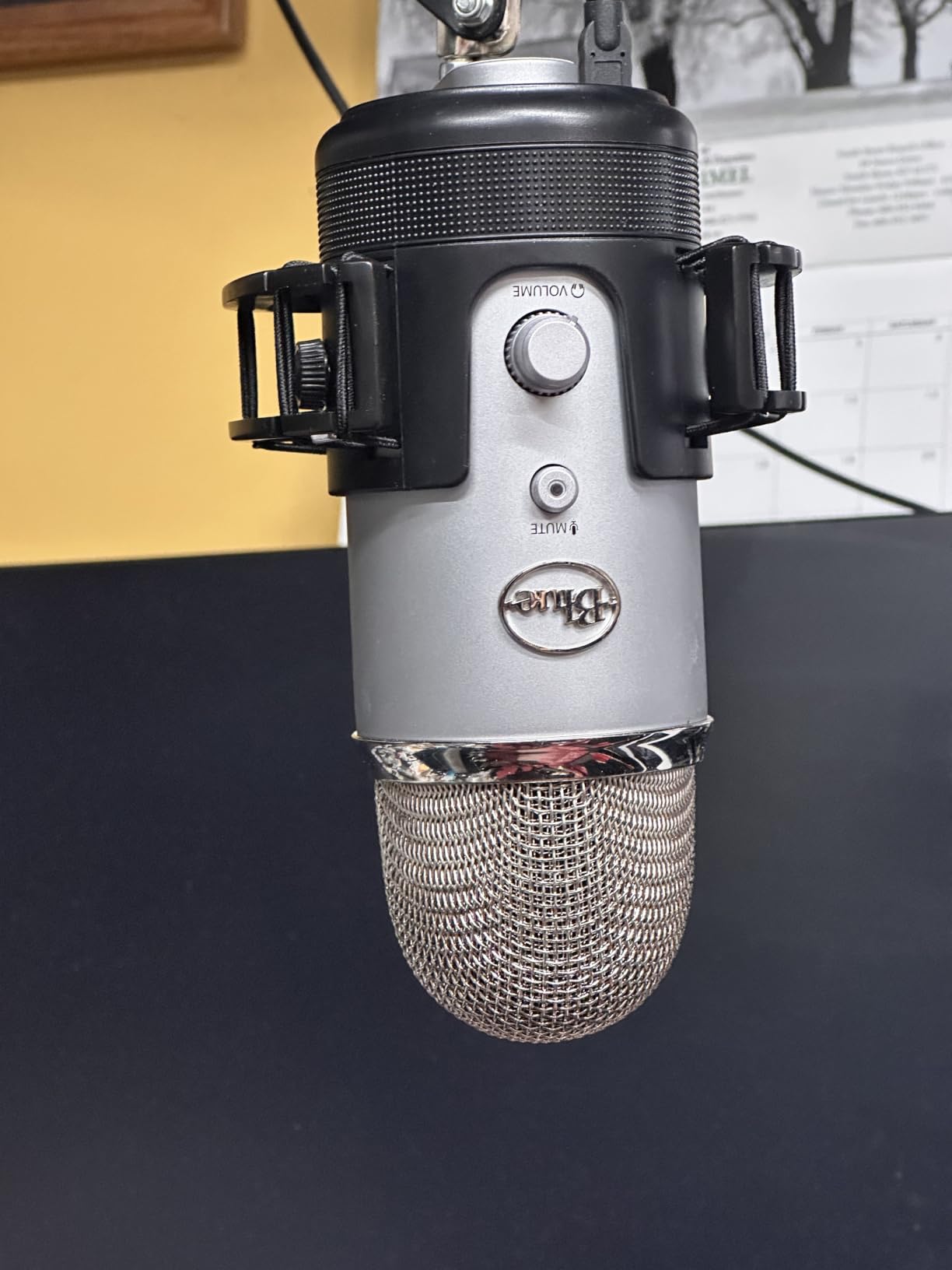
What stands out on a gaming desk is how much you can do without leaving the mic. Mute is a physical button, the pattern selector is a turn of the knob, and the headphone jack gives you a direct monitor of what your squad hears. On a stream where you talk for hours, that removes most of the fiddling that eats into recording time.
The catch is size and sensitivity. At nearly twelve inches tall and three and a half pounds, the Yeti blocks part of a monitor unless you mount it. It is also a condenser, so a mechanical keyboard and an open-back headset will both show up in the recording unless you work at it. The ports sit on the underside, which is awkward if you ever put it on a boom arm.
What the Blue Yeti does well for gaming
The onboard gain knob is the feature that separates it from cheaper USB mics. You can set your level at the mic and then keep your Discord and OBS gains flat, which stops the digital clipping that makes a stream sound thin and compressed.
Headphone monitoring with a real volume control means you hear yourself the way listeners will, without hunting for a volume slider while muted. Add the physical mute button and the four pattern options, and you have the most complete control surface in this roundup.
Where the Blue Yeti disappoints
The footprint is the first thing people regret. It is a tall metal column on a round base, and on a small desk with a monitor arm it competes for space you probably need for your mouse.
The condenser sensitivity is the second. It will pick up a gaming chair squeaking and your mechanical keyboard at the same time as your voice, which means you still need a pop filter and a careful position. Neither is included.
2. HyperX SoloCast – Best Value USB Mic for Gaming
- USB-C plug and play with no software
- 24-bit 96 kHz recording
- Tap-to-mute sensor with a clear LED
- Swivel stand fits under a monitor
- Cardioid pattern only with no options to switch
- Small stand limits positioning
- Condenser needs close positioning
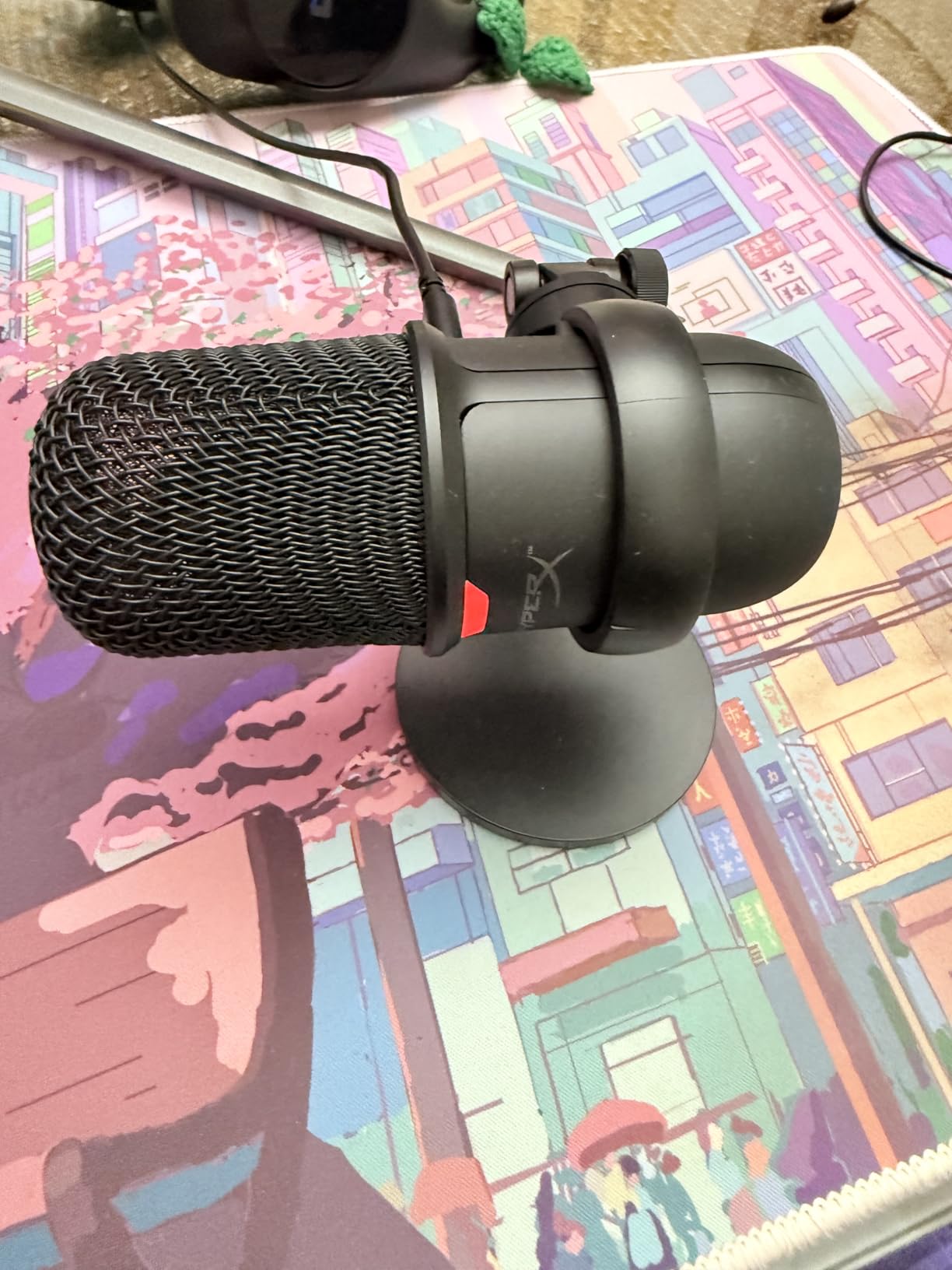
The SoloCast is the most common first upgrade from a headset boom mic, and the reason is that there is nothing to configure. It is USB-C, the included cable is USB-C to USB-A, and it lists PS4 and PS5 alongside Mac and PC. You tap the top to mute and the LED tells you whether anyone can hear you. There is no gain knob and no app, which some will call a limitation and most new streamers will call a relief.
Under the hood it records at 24-bit and 96 kHz, which is far more headroom than a compressed voice chat stream needs. The 95 dB signal-to-noise figure is respectable for a condenser at this size, and the cardioid pattern keeps the pickup focused on the front of the mic where your mouth is.
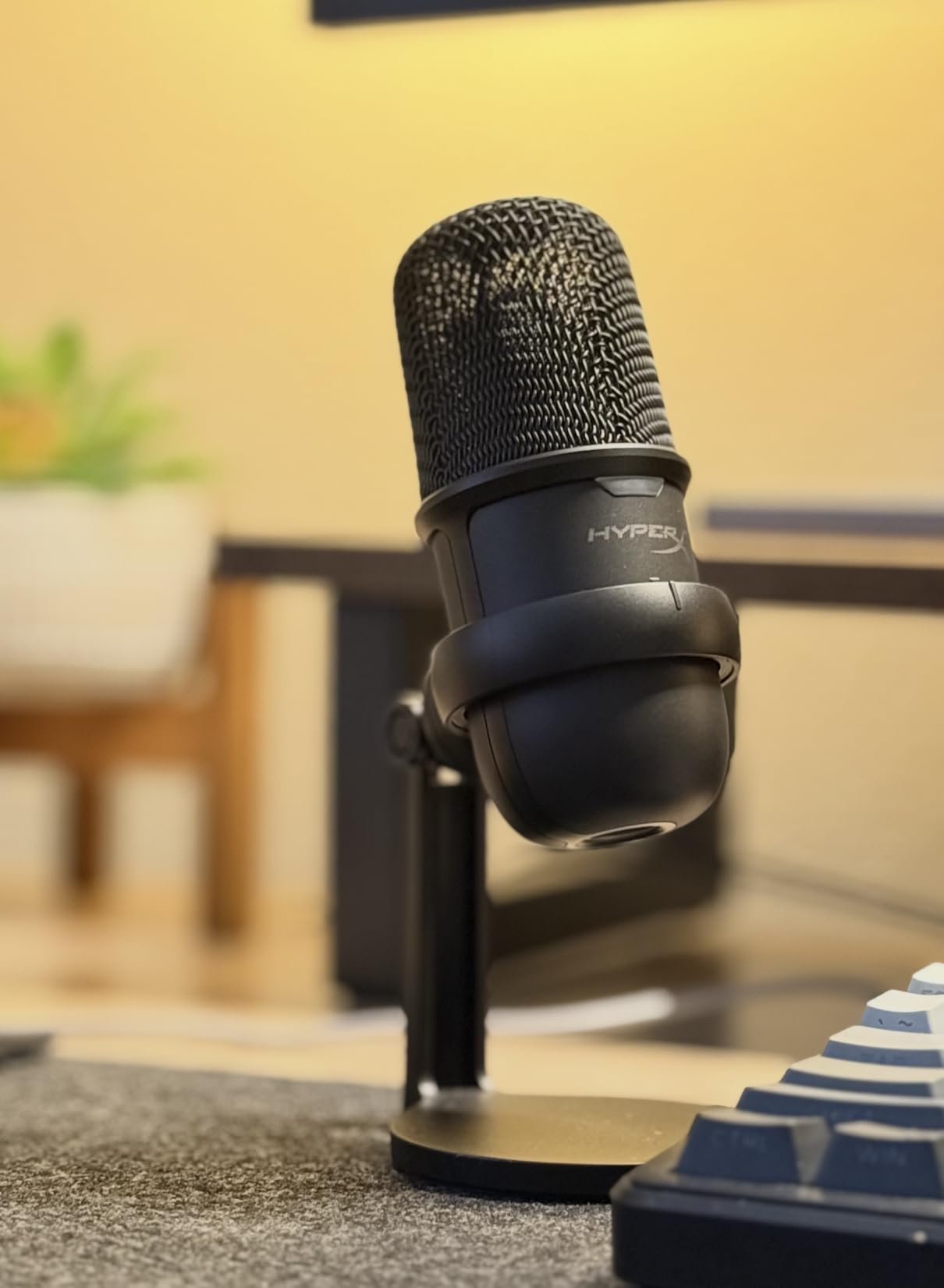
On a desk, the swivel stand is the quiet hero. It tucks under a monitor or pushes to the back edge of the desk, and the small footprint means it will not fight your keyboard for space. Built-in mounting threads at three-eighths and five-eighths inch mean you can add a boom arm later without buying an adapter, which is the cheap way to improve placement on a strict budget.
What you give up is control. There is no gain knob, so level control happens in Windows, Discord or OBS, and there is no headphone jack, so you monitor through your headset instead. Reviewers also note the small stand gives you a narrow range of angles, so a big desk clamp or arm is the sensible add-on here.
Why the SoloCast works for gaming
The tap-to-mute is the part that changes daily use. During a raid or a heated squad chat you can kill your mic without looking away from the game, and the red LED makes it obvious to viewers that you are muted.
Console support makes it a genuinely two-device mic. If you play on a PlayStation and stream from a PC, the same USB-C cable and the same mic can do both without a second purchase.
Where the SoloCast falls short
Cardioid only. If you want to pick up a second person’s voice from across the room for a co-op commentary, this mic will not do it without software tricks.
The stand is the other limit. It is small and flexible, which is fine at a desk but not much help if your chair sits further back than the little base can reach. Budget for a boom arm if you want real placement control.
3. FIFINE AmpliGame A6V – Best Budget Gaming Mic With a Full Kit
FIFINE AmpliGame A6V USB Gaming Microphone, Condenser RGB Mic for Streaming
- Shock mount
- pop filter and tripod all included
- Onboard gain knob and tap-to-mute
- Seven RGB lighting modes
- Detachable long USB cable
- 70 dB SNR is modest for the class
- Condenser picks up room noise at high gain
- Small desktop form factor
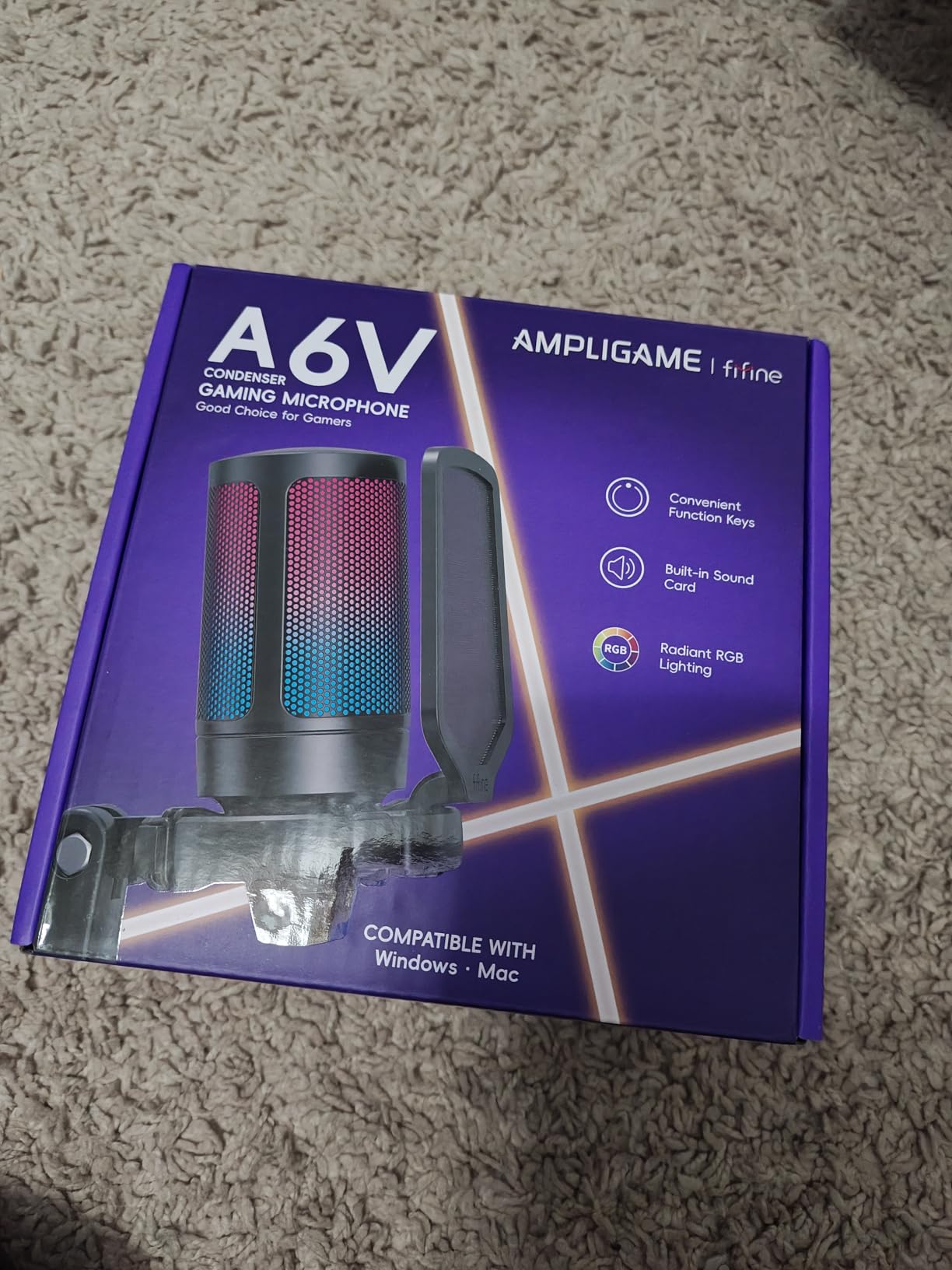
The A6V is the rare gaming mic where the box contents matter as much as the mic. You get an anti-vibration shock mount on four rubber bands, a detachable pop filter, a tripod stand and a 6.6 foot detachable USB cable. Forum users on r/NewTubers repeatedly name FIFINE mics as strong performers at the low end of the market, and this is the model that claim fits best, because the accessories most people end up buying separately are already in the box.
The sampling rate is listed at 192 kHz, which is a specification rather than a practical advantage for voice chat, but the 70 dB signal-to-noise figure and 60 Hz to 18 kHz range are honest entry-level numbers. The gain knob on the front lets you set a level at the mic, and the mute button cuts the RGB lighting so you can see your status without a bright ring glowing in your camera.
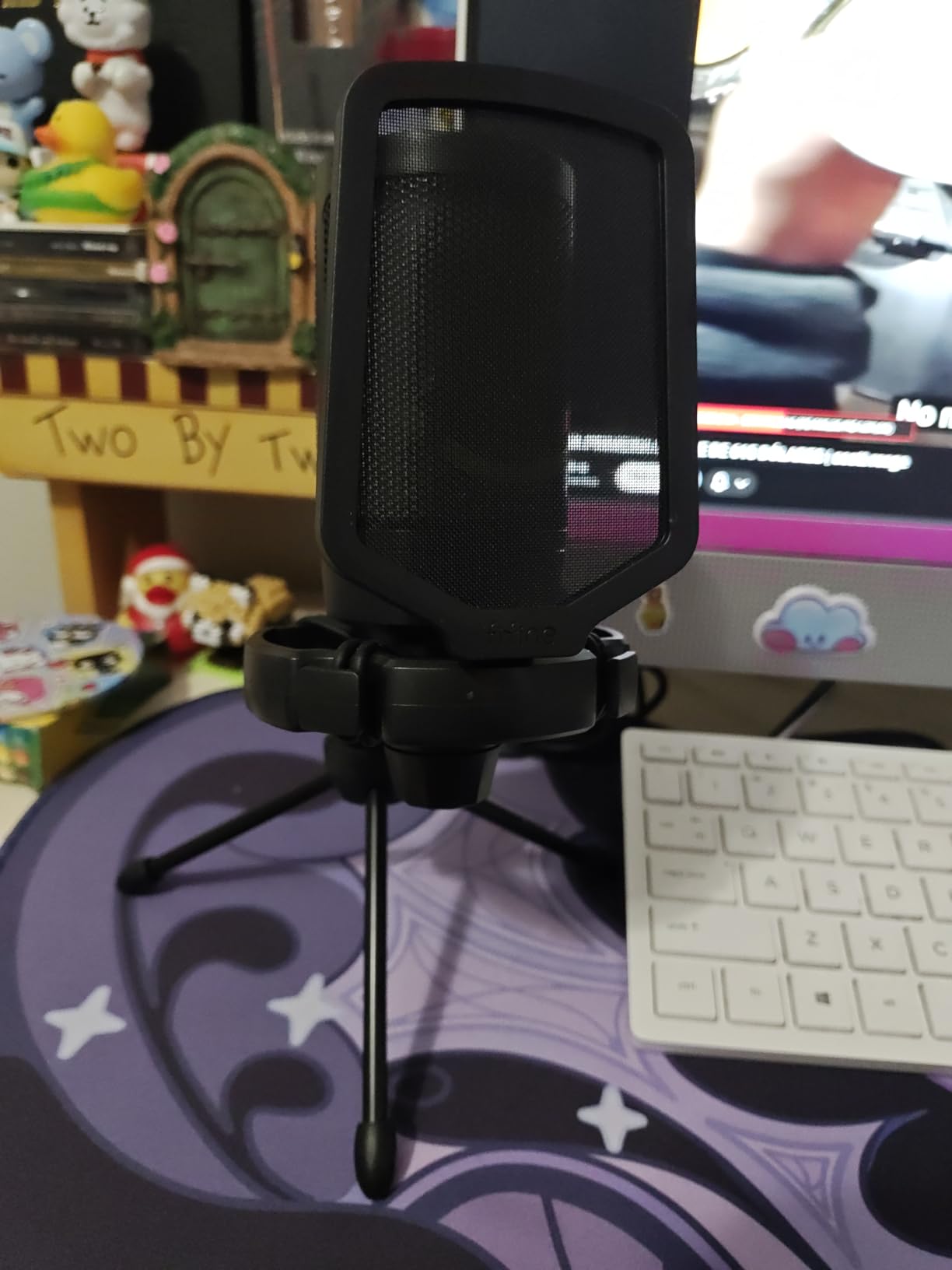
For a gaming desk, the included shock mount and pop filter are a real advantage. Desk knocks from a keyboard and plosive bursts are the two most common problems in a first stream, and both are usually solved with accessories that cost extra. The detachable cable also solves the practical problem of routing cable to a PC under the desk.
RGB matters more here than in most categories. Seven gradient modes cycle or sit fixed, and for a streamer with a lit setup it removes the one complaint people have about cheaper desk microphones. The tradeoff is the audio ceiling, which is modest, and the fact that a condenser at high gain will pick up your room.
What the A6V gets right
Total setup cost. Pop filter, shock mount, tripod and a long cable are all included, so the first stream can be recorded on day one without a shopping list.
It is listed for Windows, Mac, PS4 and PS5 with plug-and-play behaviour and no extra software, which matches the preference most forum users have for drivers-free hardware.
Where the A6V falls short
A 70 dB signal-to-noise ratio and a 60 Hz to 18 kHz range mean you are giving up detail at both ends. Fine for voice chat and a first stream, thin if you plan to grow into recorded content.
There is no headphone jack, so you cannot check your own levels through the mic. Level checks happen in software, which is a step back from the Yeti experience.
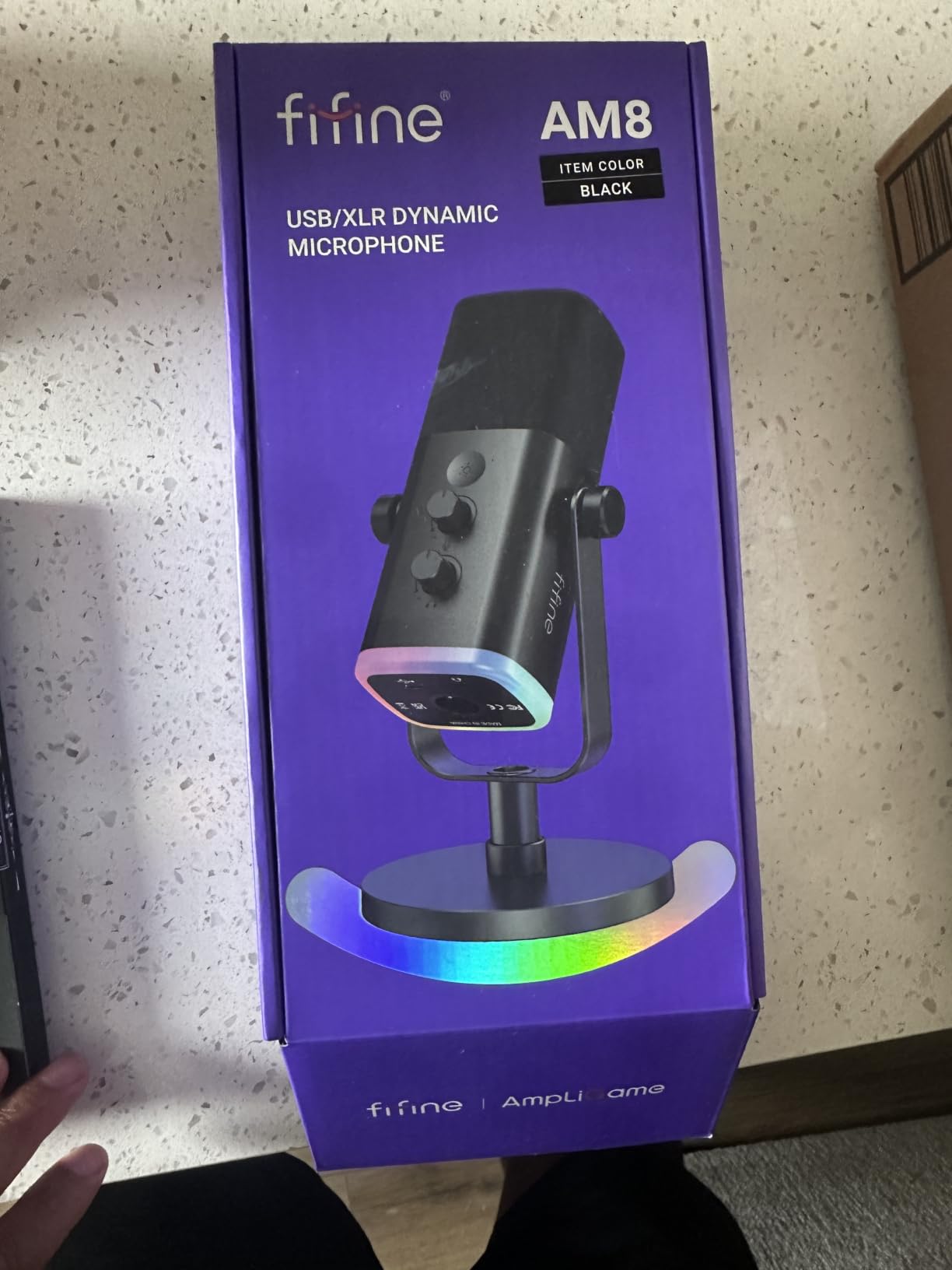
4. FIFINE AmpliGame AM8 – Best Dynamic USB Mic That Upgrades to XLR
FIFINE AmpliGame AM8 USB/XLR Dynamic Microphone for Gaming Streaming
- Dynamic capsule rejects keyboard and mouse noise
- USB and XLR gives a clear upgrade path
- Headphone jack with monitoring volume
- Tap-to-mute with LED reminder
- RGB ring is dim and can cut out when the cable moves
- Mute is a touch button rather than a press
- RGB and mute inactive in XLR mode
This is the mic to buy if your room is loud. The AM8 uses a dynamic cardioid capsule, which is the design recording engineers reach for when they need to hear one voice in a bad room. Reviewers consistently credit it with keeping keyboard clatter and mouse clicks out of the signal, and multiple owners describe upgrading from a Blue Yeti and immediately hearing less desk noise.
The second argument is longevity. It has both USB and XLR outputs, so you can run it straight into a PC today and move it to an audio interface later without buying a new microphone. On r/NewTubers, the AM8 is named as a strong performer at a low price, and the hybrid connection is the reason many of them pick it over a pure condenser.
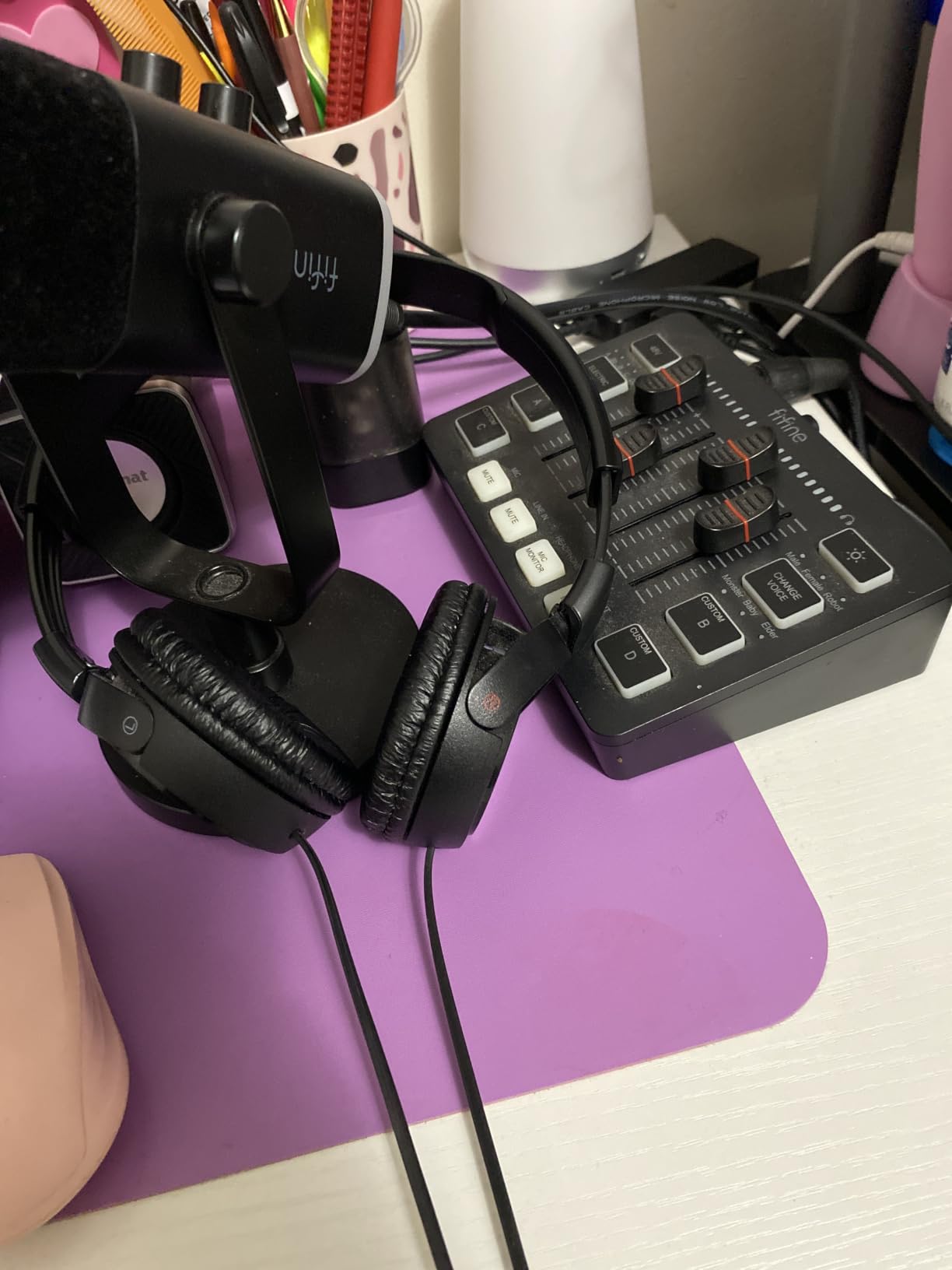
For gaming specifically, the headphone jack and monitoring volume knob on the body are the features that pay off. You can hear yourself at the level your viewers will hear, which makes catching a clipping moment or a bad room sound much easier. The tap-to-mute comes with an LED reminder that works independently of any software, so your Discord or capture software does not need to be involved.
A built-in noise-canceling windscreen handles breath and light plosives, and the metal threading at three-eighths and five-eighths inch fits a standard desk arm. The 50 Hz to 16 kHz response and 80 dB signal-to-noise figure are the trade for that noise rejection, and the dynamic capsule will need more gain than a condenser to sit in the same place in your chain.
Why the AM8 suits a noisy gaming room
A dynamic capsule simply hears less of the room than a condenser does. In a dorm, a shared apartment or a room with a spinning PC fan, that difference is audible on every recording, and it is the single biggest upgrade you can make without changing software.
The USB and XLR outputs are a genuine long-term play. If a year from now you want an audio interface, a better preamp and a second mic for co-hosting, this one stays in the setup.
Where the AM8 is not for you
The lighting and the mute are both weaker than rivals. The RGB ring is dim, the base light can cut out when the cable is moved, and the mute is a touch button rather than a physical press, which is slightly worse for a mid-match cut.
Switch to XLR and the RGB and mute stop working entirely. That is fine for a studio chain, but if you want a lit mic that also signals mute on stream, this is the wrong pick.
5. Logitech Blue Yeti Nano – Best for a Cluttered Desk
- Compact footprint that fits a small desk
- No-latency headphone monitoring with onboard volume
- Cardioid and omni patterns on the body
- Light and easy to move between setups
- Very sensitive to room noise such as fans
- Blue VO!CE features depend on the G HUB app
- No pop filter included
- Monitoring can need a rear button reset
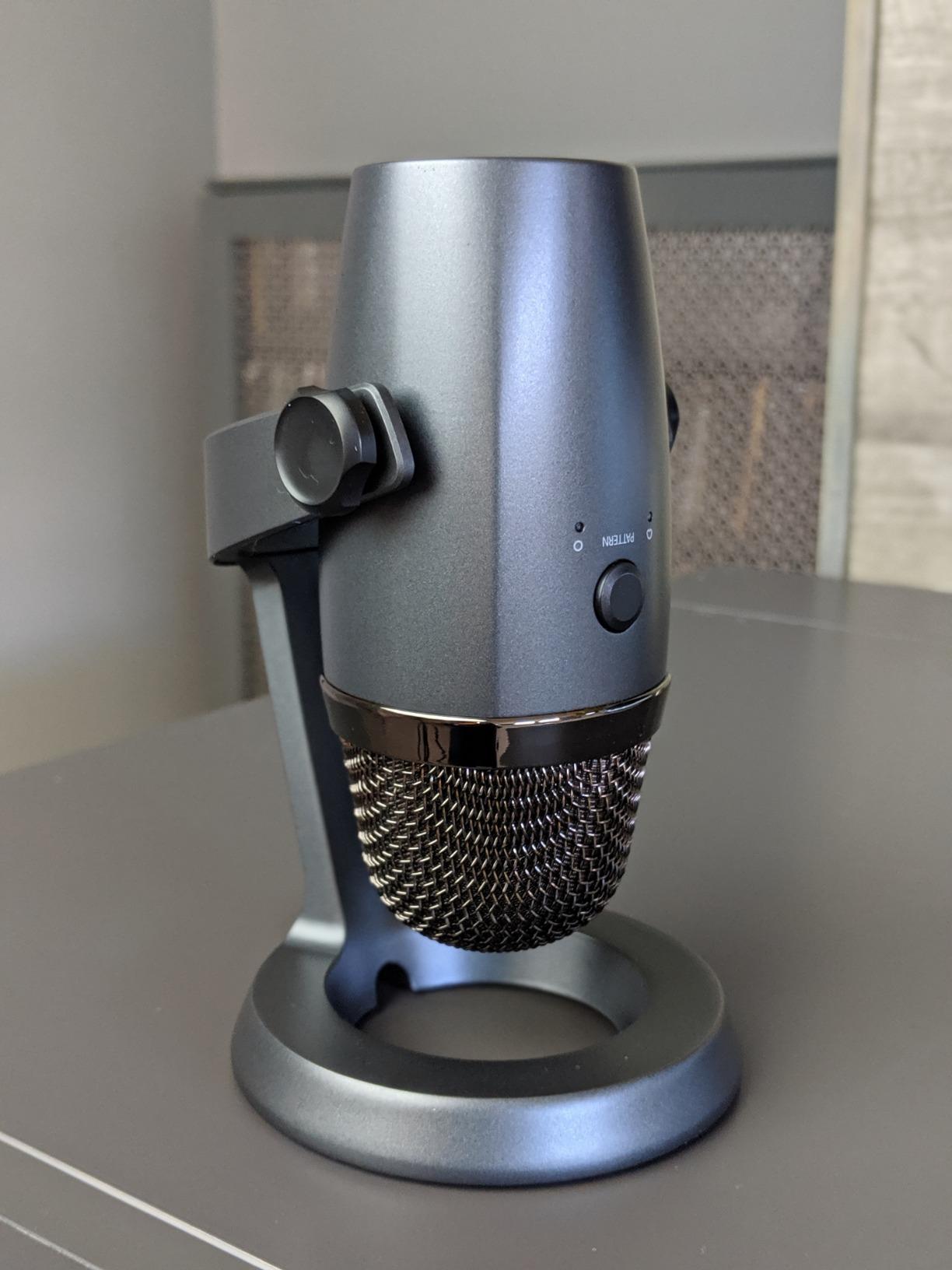
The Yeti Nano is the answer when desk space is the real constraint. At sixteen ounces and a little over eight inches tall, it takes up a fraction of the full-size Yeti’s footprint, and the base has cable management built in so the USB run to the back of the desk stays tidy. It also looks far better on camera, which matters if you are framing a facecam.
Two custom capsules are tuned for voice presence and detail, and the signal-to-noise figure is 80 dB with a 20 kHz frequency response. Cardioid and omnidirectional patterns switch on the body, so you can go from a focused solo commentary to a roomier capture without opening software.
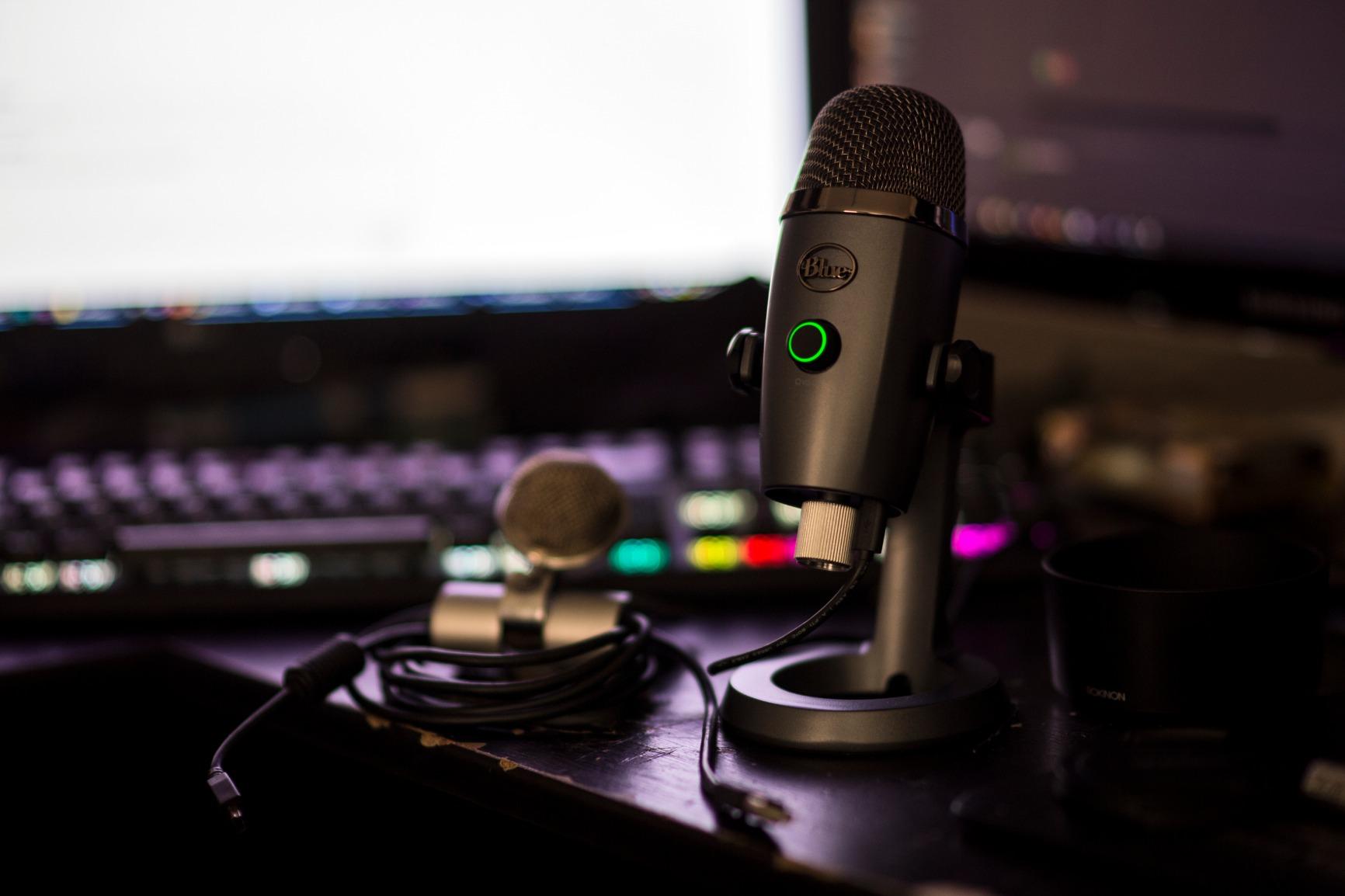
The no-latency headphone monitoring with an onboard volume control is the feature that separates it from most compact USB mics. You hear yourself in real time, which makes it easy to set a level once and leave it alone. That matters in voice chat, where people talk over each other constantly and a quiet mic turns into a muted one.
It is also the easiest mic here to move. A second PC, a laptop for remote play, a different desk for a co-stream, none of those require a permanent mount. A one-quarter to five-eighths inch adapter is included for a standard stand.
What works about the Yeti Nano
It solves the space problem without solving the sound problem. On a compact desk you get a proper USB condenser with pattern switching and real monitoring rather than a plastic headset boom.
No-latency monitoring means you can sing, talk or play with your own voice in your ears without a delay, which is exactly what a streamer and a musician both want from a desk mic.
What to watch out for
It is extremely sensitive. Laptop fans, air conditioning and a busy room all come through, and that is the single most repeated complaint in owner feedback. If your PC is loud, look at a dynamic capsule instead.
The Blue VO!CE effects depend on the Logitech G HUB app, which owners describe as clunky, and a firmware update has been reported to knock out compatibility with the older Blue Sherpa app. Ignore the software entirely if you want a pure plug-and-play device.
6. TONOR TC310+ – Best Gaming Mic With a Boom Arm Included
- Metal boom arm and desk clamp included
- Pop filter and shock mount in the box
- Top-mounted gain dial and one-tap mute
- Four RGB modes with brightness control
- No headphone jack or monitoring port
- Boom arm padding can let the mount swivel
- Modest noise cancellation on background hum
The TC310+ sells a complete setup rather than a microphone. You get the mic, a metal boom arm, a desk clamp for desks up to 2.36 inches thick, a pop filter, a shock mount, a mic stand and a USB cable. Placement is the single biggest lever on how a USB mic performs in a gaming room, and a proper arm is what lets you put the mic where your mouth actually is rather than where the base happens to sit.
Controls are on top of the body where you can reach them without looking. A rotating dial handles gain, a one-tap mute sits on the same surface, and four RGB modes cover six static colours, a single-colour gradient, a breathing effect and a mixed gradient, all with brightness control.
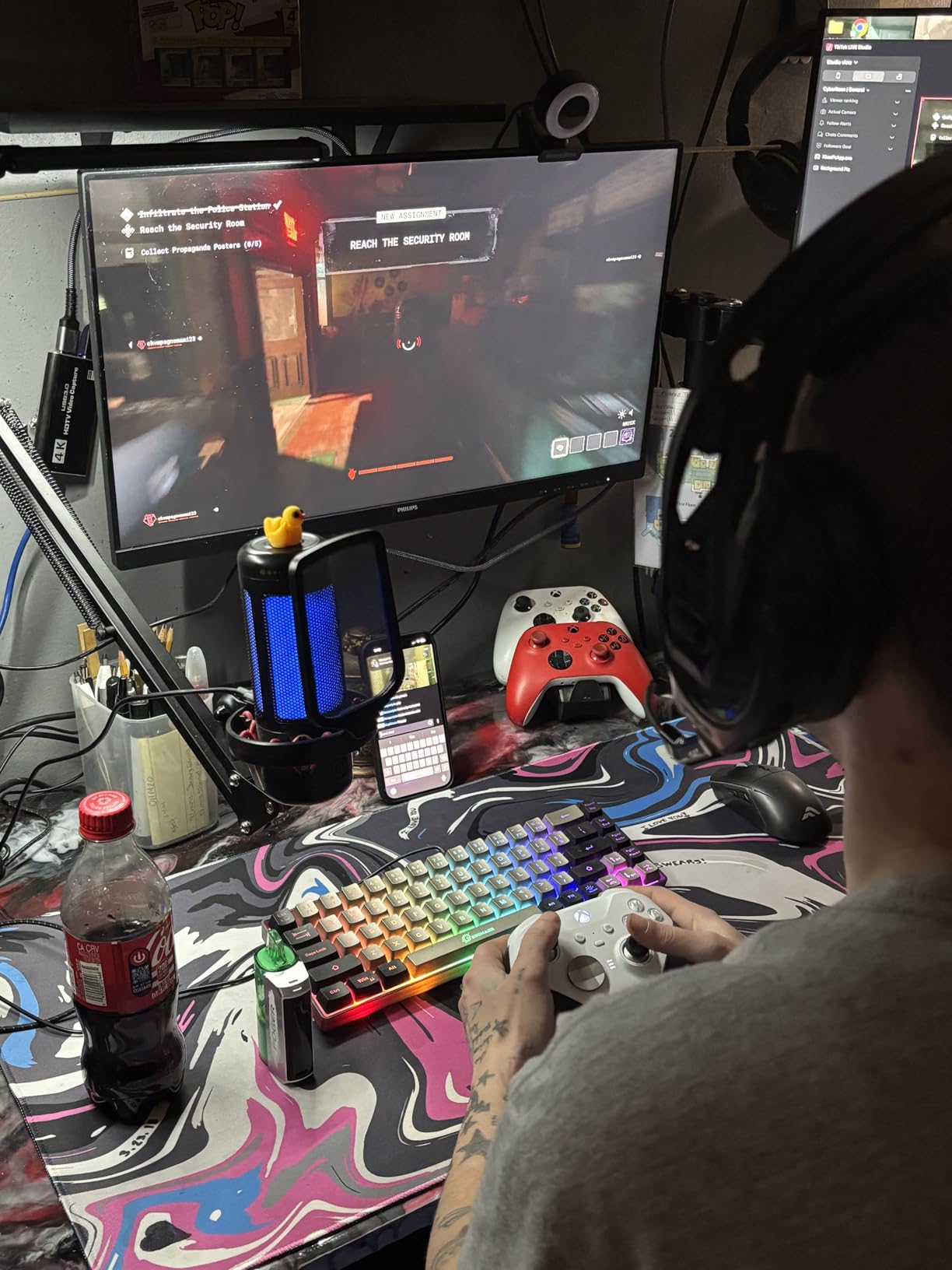
The arm is the reason to pick this over another budget condenser. A boom arm lets you sit the mic six to eight inches from your mouth and angle it off-axis from your keyboard, which does more for background noise than any amount of gain trimming. Once it is mounted, the mic stays out of your camera frame and away from your mouse hand.
Reviewers rate this kit well above what its shelf position suggests, with particular praise for fast assembly and plug-and-play behaviour with no drivers or extra software. Console support is listed for PS4 and PS5 as well as desktop and Mac.
What the TC310+ does well
It solves total cost of ownership in one purchase. A separate arm, clamp and pop filter would normally be the next three things you buy, and here they are already in the box and sized to work together.
Top-mounted gain and mute are simply easier to use than side or rear controls. On a stream you can cut yourself off with a tap and re-check your level without moving your hand off the mouse.
What the TC310+ cannot do
There is no headphone jack. You monitor through your headset, which means you cannot hear your own mic signal directly and you are dependent on whatever your headset does with that audio.
Noise cancellation is described as modest, so room hum such as air conditioning remains audible. If silence is your priority, a dynamic capsule is the better starting point. Watch the boom arm padding too, since a few owners report loose swivel at the mount.
7. HyperX QuadCast 2 – Best for Switching Polar Patterns
- Four polar patterns with an illuminated indicator
- Top-mounted gain knob harder to bump
- Louder output than the first generation
- Removable shock mount and aluminum body
- RGB options limited compared with the original
- Pattern switching moved into software
- No pop filter included
- Software feature set is reduced
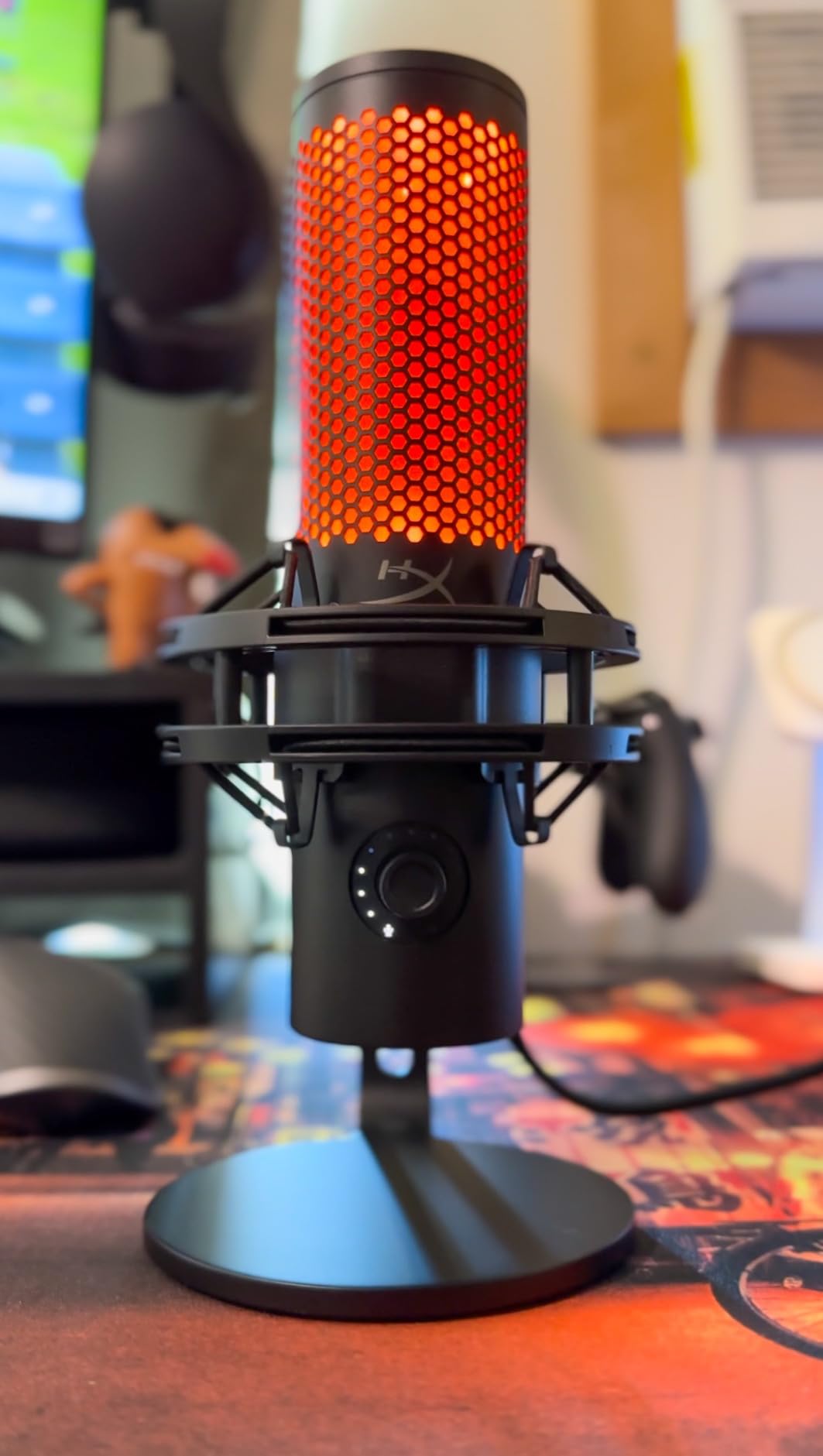
The QuadCast 2 is the pick if you move between solo commentary and two-person sessions. It carries cardioid, omnidirectional, bidirectional and stereo patterns, and the currently selected pattern is shown by an illuminated indicator so you always know what the mic is doing. Owners who moved up from a first-generation QuadCast report noticeably louder output and a cleaner signal at the same gain setting.
The control layout is improved. The gain and volume knob moved to the top of the body where your fingers will not brush it while you are adjusting something else, and the tap-to-mute sensor sits next to it. The body is aluminum, the shock mount is removable, and the USB-C cable is a long 9.84 feet, which is long enough to reach a PC mounted under the desk.
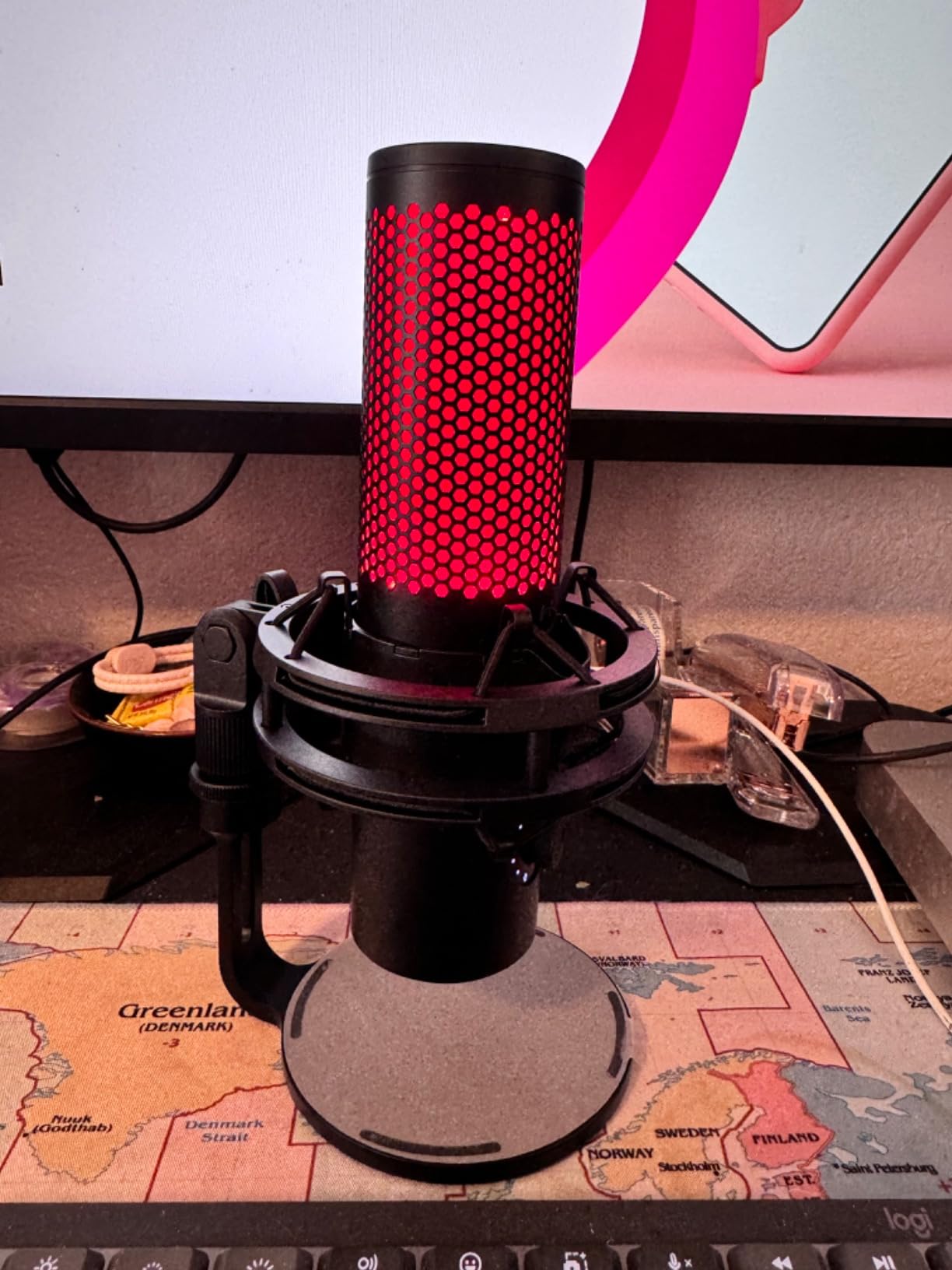
A stereo sound mode and a full 20 Hz to 20 kHz response make this a sensible mic if you ever add a second voice to a stream. A bidirectional pattern pointed at two people at a desk captures a co-host conversation that a cardioid condenser would clip at the edges, and the software option for a high pass filter helps when low-frequency room rumble shows up in the capture.
For a plain gaming setup on cardioid, the extra patterns are simply insurance. They cost nothing to leave unused, and they remove the need to buy a different mic later if your streaming format changes.
Why pattern switching is worth paying for
Cardioid is right for a solo streamer. Omnidirectional picks up the whole room, which is useful for group commentary. The QuadCast 2 gives you both plus two more, without unplugging anything or rebuilding your capture setup.
The top-mounted gain knob and the illuminated indicator are the quiet wins. A knob you cannot bump by accident and a pattern light you can read at a glance are both small things that matter over a four-hour stream.
Where the QuadCast 2 is weaker
Pattern switching moved into software, which means the physical button on the body no longer changes patterns the way it did on the original. That is a step back for anyone who liked a hardware-only control flow.
RGB options are reduced compared with the original QuadCast, and the software feature set is narrower. There is also no pop filter in the box, so budget for one if you speak close to the mic.
8. Logitech G Yeti Orb – Best for an RGB Gaming Desk
- Compact spherical design with a small desk footprint
- Clear voice capture from a foot away
- Cardioid pattern rejects key clicks
- LIGHTSYNC logo syncs with Logitech G gear
- No onboard mute button
- Large tripod base with no adjustable stalk
- Some units report more room noise than expected
- LIGHTSYNC needs the G HUB app
The Yeti Orb is the newest shape in this category, and it solves a problem nobody else does: a USB mic that is small, distinctive and lit to match the rest of a Logitech G desk. The LIGHTSYNC logo and status light sync with your keyboard, mouse and headset through G HUB, so the mic stops looking like an office accessory on camera.
Audio is a cardioid condenser rated at 72 dB signal-to-noise across 20 Hz to 20 kHz. Owners report that the voice quality is stronger than the size suggests, and several compare it favourably with the full-size Blue Yeti for clarity at normal speaking distance. The cardioid pattern is the right one for gaming because it focuses on your mouth and rejects key clicks.
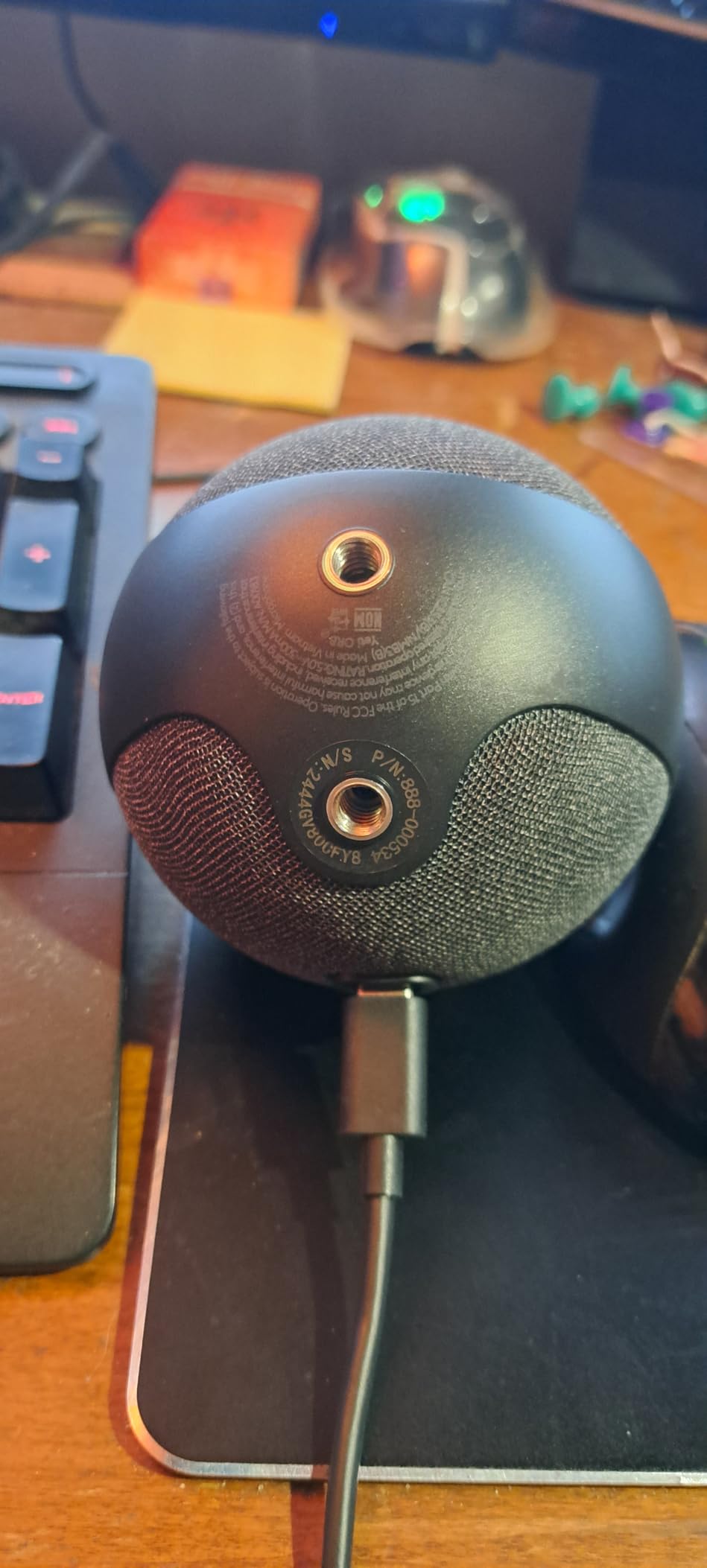
The 600 ohm impedance figure and the spherical body tell you this is a near-field desktop mic, and that is exactly how you will use it. Sit back in a chair, speak at a normal level and it behaves like a much larger mic. It also uses a USB Type-A plug-and-play connection, so no driver work is involved.
Two hundred and thirty grams means it puts almost no load on a boom arm, and at under eight inches tall it never covers your monitor. The spherical shape also reads well on a facecam, which is a genuine consideration for a stream.
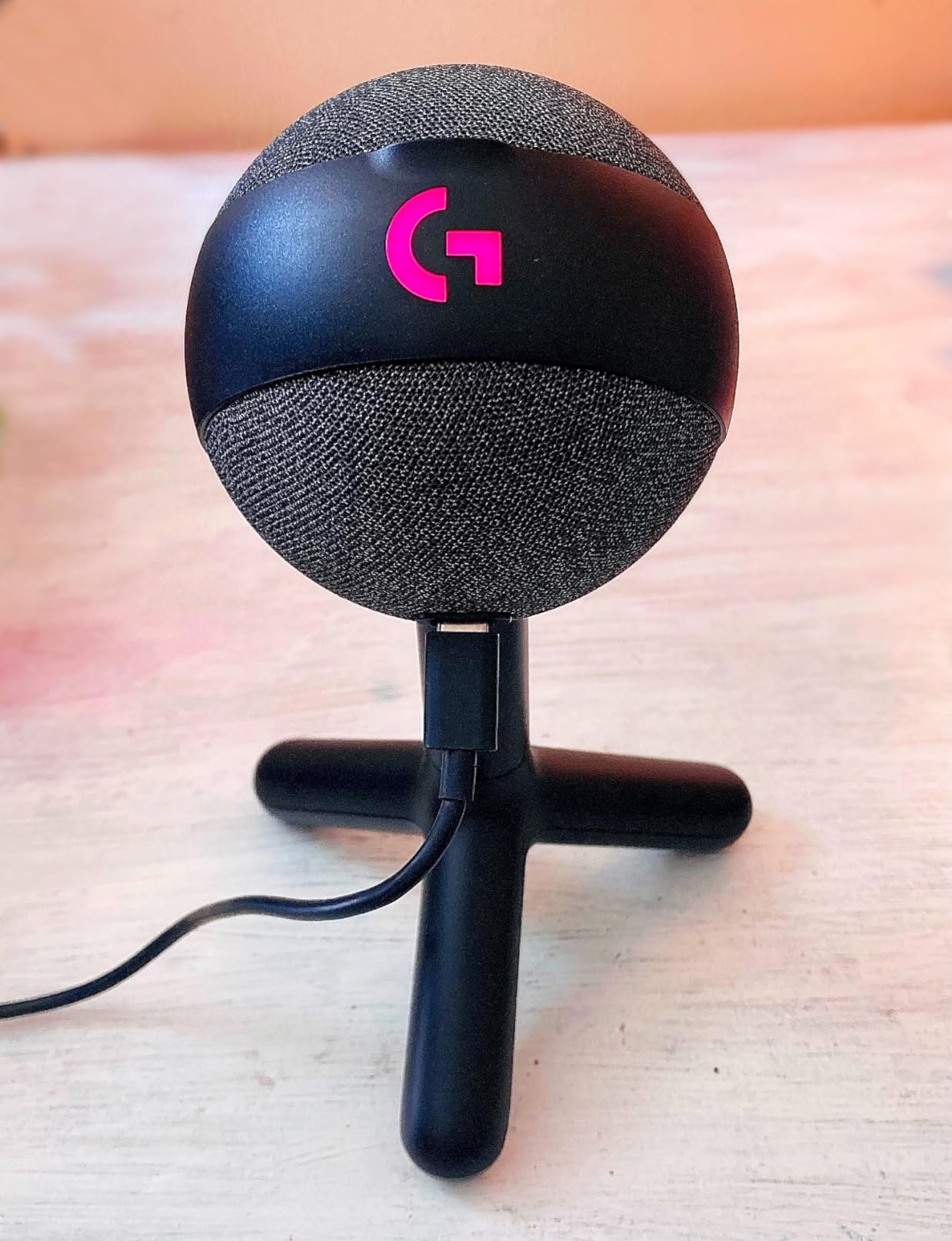
What the Yeti Orb gets right
It is the best-looking mic here for a lit setup, and that is not a trivial category concern. A mic that matches the rest of your gear looks intentional, and the LIGHTSYNC status light doubles as a mute indicator on some configurations.
Clear capture from a foot away means you are not forced into a hunched speaking posture, which matters for long sessions and for anyone streaming from a reclined chair.
What the Yeti Orb is missing
There is no onboard mute button. That is the deal-breaker for many gamers, because tapping software to mute means taking your eyes off the game at the exact moment you do not want to.
The tripod base is oddly large relative to the sphere and has no adjustable stalk, so the mic always sits low. Some units also pick up more room noise than expected. If you want a mute button, the Yeti or the SoloCast both give you one.
9. Razer Seiren V2 X – Best for Real-Time Level Checks
- Supercardioid pattern rejects typing and mouse clicks
- Integrated digital limiter prevents clipping
- Hard mute button with an obvious colour indicator
- Built-in shock absorber dampens desk knocks
- Razer Synapse software installs by default
- Free-spinning gain knob gives no level sense
- No pop filter included
- Supercardioid needs speech aimed at the top
The Seiren V2 X uses a supercardioid pattern, which is tighter than cardioid and is aimed squarely at the gaming problem of off-axis noise. Typing, mouse clicks and a chatty room sit outside the pickup lobe, so a supercardioid mic in a gaming position is a genuinely effective filter. The 25 mm condenser capsule is frequency-sensitive up to 20 kHz, and the pattern does most of the work on the noise side.
Two features make it stand out for streaming. The integrated digital limiter stops the peaks that happen when a shout lands on a hot gain setting, and the hard mute button with a bright colour indicator is the most tactile mute in this roundup. There is a headphone jack for real-time monitoring, so you hear your own signal at the level your viewers will.
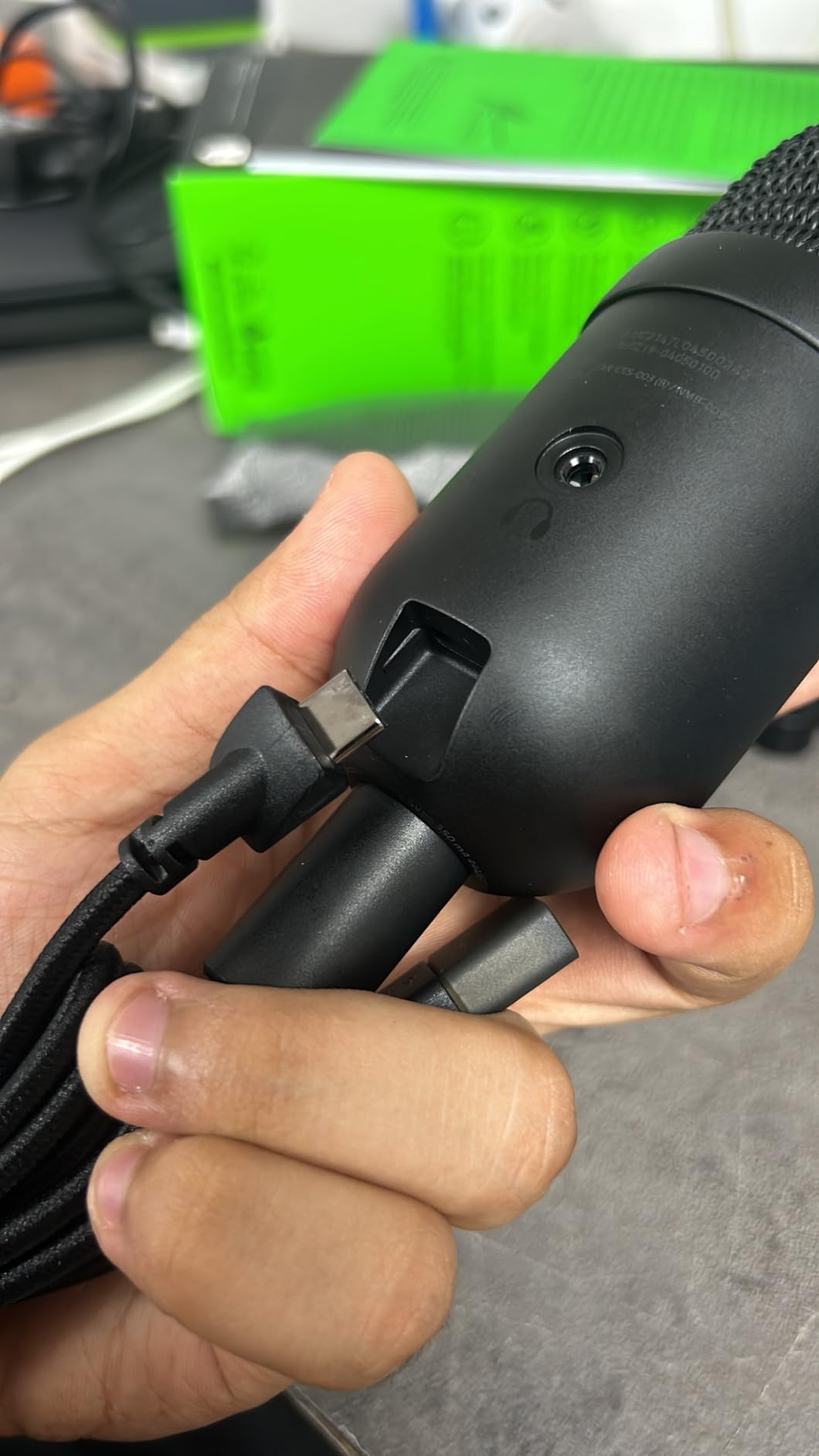
At just over ten ounces, this is the lightest mic here and it puts almost no strain on a boom arm. The built-in shock absorber damps desk knocks, which matters in a gaming space where you tap the desk during a tense round. Volume, gain and mute are all on the body, so the mic is fully usable without opening anything.
Reviewers also report it surviving repeated drops with no visible damage, which matters more than it sounds. Durability is a real concern in this category, and r/VoiceActing threads show people abandoning USB mics after reliability problems over time.
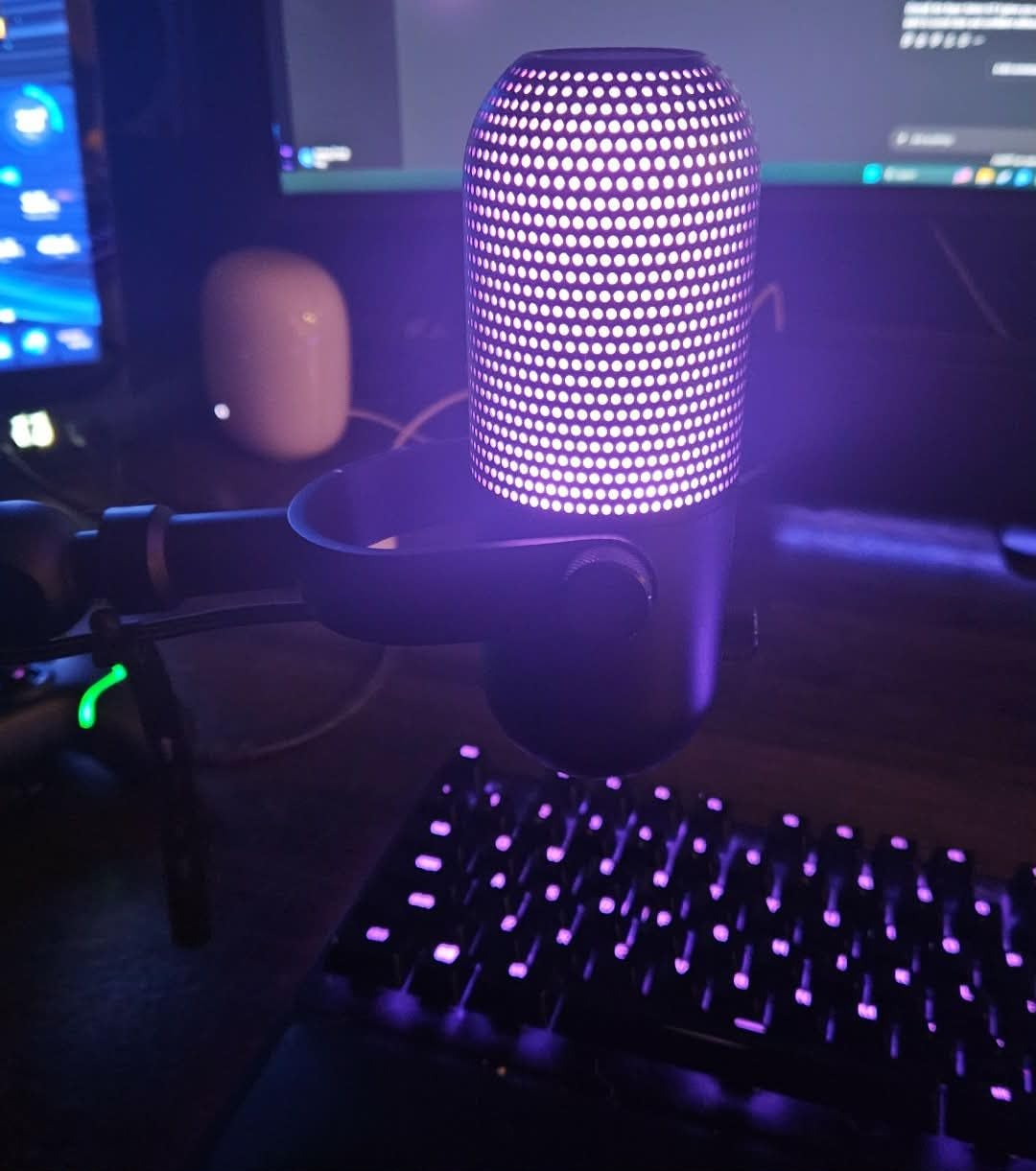
Why the Seiren V2 X fits a gaming desk
Supercardioid rejection is the reason. It hears the space directly in front of it and much less of the keyboard, the mouse and the room behind you, which is exactly the trade you want while gaming.
The digital limiter is a genuine feature rather than a compromise. It is the difference between a loud moment clipping into distortion and a loud moment sounding loud but clean.
What to know before buying it
Razer Synapse installs by default and owners report it adds little value for streaming. The streamer mix features create virtual devices that Windows handles poorly, so expect at least one detour in your capture settings.
The gain knob spins freely with no tactile sense of where it is, and the supercardioid pattern means you have to speak toward the top of the mic. If you move around while you talk, aim matters more here than on any other mic in this list.
10. TONOR TD510 – Best for a Noisy or Shared Room
TONOR Dynamic Gaming Microphone XLR/USB Mic with AI Noise Cancellation
- AI noise cancellation reduces keyboard clatter in USB mode
- USB and XLR outputs for a future interface
- Headphone jack with mic and headphone volume controls
- Adjustable boom arm with locking knobs
- Noise cancellation only works in USB mode
- Raw tone needs EQ and compression
- Bundled boom arm is the weakest part
- Not compatible with Xbox
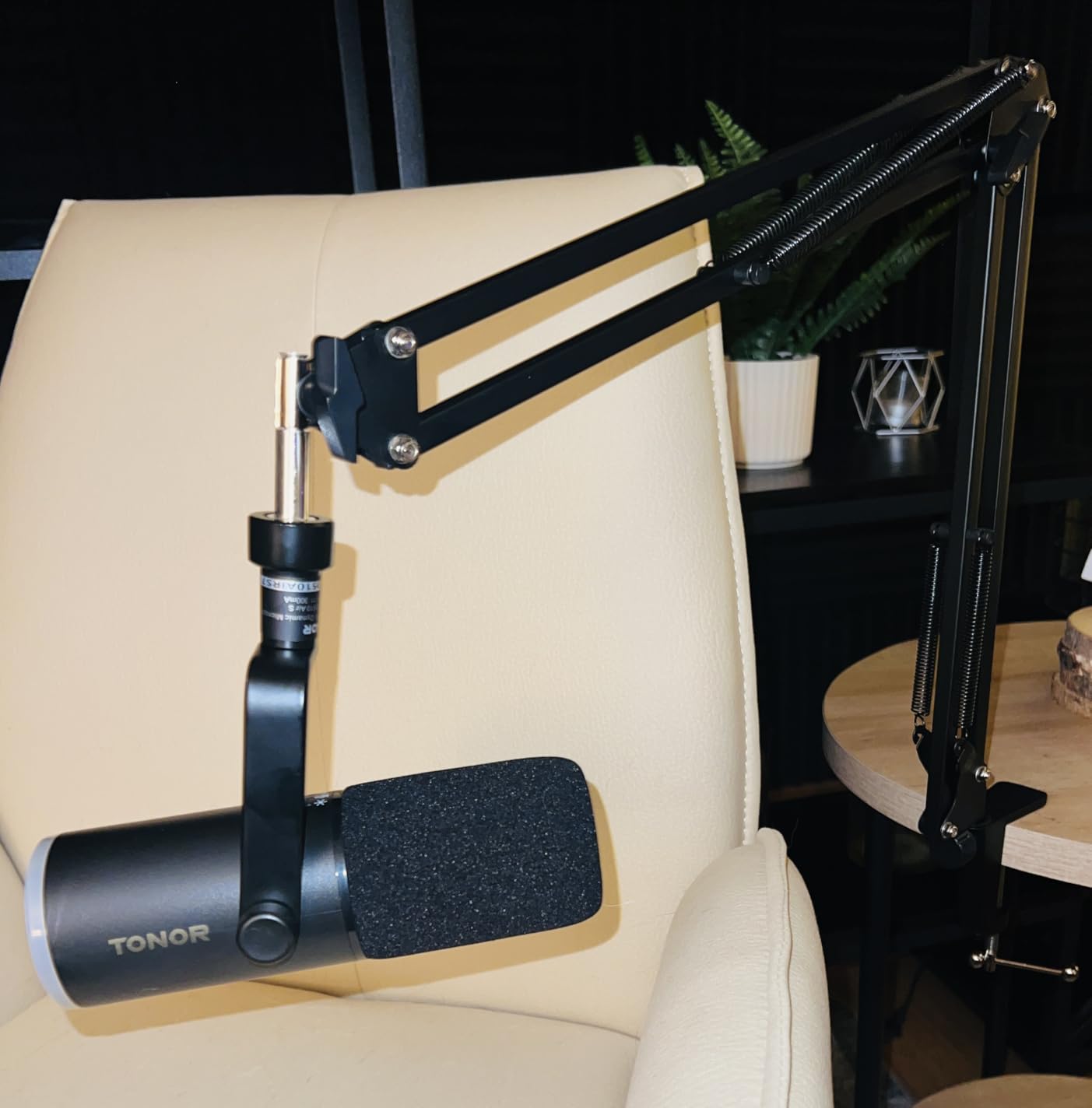
The TD510 combines a dynamic capsule with triple AI noise cancellation in USB mode, and that pairing is aimed at one specific problem. The dynamic capsule already rejects room sound physically, and the processing layer sits on top of that to take the edge off keyboard clatter. For a shared apartment, a dorm or a room where someone else is in the background, it is the most targeted noise solution in this roundup.
It also has dual USB and XLR outputs, so the same microphone works on a PC today and on an audio interface later. A 3.5 mm headphone jack with separate microphone and headphone volume controls gives you a direct monitor, and the adjustable boom arm has locking knobs so the position you set is the position you keep.
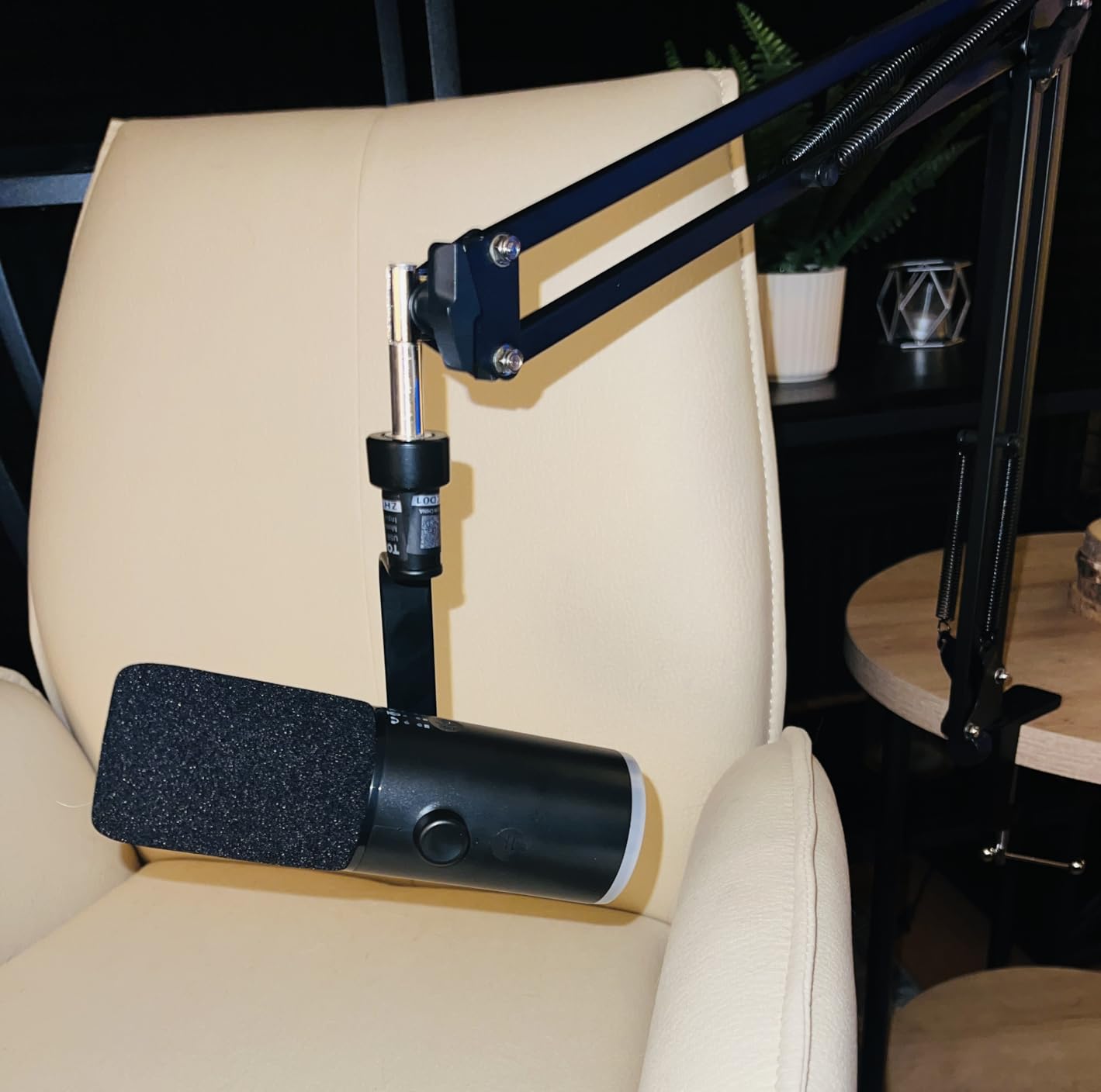
Plug-and-play behaviour with no drivers, plus support for direct connection to a PC, PS4 and PS5, makes it easy to move between a gaming PC and a console session. The controllable RGB ambient lighting is a bonus on a desk that already has lighting, though it is a secondary consideration next to the noise handling.
Be realistic about what noise cancellation can do. Reviewers describe the raw tone as tinny without EQ and compression, which is normal for a dynamic entry-level capsule and normal for a gaming voice. A compressor in OBS and a high pass filter will close most of that gap in software.
What makes the TD510 different
Noise cancellation in USB mode is the feature no other mic on this list pairs with a dynamic capsule at this level. It attacks the exact sound that ruins a gaming stream, which is mechanical keyboard and mouse noise, rather than trying to fix it afterwards.
The headphone jack and the locking boom arm together make this the easiest mic here to place correctly. Placement is what determines whether noise rejection works, and a fixed arm means it keeps working after you set it once.
Where the TD510 disappoints
The AI noise cancellation disappears over XLR. That is expected, since XLR bypasses the internal processing, but it means the reason you bought the mic is only there on one connection.
The bundled boom arm is the weakest part of the package according to owner feedback, with reports of bulky construction and loose or missing pivot padding. Xbox is not supported, which matters if that is your main console. The two-year warranty is a genuine plus in a category where people worry about longevity.
How to Set Up a USB Mic for Gaming
Most disappointing USB mics are not disappointing because of the mic. They sound thin because the gain is set in software instead of at the mic, or noisy because the capsule is pointed at a mechanical keyboard. Ten minutes of setup fixes most of it.
First, position the mic. Put it six to twelve inches from your mouth and angle it slightly off-axis, so it is pointed at the side of your face rather than straight at your lips. This is the single change that reduces plosives, and off-axis angle also puts your keyboard further outside the pickup lobe.
Second, set the gain at the mic, not in software. Turn the gain knob until your loudest normal speaking moment sits comfortably below the clipping point on the meter, then leave the gain sliders in Discord and OBS near unity. Mixing gain across three software sliders is how streams end up clipped and lifeless.
Third, add a pop filter if the mic does not have one. The FIFINE A6V and the TONOR TC310+ include one. For everything else, a basic filter in front of the capsule removes the burst on hard consonants that viewers notice immediately.
Fourth, choose the right input in software. In Discord, set the input device to the mic by name rather than the default device, and test with the monitor off so you hear what the mic picks up. In OBS, set the audio source to the same device and run the mic test while you are actually playing, because a quiet test in an empty room hides every problem that shows up in a real session.
Fifth, kill the obvious noise sources. Move the mic away from the back of the PC case, close a side panel on an airflowy case, and keep the mic pointed away from your fans. A low-cut or high pass filter in OBS handles rumble that placement cannot.
If your recording is already made and sounds rough, the fix happens in post. A high pass filter removes low rumble, a compressor evens out your voice between a whisper and a shout, and noise reduction in Audacity or DaVinci Resolve handles steady hum. Do not reach for heavy noise reduction first, because it is the step that makes a gaming voice sound underwater.
What to Look for in a USB Gaming Microphone
Capsule type is the first decision, and it is really a decision about your room. A condenser hears detail and picks up room sound, which sounds excellent in a treated room and noisy at a gaming desk. A dynamic rejects more of the room and needs more gain, which is the better trade in an untreated space. If your PC has loud fans or you share a room, go dynamic.
Polar pattern determines what the mic hears around you. Cardioid focuses on the front and rejects the back, and it is the correct default for a single streamer. Omnidirectional picks up the whole room, bidirectional or figure-eight captures two people facing each other, and supercardioid is a tighter version of cardioid that buys a little more off-axis rejection.
Gain control tells you where level control happens. An onboard knob means you can set a level at the mic and keep software gains flat, which produces a cleaner signal. Entry-level mics without a knob force the whole range into software, and that is where clipping and noise reduction problems start.
Zero-latency monitoring is a headphone output that plays your own microphone back with no delay. It exists so you can hear yourself without echo, and it is the difference between knowing your audio is fine and guessing. Mics with a headphone jack are worth more here than mics with a slightly better sample rate figure.
Digital signal processing is the onboard noise reduction, gating and limiting applied before your PC receives the audio. On gaming mics it is usually a feature rather than a compromise, because it fixes plosives and peaks at the source. Be aware that heavy gating cuts the starts of words, which is worse in voice chat than a little background noise.
Sample rate and bit depth matter less than most spec sheets suggest. 24-bit at 48 kHz is more than enough for voice, and every mic on this list meets that comfortably. A 192 kHz figure tells you about marketing, not about your stream.
Finally, price the total setup, not the mic. A pop filter, a boom arm and a desk clamp are frequently sold separately, which is why the A6V and the TC310+ feel like better value than their spec sheets suggest. If your mic does not include a filter, assume you are buying one, and assume you may want a boom arm later.
On build quality, expect complaints about USB-C ports and drivers failing after months. That is a real pattern reported by long-term USB mic owners, so a solid warranty is worth more than a marginal spec improvement. The Blue Yeti and the QuadCast 2 carry two-year manufacturer warranties, and the TD510 carries a two-year TONOR warranty.
USB Mic vs Gaming Headset vs XLR Setup
A USB mic beats a headset boom mic for streaming. The boom mic on a headset is a small condenser tucked against your jaw, which means it hears your jaw, your collar and your breathing, and it sits exactly where a shoulder-mounted boom transmits desk vibration. A USB mic on a stand or an arm can be placed, aimed and levelled properly, and that placement is worth more than any generation of headset.
The headset still wins for one situation: if you play with the mic on and speakers off, and you never want to think about audio again, the headset is a complete solution with zero setup. Many players keep the headset for game audio and add a USB mic for streaming, which is the most common arrangement in this category.
XLR wins when you are leaving gaming behind. If you also record music, voice over, or a podcast with a second person, an audio interface with a real preamp gives you hardware gain, phantom power for condensers and the ability to record more than one mic at a time. On r/microphone, the standard advice is to start with USB and move to XLR plus an interface once the budget and the ambitions both grow.
There is a middle path worth naming. The FIFINE AM8 and the TONOR TD510 both output USB and XLR from the same body, so you can start on a gaming PC with no interface and move to one later without replacing the microphone. That is the cheapest possible bridge into a studio chain.
Frequently Asked Questions
Are USB mics good for gaming?
Yes. A USB mic contains its own preamp and analog-to-digital converter, so Windows treats it as a sound card. You plug it in, select it in Discord or OBS and talk, with no audio interface. The one caveat is noise, because condenser USB mics pick up keyboard and mouse clicks along with your voice.
Which is the best USB microphone for gaming?
The Logitech Blue Yeti is the best overall USB microphone for gaming, because it combines four switchable pickup patterns with onboard gain and headphone monitoring in a single metal body. The HyperX SoloCast is the best value option and the FIFINE AmpliGame A6V is the cheapest complete kit.
Is USB or XLR better for gaming?
USB is better for gaming on a single desk because it needs no interface, no cables and no gain knob. XLR becomes the better option when you also record music or voice over, or when you need to record two people at once. Mics with both USB and XLR outputs let you start on USB and move to an interface later.
How do I stop my USB mic picking up background noise?
Move the mic six to twelve inches from your mouth and angle it off-axis, set the gain at the mic rather than in software, and point the pickup away from your keyboard and PC fans. A dynamic capsule rejects more room sound than a condenser, and a high pass filter in OBS removes remaining low rumble.
What is the 3 to 1 rule for microphones?
The 3 to 1 rule says that for a room with noticeable echo, a microphone placed one foot from the source sounds better than a microphone three times closer that picks up the room too. In gaming terms, a mic a foot away with directional pickup usually beats a mic jammed against your mouth, because it hears less of the space behind you.
Do I need a pop filter for a USB microphone?
You need one if you speak close to the mic and say hard consonants, because plosive bursts on p and b sounds are the most obvious flaw in a gaming voice. The FIFINE A6V and the TONOR TC310+ include a filter, so if you buy one of those you can skip the extra purchase.
The Verdict: Best USB Microphones for Gaming
The Logitech Blue Yeti is still the best USB microphone for gaming in 2026. Four pickup patterns, real onboard gain, a physical mute and headphone monitoring in a metal body is more control than anything else in this roundup, and the only real concessions are size and condenser sensitivity. If your desk is tight or your room is loud, match it to the problem instead.
Buy the HyperX SoloCast for the simplest upgrade from a headset, the FIFINE A6V for the cheapest complete kit, the FIFINE AM8 or the TONOR TD510 if noise is your main complaint, the TONOR TC310+ if you want placement control included, and the Razer Seiren V2 X if you want a hardware mute and a real monitoring jack.
Whichever you choose, mount it properly, set the gain at the mic and test on your actual setup rather than in a quiet room. Our other gaming guides cover the rest of the desk, including the best laptops for gaming, the best desktop computers for gaming and the best projectors for gaming if the display matters to you too.