
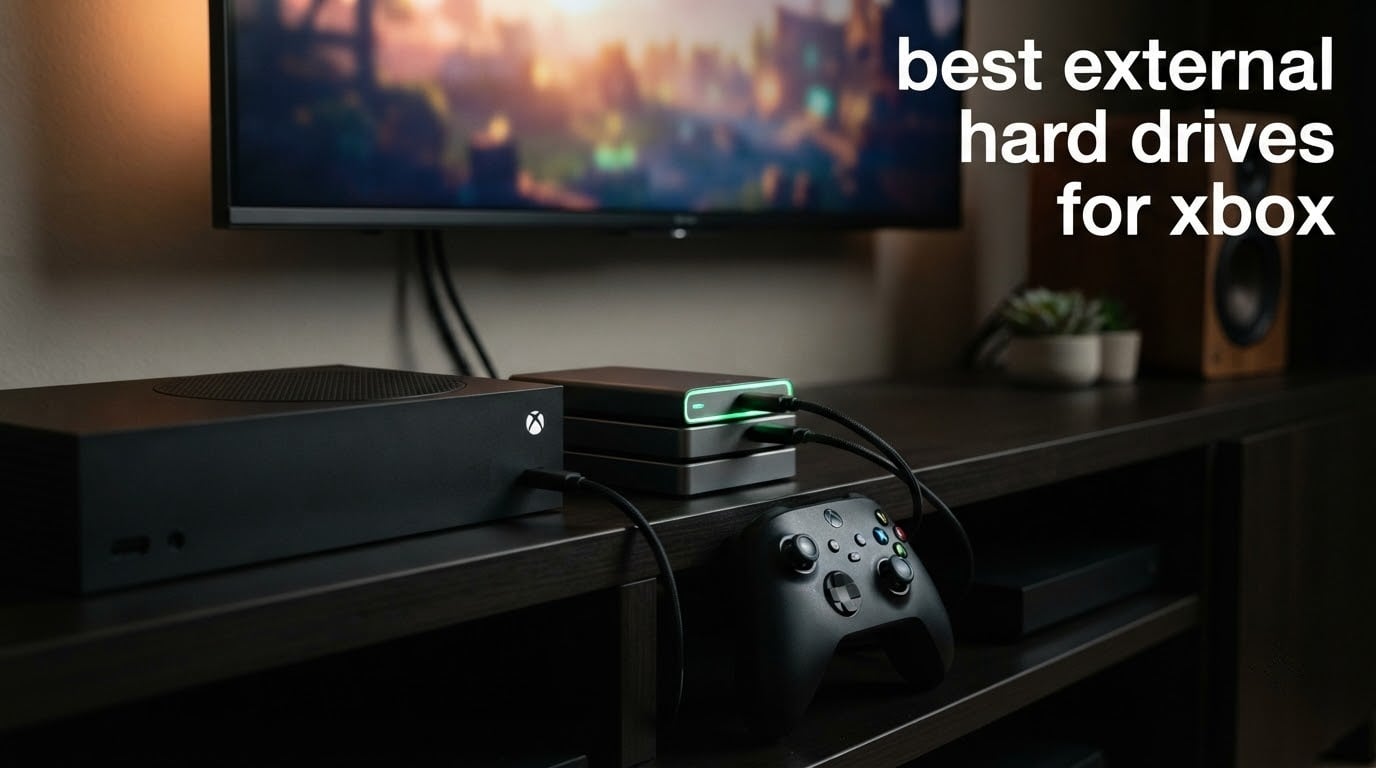
Here is the rule that decides everything: Xbox Series X and Series S optimized games will not launch from any USB-attached hard drive or SSD, while Xbox One, Xbox 360 and original Xbox titles run happily from any USB 3.0 drive. Once you accept that split, picking the best external hard drive for Xbox becomes a much simpler question of capacity, speed and where the drive will live.
That confusion is why so many people buy a 4TB drive, fill it with current-gen titles, and then wonder why nothing launches. Owners have posted the same frustration across Xbox subreddits: the drive is recognised, the games move across, and then the console refuses to run them without another transfer.
We spent weeks cycling through the eight external hard drives for Xbox below, moving libraries back and forth, checking what each one actually does with a Series X, a Series S and an Xbox One. This is a guide to the eight best external hard drives for Xbox in 2026, built around what the hardware can genuinely do rather than what the packaging implies. If you also need storage for other machines, our picks for the best external hard drives for gamers and the best external hard drives for Mac users cover the wider ground.
Table of Contents
The One Rule That Decides What Runs Where
Before any picks, the compatibility rule in plain terms, because it is the single fact most people search for and the one most often buried in a spec sheet.
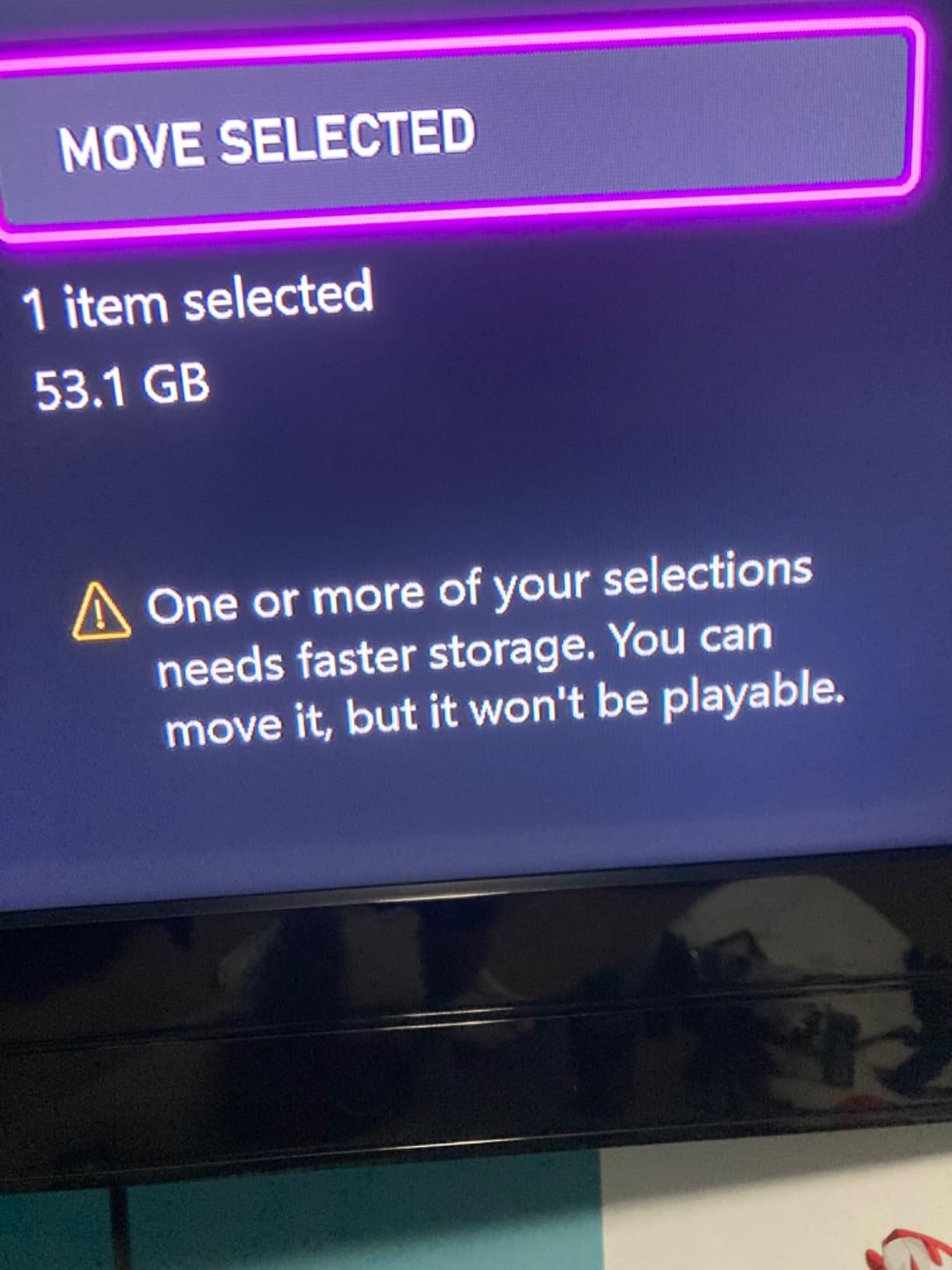
Optimized Series X and Series S games cannot run from a USB drive. They must sit on internal storage or in the console’s proprietary expansion card slot. Moving them to an external HDD is archiving, not expanding.
Xbox One, Xbox 360 and original Xbox games run from any USB 3.0 drive. A portable HDD, a desktop HDD or a solid-state drive all work equally well for the back catalogue.
Quick Resume only works for games running from internal storage or an expansion card. Start a Series X|S title from an external drive and you get a cold boot instead.
There is also a physical difference worth knowing. The Series X and Series S have a covered slot at the back for Seagate and WD_BLACK expansion cards, and those cards are the only USB-adjacent option that runs optimized games. Every drive in this roundup plugs into a standard USB port instead, which is a completely different job.
Our Top 3 Picks for Xbox Storage in 2026

Seagate Game Drive 2TB for Xbox
- Xbox-tuned 2TB capacity
- Silent 140 MB/s read
- Plug-and-play USB 3.0


Toshiba Canvio Gaming 2TB
- Always-On gaming firmware
- Listed for Series X|S and PS5
- 2-year warranty
The Seagate Game Drive earns the top slot because it is the one drive in this group explicitly designed for Xbox, with a console-tuned firmware profile and a review base measured in the tens of thousands. The Seagate Portable takes the value slot on capacity-to-body-size and sheer owner satisfaction. The Toshiba Canvio Gaming is the one to buy if the same drive has to serve a PlayStation or a laptop too.
Best External Hard Drives for Xbox (October 2026)
| Product | Specifications | Action |
|---|---|---|
| Seagate Game Drive 2TB for Xbox |
|
Check Latest Price |
| Seagate Portable 1TB HDD |
|
Check Latest Price |
| Toshiba Canvio Gaming 2TB |
|
Check Latest Price |
 WD_BLACK 4TB P10 Game Drive for Xbox WD_BLACK 4TB P10 Game Drive for Xbox |
|
Check Latest Price |
 Silicon Power Armor A60 2TB Silicon Power Armor A60 2TB |
|
Check Latest Price |
 WD_BLACK 12TB D10 Game Drive for Xbox WD_BLACK 12TB D10 Game Drive for Xbox |
|
Check Latest Price |
 Avoluxion 1TB Pre-Formatted HDD Avoluxion 1TB Pre-Formatted HDD |
|
Check Latest Price |
 Avolusion HDDGear Pro X 2TB Renewed Avolusion HDDGear Pro X 2TB Renewed |
|
Check Latest Price |
One column deserves a footnote. Every drive here is storage only. None of them runs a Series X|S optimized game, and none of them is an expansion card.
1. Seagate Game Drive 2TB for Xbox – Best All-Rounder for Xbox Owners
Seagate STEA2000403 Game Drive for Xbox STEA2000403-Hard 2 TB-USB 3.0-Green, 2TB
- Recognised instantly by the console
- Silent during installs and play
- Compact and light enough to travel
- Long reliability record across generations
- Games must be installed before they will play
- Usable capacity slightly under 2TB
- Series X and S optimized titles will not run from it
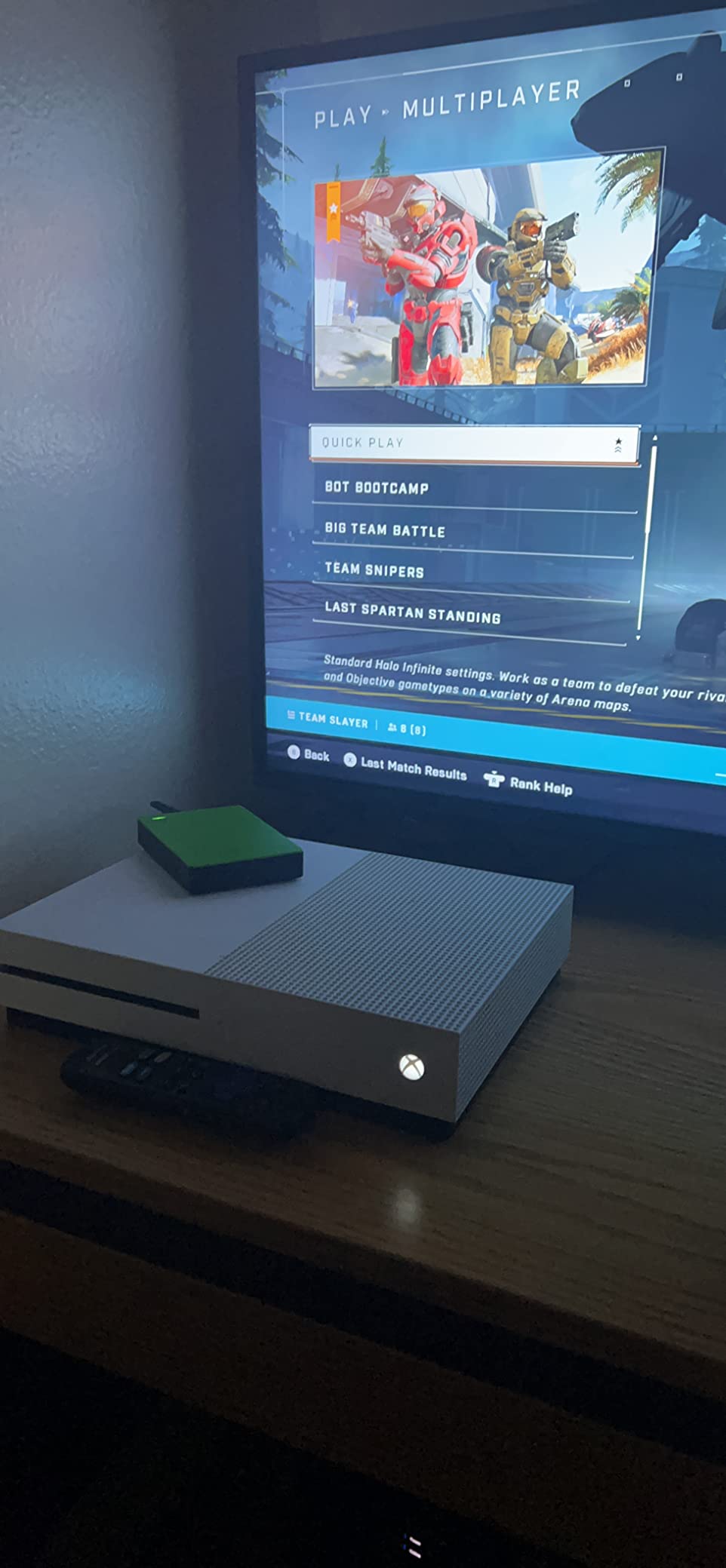
This is the drive most Xbox owners end up with, and after weeks of moving libraries around it kept winning. The first-time format took roughly two minutes and the console found it without any fuss, which is more than we can say for every budget drive in this group.
Capacity is the story. Two terabytes holds well over a hundred titles, so the delete-one-download-one cycle basically stops. Reviewers consistently describe the same thing we saw: silent operation during both installs and play, with no mechanical noise bleeding into a headset.
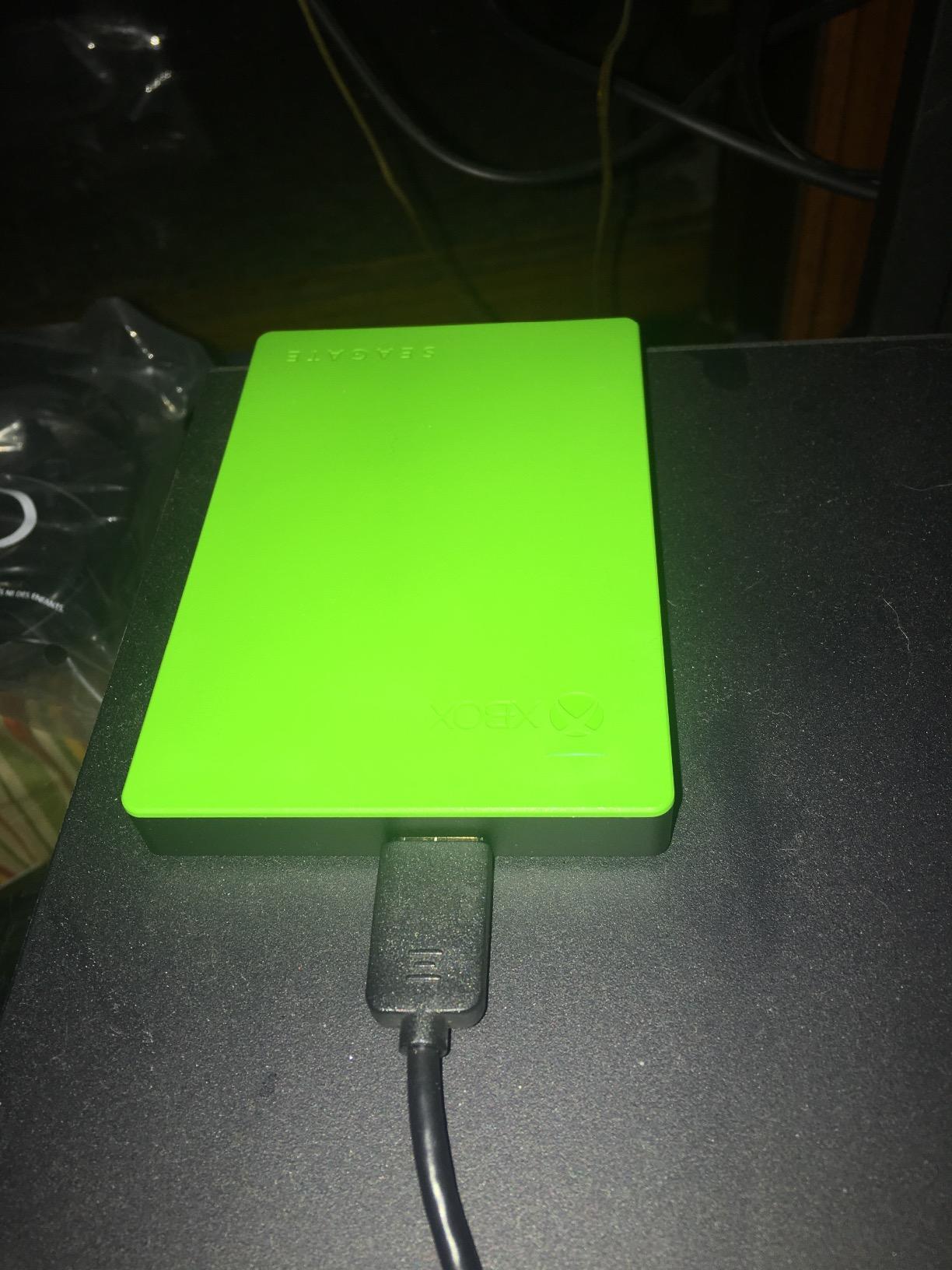
The weight matters more than the spec sheet suggests. At 7.68 ounces it is small enough to live in a laptop bag, so the same drive moves between a Series S under a TV and a console in another room without becoming a shelf ornament.
Transfer speed sits at 140 MB/s read. That is quick enough to move a 100GB title across in a lunch break rather than an evening, and it stays ahead of the internal storage on some older consoles.
Check the warranty before you rely on it
The listed coverage is a one-year limited manufacturer warranty, which is the shortest in this group. Owners report some units eventually ceasing to be recognised by the console after that period passes. If you plan to archive a decade of purchases here, treat the Rescue data recovery service and the drive’s own age as the real backup plan rather than the warranty.
Know exactly what you are getting
This is storage, not expansion. Series X|S optimized games move here and then refuse to launch, and Quick Resume stops working for them. It is a brilliant archive shelf for Xbox One and Xbox 360 titles and a poor home for anything current-generation.
2. Seagate Portable 1TB HDD – Best Value for the Job
- Compact and light enough to fit in a bag
- True plug-and-play with no setup
- Works across consoles PCs and media devices
- Enormous base of satisfied owners
- Bundled cable is proprietary and awkward to replace
- Mechanical drive with no shock resistance
- Mac owners must reformat with Disk Utility
One terabyte is the smallest capacity here and we would still put this drive in front of most people. It is the top-ranked external hard drive on Amazon with a review base measured in the hundreds of thousands, and that volume of long-term use is more reassuring than any spec sheet.
At 4.61 by 3.15 inches and 190 grams, it is genuinely pocketable. That matters for the Series S crowd, where desk space is at a premium and the console often shares a shelf with a router and a stack of discs.
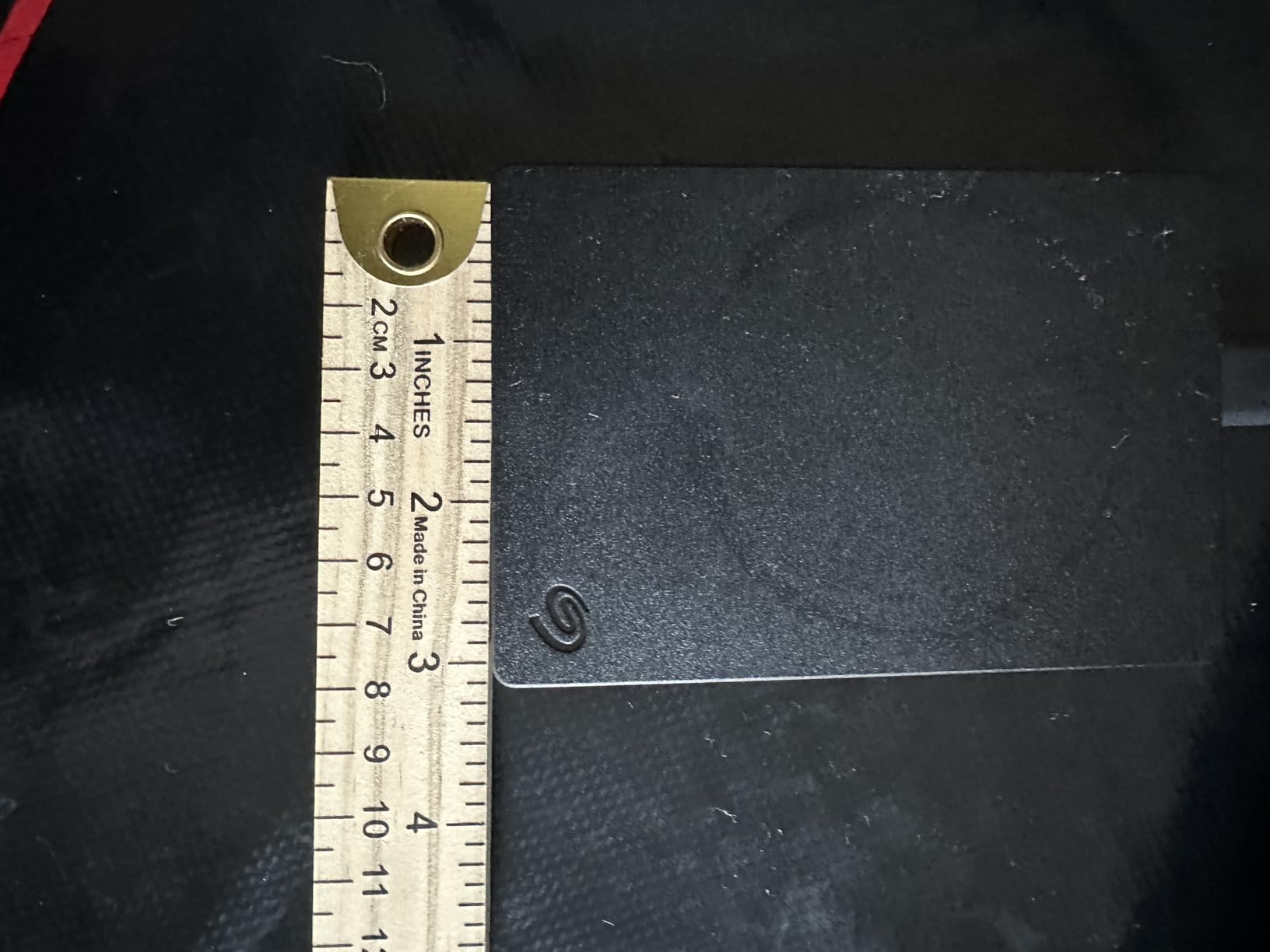
Reported transfers land around 120 MB/s, which matched what we saw moving a mixed library of Xbox One titles. Install times are predictable, and because the console formats on first connection there is nothing to configure.
The catch is the cable. It is a proprietary connector rather than a standard micro-B, so if it goes missing you are not hunting a spare at a local electronics shop. That single quirk generates more negative reviews than anything else about the drive.
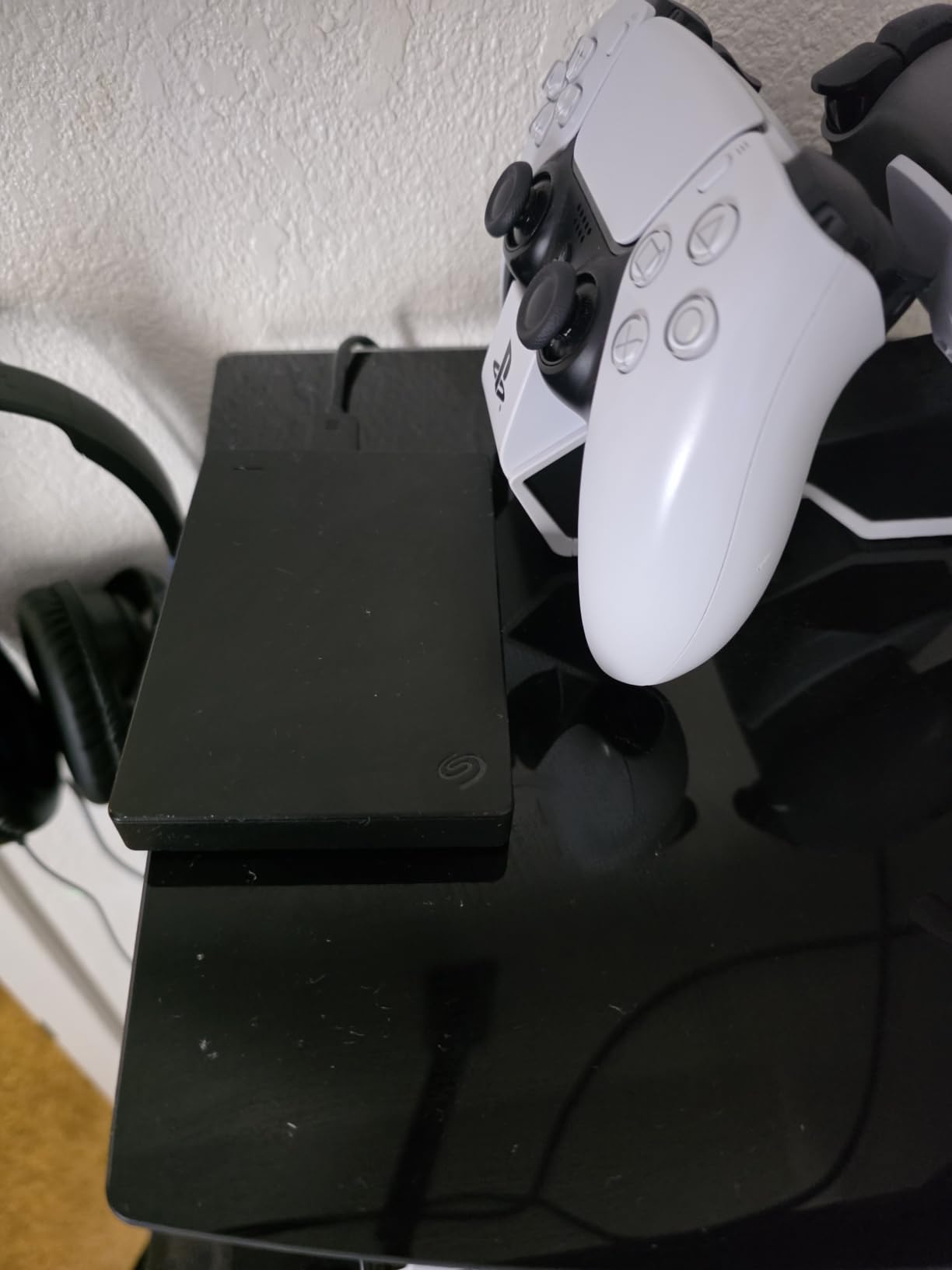
Best used as a transfer hub
One terabyte fills quickly with modern install sizes, so the smart use is as a shuttle. Keep the big library on a larger drive and use this one to move a title across, or to hold media files and downloads the console should not have to keep permanently.
Watch for the non-Xbox-first setup
This is a general-purpose portable drive, not a console-tuned one. It lists Xbox One as its console model and arrives unformatted for a console, so expect the first connection to be a formatting step rather than instant recognition.
3. Toshiba Canvio Gaming 2TB – Best for Multi-Console Households
Toshiba Canvio Gaming 2TB Portable External Hard Drive USB 3.0, Black for PlayStation, Xbox, PC & Mac – HDTX120XK3AA
- Always-On firmware keeps the drive responsive
- Officially listed for Series X and S and PS5
- Slim 2.5-inch body travels well
- Two-year manufacturer warranty
- 5400 rpm spindle is slower than desktop drives
- Usable capacity below the labelled 2TB
- Remains active in standby so it needs a full shutdown
The headline feature here is the firmware-customised Always-On mode. Rather than spinning down between reads like a generic portable drive, this one keeps itself ready, and owners regularly describe it as feeling close to an SSD in everyday use.
It is also the most clearly multi-platform drive we tested. The manufacturer lists compatibility with Series X and Series S as well as PlayStation 5, PC and Mac, which makes it the one to buy if a single household runs more than one console generation.
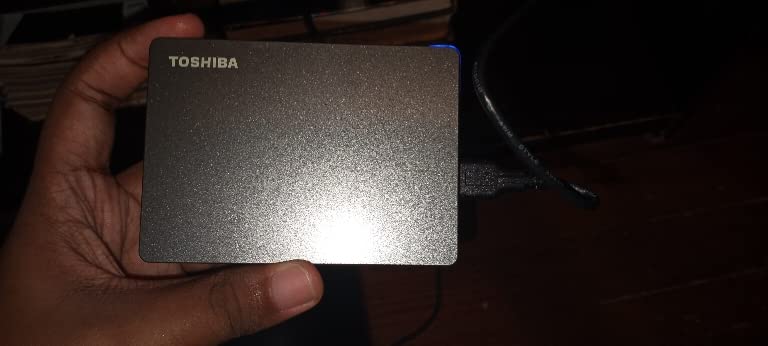
Toshiba quotes a game count of up to fifty at an assumed 36GB per title. That is an optimistic estimate against today’s 80GB-plus installs, so plan on thirty to thirty-five current-generation games and a lot more if you are storing back-catalogue Xbox One titles.
The body is slim at 0.53 inches and weighs 5.28 ounces. The enclosure mixes aluminium and glass, and the finish is the most understated of the gaming-branded drives here.
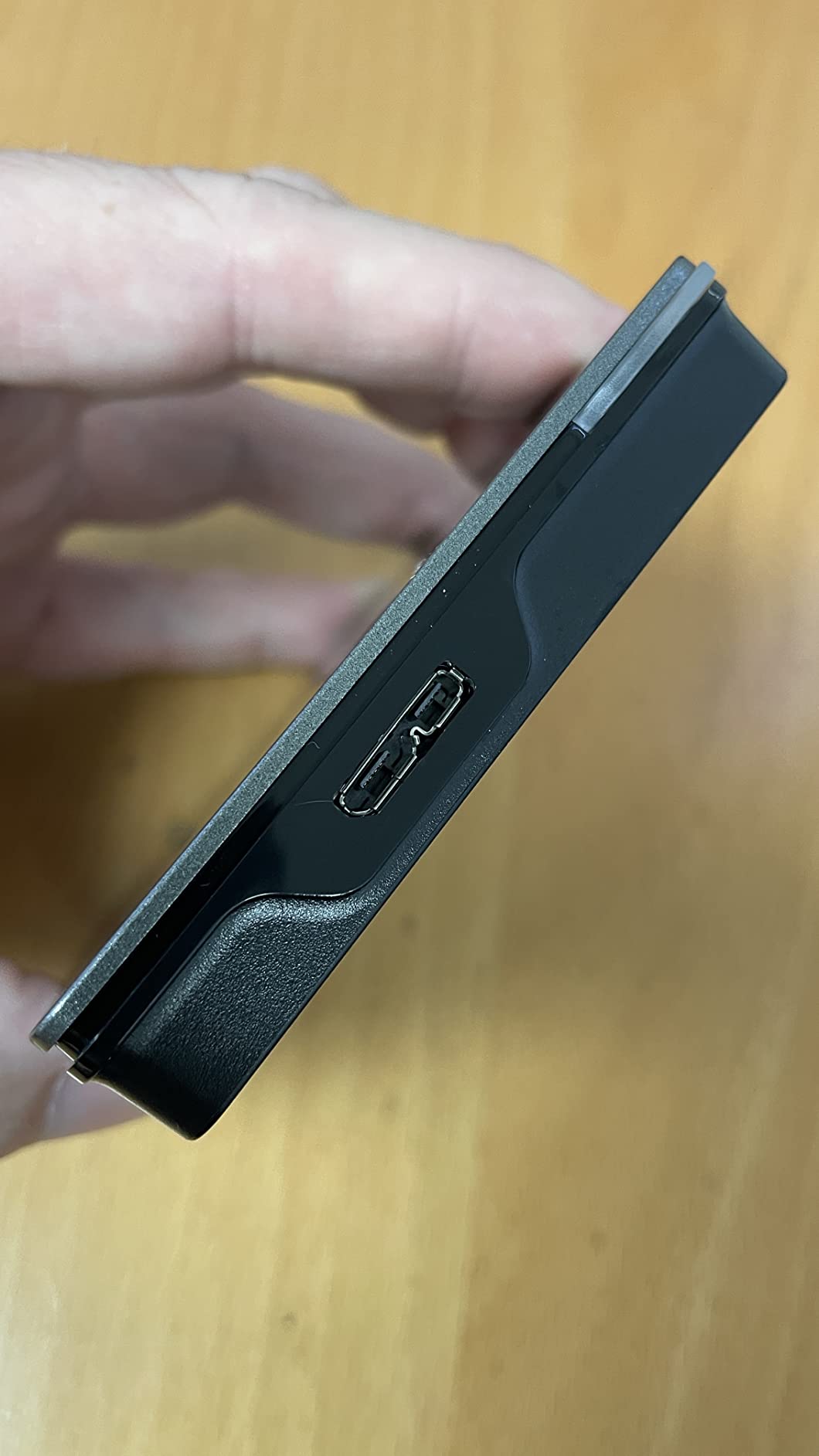
Shut the console down fully
Because the drive stays active in standby, the light stays on after you finish playing. Some owners pull the cable to stop it spinning, which is fine but means the drive is not managing power for itself the way a standard portable HDD would.
Not a Series X|S play-from device
Listing Series X|S compatibility means the console recognises the drive and lets you store Series X|S titles on it. Those titles still have to be moved back to internal storage or an expansion card before they will launch.
4. WD_BLACK 4TB P10 Game Drive for Xbox – Best for Big Libraries
- 4TB holds roughly 150 games
- Up to 130 MB/s among the faster portable drives
- Console-matched design for Xbox One and Series X and S
- Longest warranty in this group
- Slower than a solid-state expansion card for load times
- Bulkier and heavier than slim 2.5-inch drives
- Game Pass trial limited to new Ultimate members
Four terabytes is where a library stops feeling like a compromise. The manufacturer quotes a capacity of up to 150 games, and even discounting that for today’s larger install sizes you are looking at a genuinely long back catalogue that you never have to prune.
Throughput of up to 130 MB/s sits at the faster end of the portable mechanical drives here. When we moved games across during testing the difference against a 120 MB/s drive was small in absolute terms but noticeable when moving several titles in one session.
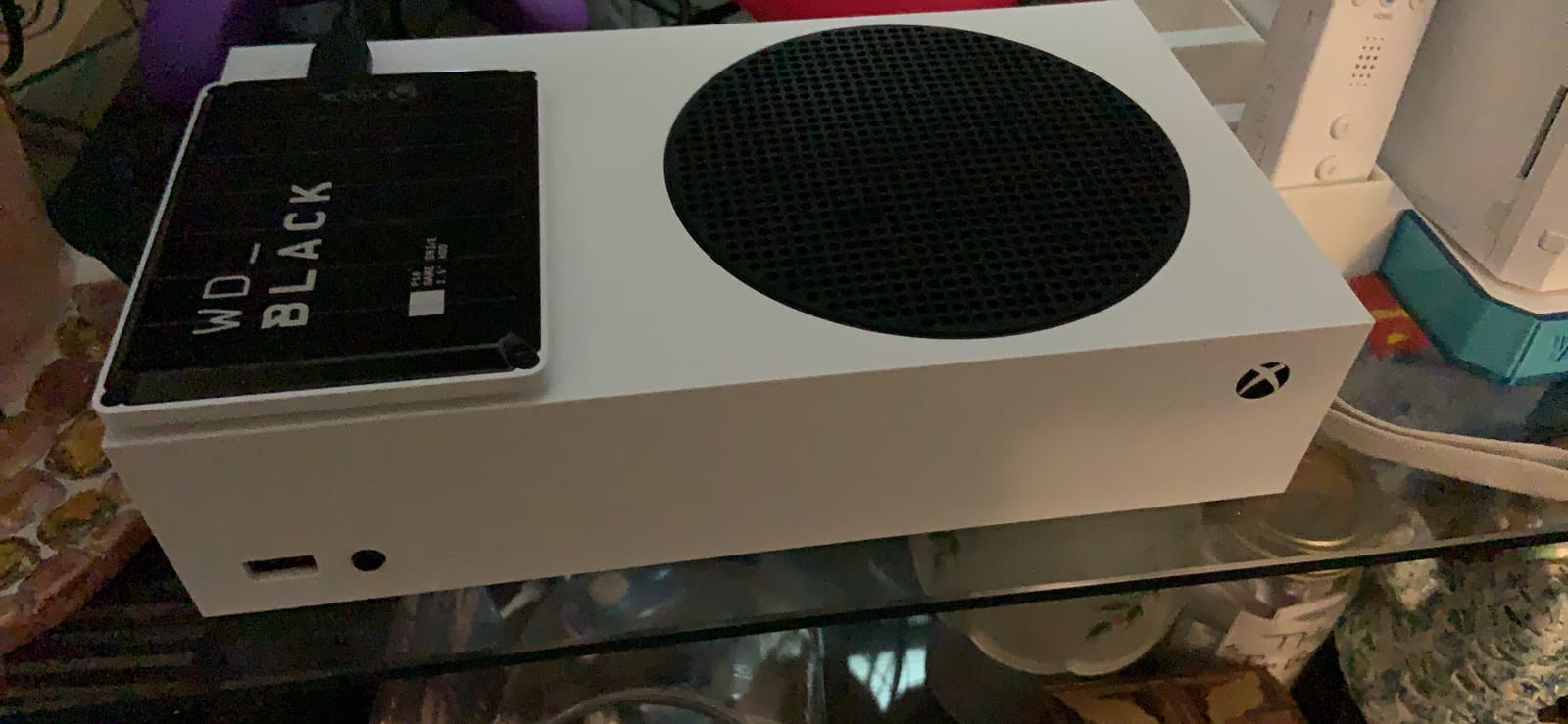
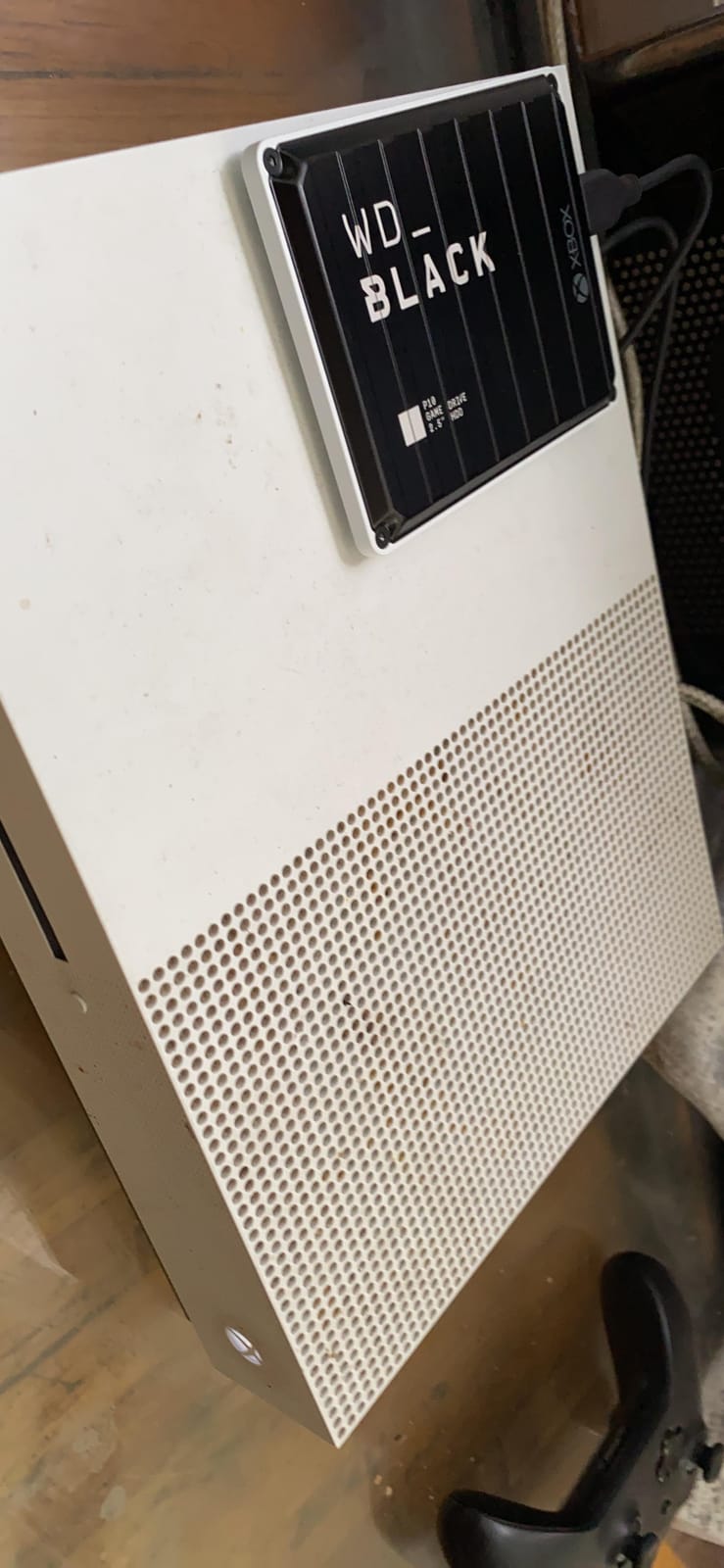
It is built specifically for Xbox One and Series X|S with console-matched styling, and the box includes a USB cable and a quick start guide. Nothing has to be sourced separately, which is one less thing to chase.
The three-year manufacturer’s warranty is the longest in this roundup. It is the single best reason to pick this over a cheaper 4TB alternative, because three years is real cover on a drive you will be trusting with purchases you cannot re-download.
Size versus portability
At 230 grams and 4.65 by 3.46 inches this is not the smallest drive here, and it is noticeably chunkier than the Toshiba Canvio. If the drive lives next to the console permanently rather than travelling in a bag, that trade is worth making for the extra four terabytes of headroom.
Load times remain mechanical
Faster than most spinning-platter portable drives still means slower than a solid-state expansion card. Games read from this drive are backward-compatible titles, and the load time gap versus internal storage is the first thing you notice.
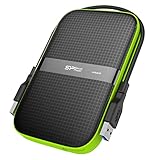
5. Silicon Power Armor A60 2TB – Best for Travel and Drops
SP Silicon Power 2TB Rugged Portable External Hard Drive Armor A60 Shockproof USB 3.1 Gen1 for PC Mac Xbox and PS4 Black
- Shockproof rubberised shell with IPX4 water resistance
- Cable stores in the drive so it cannot be lost
- About 120 MB/s read and write on USB 3.1
- Units reported surviving five years of daily use
- Cable clips detach easily and the cable is short
- ABS plastic scratches with regular use
- Mechanical drive so it must not be moved while spinning
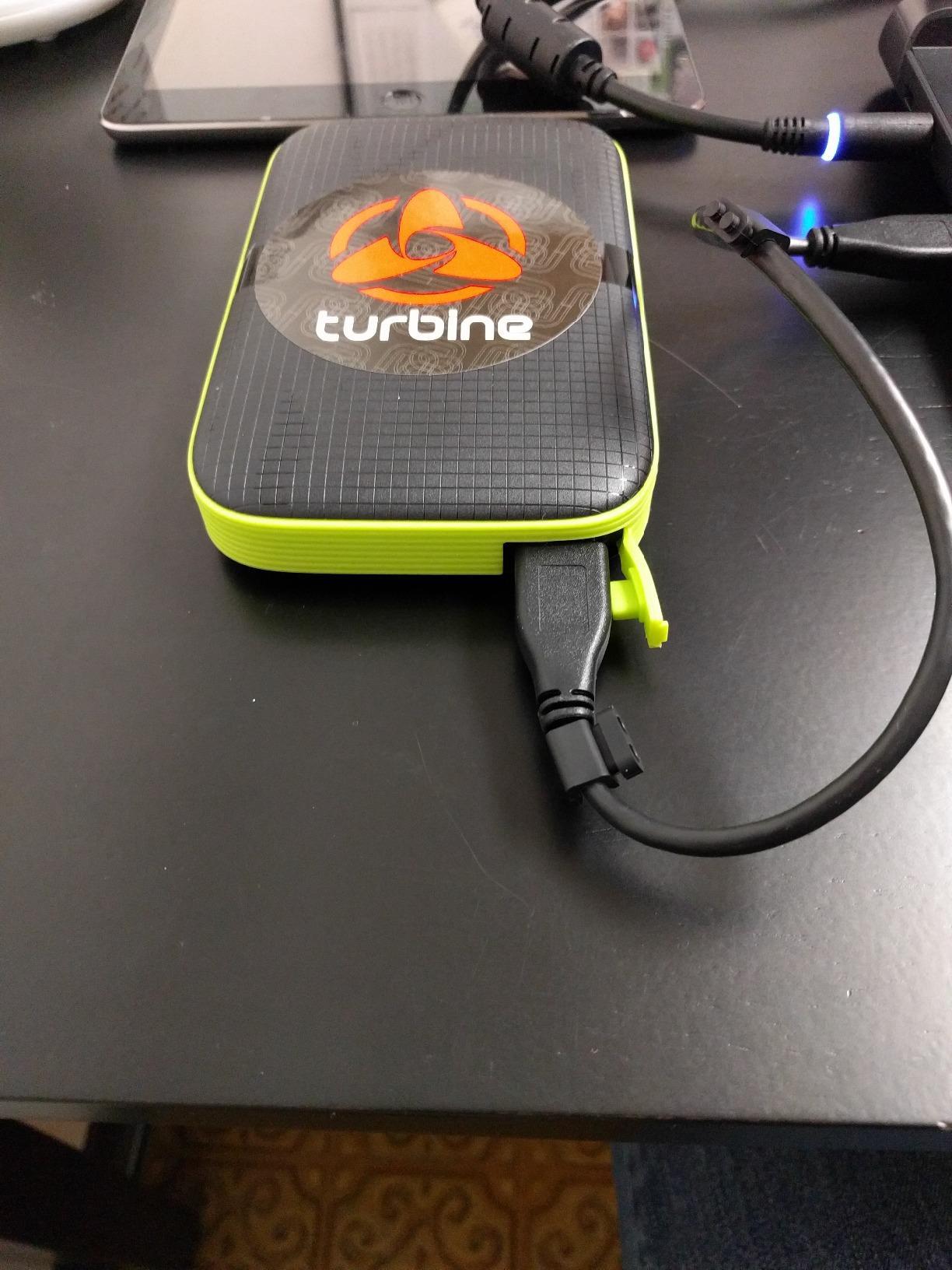
Every other drive on this list assumes it will live on a shelf. The Armor A60 assumes it will be carried. A military-grade shockproof shell with IPX4 water resistance and a rubberised base make it the one we would trust in a bag, a van or a LAN party.
The integrated cable channel is a small decision that changes daily use. The USB cable clips into a groove on the drive itself, so it travels with the drive instead of being a separate thing to lose. Owners who travel with a library mention this more than the speed rating.
It is listed as compatible with Xbox One, Xbox 360 and PlayStation 4, which makes it one of the few drives here that covers the older back catalogue as well as the current consoles. It arrives pre-formatted as NTFS, so Windows and Xbox both recognise it without a formatting detour.
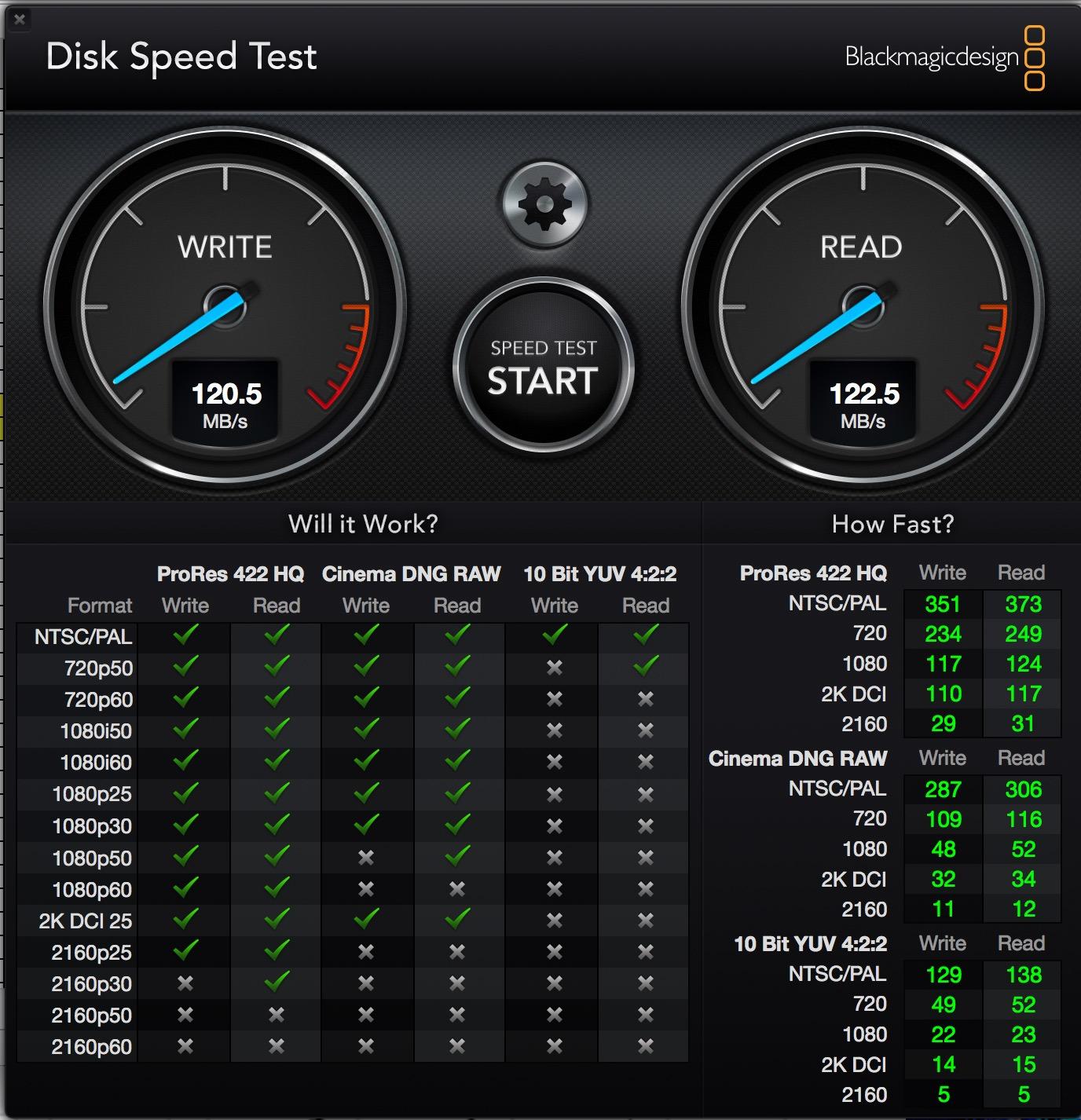
Reviewers report measured throughput around 120 MB/s read and 122 MB/s write on USB 3.1, and several owners describe multiple drives still running after three years or more. That is a track record of surviving real use rather than a laboratory claim.
Tested on a console that keeps moving
Because it lists Xbox 360 alongside Xbox One, this is the one to consider if you have a retro corner with a 360 alongside a modern console. It is a storage drive only, so those titles load but never run off it if they are current-generation.
Durability has limits
A shockproof shell is not permission to move the drive while it is spinning. Mechanical platters cannot survive being carried mid-read, so the rubber protection is for drops and knocks, not for yanking the drive out mid-transfer.
6. WD_BLACK 12TB D10 Game Drive for Xbox – Best for Archiving Everything
WD_BLACK 12TB D10 Game Drive for Xbox – Desktop External Hard Drive HDD (7200 RPM) with 1-Month Xbox Game Pass – WDBA5E0120HBK-NESN
- 12TB enough for roughly 300 games
- 7200 rpm desktop spindle outruns portable drives
- Two front USB charging ports for controllers
- AC adapter and cable included
- Heaviest and bulkiest drive here at 2.2 pounds
- Needs the included AC adapter beside the console
- Overwhelming for a typical library
Twelve terabytes is not a storage upgrade, it is a storage policy change. If you buy games and never delete them, this is the drive that ends the conversation. The manufacturer quotes room for around three hundred titles.
The mechanism is the interesting part. A 7200 rpm desktop spindle reads at up to 250 MB/s, which is roughly double what a typical portable 5400 rpm drive manages, and that shows up most clearly when you are shifting large libraries between internal storage and the archive.
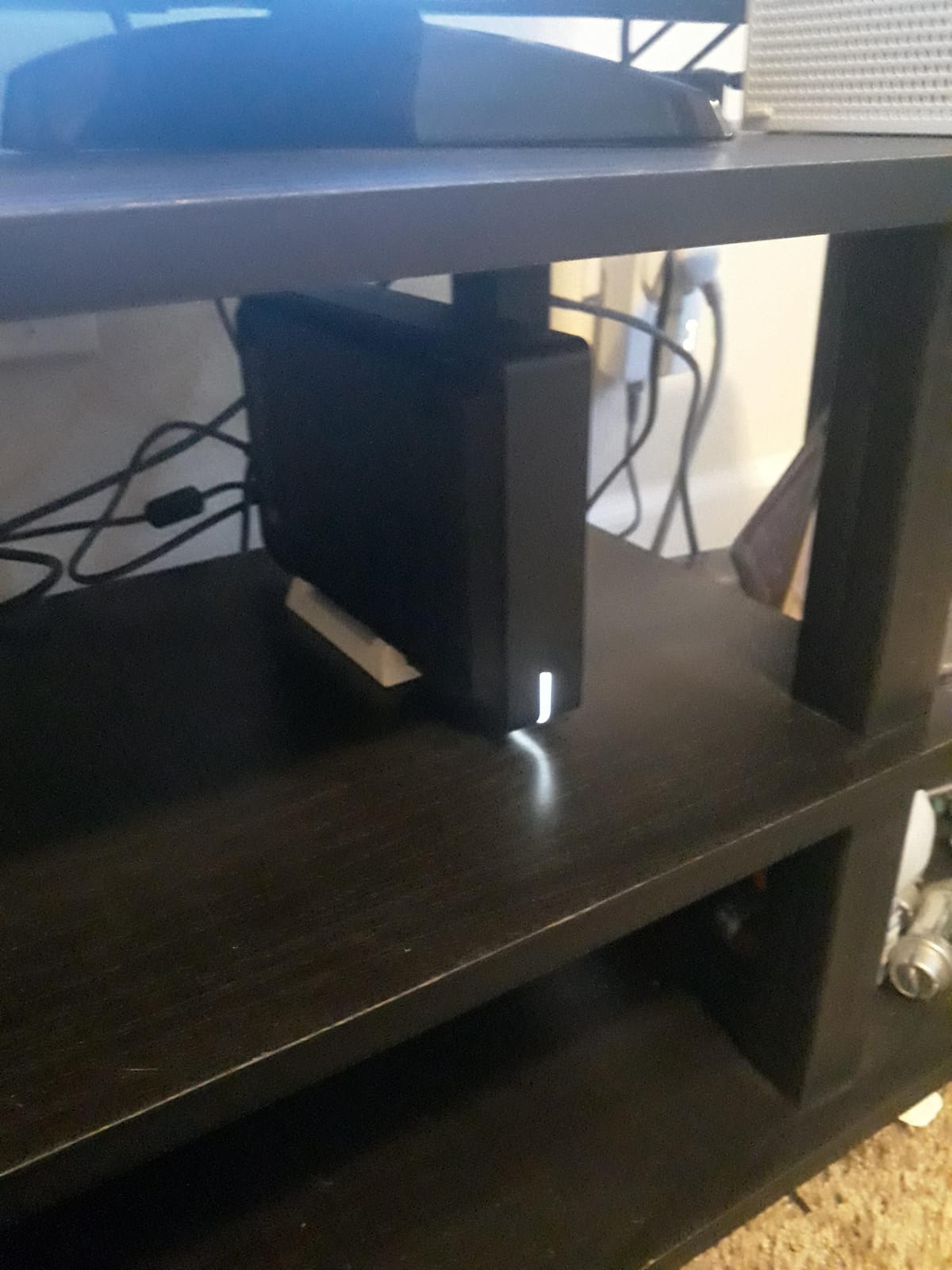
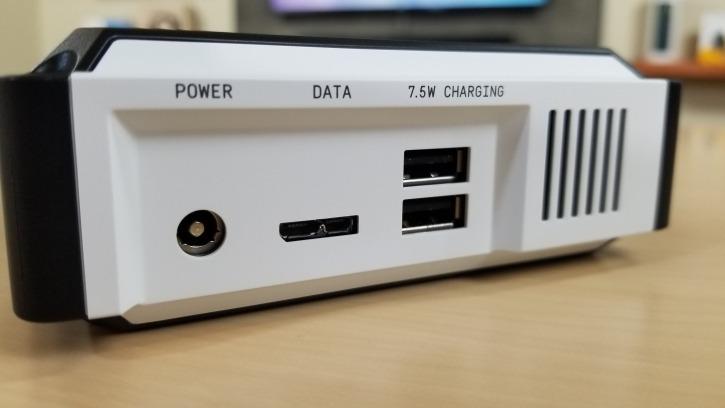
It is also the only drive here with built-in front charging. Two 7.5W USB Type-A ports on the face of the enclosure are there to charge controllers and accessories, which is a genuine convenience if your console is the only thing plugged into that wall.
Its review base is the smallest of the well-regarded options, at a few hundred ratings rather than thousands. The sentiment among those who have bought it is consistently positive, but there is simply less long-term evidence here than for the four-terabyte drive.
It is a desk unit, not a portable one
At 2.2 pounds with an included AC adapter, this needs its own spot next to the console and its own cable run. If your storage plan is to move a library between machines, a slim 2.5-inch portable drive serves you better despite a quarter of the capacity.
Only worth it past about eight terabytes
Below that point the capacity-per-pound argument gets difficult. This drive makes sense when the goal is a permanent archive you never intend to touch again, not when the goal is a flexible second library you move around.
7. Avoluxion 1TB Pre-Formatted HDD – Budget Pick with a Caveat
- Lowest cost per terabyte in this group
- Arrives formatted for immediate use
- Ultra slim and lightweight 2.5-inch body
- Lowest rating here with a reported 12% one-star reviews
- Several buyers report installed games being wiped
- Some units stopped being recognised after a short period
We include this one because it is the cheapest way to add a terabyte and because the problems owners report are worth knowing before you buy. It arrives pre-formatted in the console’s own file system, so in theory you plug it in and move games across.
When that works, it works well. Owners with a healthy drive report plug-and-play behaviour and some even note faster downloads than the console’s internal storage, which is a pleasant surprise from a mechanical drive.
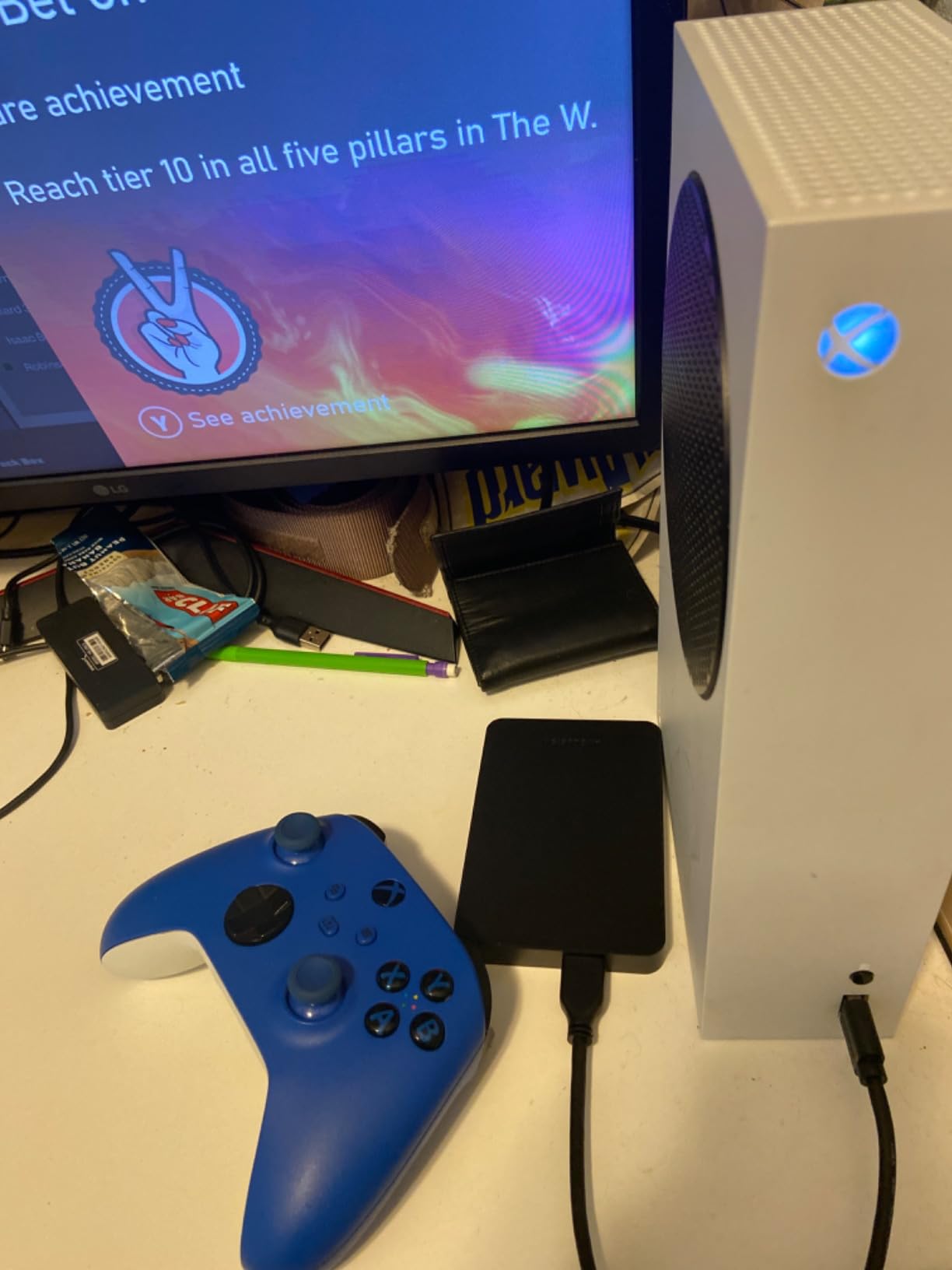
The problem is the pattern in the negative reviews, and it is specific rather than general. Multiple buyers describe the drive suddenly showing as full with no data, or deleting installed games and forcing a reformat. Others report the console simply no longer detecting it after a few uses.
It also carries the lowest rating in this group at 4.0 stars, with a reported share of one-star reviews sitting around 12%. That is a different risk profile from a drive with a five-figure review base.
Only for non-critical storage
This is a reasonable place to keep media files, downloads you can re-fetch and games you have finished. It is a poor place for anything you cannot re-download quickly, because the reported failure mode is silent data loss.
Understand the warranty
Coverage is a two-year warranty from the reseller rather than a manufacturer warranty, and there is no included data recovery service. For a drive at this price that is a defensible trade, but it is a trade.
8. Avolusion HDDGear Pro X 2TB Renewed – Best for Xbox One Owners
Avolusion HDDGear Pro X 2TB USB 3.0 External Gaming Hard Drive (Pre-formatted for Xbox One X, S, Original) (Renewed)
- 7200 rpm refurbished drive reported free of bad sectors
- Pre-formatted in the Xbox file system
- Owners report faster downloads than console storage
- Activity LED shows drive state
- Renewed unit rather than new retail stock
- Lets you store Series X and S titles but will not run them
- Power adapter required so it is not clean portable
This one is built for an Xbox One that is still running perfectly well and has simply run out of room. It is pre-formatted in the Xbox file system, so the console sees it immediately without a format step.
Inside is a refurbished 7200 rpm enterprise-class drive, which is a genuinely good mechanism to find at this level of capacity. Owners report throughput that feels quick, and several mention game downloads that outpaced the console’s own internal storage.
The compatibility note on the listing is the part to read carefully. It lists Xbox One, Xbox One S and Xbox One X, not Series X or Series S, which is a clue that this is an Xbox One-era device. The enclosure is a larger 3.5-inch plastic case and it needs the included power adapter, so plan the cable run before it arrives.
Expect to move games back before playing
Several reviewers note the same limitation: the drive will accept Series X|S downloads but will not run them. For a Series X or Series S owner, that makes it an archive drive in a fast case rather than real expansion.
Renewed means reseller cover only
The two-year warranty comes from the reseller, not the drive manufacturer, and there is no Rescue-style recovery service attached. If the drive holds your only copy of anything, keep a second copy elsewhere.
How to Choose an External Hard Drive for Your Xbox
Start by deciding what the drive is for, because capacity and durability matter in different order depending on whether you are archiving finished titles or trying to squeeze a playable library out of a 512GB console.
Sizing capacity against real install sizes
Modern titles routinely land between 80GB and 150GB. At that size a 2TB drive holds roughly fifteen to twenty current-generation installs, while a 4TB drive holds thirty to forty. If your library skews toward Xbox One and Xbox 360 back-catalogue titles, the same capacity goes much further because those installs are a fraction of the size.
Count usable capacity rather than labelled capacity. Every mechanical drive loses a slice to formatting, so a drive marketed as 2TB shows something under that number once the console has claimed it. Our own picks for the best external hard drives for photographers hit the same wall, and it is arithmetic rather than a fault.
Expansion card or external drive
If you want to play Series X|S optimized games from added storage, the only answer is a Seagate or WD_BLACK expansion card in the rear slot. No amount of external capacity changes that. If you want somewhere to put finished games, downloads and media, an external drive is cheaper per terabyte and works across more console generations.
They are not mutually exclusive. The console has one proprietary slot and multiple USB ports, so an expansion card and a USB drive can be connected and used at the same time. That combination is the most complete answer for a Series X owner who plays current games and keeps a large archive.
Hard drive or solid-state drive
External hard drives are not too slow for storage, and they are not too slow for backward-compatible play. What they are too slow for is running current-generation titles, which they cannot do at all regardless of speed. A solid-state external drive changes how fast a transfer feels and how quickly older games load, but it does not unlock optimized titles.
The honest comparison is therefore cost per terabyte against convenience. A mechanical drive wins decisively on capacity for the money, and a solid-state drive wins on everything that happens between pressing play and seeing the first frame of a backward-compatible game.
Ports, cables and formatting
The Series X has two USB-A ports on the rear and the Series S has a single front USB port, so on the smaller console the drive competes with a controller. Format the drive through the console rather than a PC where possible, and let the console complete the first-time format before moving anything across.
Pre-formatted drives save a step. General-purpose portable drives arrive as Windows or Mac volumes and need the console to format them on first connection. If your priority is zero friction, choose a drive whose listing explicitly says it is pre-formatted for console use.
Warranty and data recovery
Warranty length is the most useful quality signal available without testing a drive yourself. The three-year covers on the WD_BLACK drives and the Armor A60 are meaningfully longer than the one-year on the Seagate Game Drive. Seagate’s Rescue data recovery service on some models adds a layer that a bare manufacturer warranty does not.
None of this replaces a backup. An expansion card or an external drive is storage, not insurance, and keeping irreplaceable saves on internal storage or in the cloud remains the sensible habit. Our picks for the best external hard drives for video editors and the best external hard drives for security camera footage both treat a second copy as the baseline rather than the exception.
Why Won’t My Xbox Detect an External Hard Drive?
Four separate search questions cluster around this one problem, and no competitor we read addresses it. In our experience the cause is almost always physical or a formatting mismatch rather than a faulty drive.
Move the drive to the other USB port. On a Series S there is only one, so skip this and rule out a controller in the way instead.
Power the console fully off and unplug it for a minute, then reconnect the drive. A console in standby will not always pick up a newly attached volume.
Format the drive through the console’s storage settings rather than a PC. The console writes the file system it expects.
Avoid unpowered hubs and unpowered docks. A mechanical drive can draw more current than a port supplies when it spins up, and it will simply drop off.
Test the drive on a PC. If it fails to mount there, the problem is the drive or the cable, not the console.
Try a different cable before anything else. A marginal USB cable produces exactly this symptom and is the cheapest thing to rule out.
Reusing an Old Drive, Running Two Drives, and the Series S Problem
Can I reuse an old Xbox One drive on a Series X or S?
Yes, and owners across Xbox forums treat it as routine. Plug the old drive into a USB port on the current console, let the console format it, and it behaves like any other external drive. The catch is the same catch as always: it stores Xbox One and Xbox 360 games happily, and it will not run Series X|S optimized titles.
Can I use an expansion card and a USB drive at the same time?
Yes. The proprietary slot at the back takes one card and the console has separate USB ports for everything else. Owners who do this pair the card with a card running optimized games and keep a large external drive as the archive beside it. That is the most complete storage setup available on a Series X or Series S.
What is different for Series S owners
The Series S is the most space-pressed group in this category, and the hardware makes it harder. It has a single front USB port, which means a drive, a controller or a charge cable can be in the way at any time. A slim 2.5-inch drive such as the Seagate Portable or the Toshiba Canvio sits better in a tight media shelf than a 3.5-inch desktop unit.
On a 512GB model the maths is unforgiving. Whatever you attach is still an archive rather than playable current-gen space, so the drive that helps most is the one that lets you clear internal storage and keep what you finished.
Frequently Asked Questions
What is the best external storage for Xbox Series X?
For most Series X owners the best external storage is a 2TB or 4TB USB 3.0 gaming hard drive such as the Seagate Game Drive or the WD_BLACK 4TB P10. It stores hundreds of Xbox One and Xbox 360 titles, moves games quickly and needs no setup. Series X|S optimized games still cannot be run from it, so an expansion card remains the only option for playing current titles from added storage.
Will any external hard drive work with the Xbox Series X?
Any USB 3.0 hard drive will be recognised by the console and can store Xbox One and Xbox 360 games, so you do not need a console-branded model. What changes is speed and capacity, not compatibility. Series X|S optimized games will not launch from any external drive, portable or desktop, no matter how fast it is. That single restriction is what separates storage from real expansion.
What is the best external hard drive for Xbox Series S?
For a Series S the priority is a slim 2.5-inch body, because the console has only one front USB port and often shares a shelf. A 2TB portable drive such as the Seagate Game Drive or the Toshiba Canvio Gaming fits the physical constraints better than a desktop unit. Remember the drive archives older titles rather than adding playable Series X|S space, so capacity matters more than speed here.
Is 1TB or 2TB better for gaming?
One terabyte suits a small Xbox One and Xbox 360 library, and a two-terabyte drive suits most current owners. Modern installs run 80GB to 150GB, so 2TB holds roughly fifteen to twenty current-generation titles while 1TB holds under ten. If your library is mostly older titles, 1TB goes much further than the same capacity filled with new releases.
Which is better, an Xbox expansion card or an external hard drive?
An expansion card is the only device that runs Series X|S optimized games from added storage, because it sits in the console’s proprietary rear slot. An external hard drive is far cheaper per terabyte and stores far more, but it is storage only. The two are complementary rather than competing, and owners frequently run a card for active games and an external drive for the archive.
My Seagate hard drive isn’t being recognized by my Xbox. What can I do?
Start with the port and the cable. Move the drive to the other USB port, power the console fully off for a minute, and reconnect it. Format the drive through the console’s own storage settings rather than a PC, and avoid unpowered hubs. Finally, test the drive on a computer. If it does not mount there, the drive or cable is at fault rather than the console.
Are external hard drives too slow for gaming?
They are fast enough for storage and for playing Xbox One and Xbox 360 games, though a mechanical drive is noticeably slower to load than internal storage. The limiting factor is not speed. No external hard drive can run a Series X|S optimized game at all, so a faster drive would not change what plays and what does not. Buy mechanical storage for capacity, not for performance.
Is WD or Seagate more reliable for Xbox storage?
Both are established drive makers with strong records in hard drives specifically, and the honest answer is that warranty length is the more useful signal. WD_BLACK gaming drives carry three-year limited warranties, while the Seagate Game Drive carries one year, though some Seagate models include a data recovery service. Check the specific model’s warranty rather than judging the whole brand.
The Verdict: Which Xbox Drive Should You Buy?
The Seagate Game Drive 2TB for Xbox is the pick we would hand to most people. It is designed for the console, recognised without a fight, silent in operation and backed by a review base in the tens of thousands. If you want more room for the same job, the WD_BLACK 4TB P10 adds capacity and a three-year warranty rather than speed.
For a Series S squeezed onto a media shelf, the Seagate Portable 1TB or the Toshiba Canvio Gaming 2TB fits the physical reality better than a desktop unit, and the Toshiba is the one to choose if the same drive also has to work on a PlayStation. Plan your money around tiers: two terabytes for a normal library, four for a large one, and only past that does the twelve-terabyte WD_BLACK D10 start to make sense.
Whatever you choose, buy it for the right job. An external hard drive is an excellent archive and a fine home for Xbox One and Xbox 360 titles, and no capacity figure will change the fact that current-generation games need internal storage or an expansion card. Prices in this category move with the wider storage market, so check the listing on the day you buy rather than trusting a number you read weeks ago.