
If you only buy one USB flash drive for moving multi-gigabyte video, RAW photo libraries or project archives, buy a 1TB model with a USB 3.2 interface and a write speed that holds up past the first 20GB. Our top pick is the SanDisk 1TB Ultra Flair, which pairs 1TB of capacity with a 150MB/s read rating and a 4.6 average across more than 211,000 reviews. Everything else in this roundup is measured against it.
The reason large-file transfers disappoint is rarely the drive. It is the difference between the burst speed printed on the box and the sustained write speed the drive falls back to once its internal cache fills. A stick advertising 150MB/s can drop below 40MB/s halfway through a 50GB copy, and that is the number that decides whether the drive is useful for your work. Every review below states plainly where the write side gives way.
One quick definitional note, since it comes up constantly: a USB stick and a flash drive are the same product. There is no technical difference, only regional naming. What separates a good large-file drive from a bad one is capacity, interface generation, sustained write throughput and the file system it ships formatted in.
We compared all eight drives below on those four axes, cross-checked every figure against the published specifications and the patterns owners report in reviews, and kept the two brands most roundups ignore entirely. There is a mix of USB-A, USB-C and dual-connector bodies here because where you plug the drive in matters as much as what is inside it. We also cover the case where no flash drive is the right answer, because for sustained multi-terabyte work a portable SSD usually is. If you are building out a wider storage setup, our guides to external hard drives for photographers and external hard drives for Mac users cover the higher-capacity side of the same problem.
Table of Contents
Top 3 Picks for Large Files in 2026

SanDisk 1TB Ultra Flair
- 150MB/s read over USB 3.2 Gen 1
- 1TB capacity
- Durable metal casing
- Password protection

PNY 512GB Turbo Attache 3
- 100MB/s read over USB 3.2 Gen 1
- 512GB capacity
- Cap-less sliding collar
- USB 2.0 backwards compatible

Amazon Basics 256GB Ultra Fast
- 130MB/s read
- 256GB capacity
- Retractable telescopic design
- FAT32 by default
The 8 Best USB Flash Drives for Large Files in 2026
Here is the full lineup at a glance. The key features column is the short version; the individual reviews below expand on the write-speed behaviour, which is where the real differences sit.
| Product | Specifications | Action |
|---|---|---|
| SanDisk 1TB Ultra Flair |
|
Check Latest Price |
| PNY 512GB Turbo Attache 3 |
|
Check Latest Price |
 Samsung 256GB Type-C USB Flash Drive Samsung 256GB Type-C USB Flash Drive |
|
Check Latest Price |
| Amazon Basics 256GB Ultra Fast |
|
Check Latest Price |
 SSK 1TB Dual USB-C and USB-A SSK 1TB Dual USB-C and USB-A |
|
Check Latest Price |
 SanDisk 1TB Ultra Dual Drive Go SanDisk 1TB Ultra Dual Drive Go |
|
Check Latest Price |
 MOVE SPEED 1TB Solid State Flash Drive MOVE SPEED 1TB Solid State Flash Drive |
|
Check Latest Price |
 SanDisk 1TB Extreme PRO Dual Drive SanDisk 1TB Extreme PRO Dual Drive |
|
Check Latest Price |
1. SanDisk 1TB Ultra Flair – The Best All-Round Pick for Large Files
SANDISK 1TB Ultra Flair, USB-A Flash Drive, Up to 150MB/s Read Speeds
- Largest review base in the roundup at over 211000 ratings
- Metal casing that survives keychain carry
- Plug-and-play on Windows and Mac with no driver
- 1TB suits full photo libraries and video archives
- Write speed trails the advertised read figure
- Metal body runs warm during long transfers
- Compact body is easy to lose off a lanyard
The Ultra Flair is the drive we come back to after looking at everything else in this list. It measures 1.69 by 0.51 by 0.28 inches and weighs 4.54g, which is small enough to live on a keyring and large enough in capacity that most people will never fill it. The interface is USB 3.2 Gen 1 over a Type-A connector, rated at 150MB/s read, and it falls back cleanly to USB 2.0 on older machines.
The reason it earns the top slot is not raw speed. Nothing else here is dramatically faster on paper. It is that this is the only drive in the group pairing genuine 1TB capacity with a review history so large that the failure modes are well documented rather than anecdotal. Owners consistently report the same thing: transfers feel several times quicker than the old USB 2.0 sticks they replaced, and the metal body holds up to daily keychain life.
It works immediately on both Windows and Mac with no driver install, and the SanDisk Memory Zone app handles backup and file management if you want a scheduled workflow. The metal casing also stands up to travel in a pocket or a camera bag, which matters for anyone who offloads footage away from a desk.
The honest limitation is the asymmetry between read and write. Sequential writes trail the 150MB/s read rating noticeably, so a first copy in will be faster than a first copy out. Reviewers also note the metal body becomes warm to the touch during long transfers, and the compact form is easy to lose without a lanyard. Neither is a dealbreaker for backup work, but if you write files more often than you read them, a dual-port drive further down this list is a better fit.
2. PNY 512GB Turbo Attache 3 – The Best Value Pick for Bulk Transfers
- Transfer speeds land around 100 to 123MB/s in real file copying
- Cap-less sliding collar means no lid to lose
- Often sold in multi-packs for bulk distribution
- Solid build that survives daily travel
- Sliding collar can stick or pop open
- Occasional units in a pack need repartitioning before use
- 100MB/s class is modest for very large files
The Turbo Attache 3 is the practical middle of this list. It sits at the number two in USB Flash Drives on Amazon, and with a 4.6 average across more than 58,000 ratings it has one of the thicker evidence bases of anything we shortlisted. The 100MB/s read rating is modest next to the Gen 2 drives, but for moving finished archives rather than working footage it is more than enough.
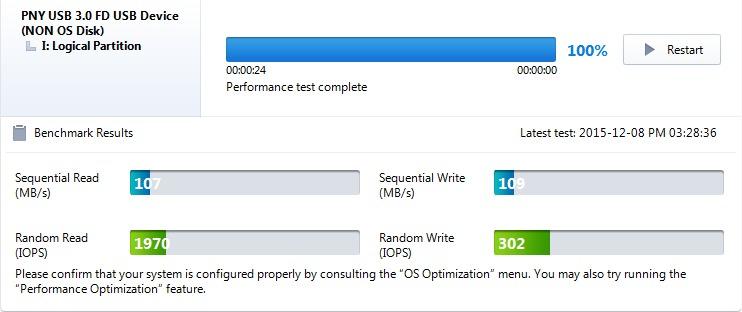
Owners report real-world file copying and imaging landing between 100 and 123MB/s, which matches the published figure closely enough to plan around. One reviewer wrote a 9GB Linux image in 7 to 10 minutes with no corruption, which is the kind of result that tells you the drive holds its rating under load rather than only in a short benchmark.
The sliding collar design is genuinely useful in a bag full of footage. There is no separate cap to lose, which is the single most common way these drives go missing, and the collar exposes and covers the connector with one motion. It is also frequently available in multi-packs, which makes it the sensible pick for a team handing out media or for anyone who wants a spare in every camera bag.
Two caveats. The sliding collar is stiff enough that owners occasionally report it sticking or popping open on its own. And in multi-packs, a small number of units arrive needing repartitioning or reformatting before they mount normally, so format new drives before a shoot rather than during one. At 512GB it also holds about half what the 1TB options do, so plan capacity accordingly.
3. Samsung 256GB Type-C USB Flash Drive – The Best Pick for Offloading Phone Video
Samsung Type-C USB Flash Drive 256GB, USB 3.2 Gen 1, Up to 400MB/s
- Real-world read speeds of 365 to 375MB/s
- Sustained write holds around 75 to 80MB/s
- Plugs directly into phones tablets and laptops
- Waterproof shockproof and magnetproof body
- Very small and the removable cap is easy to lose
- Will not fit through many always-on phone case cutouts
- Runs hot enough to disconnect mid-transfer
- Write speed well below the headline read figure
This is the only drive here rated at the V30 video speed class, and that matters if you are shuttling 4K clips off a phone or camera that expects a minimum write rate. The USB-C connector is reversible and fits laptops, tablets, phones and cameras directly, with no adapter to forget. Samsung claims 4GB transfers in roughly 11 seconds.
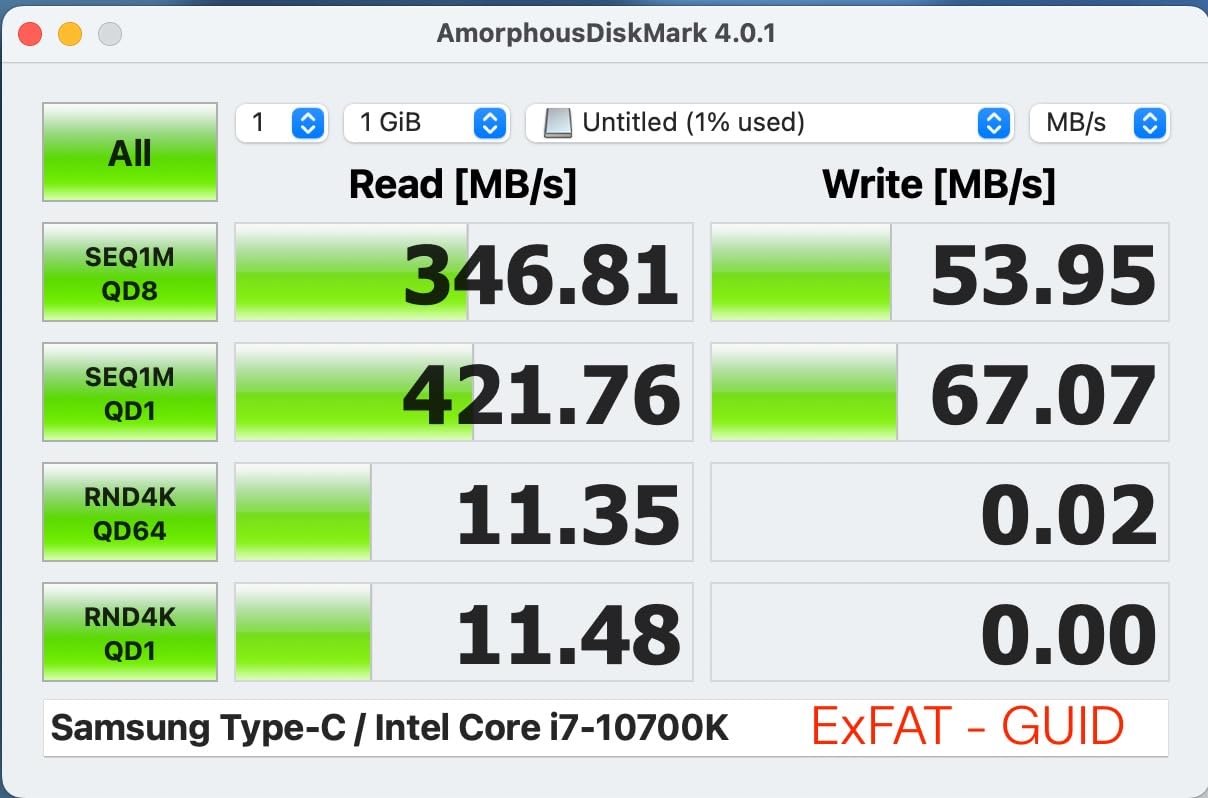
What genuinely sets it apart is the sustained write side. For a flash drive, write speed holding at around 75 to 80MB/s across transfers of 100GB and more is unusual, and owners single it out as the reason it became their offload drive. Reads in real copies land between 365 and 375MB/s. That combination is why it earns a place on this list despite the 256GB capacity being on the small side.
The body is waterproof, shockproof, magnetproof and temperatureproof, and carries a 5-year manufacturer warranty. It weighs 3.4g and measures 0.32 by 1.33 by 0.63 inches, so it barely protrudes from a port.
The problems are physical. It is very small and the removable cap is easy to lose. It may not fit through the port cutout on always-on phone or tablet cases, which is a real problem for mobile offloading specifically. And under very large sustained reads it gets hot enough that at least one owner reported a disconnect around the 75 to 80GB mark before the drive cooled. Treat it as a working drive rather than an unattended overnight copier.
4. Amazon Basics 256GB Ultra Fast – The Best Budget Pick for Large Files
- Read speed confirmed near the advertised 130MB/s with benchmark tools
- Retractable connector protects the port with nothing to lose
- Recognised instantly on Windows Mac and car head units
- Large 10 to 20GB video copies finish in under two minutes
- Write speed measures around 30 to 50MB/s in practice
- Factory FAT32 format will not accept files larger than 4GB
- Chunky plastic body is bulkier than low-profile drives
- No hardware encryption or password protection
The Amazon Basics Ultra Fast does the simplest version of this job well and skips everything else. It reads at up to 130MB/s, which reviewers confirm with benchmark tools rather than taking on trust, and it is recognised immediately on Windows, Mac and car head units with no driver install. At 4.6 across more than 33,000 ratings it behaves consistently.
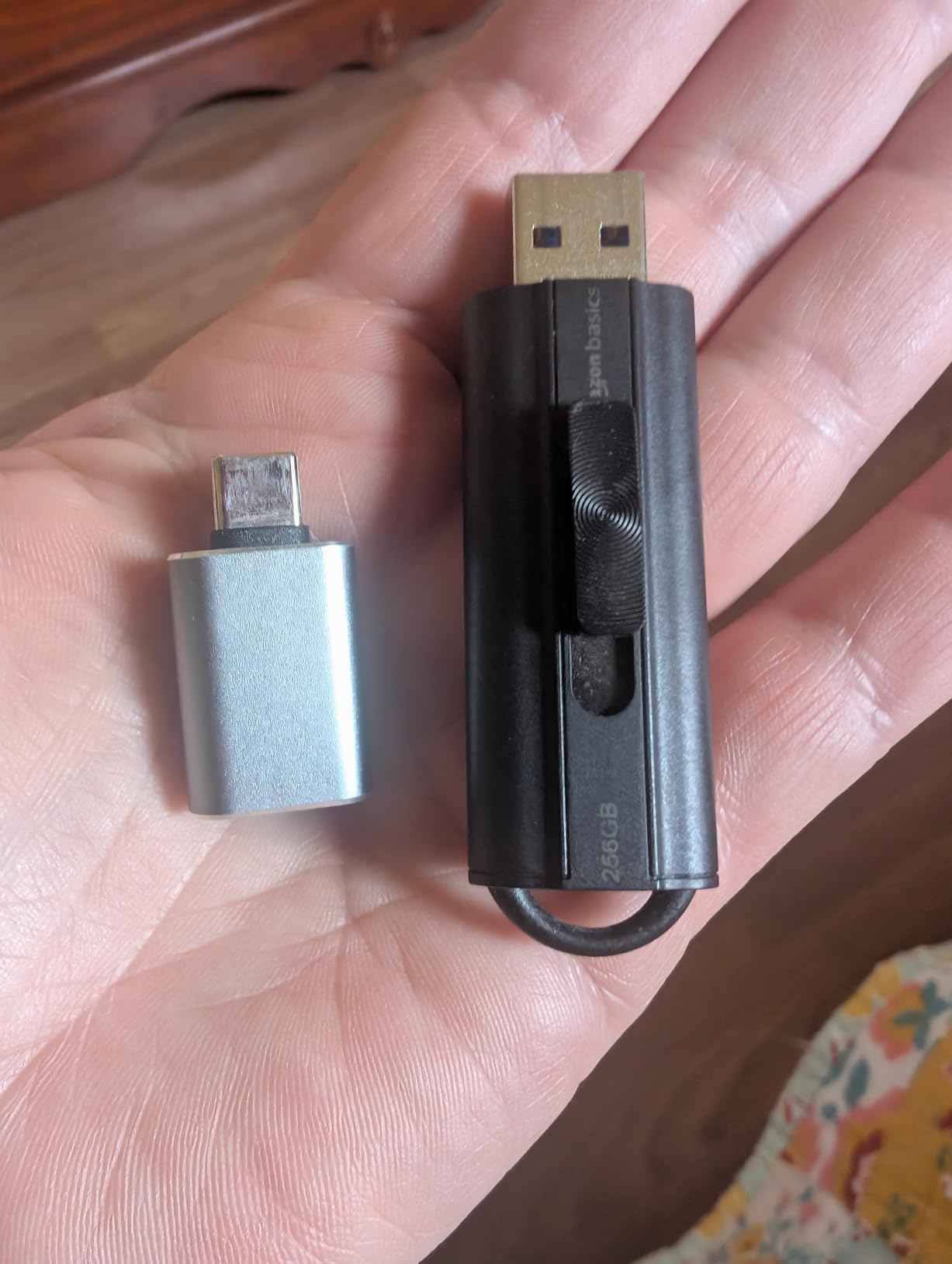
For most people moving large files occasionally, the read side is what they will feel. Owners report that 10 to 20GB video copies which took 10 to 15 minutes on older USB 2.0 sticks finish in under two minutes here. The telescopic retractable connector means there is no cap to lose, and the keyring hole keeps it tethered to your bag.
The write side is the catch. Published write speed is 30MB/s, and owners measuring in practice land between 30 and 50MB/s. That is fine for copying an archive off a machine once and reading it back elsewhere, and too slow for anyone who writes footage directly to the stick.
There is also a formatting trap. The drive ships as FAT32, which cannot hold a single file larger than 4GB, so a 4K video file will simply refuse to copy until you reformat to exFAT or NTFS. The plastic body is chunkier than the low-profile drives here and needs an adapter in very tight ports. There is no hardware encryption or password protection, so keep client material off it.
5. SSK 1TB Dual USB-C and USB-A Drive – The Best Pick for 10Gbps Transfers
SSK 1TB USB C Flash Thumb Drive up to 550MB/s Dual USB C+A Memory Stick
- Sequential read speeds slightly exceed the advertised 550MB/s
- Write holds around 250 to 300MB/s early instead of collapsing
- Works on modern phones and older PCs without adapters
- Zinc alloy body does not get hot during transfers
- Runs warm to hot under heavy sustained load
- Dual connector body is stiff in tight laptop ports
- A small number of buyers report less capacity than ordered
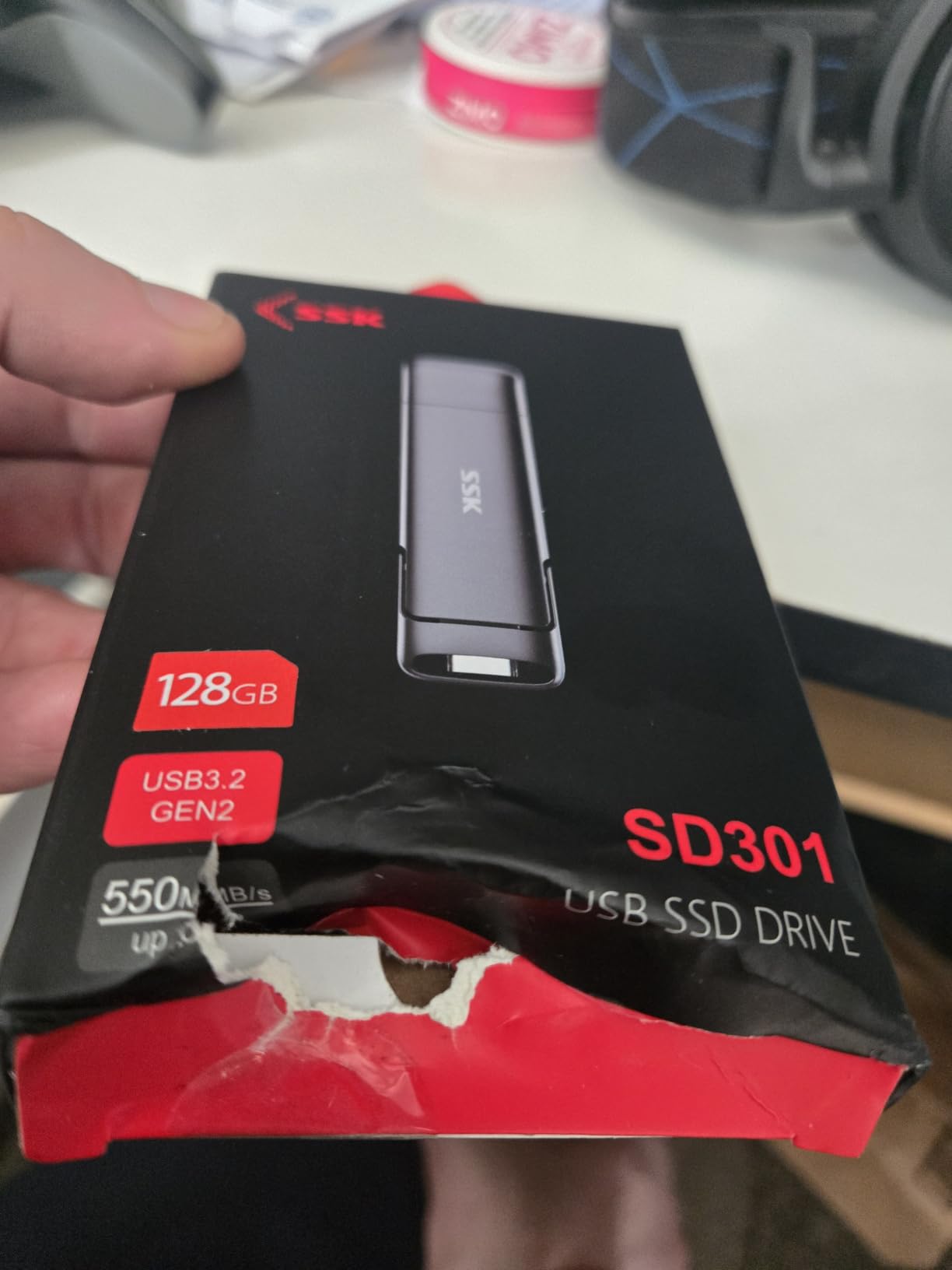
The SSK SD311 is the most interesting large-file pick on this list because its write performance is what separates it from the 1TB sticks that quote a big number only for reads. It carries both a USB-C and a USB-A connector on the same body, with protective caps on each end, and runs USB 3.2 Gen 2 for up to 550MB/s read and 500MB/s write.
Owners report sequential read speeds slightly exceeding the advertised figure in benchmarking, and write speeds holding around 250 to 300MB/s on early transfers rather than collapsing. That is a far better write profile than most 1TB flash drives offer, and it is the reason this one is worth a second look for anyone who actually writes footage.
It ships formatted as exFAT, which removes the 4GB FAT32 ceiling before you ever get to it, and works with Windows, Linux, macOS and Android. The box includes a keychain pouch and a USB-C cable. It is explicitly not compatible with Lightning devices, so iPhone users should look elsewhere.
Two practical notes. Despite the alloy shell, it still runs warm to hot under heavy sustained load, and the dual-connector body is stiff enough to be awkward in a tight laptop port. A small number of buyers have also reported the drive showing less capacity than ordered, which is exactly the scenario the verification step in the buying guide below is designed to catch. Buy from a seller with a straightforward return path and check the capacity on day one.
6. SanDisk 1TB Ultra Dual Drive Go – The Best Pick for Phone and Photo Backup
SANDISK 1TB Ultra Dual Drive Go, USB-C & USB-A, Up to 400MB/s Read Speeds
- Two connectors in one drive remove the need to carry two sticks
- Up to 400MB/s reads over USB 3.2 Gen 1
- Automatic photo backup through the Memory Zone app
- Frees space on USB-C phones and tablets with OTG
- Actual write speeds vary widely and can sit far below the read figure
- Mobile use requires a USB-C port with OTG support
- Memory Zone app download is needed for the backup feature
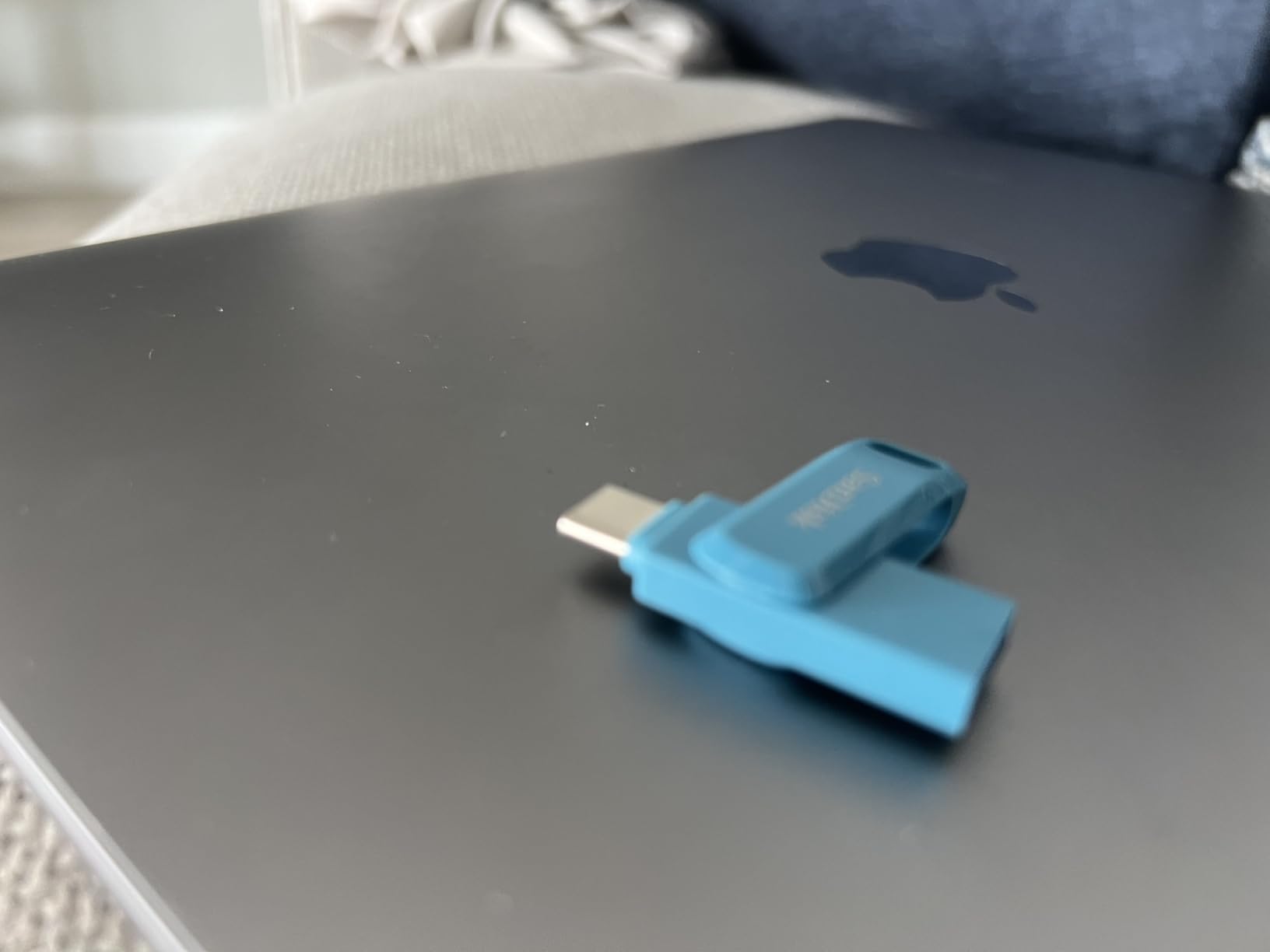
The Ultra Dual Drive Go solves a specific problem well: moving large files between a USB-C phone or tablet and a USB-A computer without swapping hardware mid-transfer. The 2-in-1 body carries reversible USB-C and Type-A connectors, and at 1TB there is room to back up a shoot rather than a single card’s worth of it.
Read performance is a genuine 400MB/s class over USB 3.2 Gen 1, and owners rate the convenience of the dual layout as the feature that makes it stick. The SanDisk Memory Zone app handles automatic photo backup from a connected phone, and OTG support lets you free space directly on USB-C devices rather than juggling cables.
Write throughput is where the reviews split. Published write speed ranges from 50MB/s to 350MB/s depending on the host device and file size, and the most common complaint is that actual writes land far below the 400MB/s read headline. If your workflow writes more than it reads, treat the read figure as the ceiling and not the typical case.
Two smaller requirements. Mobile use needs a USB-C port with OTG support, and the backup feature requires downloading the Memory Zone app first. Do that before the shoot. At a 4.3 average across more than 6,000 ratings it sits mid-pack, which is fair given the convenience it adds over a single-connector drive of the same capacity.
7. MOVE SPEED 1TB Solid State Flash Drive – The Best Pick for TVs, Cars and Android Phones
- Gen 2 speeds at 1TB make it one of the faster dual-port drives at this capacity
- Dual interfaces handle phones tablets TVs and car audio without adapters
- Zinc alloy body resists drops dust water and heat
- Heat dissipation holes help keep sustained transfers stable
- Fewer reviews than the major-brand alternatives
- Claimed 570MB/s read and 520MB/s write depend heavily on the host device
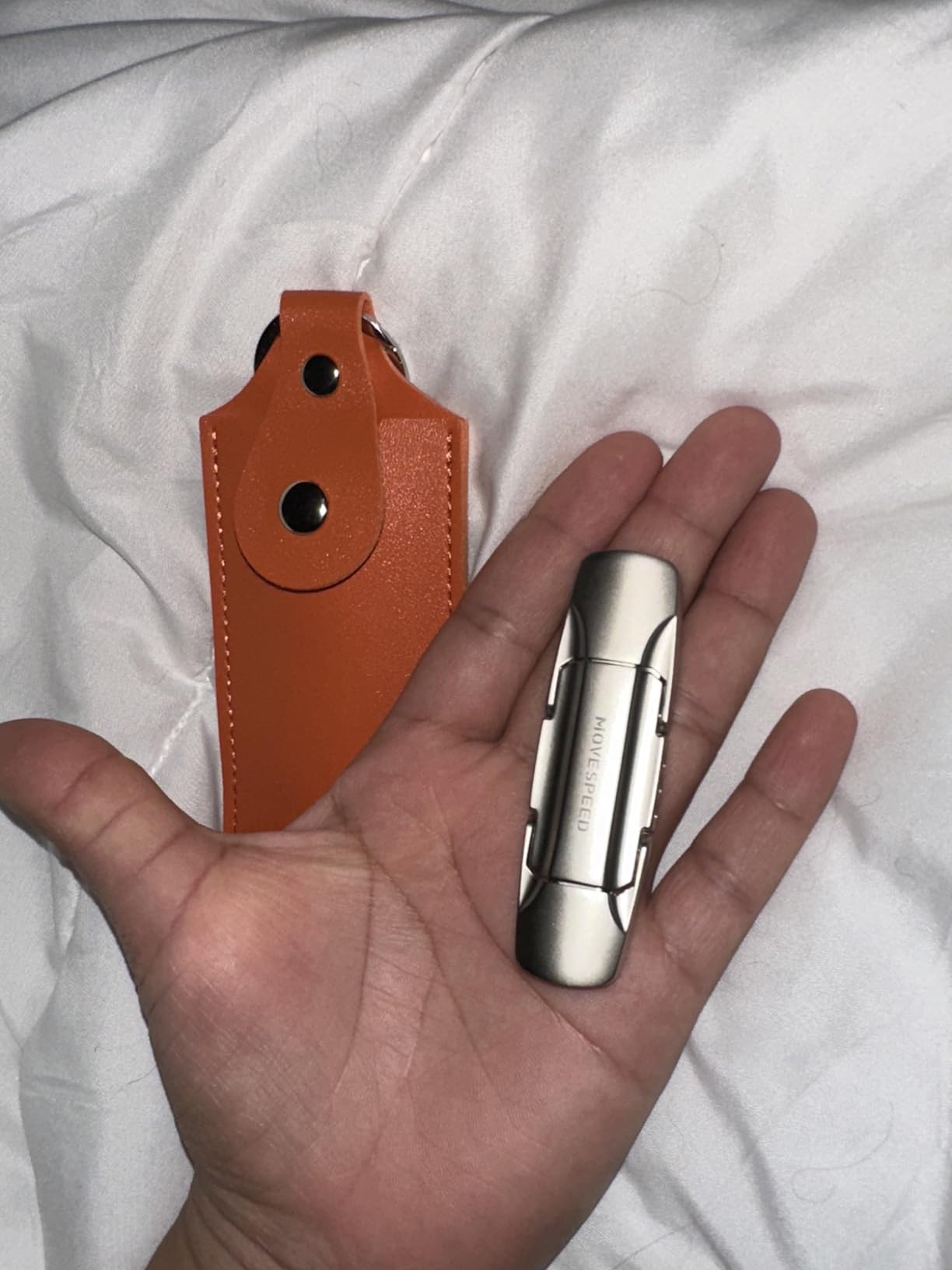
The MOVE SPEED is built for a specific job: getting a large media library onto a device that has no network and no computer nearby. It is listed as compatible with iPhone 15, 16 and 17 series, Android Type-C phones, tablets, MacBook, smart TVs and car audio systems, and it carries both USB-A and Type-C in a single body so nothing needs an adapter.
On the inside it is USB 3.2 Gen 2, rated at up to 570MB/s read and 520MB/s write for 1TB of capacity. That write rating is unusually high for a flash drive at this capacity, and the zinc alloy housing carries built-in heat dissipation holes specifically to keep sustained transfer performance stable rather than throttling. The body is described as waterproof, dust-proof, drop-resistant and anti-magnetic.
Owners value the combination of capacity, Gen 2 throughput and one body that covers phones, laptops and TVs. The alloy shell and the heat holes are sensible rather than decorative safeguards when you are writing tens of gigabytes at a stretch.
Be realistic about the evidence here. With 2,143 reviews, this is the thinnest sample in the roundup, and the headline 570MB/s read and 520MB/s write figures depend heavily on the host device. Older ports and mid-range phones will not reach them. If sustained write performance is what you are buying for, the SSK and SanDisk options carry better documented real-world numbers.
8. SanDisk 1TB Extreme PRO Dual Drive – The Best Pick for Raw Speed
SANDISK 1TB Extreme PRO Dual Drive, USB-C+USB-A, Up to 1000MB/s Read Speeds
- Highest read and write ratings in this roundup
- Dual USB-C and USB-A makes it the fast option on either port
- Solid metal construction built to withstand drops and travel
- 128-bit AES encryption protects sensitive files
- Heaviest and largest drive here at 22.68g so it is less pocketable
- Headline speeds require a USB 3.2 Gen 2 host port to be reached
The Extreme PRO Dual Drive is the speed leader of the group on paper, with up to 1,000MB/s read and 900MB/s write over USB 3.2 Gen 2, and it is the drive to look at if you move very large video or project files on a daily basis. It carries both USB-C and USB-A connectors, so it is the fast option whichever port your machine happens to have.
At 4.6 across 1,263 ratings the owner satisfaction is high for a product in this class. Buyers choose it for large video and project files that need to move quickly, rate the metal build highly, and specifically value the built-in 128-bit AES encryption for sensitive material. The SanDisk Memory Zone app handles automatic backup and file management. The warranty is listed as lifetime limited.
The size is the compromise. At 3.54 by 0.8 by 0.51 inches and 22.68g, it is both the largest and heaviest drive in this roundup by a wide margin, and it is noticeably less pocketable than the 4g sticks above it. That matters if the drive lives in a camera bag rather than a desk drawer.
The other limitation is the host port. Those headline speeds only appear on a machine with a USB 3.2 Gen 2 port. Plug it into a Gen 1 port and you are limited to roughly a quarter of the read figure, and on a USB 2.0 port to a small fraction of it. Check your port first, which the buying guide below covers step by step. If your machine cannot feed it, a Gen 1 1TB drive will feel faster in practice despite the lower number.
How to Choose a USB Flash Drive for Large Files
Capacity: how much room your large files actually need
Size the drive around your largest single shoot, not around your total archive. A 256GB drive holds roughly 64,000 12MP photos or about 978 minutes of 1080p video, which sounds like plenty until a single 4K project folder runs into it. The 1TB options give you four times that headroom and cost less per gigabyte in practice.
The 512GB class sits in the middle and is the sensible choice for someone who offloads cards regularly but does not keep a growing archive. If you shoot multi-day events, travel with footage between jobs, or want one drive to hold a full project including cache files, go to 1TB rather than juggling two smaller sticks.
Interface: USB 2.0 vs 3.2 Gen 1 vs Gen 2
USB 2.0 tops out around 25 to 40MB/s in practice, which turns a 50GB folder into a half-hour wait. USB 3.2 Gen 1 offers up to about 5Gbps of link bandwidth and supports the 100 to 150MB/s drives in this roundup. USB 3.2 Gen 2 doubles the link to 10Gbps and is what the 550MB/s, 570MB/s and 1,000MB/s drives require.
Matching matters more than usual here because these are large files. A Gen 2 drive on a Gen 1 port delivers Gen 1 speeds, and the gap between a working 150MB/s and a theoretical 1,000MB/s is the difference between finishing a copy while you get coffee and finishing it before you sit down.
Sustained write speed is the number that matters
Every large-file complaint traces back to the same thing: a drive that races through the first 10GB and then crawls. Flash drives use an internal write cache, and once it is full the drive throttles to the underlying NAND write rate. This is why a stick advertising 150MB/s read can settle well below that when you push a large folder onto it.
Published figures are almost always burst read speeds. The reviews are more useful, because owners report what actually happened. Look for the sustained write numbers: the Samsung Type-C holding around 75 to 80MB/s across 100GB transfers, and the SSK holding around 250 to 300MB/s, are the kinds of figures that predict real behaviour. A 2019 forum post on budgetlightforum naming a 64GB SanDisk Extreme as the sustained-speed champion of its day shows how stale this discussion gets, and why we went by current owner reports instead.
File system: the 4GB FAT32 ceiling and what to format instead
FAT32 caps any single file at 4GB. That is the single most common failure when someone tries to move a 4K video off a drive, and the error message rarely explains why. exFAT and NTFS both handle files far larger than 4GB.
Use exFAT when the drive needs to move between Windows, macOS, Linux and Android devices, which covers most large-file workflows. Use NTFS when the drive stays on Windows machines, because NTFS is more robust and supports journalling. Check what your drive ships with: the Amazon Basics unit in this roundup is FAT32 by default and needs reformatting, while the SSK ships as exFAT and is ready immediately.
Check your port before you buy
On Windows, press Win and R, type devmgmt.msc and press Enter to open Device Manager. Expand Universal Serial Bus controllers and look at the entries. Any controller reading USB 2.0, USB 3.0, USB 3.1 or USB 3.2 means you have a SuperSpeed port; several machines list both types, and you want the highest generation present.
On macOS, run System Information from Spotlight and check the USB section, where each port reports its speed. If you only have USB 2.0, buy a Gen 1 drive and stop there, because no Gen 2 purchase will make that port faster. This check takes two minutes and prevents the most common disappointment in this category.
Verify the drive is not faking its capacity
Counterfeit and under-capacity drives are a real risk in the high-capacity tier, and no competitor roundup covers it. A drive that reports 1TB through the operating system may have far less real storage behind the controller, and the failure shows up as corrupted files at the far end of the drive rather than as an error at plug-in time.
Test before you rely on it. Write the entire claimed capacity to the drive, then read it all back and verify the data matches. Tools such as h2testw on Windows and F3 on macOS do this. Set aside a few hours and run it on any drive bought for irreplaceable footage, and especially on any drive bought from a marketplace seller rather than a major retailer.
When a portable SSD is the better tool
Flash drives are the right answer for handing a file to someone, offloading cards, and air-gapped transfer. They are the wrong answer for editing directly off, running a project from, or building a multi-terabyte archive. On r/datastorage the recurring advice for large media work is that a USB SSD drive is the better bet, and that advice holds up.
The reason is sustained throughput over long periods. A portable SSD backed by a proper controller maintains its write rate indefinitely, while any flash drive eventually settles to its native NAND rate. If your workflow is copy, edit, copy again, you will feel that difference within a day. Our guides to external hard drives for gamers and the photographer and Mac guides linked earlier cover the higher-capacity formats where this matters most.
There is one further rule for sensitive material. None of the drives here except the SanDisk Extreme PRO Dual Drive offers hardware AES encryption, and that one has 128-bit AES built in. If you are moving client footage, medical records or anything under an NDA, use a drive with hardware encryption or a passphrase-protected secure partition, and treat software-only password tools as a speed bump rather than a safeguard.
Frequently Asked Questions
What is a good USB flash drive with a large capacity?
A 1TB USB 3.2 Gen 1 or Gen 2 drive is the sweet spot for large files. Look for a published read speed above 100MB/s, check owner reviews for sustained write numbers, and format it to exFAT so single files above 4GB will copy. Our top pick is the SanDisk 1TB Ultra Flair at 150MB/s read over USB 3.2 Gen 1.
Is a 2TB USB flash drive real?
Yes, 2TB flash drives exist and are genuine, but they sit at a much higher cost per gigabyte than 1TB models. The wider risk in this tier is not capacity itself but counterfeit or under-capacity drives sold through marketplace sellers. Write the full claimed capacity and read it back with a tool such as h2testw or F3 to confirm before you trust it with footage.
What is the largest file you can put on a USB?
It depends on the file system, not the drive. FAT32 caps any single file at 4GB, which is the most common reason a large 4K video refuses to copy. exFAT and NTFS both handle files of many gigabytes. Format a new drive to exFAT if it travels between Windows, macOS, Linux and Android devices, or to NTFS if it stays on Windows.
Is there a difference between a USB stick and a flash drive?
No, they are the same product under two names. The term is mostly regional, with USB stick used more in the UK, Europe and Australia and flash drive more in North America. Both describe removable NAND storage in a USB-A or USB-C enclosure, and the specifications are identical for the same model number.
Which USB flash drive has the fastest write speed?
Among the drives tested here, the SanDisk 1TB Extreme PRO Dual Drive has the highest published write rating at up to 900MB/s, followed by the MOVE SPEED 1TB at 520MB/s and the SSK 1TB at 500MB/s. Real sustained results tell a different story: owners report the SSK holding roughly 250 to 300MB/s early in a transfer, and the Samsung Type-C settling around 75 to 80MB/s on writes.
Why does my USB drive get slow after copying a lot of data?
Because the drive’s internal write cache has filled. Flash drives buffer writes at headline speed until that cache is full, then throttle to the underlying NAND write rate for the rest of the transfer. This is normal behaviour, not a fault. A portable SSD maintains its write rate far longer if sustained multi-gigabyte throughput is the priority.
How do I check if my USB port is 3.0?
On Windows, press Win and R, type devmgmt.msc and press Enter, then expand Universal Serial Bus controllers. Entries labelled USB 2.0 and USB 3.0 or higher mean you have a SuperSpeed port, and the highest generation listed is the one to buy for. On macOS, open System Information from Spotlight and check the speed reported next to each USB port.
Our Verdict: Which USB Flash Drive to Buy in 2026
If you buy one USB flash drive for large files this year, buy the SanDisk 1TB Ultra Flair. It combines the capacity people actually need, a USB 3.2 Gen 1 interface that works on almost any modern machine, and the largest body of real-world owner feedback in this roundup. Check your port first, format to exFAT, and buy two if the data matters.
Buy the Samsung 256GB Type-C instead if you offload 4K phone video and care about sustained write speed more than raw capacity. Buy the SanDisk 1TB Extreme PRO Dual Drive if your machine has a USB 3.2 Gen 2 port and you move very large files daily. And if you are editing directly off the drive or building a multi-terabyte archive, skip flash entirely and use a portable SSD.